

전체 · 광고/포스터 · 카페·디저트 · 신메뉴·신상품
240과일 에이드 스플래시
거대한 과일 단면을 잔 뒤에 세우거나 잔 밑에 깔아요. 과육 무대와 멈춘 물보라로 만드는 에이드 신메뉴 광고예요.
받는 것
- 과일 에이드 스플래시 한 장
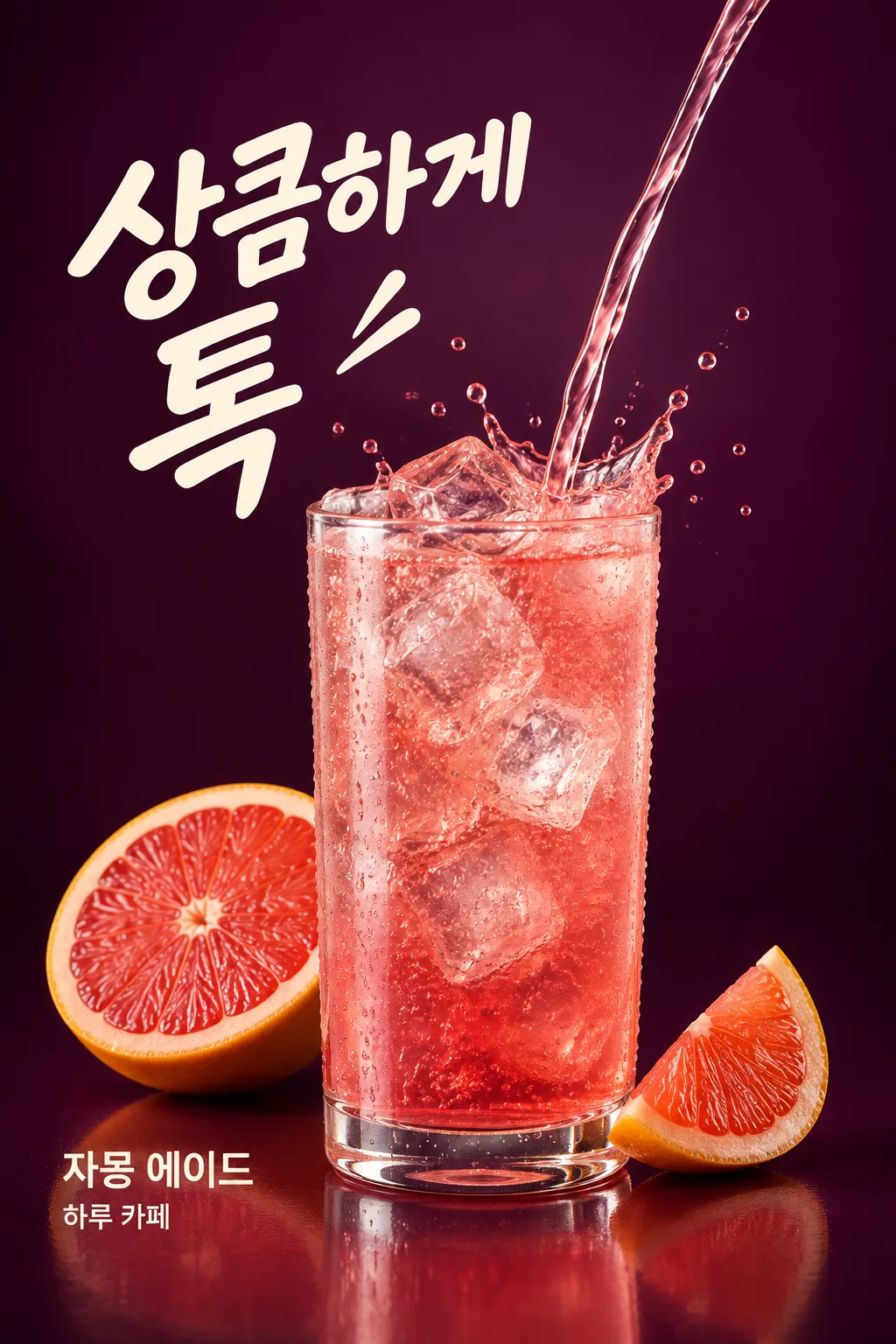
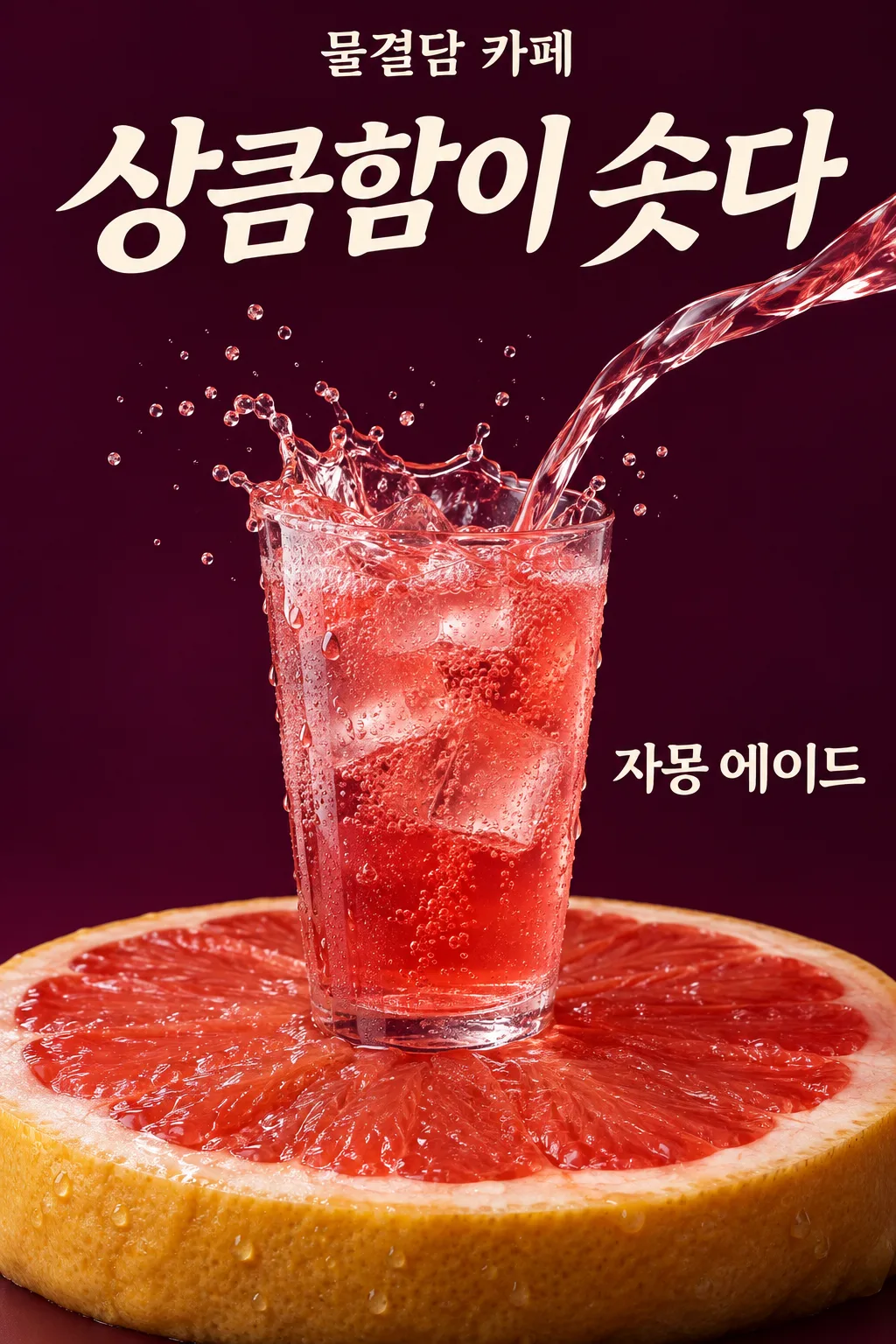
칸 채우기
- 1칸을 채워요
- 2복사 버튼을 눌러요
- 3GPT 채팅창에 붙여넣어요
- 4그대로 보내면 썸네일 예시처럼 나와요
- 5카드에 맞는 실제 사진을 같이 넣으면 그 사진이 반영돼요 — 배경 카드는 배경 사진, 인물 · 음식 카드는 그 사진 선택
프롬프트 원문 보기 3,203자
Create a finished fruit-ade campaign poster, a high-speed studio photograph with a deliberately oversized edible set. Deliver the image itself.
Output exactly one finished 2:3 portrait image, 1024x1536 pixels. Keep all important text inside the central 73% of image height: leave the top 12% and bottom 15% free of essential lettering.

THE CITRUS CROSS-SECTION STAGE
A thick fresh cross-section of the selected fruit is enlarged to furniture scale. Its radial flesh chambers, wet cut surface, white pith and continuous outer rind are the scenery, not a tiny garnish or an infographic. A normal-sized clear glass of ade is the hero against this enormous fruit stage. Freeze a narrow pour entering the rim from upper right, with a liquid crown and scattered airborne droplets. The pour remains fluid, with irregular edges and real highlights. The glass has condensation, ice refraction and bubbles when the drink is carbonated. Keep this photographic advertising medium in both stage arrangements.

DATA
SHOP = "【가게 이름】"
DRINK = "【음료 이름】"
IN_GLASS = "【잔 속 에이드】"
STAGE_FRUIT = "【무대 과일】"
FLESH = "【단면 과육】"
RIND = "【껍질 테두리】"
HEADLINE = "【물보라 위 문구】"
STAGE = "【단면 무대】"

BUILD THE SELECTED SET
For STAGE "세운 배경판": stand the giant fruit wheel upright BEHIND the glass. Its circular cut face looks toward camera, its lower edge rests on the studio floor, and the glass overlaps its lower center. The fruit rises above the glass rim. The glass base touches the dark floor directly; there is no fruit underneath it.
For STAGE "가로 받침대": remove the upright wheel entirely. Lay the same thick fruit cross-section FLAT beneath the glass as a broad low edible plinth. The glass stands on its upward-facing flesh. Show the cut surface as a wide foreshortened ellipse and its thick rind as the front vertical edge. Empty dark background is visible behind the glass, with no standing fruit disk. Raise the camera enough to reveal the plinth surface while retaining a frontal view of the drink.
These are alternate physical sets, not alternate colors. Follow STAGE before arranging the lettering. FLESH and RIND describe this single fruit stage; do not repeat the fruit as garnish, floating slices or extra plinths. No arrows, ingredient labels or diagram panels.

ART DIRECTION AND WORDS
A deep plum seamless studio background, luminous ruby liquid for the supplied example, broad soft highlights and sharp frozen droplets. Use realistic wet fruit fibers rather than plastic or illustration. Keep the stage and glass in the lower two thirds. Place HEADLINE in large cream lettering above the splash, SHOP as a small wordmark above that, and DRINK as a separate readable line beside the glass. Print only those three supplied strings, each once, exactly as provided. Text stays inside a 6% inset and clear of the pour. No price, packaging, health claims, added slogans, decorative border or mockup. This is a fictional advertising set, not evidence of a real portion. A source photograph is not required. Finish one complete portrait poster.

[Final output format]
Output exactly one finished 2:3 portrait image, 1024x1536 pixels. Keep all important text inside the central 73% of image height: leave the top 12% and bottom 15% free of essential lettering.
This selected output format takes priority over any fixed canvas size or aspect ratio elsewhere in this template. Adapt the composition, text zones and margins to the selected canvas without stretching or cropping essential content. Device safe areas apply only when a device is selected. Never print these format instructions on the image.
결과 어땠어요?
같은 분류의 다른 카드


쓰는 법 · 자주 묻는 것
잔보다 큰 과일 단면을 무대로 세운 에이드 광고
에이드 신메뉴 광고예요. 유리잔 뒤에 잔보다 훨씬 큰 과일 단면이 서 있고, 물보라가 솟다 멈춘 순간 위에 한마디가 큼직하게 들어가요. 물결담 카페라는 가상 가게의 자몽 에이드로 그려 보니 커다란 자몽 단면이 잔 뒤에 서고 흰 속껍질이 원을 그렸으며, 붉은 과육이 잔 양옆으로 보였어요. 얼음과 잔에 맺힌 물기, 오른쪽 위에서 들어오는 물줄기가 같이 그려졌어요. 세로 2:3이라 인스타 신메뉴 소개에 맞아요.
과일 칸은 한 묶음이에요
「무대 과일」, 「단면 과육」, 「껍질 테두리」가 합쳐져 그 과일 모양을 만들어요. 그래서 과일을 바꿀 땐 셋을 함께 바꿔야 해요. 레몬 에이드로 바꾸면서 무대 과일만 「레몬」으로 고치면, 붉은 과육에 두툼한 연노랑 껍질인 자몽이 레몬이라는 이름으로 서 있게 돼요. 과육 색과 껍질 두께까지 레몬에 맞춰 적으세요. 우리가 그려 본 과일은 자몽 하나뿐이에요.
뒤에 세울지, 밑에 깔지
「세운 배경판」은 과일 단면이 잔 뒤에 둥근 벽처럼 서서 과육 무늬가 한눈에 보여요. 「가로 받침대」로 바꾸면 뒤의 원판이 사라지고 잔이 넓게 누운 과일 위에 올라가요. 잔 뒤가 비고 아래에 두꺼운 껍질 옆면이 보여서 문구를 넣을 자리가 넓어져요. 물보라 세기는 그대로이고 잔을 받치는 무대만 바뀌어요.
가장자리가 잘리고 상호가 위에 붙어요
과일 단면 양옆이 화면 밖으로 나갔고, 받침대 쪽도 좌우가 잘렸어요. 가게 이름은 위쪽 끝에 가깝게 붙어서, 인쇄해 자를 거면 위 여백을 더 달라고 하세요. 물줄기가 강한 반사 때문에 매끈한 유리 끈처럼 보일 수 있어요. 어색하면 「물줄기의 가장자리를 불규칙하게 끊고 작은 방울을 섞어 줘」라고 보내 보세요. 이 문장은 시험하지 않았어요.
손님이 양을 오해하지 않게
과장된 촬영 세트 그림이라서 실제로 나가는 잔과 과일 양을 보여 주는 메뉴 사진과는 달라요. 매장에 붙일 땐 실제 음료 사진을 따로 곁들이는 게 안전해요. 가게 이름과 음료 이름, 물보라 위 문구가 틀리지 않았는지도 확대해서 확인하세요.
가게 이름과 음료, 문구 칸을 채워요
가게 이름은 상호 그대로, 음료 이름은 「자몽 에이드」처럼 적어요. 잔 속 에이드에는 색과 탄산, 얼음, 유리잔을 쉼표로 나눠 「루비색 탄산, 각얼음, 차가운 유리잔」처럼 적으세요. 물보라 위 문구는 「상큼함이 솟다」처럼 짧은 한 줄이 좋아요. 큰 문구는 띄어쓰기가 좁아 보이기도 했으니 확대해서 읽어 보세요. 가격은 이 카드에 들어가지 않는 가격 없는 광고예요.
마지막 확인일 · 공개