

칸 채우기
- 1칸을 채워요
- 2복사 버튼을 눌러요
- 3GPT 채팅창에 붙여넣어요
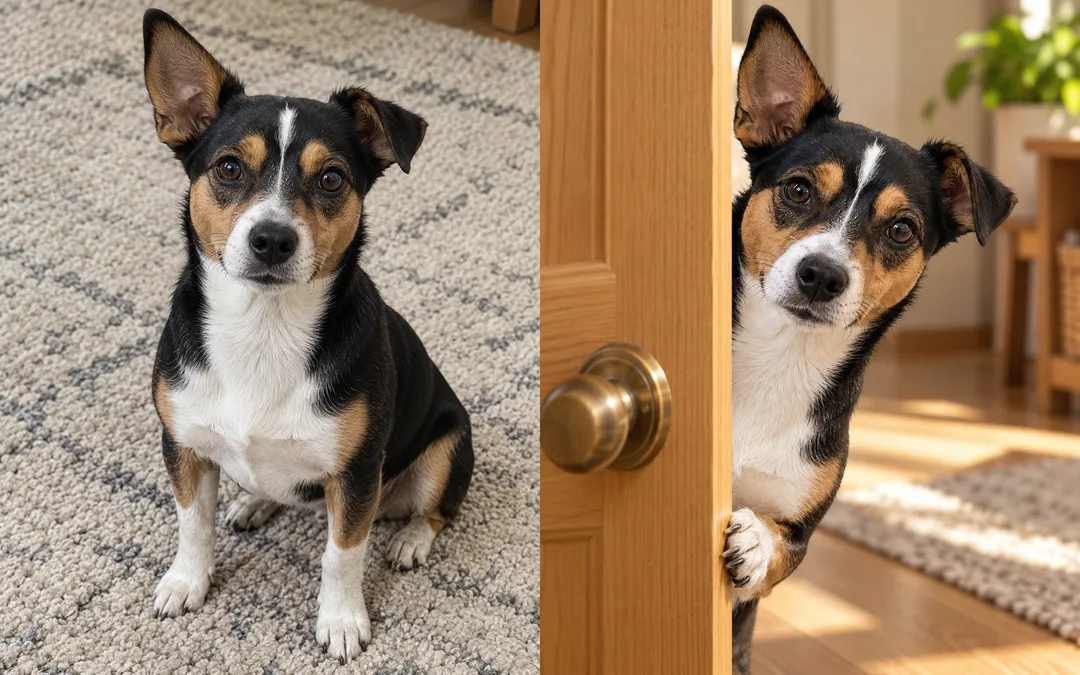
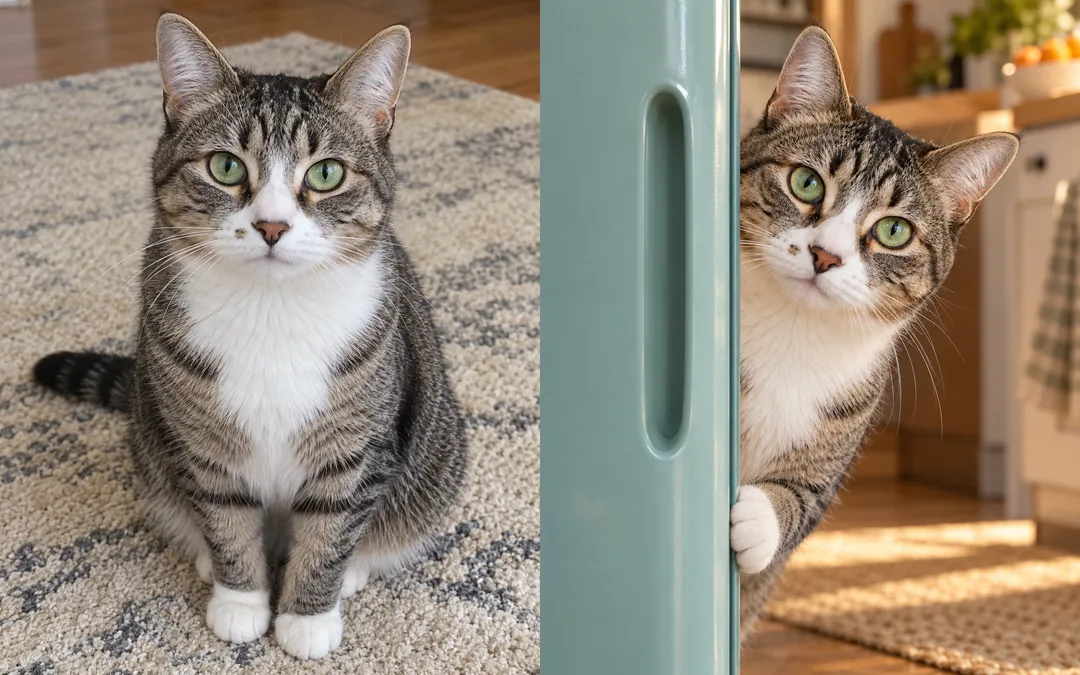
- 4그대로 보내면 썸네일 예시처럼 나와요
- 5반려동물 사진 1장, 선택을 같이 넣으면 그 사진이 반영돼요 선택
프롬프트 원문 보기 3,728자
Generate this image now. Return exactly ONE finished image, without explanations or questions.
Output size 1080x1350 pixels, 4:5 portrait, Instagram standard.
[Purpose]
Create a funny, affectionate, photorealistic pet portrait for a social feed: exactly one pet peeking sideways around one vertical opening. Default aspect ratio is 4:5; a selected output ratio takes priority. Fill the entire canvas with the scene, without borders, panels or mockups.
[Photo rule]
PHOTO = "【사진】" is attachment context, never printed text. When a pet photo is attached, use that individual as the identity reference: preserve species, age, coat length and pigment, asymmetric markings on their correct anatomical sides, eye color, ear shape, muzzle length and nose markings. Change the location and pose, not the pet's identity. Preserve those features through the pose change; do not simply paste the source photo into a doorway. With no photo, finish using one original fictional cream-and-brown small dog, never ask for a photo. Ignore people, collars with lettering and the original background.
[Opening]
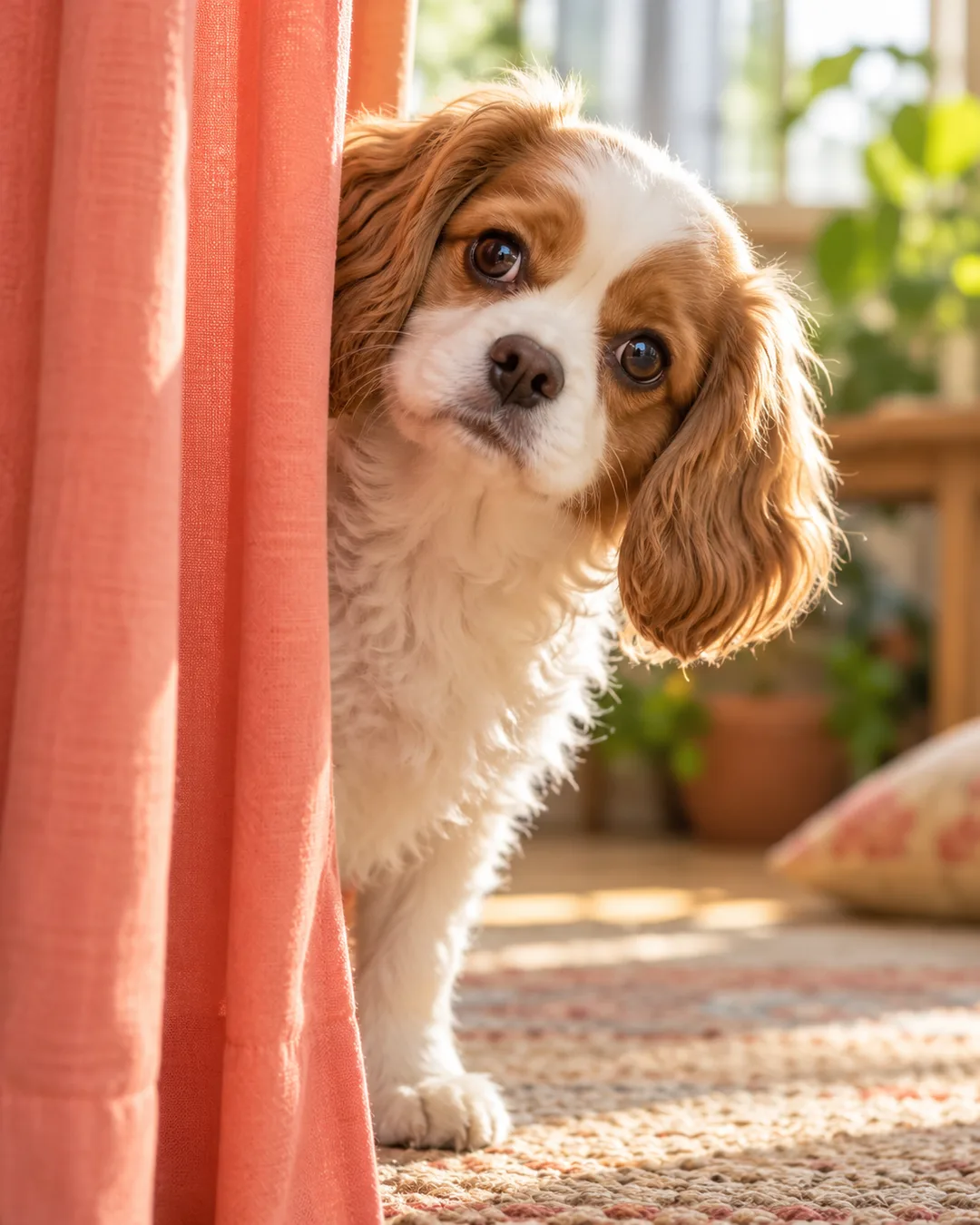
OPENING = "【문】". Interpret wood door, refrigerator and curtain in the user's language. Blank or unrecognized opening defaults to wood door. Wood: a partly open plain honey-colored wooden door with visible grain and a simple unbranded round handle. Refrigerator: a partly open original fictional muted-teal refrigerator with an offset oval recessed grip, rounded asymmetric trim and no recognizable commercial design; animal remains standing outside the appliance, looking around its outer door edge, never trapped inside. Curtain: a softly folded plain coral fabric curtain pulled aside, with folds that visibly behave as fabric rather than a rigid panel. Never combine the three openings.
[Composition and expression]
Place the opening edge around 40 percent of canvas width. The opening hides part of the torso while the pet leans into the larger visible side. Show the entire recognizable face, both eyes and both ear tips, with a slight sideways head tilt and an alert, comically inquisitive side glance. Keep the head about 45 percent of canvas width and around the upper-middle area, with a little upper chest visible and at most one naturally connected front paw resting beside the edge. Maintain plausible joints, eye alignment and neck anatomy; humor comes from the curious pose, not giant eyes, human teeth or a warped face. Keep the body behind the opening and the muzzle in front, with correct occlusion and contact shadows. The opening and softly defocused room continue to all canvas edges; no empty white studio field. Adapt framing to the selected ratio without clipping ears or stretching the pet.
[Finish]
Use one consistent lifelike photographic treatment with individual fur strands, detailed nose texture, natural catchlights and soft depth of field. Derive lighting from the opening: warm late-afternoon side light for wood, cool kitchen ambient light plus a restrained warm edge light for refrigerator, soft bright morning light through fabric for curtain. Vary setting and light through these choices while retaining the same photographic medium. No text, letters, numerals, labels, name tags, logos, watermarks, signatures, brand-specific products, real people, existing characters or imitation of an artist's work. Do not show the source image, a comparison panel or a collage in the finished output.

[Final output format]
Output size 1080x1350 pixels, 4:5 portrait, Instagram standard.
This selected output format takes priority over any fixed canvas size or aspect ratio elsewhere in this template. Adapt the composition, text zones and margins to the selected canvas without stretching or cropping essential content. Device safe areas apply only when a device is selected. Never print these format instructions on the image.
결과 어땠어요?
이 카드도 많이 사용해요

쓰는 법 · 자주 묻는 것
이런 때 쓰세요
우리 강아지나 고양이가 문 뒤에서 눈치를 보며 빼꼼 내다보는 사진을 만들어 SNS 피드나 공감 밈에 써 보세요. 얼굴을 크게 잡고 몸은 문 뒤에 가려, 무슨 일이 있나 살피는 표정이 먼저 보이는 한 장입니다. 문 종류를 바꾸어도 사실적인 털과 자연스러운 눈빛은 유지합니다. 그림 속에는 글자를 넣지 않으므로 짧은 말은 게시글 본문에 적으면 됩니다.
칸 채우는 법
사진 칸은 함께 첨부할 반려동물을 구분하는 메모입니다. 예시 이름은 하루이며 이름이 그림에 찍히지는 않습니다. 문 칸에서는 나무, 냉장고, 커튼 중 하나를 고르세요. 나무는 따뜻한 오후의 방, 냉장고는 차가운 주방 조명, 커튼은 밝은 아침 분위기가 됩니다. 문을 비우면 나무문을 씁니다. 사진도 선택 사항이며 첨부하지 않으면 가상의 크림색과 갈색 작은 강아지를 만듭니다. 크기는 공통 선택에서 고르고 기본은 4:5입니다.
사진 함께 보내기
귀 끝, 양쪽 눈, 코와 얼굴 무늬가 잘 보이는 반려동물 사진을 그림 AI 대화창에 올리고, 같은 메시지에 복사한 프롬프트를 붙여 넣어 한 번에 보내세요. 사진 칸에 이름만 적는 것으로 사진이 전송되지는 않습니다. 여러 마리 사진보다 한 마리가 선명한 사진이 좋습니다. 원본 배경이나 이름표 글자는 옮기지 않습니다.
결과 확인과 고치기
원본과 비교해 종, 귀 모양, 주둥이 길이, 눈 색, 털 색과 좌우 무늬가 맞는지 보세요. 양쪽 눈과 귀가 보이고 목과 앞발이 자연스럽게 이어져야 합니다. 냉장고 장면은 아이가 가전 안에 갇힌 모습이 아니라 바깥에서 문 가장자리 너머를 살피는 모습입니다. 다른 아이처럼 보이면 정면 사진으로 바꾸고 같은 프롬프트를 다시 보내세요. 문이 얼굴을 가리면 얼굴 전체와 귀 끝이 보이게 해 달라고 요청하세요.
자주 묻는 것
고양이도 되나요? 사진 속 종과 특징을 유지하므로 고양이 사진도 쓸 수 있습니다. 사진이 없으면 어떻게 되나요? 가상 강아지로 완성합니다. 비교판이 결과인가요? 실제 출력은 단독 사진 한 장이며, 갤러리의 비교판은 왼쪽 원본과 오른쪽 변환 결과를 보여 주기 위한 것입니다. 외부 서비스의 요금과 이용 조건은 해당 서비스에서 확인하세요.