

All · Social posts · New menus
534Product unboxing photo — the moment your item is revealed
Keep the product shape and label while adding an open box, tissue paper and hands for one unboxing photograph.
What you get
- One photograph of hands opening tissue in a box
- Composition preserving the product and its label
- Your selected wrapping color and lighting mood
Fill in the fields
- 1Fill in the fields
- 2Copy the prompt
- 3Paste it into a GPT chat
- 4Send it as is and you get an image like the thumbnail example
- 5Attach One sharp product photo showing the front and label (optional) with the prompt and your photo is used in the result Optional
Full prompt 3,092 characters
Generate one finished photograph now. Do not substitute an explanation or questions.
Output size 1080x1350 pixels, 4:5 portrait, Instagram standard.
Use portrait 4:5 unless another ratio is supplied. One full-bleed premium photoreal product unboxing photograph.
Photo reference: 【Photo】
Wrapping color: 【Wrapping color】
Mood: 【Mood】

Use the image attached to this same request. The Photo field is not text to print. With a photo, keep one main product, its original camera direction, outline, proportions, count, material, distinctive colors, openings, component positions, food shapes and topping positions. The existing container and label are part of the product. Do not redesign or substitute it. Preserve readable label letters and numbers character by character in their original language; do not translate them. Never invent obscured writing, ingredients, benefits, prices or dates.
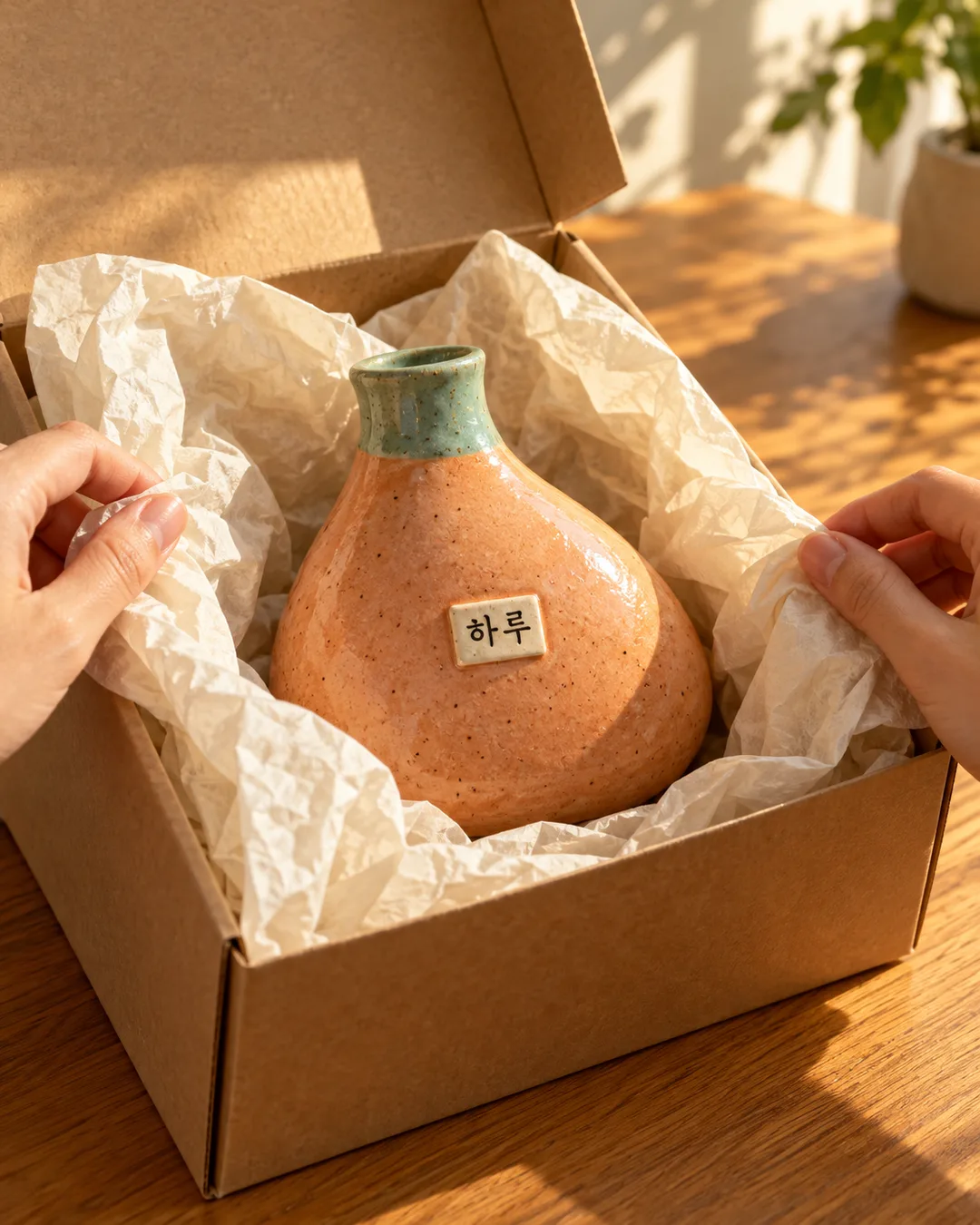
PHOTO RULE: without an attachment, do not ask or stop. Invent an original asymmetrical apricot ceramic bud vase with a short turquoise neck and a small cream label reading only 'Haru'. Never imitate an actual brand or famous product shape.

Place the item safely in a fitted open shipping box. Two natural fictional adult hands are just peeling back thin tissue. Show hands only, with accurate anatomy and believable paper contact. Keep the product and label large, clearly visible and unobscured. For food retain its food-safe tray; hands and wrapping never directly touch food. Never change the product color to match the wrapping.
Apply wrapping color only to the outer box and tissue: Lilac = pale purple box and tissue; Cream = plain kraft box and cream tissue; Forest green = deep green box and pale sage tissue; Choose for me = one of those contrasting with the product. Empty means Lilac.
Within realistic photography, change only light and surroundings for the mood: Bright studio = bright soft diffuse light and neat purple-gray table; Warm window = late afternoon sunlight and honey oak table; Quiet evening = dark stone table and gentle side light. Empty means Bright studio. Preserve product color and label legibility under every lighting choice.
Tactile paper fibers and folds, natural shadows and materials, close three-quarter view showing the complete product shape. Output only one finished photo, not a before/after board. No outside title, caption, option names, arrows or watermark. Add no actual trademarks, logos, celebrities, existing characters or named artist style. If an attachment contains a brand without authorization, do not reproduce that logo; briefly explain that permission needs confirmation. For alcohol or regulated products, verify current local mandatory disclosures before generating promotional imagery. Complete ordinary products immediately.

[Final output format]
Output size 1080x1350 pixels, 4:5 portrait, Instagram standard.
This selected output format takes priority over any fixed canvas size or aspect ratio elsewhere in this template. Adapt the composition, text zones and margins to the selected canvas without stretching or cropping essential content. Device safe areas apply only when a device is selected. Never print these format instructions on the image.
How did it turn out?
You may also like
How to use it · FAQ
Turn a product photo into a reveal
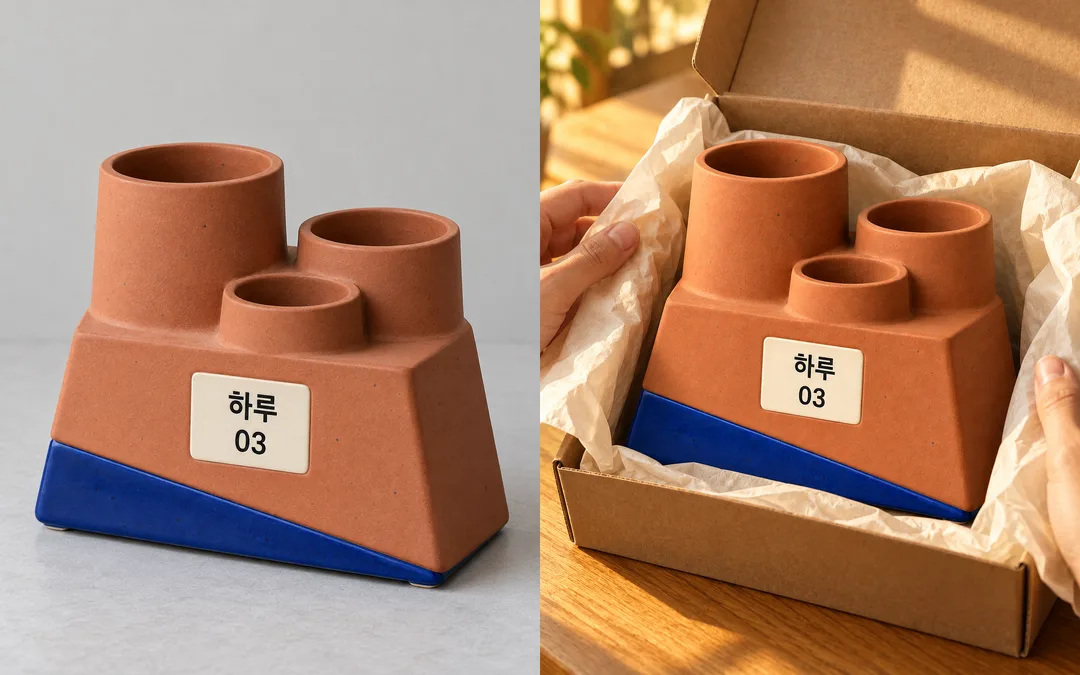
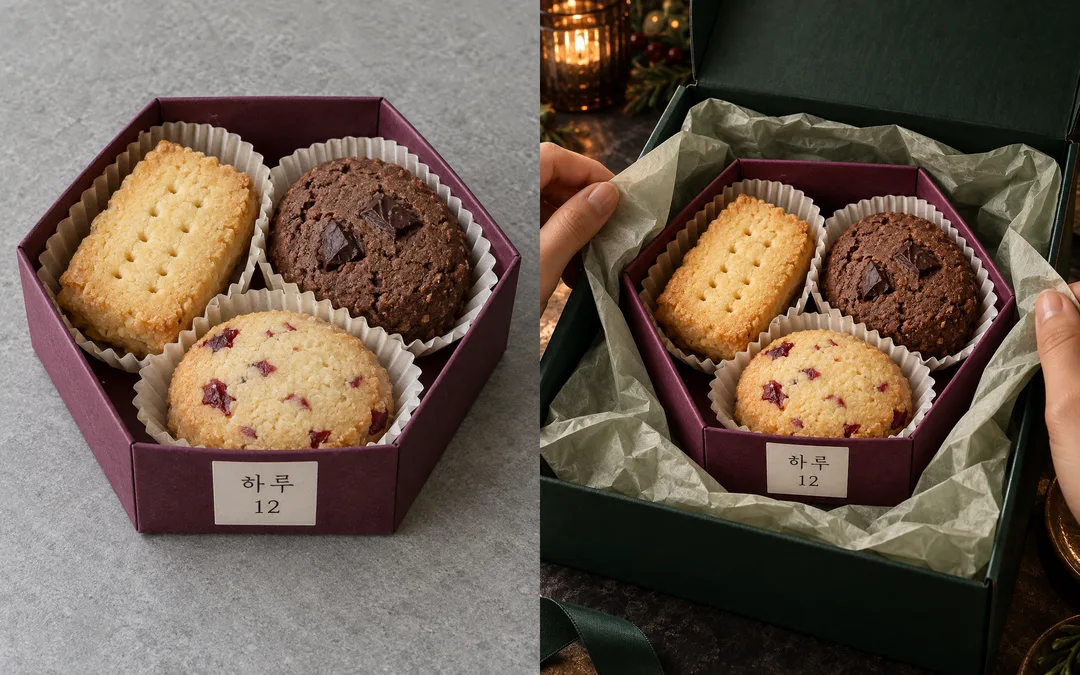
Create one social feed photograph with an open box, tissue and hands revealing your item. The result is one finished photo. Product identity stays central while the wrapping and lighting change. The cover is a fictional vase generated without a source; the gallery contains two separate fictional source-to-result pairs.
Fill the three fields
No field is required. Attach a sharp product photo showing the front and readable label to your image tool, paste the copied prompt into the same message, then send them together. A file name in Photo does not upload an image. Without an attachment, the prompt invents an original vase labeled Haru. Wrapping color offers Lilac, Cream, Forest green and Choose for me; it affects the box and tissue only. Mood offers Bright studio, Warm window and Quiet evening, changing light and table. Empty selections use Lilac and Bright studio. Default output is portrait 4:5; change it with the shared size control.
Read the gallery and inspect your result
The first pair uses a ceramic organizer marked 03, cream wrapping and warm window light. The second uses a cookie tray marked 12, green wrapping and evening light. Labels in the supplied source photos remain in their original language because preservation is the purpose of this card. Both sources are fictional generated photographs. Compare the number of openings, diagonal foot, cookie count and topping positions. Enlarge every label and compare each letter and digit. Exact preservation is not guaranteed; do not publish an incorrect result. A sharper close-up source helps with small text.
Fix common problems
If a hand covers the label, request hands outside the box edges. If tissue touches food, keep it outside the food-safe tray. If the product changes shape, request the original viewing direction and change only the surroundings. Use photographs and designs you own or have permission to use. Food examples demonstrate appearance, not ingredient or health claims.