

項目を入力
- 1項目を入力します
- 2プロンプトをコピーします
- 3GPTのチャットに貼り付けます
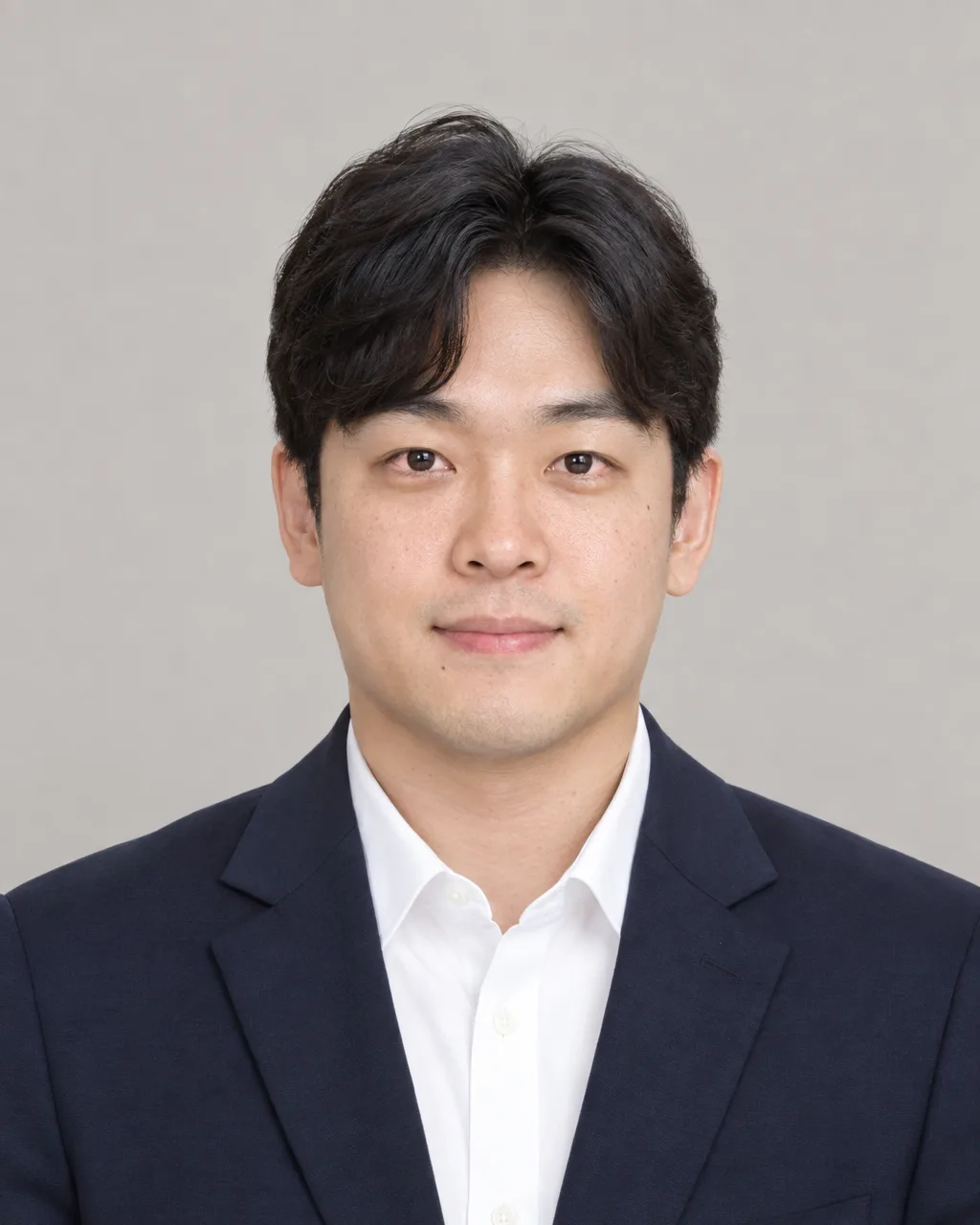
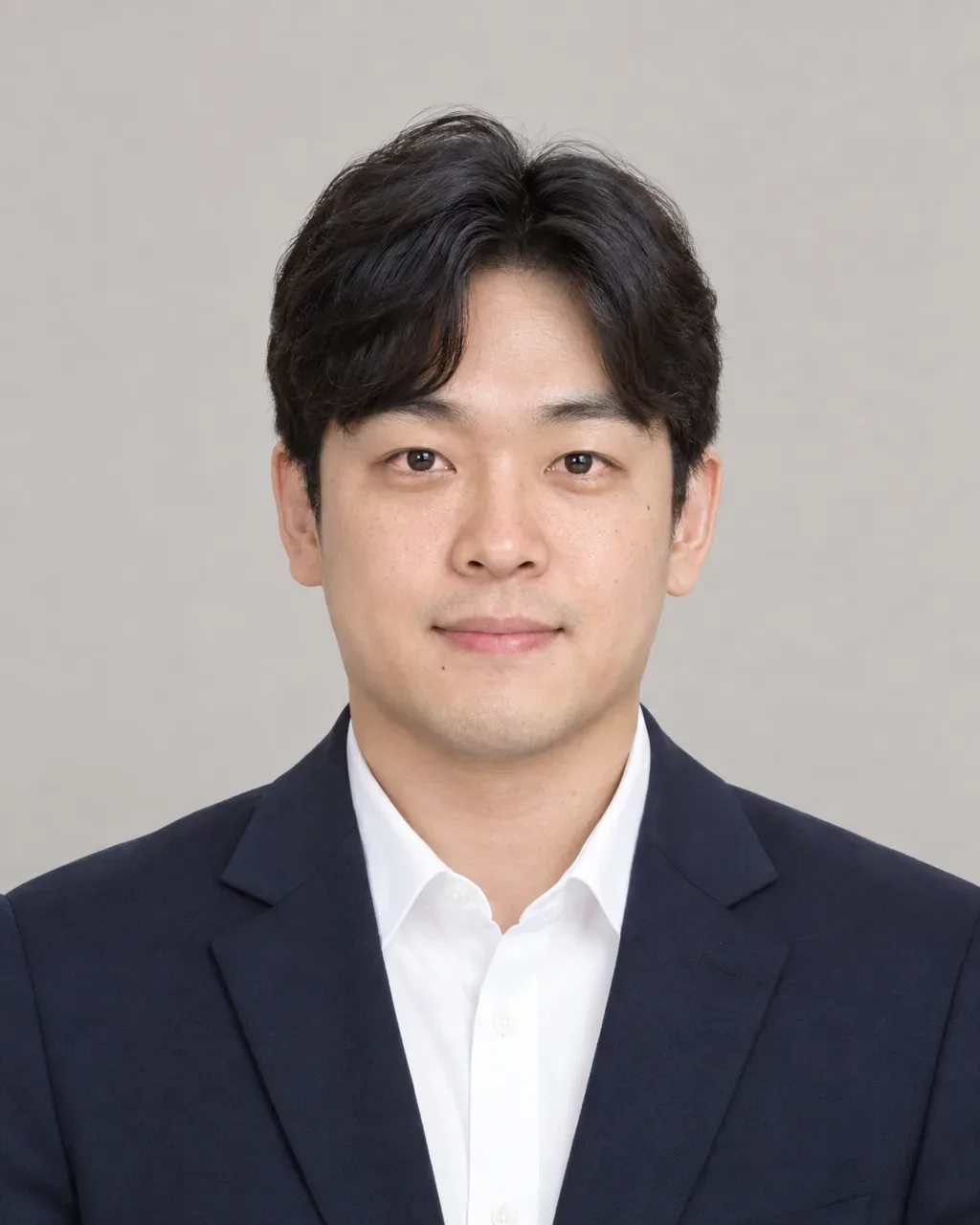
- 4そのまま送ると、サムネイルの例のような画像になります
- 5本人の写真をプロンプトと一緒に入れると、その写真が反映されます 任意
プロンプト全文を見る 7,360文字
Generate this image now. Draw it directly - do not describe it, explain it, or ask questions.
PHOTO RULE (this overrides any other line in this prompt, before or after it, that calls the photo required or mandatory or says to ask for it): if a photo is attached, use it exactly as the instructions below describe. If no photo is attached, never ask for one and never stop — invent a fitting fictional subject (person, pet, food, product or place, whatever this card is about) in the spirit of the card's example image, and finish the image.
出力サイズは1080×1440ピクセル、3:4の縦型SNS投稿にしてください。

[Purpose]
Create a clean Korean-style ID photo (証明写真) for résumés, job applications, and staff or student cards, using the one attached photograph as the sole identity reference. The result must unmistakably depict the exact same person in the uploaded photo. Identity preservation is the highest-priority requirement and overrides beautification, styling, clothing, background, mood, and every other instruction. It is not a passport, government ID, visa, license, or biometric-compliance submission.

[Scene]
Show one person only, framed as a clean head-and-shoulders portrait, facing the camera straight on with level shoulders and natural posture. Use the selected clothing exactly in spirit: "【服装】". Use a plain seamless "【背景】" background with no room, furniture, scenery, pattern, gradient halo, frame, border, or decorative object. Convey "【表情】" through a subtle natural expression, relaxed shoulders, attentive eyes, and restrained professional styling. Keep the composition centered, uncluttered, easy to crop, and readable at a small print size. Leave comfortable space above the hair and around both shoulders. Do not crop the chin, hair, ears, or shoulders awkwardly.

[Attached photo]
Use the uploaded photo as the mandatory and only source of the person's identity. Preserve the person's facial identity with maximum fidelity: the same facial proportions, face shape, jawline, chin, cheek structure, forehead, hairline, eyebrow shape and spacing, eye shape and spacing, eyelids, nose shape and width, nostrils, philtrum, lip shape, mouth width, ears, skin tone, age, visible freckles, moles, scars, asymmetry, and other distinctive features. Preserve the natural relationship among all features, not merely a vague resemblance. The output must look like a new photograph of the same real person taken moments later in a professional setting, never like a similar model, relative, idealized version, or face inspired by the reference.

Do not replace, redesign, average, reconstruct, or reinterpret the face. Do not make the eyes larger, the nose narrower, the jaw sharper, the face slimmer, the skin lighter, the person younger, or the features more symmetrical. Do not apply beauty filters, glamour retouching, cosmetic changes, face swapping, or identity blending. Keep the person's ethnicity, apparent age, gender presentation, and recognizable appearance unchanged. If any styling request conflicts with identity fidelity, preserve identity and simplify the styling. Preserve the existing hairstyle, hair color, hair texture, and natural part as closely as possible; only tidy stray hairs minimally. If glasses are present, retain their recognizable shape and placement unless glare makes the eyes unreadable; remove glare without changing the glasses. Do not invent teeth if they are not visible in the reference. Do not change facial hair except for minimal grooming of stray hairs.

[Text layout]
No text. Do not render names, job titles, captions, letters, numbers, logos, badges, watermarks, signatures, UI elements, or marks anywhere in the image.

[Style]
Natural contemporary studio portrait photography with realistic optics and honest skin texture. Professional but not stiff, polished but not artificial. Use a portrait-lens perspective equivalent to approximately 70-100 mm on full frame, with the camera near eye level to avoid facial distortion. Keep both eyes sharply focused. Clothing should look physically plausible, correctly fitted, and free from distracting patterns. The portrait must remain useful after a square or vertical crop. Avoid an editorial fashion look, cinematic character styling, painterly rendering, illustration, anime, 3D graphics, or synthetic stock-photo perfection.

[Visual hierarchy]
First: the exact recognizable face of the attached person. Second: clear eyes and a natural expression matching "【表情】". Third: the neat silhouette of "【服装】" against the "【背景】" background. Nothing may compete with the face. The background and clothing must support recognition rather than transform the person.

[Lighting and texture]
Use soft, even studio light from slightly above and in front, with gentle fill and a very light separation from the background. Keep exposure natural across the forehead, cheeks, and chin. Preserve pores, fine lines, natural under-eye texture, and realistic tonal variation while reducing only temporary distractions such as harsh shine or a single stray hair. No plastic skin, waxy smoothing, heavy sharpening, HDR, dramatic rim light, colored light, hard shadow across the face, blown highlights, crushed blacks, glow, lens flare, or vignette. Maintain realistic fabric texture and clean background color.

[Text rules]
There must be no visible text or typographic element. The selected Japanese values are instructions only and must never be printed in the portrait.

[Avoid]
any change of identity; a merely similar person; generic model face; face swap artifacts; mixed identity; altered facial proportions; changed eye, nose, mouth, jaw, skin tone, age, ethnicity, gender presentation, hairline, hairstyle, glasses, facial hair, moles, scars, or natural asymmetry; excessive beautification; skin whitening; slimming; de-aging; enlarged eyes; narrow nose; sharpened jaw; heavy makeup; glamour retouching; artificial smile; invented teeth; expression that obscures recognition; side profile; tilted camera; wide-angle distortion; low resolution; blur over the eyes; extra person; duplicate face; cropped chin or hair; hands near the face; busy background; office scenery; props; logos; text; border; watermark; passport template; government emblem; official seal; biometric guides; illustration; cartoon; anime; painting; 3D render; uncanny skin; malformed ears; asymmetrical glasses; mismatched eye direction

[MORE OWNER INPUT — each line exists only when supplied; treat "選ばない" as absent]
HAIR: "【髪】". Tidy the hair only in this way; never change length or color.
GLASSES: "【メガネ】". "Without glasses" only if the face stays the same person; never alter facial features.
USE: "【用途】". Passport/visa: plain white or light background, neutral expression, mouth closed, ears visible if possible. Others: follow the chosen mood.
RETOUCH: "【補正の程度】". Only skin evenness, stray hairs and lighting; never reshape the face.
Keep every added line smaller than the main message; never let added text crowd the hero or shrink the main title. Supplied texts stay exact.

[Final output format]
出力サイズは1080×1440ピクセル、3:4の縦型SNS投稿にしてください。
This selected output format takes priority over any fixed canvas size or aspect ratio elsewhere in this template. Adapt the composition, text zones and margins to the selected canvas without stretching or cropping essential content. Device safe areas apply only when a device is selected. Never print these format instructions on the image.
結果はどうでしたか?
同じ分類のほかのカード
使い方・よくある質問
こんな時にお使いください
履歴書や社員証、各種プロフィール用に、手持ちの写真から清潔感のある自然なプロフィール写真を作りたい時に使います。顔のパーツや年齢、骨格を変えずに、服装と背景だけを整えます。
項目の入力方法
- 服装:ネイビージャケットやきれいめのセーターなど、用途に合わせた装いを選びます。
- 背景:温かみのある薄い灰色や清潔な白など、顔が引き立つ無地の色を選びます。
- 表情:誠実さや親しみやすさを表す自然な印象を選びます。
- ※注意:パスポートや運転免許証などの公的身分証明書には、AIによる合成・加工写真が受け付けられない場合があるため使用を控えてください。
写真を添付する手順
- 正面から明るく撮影したご自身の写真をチャットにアップロードします。まだ送信しないでください。
- 同じ入力欄にこのカードのプロンプトを貼り付けます。
- 写真とプロンプトが両方入っていることを確認してから送信します。
完成画像で確認すべきこと
生成された写真が、誰が見ても本人であるとわかる仕上がりになっているかを確認します。目の位置や鼻の形、あごのラインが元の写真と一致しているか、首元や肩の合成に不自然さがないかをチェックしてください。
修正を依頼する方法
同じチャット内で元の写真を再度添付し、「元の目の大きさとあごのラインを復元し、服装と背景は維持してください。過度に美化しないでください」のように具体的に伝えてください。
仕上がりを整える任意の項目
以下はすべて任意です。空欄にするか「選ばない」を押すと、元の写真のままの状態を基準にします。
- 髪: 選んだ形に整えるだけで、長さや色は変えません。前髪が眉にかかるなら「おでこを出す」を試してください。
- メガネ: 「反射を減らす」はレンズの映り込みだけを抑えます。「外した姿」は本人らしさが保てる場合だけ使う指示なので、別人に見えたらその結果は使わないでください。
- 用途: 「パスポート・ビザ」を選ぶと、明るい無地の背景、無表情、口を閉じた姿に整えます。公的な証明写真は加工・合成写真を受け付けない場合があるため、提出前に提出先の規定を確認してください。それ以外は選んだ表情に合わせます。
- 補正の程度: 肌のムラ、後れ毛、光の具合だけを整え、顔の形は変えません。
写真を使った仕上がり例
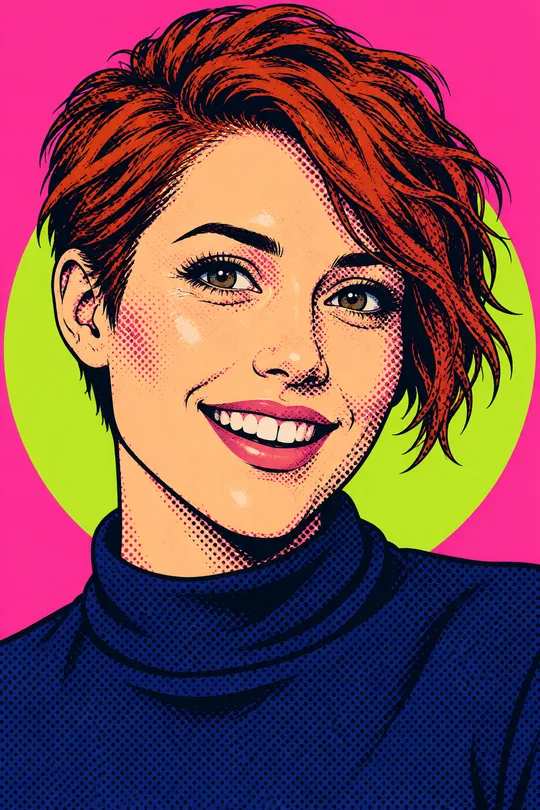
1枚目は左が元の写真、右が仕上がりで、2枚目はこれまでの作例です。比較には月額制の画像生成ツールで作った架空の写真を使っています。
広い鼻と顎、まぶたの左右差、画面右側の頬のほくろ、短い黒髪、肌の質感がそのまま残っています。グレーのTシャツと自宅の壁がジャケット、白いシャツ、ライトグレーの背景に変わり、顔の黄色い照明と影が整えられました。
同じ人物の印象は残っていますが、口角と肌の明るさが原版よりも少し上がっています。
「原版の口角の角度と肌の明るさをそのまま維持してください。」
最終確認日 · 公開