
項目を入力
- 1項目を入力します
- 2プロンプトをコピーします
- 3GPTのチャットに貼り付けます
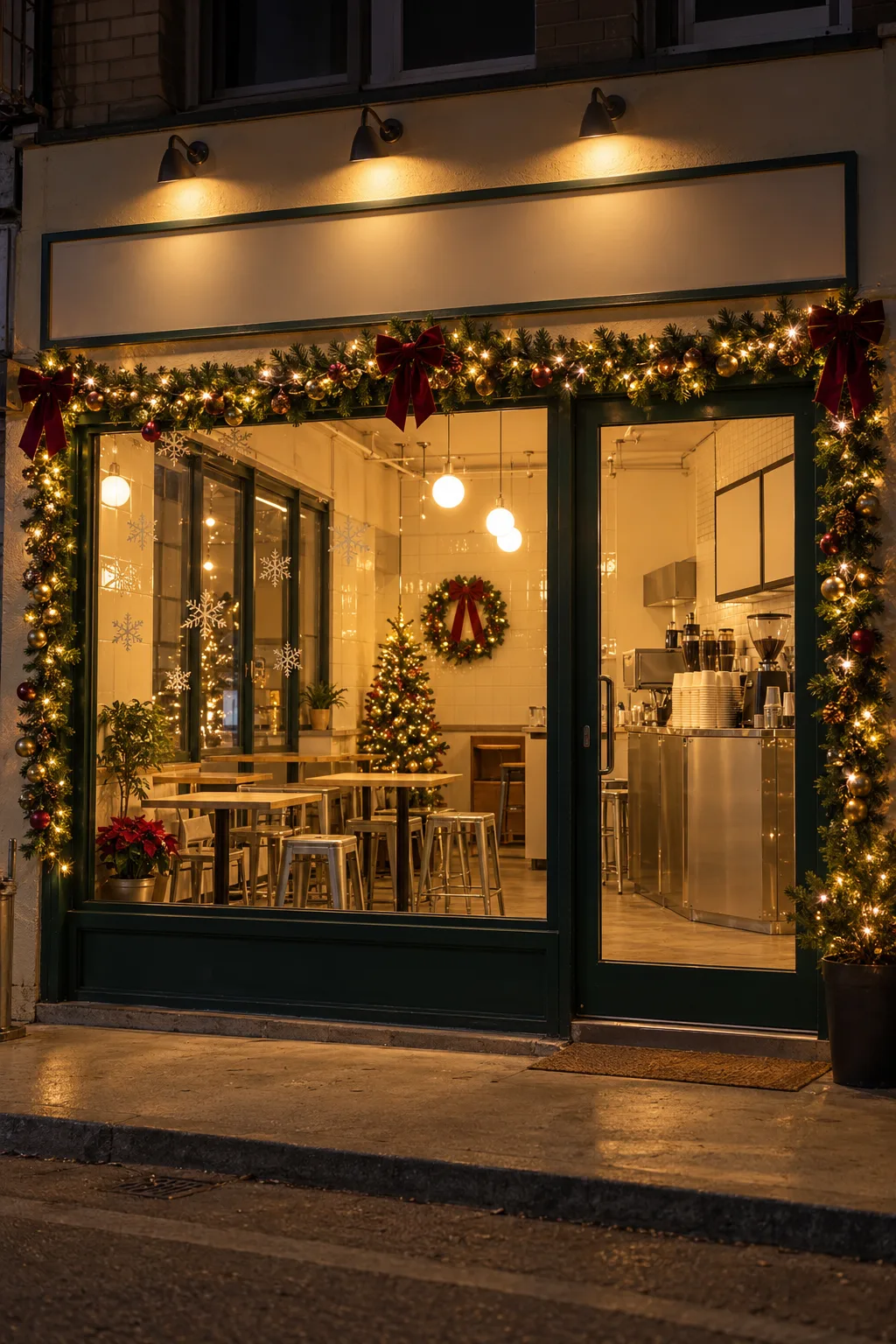
- 4そのまま送ると、サムネイルの例のような画像になります
- 5店頭または店内の写真1枚(任意)をプロンプトと一緒に入れると、その写真が反映されます 任意
プロンプト全文を見る 3,413文字
Generate this image now. Return exactly ONE finished full-bleed photorealistic photograph without explanations or questions.
完成した2:3の縦型画像を1枚、1024×1536ピクセルで出力してください。重要な文字は上12%と下15%に置かないでください。
SHOP SCENE: "【お店の場面】"
DECORATION LEVEL: "【飾りの量】"
TIME OF DAY: "【時間帯】"
MUST KEEP: "【必ず残すもの】"
PHOTO RULE: If one shop photo is attached, edit that exact shop. Lock its building shape, facade materials and colors, sign shape and location, all windows and doors, camera viewpoint, perspective, furniture and equipment count and placement, existing plants and surrounding buildings. Add only removable Christmas decorations and a time-of-day light change. Never add permanent light fixtures, alter weather, wet the ground, or remove door hardware. Never remodel, repaint, relocate or remove existing objects. The photo overrides the scene field; MUST KEEP adds preservation constraints, never authorizes structural changes. Preserve original sign lettering verbatim; if exact reproduction is uncertain, keep the same sign surface and gently blur existing letters. Never invent, replace, translate or add lettering, logos, menu text or slogans.
If no photo is attached, create a fictional independent shop from SHOP SCENE; if blank use a modest Haru Coffee storefront with cream plaster, dark green window and door frames and small wooden tables. Use a blank sign without text. If MUST KEEP is blank, preserve every existing architectural feature and layout.
FIXED RESULT: One continuous realistic shop photograph, no comparison panels, border, poster, caption, mockup or watermark. Respect the requested aspect ratio (default 2:3); if it differs from the photo, extend only peripheral surroundings without cropping or distorting the shop. Natural smartphone perspective, real material texture and plausible reflections, physically consistent shadows. Warm golden micro fairy lights, natural evergreen, burgundy velvet ribbons and restrained gold ornaments. Install decorations at believable scale and attachment points. Keep signs, door handles, entrances, aisles and equipment accessible; never cover shop identity with decorations.
Subtle / 控えめ: one door or wall wreath, a short string of warm lights, a few small removable window snowflake stickers and one compact tree or poinsettia pot wherever there is genuine free space.
Festive / 華やか: add evergreen garlands with golden lights around existing frames, burgundy bows, a wreath, a compact ornamented tree and poinsettia pots, plus a few removable snowflake window stickers. Omit any item lacking free space. Do not add fake falling snow, gifts, furniture or people.
Daytime / 昼: natural daylight, original surface colors, subtle visible lights. Dusk / 夕暮れ: soft cool ambient twilight and warm interior light. Night / 夜: credible dark exterior with warm practical lights, detailed architecture still legible, no exaggerated bloom. Empty decoration and time fields default to subtle and dusk.
Before finishing compare the sign outline, each window and door, furniture positions and visible equipment against the photo. Output only the decorated shop photograph.

[Final output format]
完成した2:3の縦型画像を1枚、1024×1536ピクセルで出力してください。重要な文字は上12%と下15%に置かないでください。
This selected output format takes priority over any fixed canvas size or aspect ratio elsewhere in this template. Adapt the composition, text zones and margins to the selected canvas without stretching or cropping essential content. Device safe areas apply only when a device is selected. Never print these format instructions on the image.
結果はどうでしたか?
こちらのカードも人気です
使い方・よくある質問
いつものお店にクリスマスの雰囲気を
店頭や店内の写真1枚に、リース、金色の小さな電飾、窓の雪の結晶シールなどを加える写真カードです。建物、看板の形、窓やドア、家具の配置を残します。購入前の飾り付けの検討や、実際の店内と一致することを確認した年末のお知らせ・代表写真に使えます。まだ設置していない飾りを公開する場合は、投稿文に予定のイメージであることを書いてください。
入力欄の使い方
必須項目は 3つです。お店の場面には「Haru Coffeeの店頭」「Haru Flowersの店内」のように業種と場所を入れます。写真がある場合は文章より写真を優先します。写真なしでは架空のお店を作り、場面も空欄ならクリーム色の壁と深緑の窓枠のカフェになります。飾りの量は控えめ・華やかから選びます。控えめはリースと短い電飾、華やかは窓枠のガーランドやリボンも加えます。空欄は控えめです。時間帯は昼・夕暮れ・夜から選び、空欄は夕暮れです。昼は素材や色が見やすく、夕方以降は暖かい光が際立ちます。任意の 必ず残すものには、取っ手、ひさしの色、花瓶の数などを具体的に書きます。空欄でも元の建物と配置を残します。
写真と一緒に送る方法
使用する権利のあるお店の写真を画像AIの入力欄に添付し、完成したプロンプトを同じ欄に貼って1回送ります。出力は飾り付けた写真1枚で、比較パネルや説明文は付きません。写真なしでも架空のお店を作れます。縦横比は共通の比率ボタンで指定し、元写真に合わせると看板や入口が切れにくくなります。外部サービスの料金や利用条件はそのサービスで確認してください。
公開前に見比べるところ
看板の輪郭と文字、窓とドアの位置、取っ手、テーブルや機器を元写真と見比べてください。看板文字はそのまま残すか、正確に再現できない場合だけ既存の文字を柔らかくぼかします。新しい名前や翻訳、宣伝文は加えません。リースが取っ手を隠す、ツリーが通路をふさぐ場合は、必ず残すものに場所を書いて同じ写真を送り直してください。空き場所がなければツリーや鉢は省きます。壁の塗り替えや家具の入れ替えは行いません。
作例とよくある質問
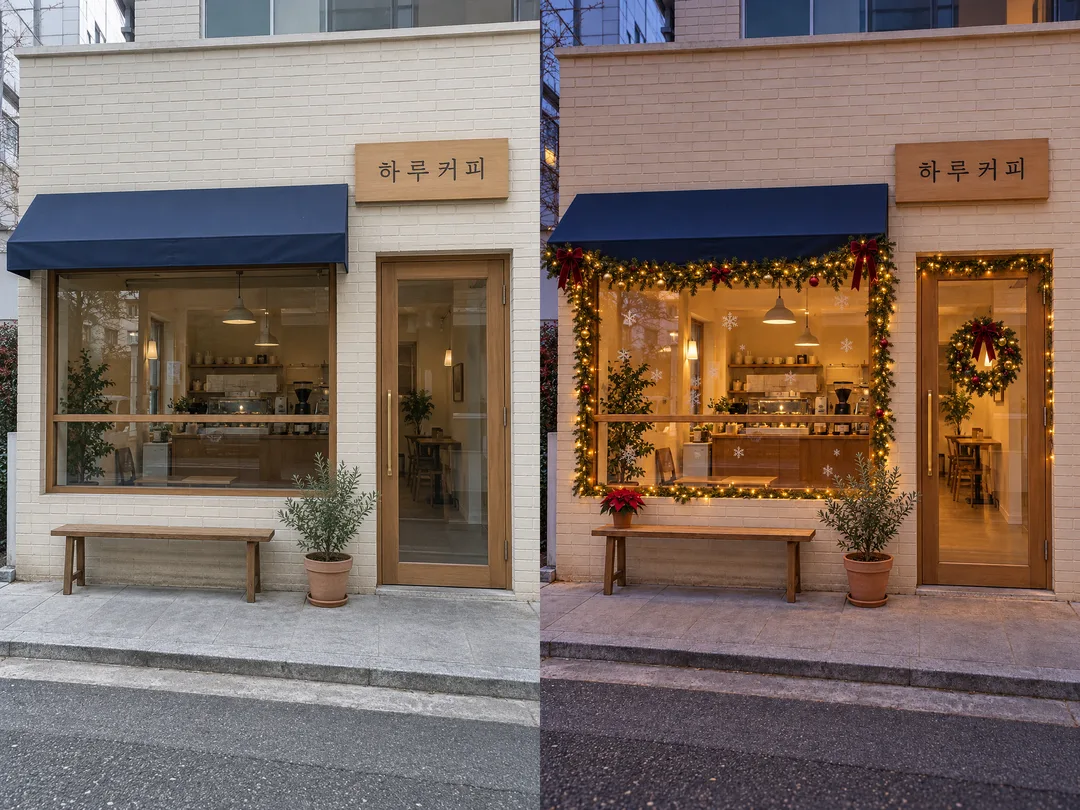
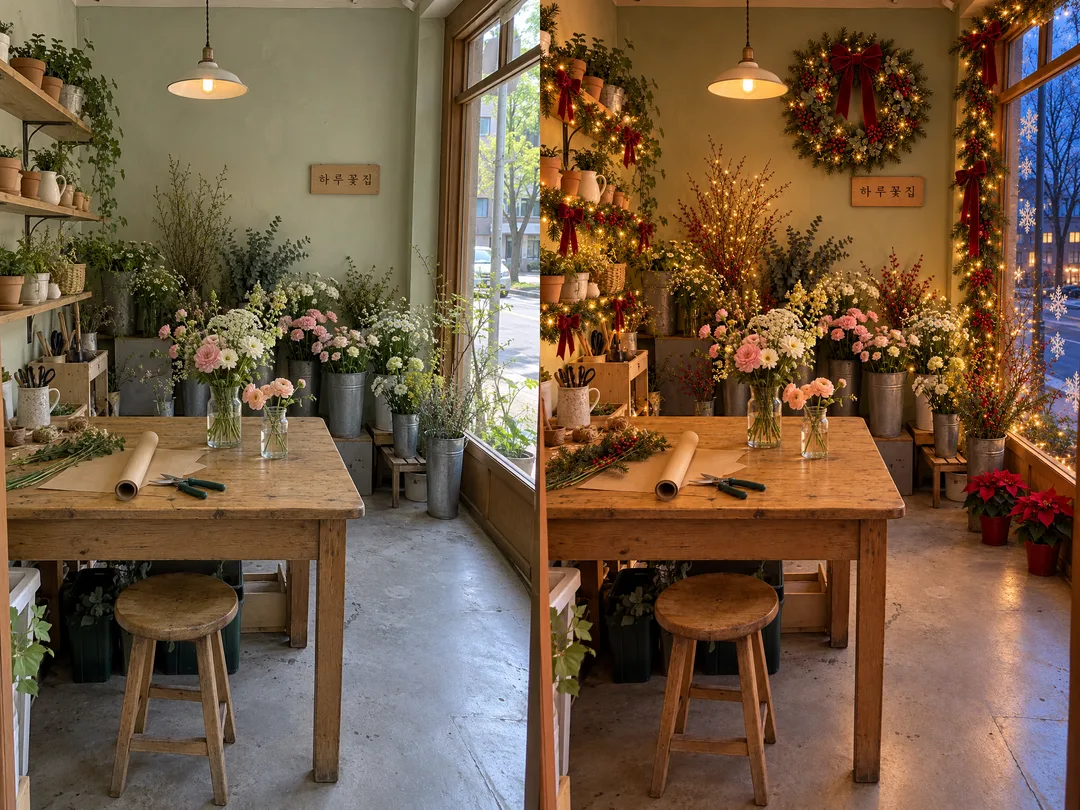
比較画像の1枚目は架空のカフェ店頭を昼から華やかな夕暮れへ、2枚目は架空の花店を華やかな冬の夕暮れへ変えています。リース、暖かい電飾と窓枠のガーランド、リボン、窓の雪の結晶ステッカー、ポインセチアの鉢を加え、窓の外は葉の落ちた木と冬の早い夕方の光で表現しています。左が元写真、右が結果です。実在の店舗やお客様の写真ではありません。別の完成例は夜の別の架空のカフェ店頭で、表紙も別のカフェです。生成結果の色補正は行わず、比較画像だけ2枚を並べています。
飾りを注文できますか? このカードは見た目の検討用で、数量や見積もりは計算しません。看板を変更できますか? 元の看板を残すカードです。ツリーは必ず入りますか? 入口や通路を優先し、場所がなければ省きます。写真は必要ですか? 架空のお店なら不要ですが、自分のお店を残したい場合は添付してください。