
칸 채우기
- 1칸을 채워요
- 2복사 버튼을 눌러요
- 3GPT 채팅창에 붙여넣어요
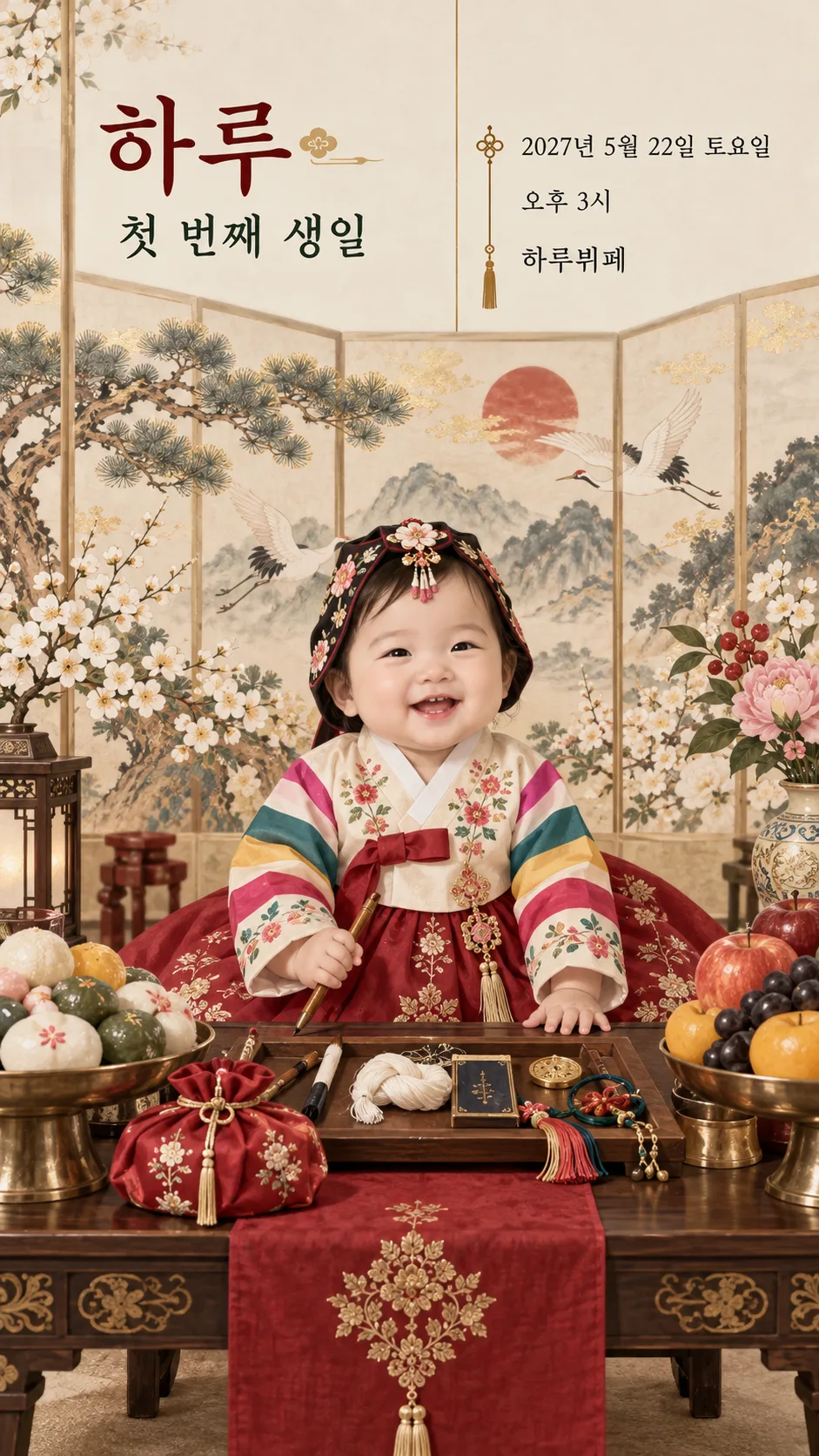
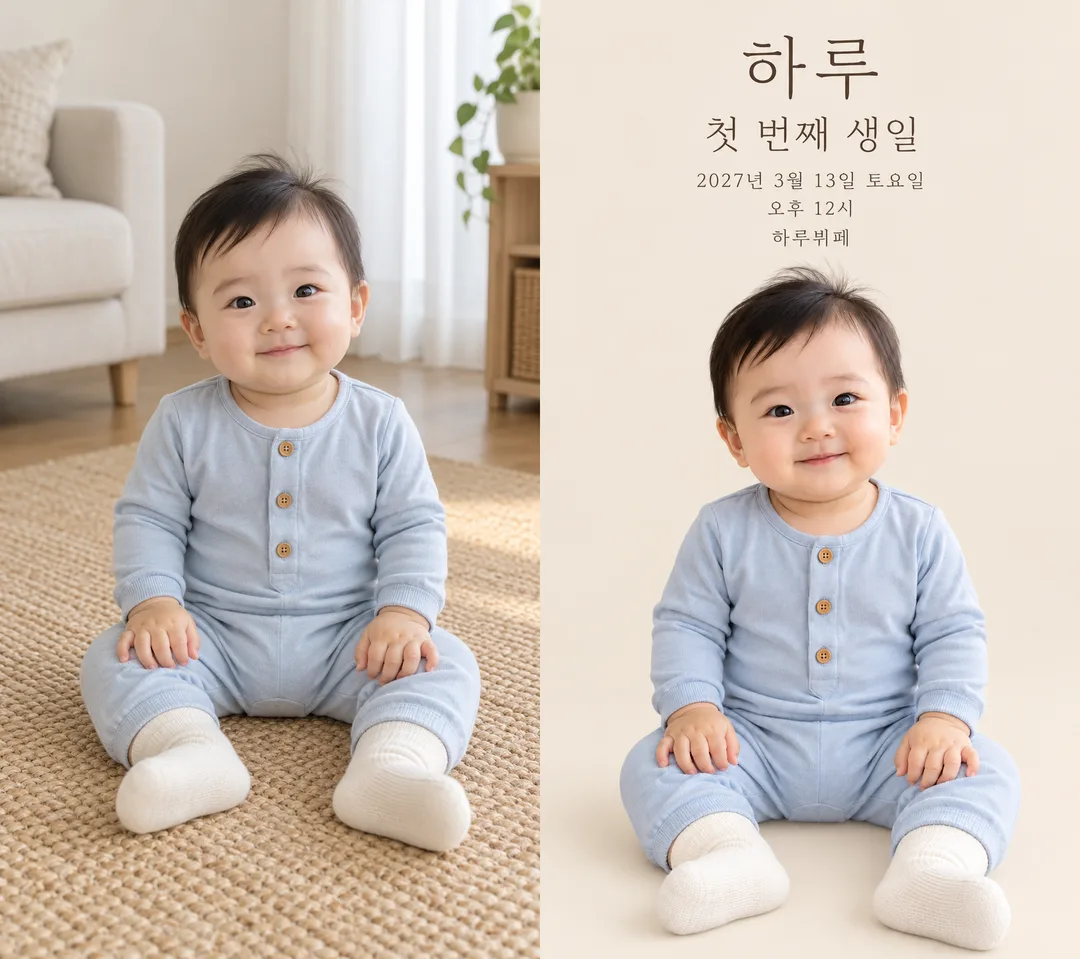
- 4그대로 보내면 썸네일 예시처럼 나와요
- 5보호자가 사용을 허락한 아기 사진 한 장(없으면 가상 아기 그림)을 같이 넣으면 그 사진이 반영돼요 선택
프롬프트 원문 보기 3,615자
Generate this image now. Draw it directly - do not describe it, explain it, or ask questions.
Output size 1080x1920 pixels, 9:16 portrait story. Keep all text inside the central 80% of the height: compress every zone percentage below into the 10-90% range.
Create exactly ONE finished full-bleed first birthday mobile invitation in Korean. Use the supplied aspect ratio, recommended 9:16. Return one image without code, a second page, a mockup or a request for another turn.

[Design choice]
STYLE: "【분위기】". Use only the chosen atmosphere. Pastel balloons: cream paper, peach and sage watercolor balloons and tiny flowers. Traditional dol table: colorful saekdong and floral hanbok on a fictional baby, rice cakes, fruit, thread and pencil on a dol table, and a traditional folding screen. Storybook watercolor: original gentle storybook illustration with flowers and soft woodland scenery. Minimal photo: solid white or beige background, large photographic baby and thin readable typography, no balloon decoration. Never change an attached baby's clothing or face to match a style; ceremonial hanbok applies only to a fictional baby when no photo is attached. No real brands, copyrighted characters, signatures or watermarks.

[Photo rule]
If a single baby photo is attached, preserve the exact facial identity, hair, skin tone, expression, body proportions, pose, hands and clothing as photographed. Keep the baby photographic, including the original outfit and buttons. Change only the surrounding background, never dress the baby in another outfit or redraw the face. Do not create additional people. If no photo is attached, finish immediately with a charming watercolor illustration of an entirely fictional one-year-old baby dressed to match the chosen atmosphere, with no intentional resemblance to any real person. Do not ask for a photo.

[Text layout]
Keep essential text outside the top 12% and bottom 15%. At 15–25% place the large name "【아기 이름】"; at 26–33% place the prominent heading "첫 번째 생일". At 35–48% display these exact lines with crisp high-contrast type: "【날짜】 【요일】", "【시작 시간】", "【장소】". The baby fills the lower 50–90%, not a tiny inset. Use a layout suited to the chosen atmosphere: an asymmetric text column above a traditional dol table, or thin typography above a large baby photograph for minimal photo; no outer paper or empty mockup margin. If optional text is supplied, use compact additional lines beside the baby above 84%, protect the main facts from shrinking, and keep the face unobstructed.

[Optional text]
LOCATION_DETAILS: "【상세 위치】". If empty omit its entire line; do not invent an address, hall or floor.
INVITATION_LINE: "【초대 한 줄】". If empty omit. If it equals "알아서 골라줘", print "함께 축하해 주세요" instead; otherwise print it exactly.
REPLY_INSTRUCTIONS: "【답장 안내】". If empty omit; otherwise print exactly. Do not invent a phone, attendance deadline, map, program, gift, fee, meal or clickable button.

[Exactness]
Render every supplied name, date, weekday, time and venue once, in this language. Verify the actual date and weekday against a reliable calendar or web source; do not guess or silently change a supplied value. Never print verification notes, input instructions or placeholder words. Compare every character and digit before finishing. Keep the face and outfit faithful to the photo, regardless of the chosen atmosphere. Output the complete invitation only.

[Final output format]
Output size 1080x1920 pixels, 9:16 portrait story. Keep all text inside the central 80% of the height: compress every zone percentage below into the 10-90% range.
This selected output format takes priority over any fixed canvas size or aspect ratio elsewhere in this template. Adapt the composition, text zones and margins to the selected canvas without stretching or cropping essential content. Device safe areas apply only when a device is selected. Never print these format instructions on the image.
결과 어땠어요?
이 카드도 많이 사용해요
쓰는 법 · 자주 묻는 것
가족에게 보내는 첫 생일 초대장
아기 사진과 첫 생일 일정을 담아 가족과 지인에게 보낼 세로 초대장 한 장을 만듭니다. 분위기는 파스텔 풍선·한복 돌상·동화 수채·미니멀 사진 중에서 고릅니다. 표지는 파스텔 풍선, 예시 1은 색동·꽃 한복을 입은 가상 아기와 떡·과일·실·연필을 놓은 돌상, 전통 병풍입니다. 예시 2는 가상 원본 사진과 흰·베이지 배경의 미니멀 사진 결과를 나란히 보여줍니다. 사진이 있으면 아기 얼굴, 머리, 표정, 자세와 옷을 그대로 남깁니다. 사진이 없으면 특정 실존 인물을 참고하지 않은 가상 아기 그림이 들어갑니다. 표지와 예시 속 아기는 모두 가상이며 하루뷔페도 가상 장소입니다.
꼭 채울 5칸과 선택 안내
아기 이름, 날짜, 요일, 시작 시간, 장소가 꼭 필요한 5칸입니다. 이름은 하루처럼 짧게 쓰고 성을 포함하려면 김하루처럼 적으세요. 날짜에는 연도까지, 요일에는 토요일처럼 확정한 값을 따로 적습니다. 예시인 2027년 3월 13일과 5월 22일은 모두 토요일입니다. 시간은 오전·오후를 구분하고 장소에는 손님이 알아볼 이름을 넣으세요. 화면 비율은 공통 크기 메뉴에서 고르며 모바일 발송에는 9:16을 권합니다.
상세 위치는 층·홀·주소 중 필요한 내용만 넣습니다. 비우면 위치 줄 전체가 빠지며 AI가 주소를 만들지 않습니다. 초대 한 줄도 비우면 빠집니다. 보기의 문장을 누르거나 직접 쓸 수 있고, 알아서 골라줘를 누르면 짧은 인사말을 만들어 줍니다. 답장 안내는 실제로 받을 수 있는 방법만 쓰세요. 비우면 연락 방법·전화번호·참석 마감일을 추가하지 않습니다.
사진을 함께 보내는 법
보호자의 사용·이름 공개 동의를 확인한 사진 한 장을 그림 AI 채팅창에 올린 뒤, 같은 메시지에 복사한 프롬프트를 붙여 넣고 한 번에 보내세요. 사진은 아기 한 명이 얼굴부터 옷까지 잘 보이는 것으로 고르세요. 얼굴을 새로 그리거나 한복으로 갈아입히는 카드가 아닙니다. 사진 속 옷을 유지하므로 원하는 옷을 입은 사진을 먼저 준비하면 됩니다. 동의하지 않은 아이나 다른 가족이 함께 나온 사진은 피하고, 공유할 범위에 맞는 이름·장소 정보만 넣으세요.
보내기 전 확인과 수정
하·루, 첫·번·째·생·일, 날짜 숫자, 토·요·일, 오전·오후, 장소 이름을 한 글자씩 대조하세요. 날짜와 요일은 실제 달력으로 다시 확인합니다. 얼굴·옷·손 모양도 원본과 비교하세요. 사진 아래 공간이 부족하면 선택 문장을 줄이고 다시 생성하세요. 글자가 틀리면 해당 칸을 고친 프롬프트로 다시 받아야 하며, 결과 위에 글자를 덧붙일 필요가 없습니다.
자주 묻는 것
사진이 없어도 만들 수 있나요? 가상 아기 그림으로 완성됩니다. 한복이나 다른 그림체를 고를 수 있나요? 분위기 칸에서 한복 돌상·동화 수채·미니멀 사진 등을 고릅니다. 사진이 있으면 어떤 분위기든 원래 옷을 유지하고, 사진 없는 한복 돌상에는 한복을 입은 가상 아기가 들어갑니다. 지도·예약·답장 버튼이 생기나요? 이미지 한 장이므로 실제 버튼은 생기지 않습니다. 상세 위치와 답장 안내에 필요한 내용을 적고 메시지로 함께 전달하세요. 여러 장을 보내야 하나요? 아기와 첫 생일 일정이 한 장에 담깁니다.