
전체 · SNS/카드뉴스 · 밈·공감
386모바일 청첩장 표지
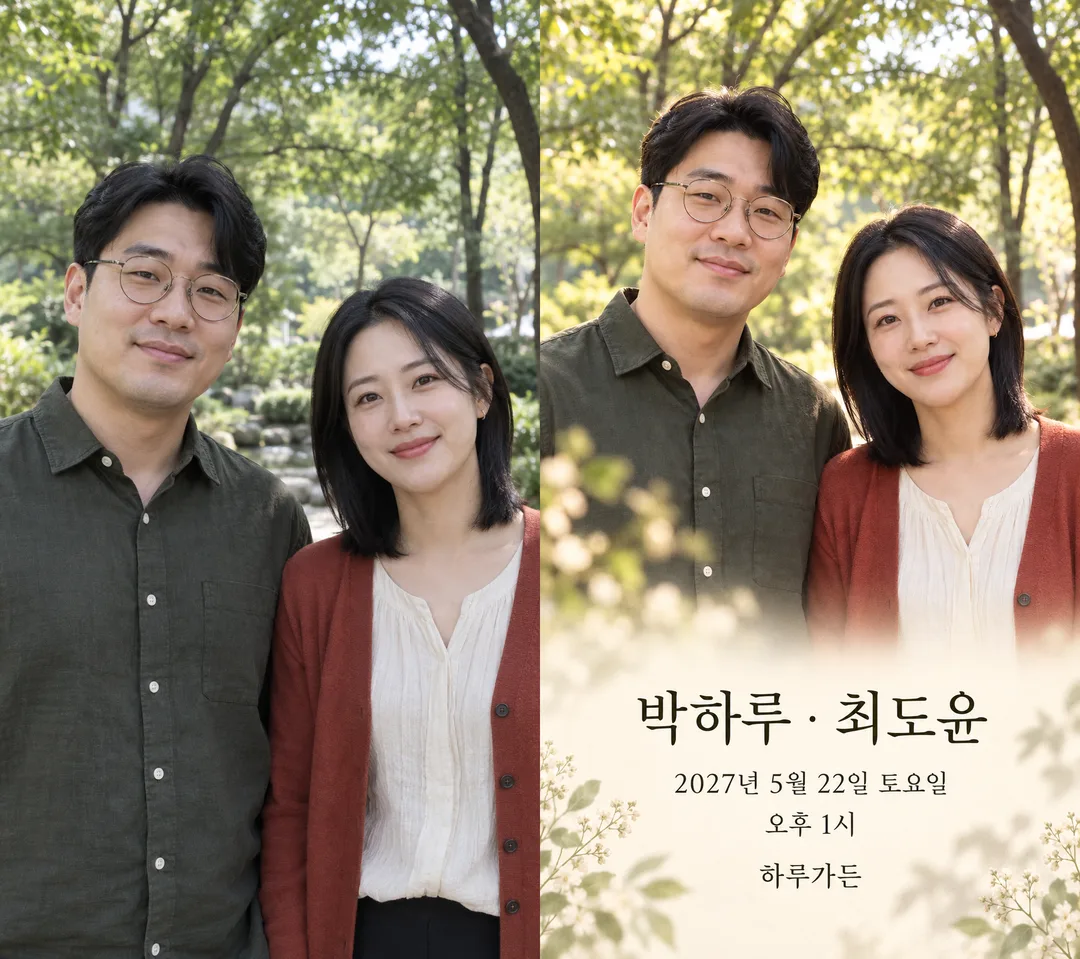
두 이름과 예식 일정을 담은 세로 첫 화면 한 장. 사진을 넣으면 얼굴과 옷을 유지해요.
ChatGPT 무료 OK
칸 채우기
- 1칸을 채워요
- 2복사 버튼을 눌러요
- 3GPT 채팅창에 붙여넣어요
- 4그대로 보내면 썸네일 예시처럼 나와요
- 5두 사람 사진 한 장 또는 각자 사진 두 장 (선택)을 같이 넣으면 그 사진이 반영돼요 선택
프롬프트 원문 보기 3,134자
Generate this image now. Return exactly ONE finished edge-to-edge mobile wedding invitation cover, no explanation or questions. Canvas Output size 1080x1920 pixels, 9:16 portrait story. Keep all text inside the central 80% of the height: compress every zone percentage below into the 10-90% range., default 9:16. No phone, paper mockup, comparison panel, collage, logo or watermark.
PHOTO RULE: With an attached photo containing two adults, preserve both independently, their facial proportions, eyes, nose, lips, jaw, age, skin tone, hair, glasses, expression, head angles and original clothing. Never blend faces, swap identities, beautify or replace clothes with wedding outfits. Use source-left and source-right positions. Two separate adult photos map in attachment order. If only one adult is supplied, preserve that adult and do not invent a partner: use a botanical motif beside them. With no photo, create two distinct fictional adults with ordinary asymmetrical faces and no celebrity resemblance. Use navy suit and ivory dress only for invented adults. Do not print names from a photo.
Mood: "【분위기】"; empty means 봄꽃 프레임. Apply one coherent invitation treatment: spring flowers means watercolor blossom-and-leaf edges with warm ivory background; watercolor means delicate painterly texture, while source faces, hair and clothes remain recognizable; film means restrained warm analog color, fine grain and leafy bokeh; monochrome means classic neutral black-and-white portrait and charcoal type. Do not print mood labels. Protect identity over decorative treatment.
Layout: two-person portrait dominates the upper half; a smooth light lower area supports large, high-contrast typography. Botanical elements extend to edges, no small floating card. Keep names and all event details inside the central 12–85% of canvas height. Names are the largest text, then date, weekday and time, then venue, then optional greeting. Adjust portrait scale to fit all supplied text, never omit event details. Hands outside crop; natural anatomy.
Authorized names: "【신랑 이름】" and "【신부 이름】". Preserve exact spelling and supplied order, separated by a centered dot. Date and time: "【날짜와 시간】". Venue: "【예식장】". Greeting: "【한 줄 인사】". Empty greeting removes its whole line without a gap; never invent one. Required values must be supplied; do not fabricate a date or venue. Check the weekday against a reliable calendar, correct a mismatched weekday to the actual day while preserving the numeric date and time. Render only these authorized values in Korean; no addresses, parents, RSVP, links, QR codes or extra details. Check every letter, syllable, digit and time marker before finishing. Local date formatting must retain the same instant and weekday. No post-processing or code required.

Mood choice mapping, instructions only: 봄꽃 프레임 / 수채 일러스트 / 필름 사진 감성 / 흑백 클래식 correspond in order to spring flowers, watercolor, film, monochrome.

[Final output format]
Output size 1080x1920 pixels, 9:16 portrait story. Keep all text inside the central 80% of the height: compress every zone percentage below into the 10-90% range.
This selected output format takes priority over any fixed canvas size or aspect ratio elsewhere in this template. Adapt the composition, text zones and margins to the selected canvas without stretching or cropping essential content. Device safe areas apply only when a device is selected. Never print these format instructions on the image.
결과 어땠어요?
이 카드도 많이 사용해요

쓰는 법 · 자주 묻는 것
모바일 청첩장의 첫 화면
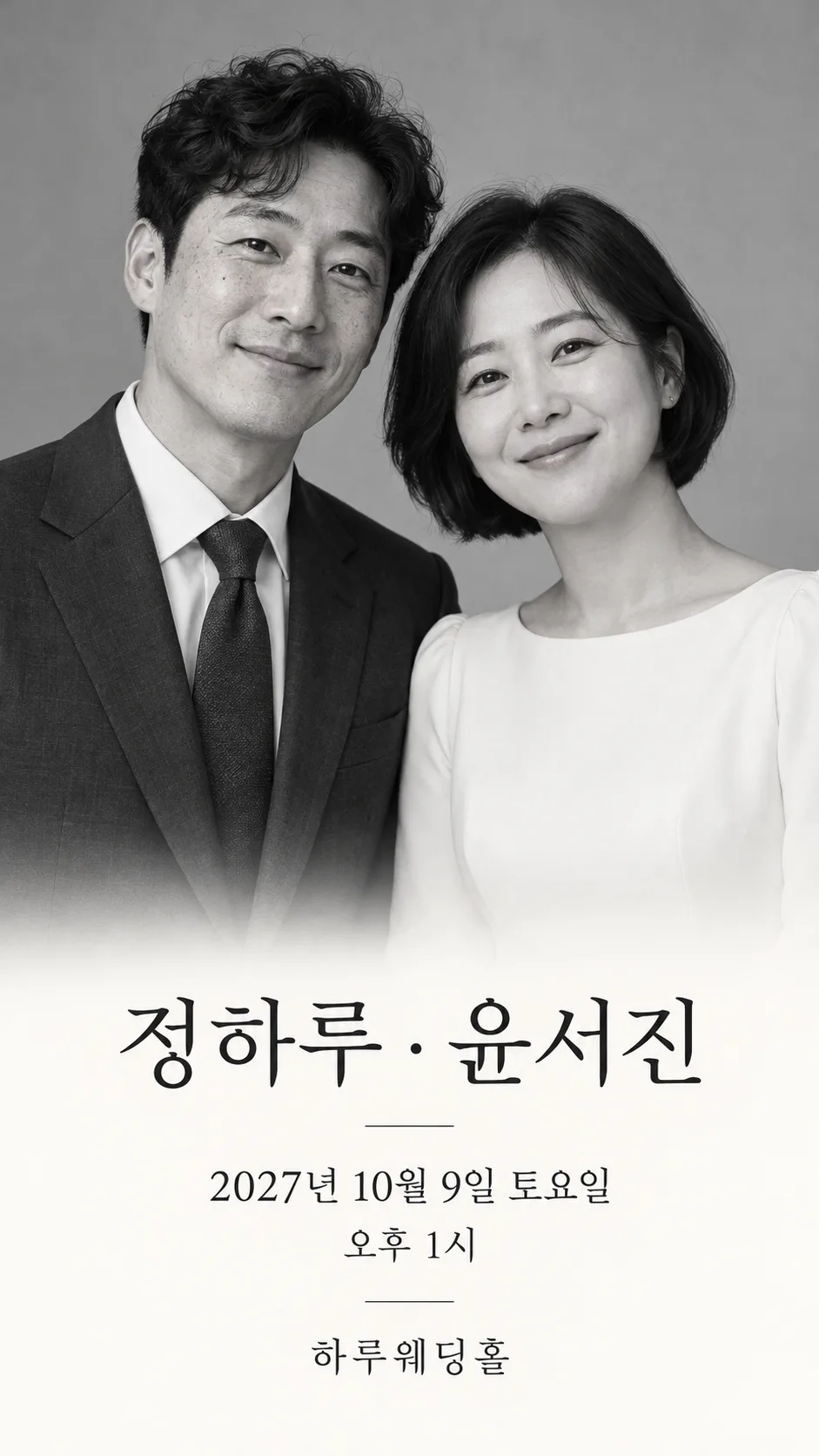
메신저로 보내는 청첩장의 맨 앞에 쓸 세로 이미지 한 장입니다. 두 사람의 모습과 이름, 날짜·요일·시간, 예식장을 한 화면에서 읽을 수 있어요. 표지는 봄꽃 프레임, 카드 안에는 필름 사진 비교와 흑백 클래식 예시가 있습니다. 전체 청첩장 사이트나 참석 응답 기능을 만드는 카드는 아닙니다.
꼭 네 칸, 선택 두 칸
신랑 이름·신부 이름·날짜와 시간·예식장은 꼭 채웁니다. 이름은 성을 포함한 표기를 그대로 적고 날짜는 ‘2027년 4월 17일 토요일 오후 1시’처럼 연도부터 시간을 함께 써요. 예식장은 사용할 정식 명칭만 적습니다. 예시의 하루웨딩홀과 하루가든은 가상 장소입니다. 분위기는 봄꽃 프레임·수채 일러스트·필름 사진 감성·흑백 클래식 중 고르고, 비우면 봄꽃 프레임입니다. 한 줄 인사는 ‘우리의 시작에 함께해 주세요’처럼 짧게 쓰며 비우면 문장과 그 자리의 간격도 빠집니다. 화면 비율은 공통 선택에서 9:16을 권합니다.
사진을 함께 보내기
얼굴이 선명한 두 사람 사진 한 장 또는 각자 사진 두 장을 완성된 프롬프트와 같은 메시지에 첨부하세요. 사진 한 장에서는 왼쪽·오른쪽 사람을 유지하고, 두 장이면 첨부 순서를 따릅니다. 얼굴뿐 아니라 안경·머리·원래 옷도 유지합니다. 사진 속 이름을 읽어 쓰지는 않으므로 이름 칸은 따로 채워요. 사진 없이도 서로 다른 가상 성인 두 명으로 완성됩니다. 한 사람 사진만 있으면 가상 배우자를 추가하지 않고 그 사람과 꽃 장식으로 구성해요. 수채 분위기는 질감이 바뀌지만 두 사람의 특징이 남아야 합니다. 사용할 사진과 공개에 대한 두 사람의 동의를 확인하세요.
보내기 전 대조와 고치기
이름은 한 글자씩, 날짜는 연·월·일과 요일, 시간은 오전·오후까지 원래 일정과 대조하세요. 프롬프트는 실제 달력과 요일을 확인하도록 지시하지만 결과에서 다시 확인해야 합니다. 장소가 빠지거나 글자가 틀리면 ‘이름과 일정은 아래 문구 그대로, 글자 크기를 유지해 다시 만들어 줘’라고 정확한 값을 함께 보내세요. 얼굴·안경·옷이 달라지면 원본을 다시 첨부하고 해당 특징을 유지해 달라고 고칩니다. QR·주소·부모님 성함·참석 응답은 포함하지 않아요. 이 사이트는 프롬프트를 제공하며 그림 AI에 붙여 넣어 사용합니다. 외부 서비스의 이용 조건은 해당 서비스에서 확인하세요.