

099내 사진 입체파 초상
내 얼굴의 특징을 넓은 색면과 붓결로 다시 구성한 입체파 미술 초상을 만들어요.
받는 것
- 넓은 회화적 색면으로 구성한 초상 한 장
- 사진의 얼굴 특징과 표정을 살린 완성 그림
- 글자와 액자 없이 화면을 채운 결과
ChatGPT 무료 OK
칸 채우기
- 1칸을 채워요
- 2복사 버튼을 눌러요
- 3GPT 채팅창에 붙여넣어요
- 4그대로 보내면 썸네일 예시처럼 나와요
- 5얼굴이 선명한 사진 한 장 (선택)을 같이 넣으면 그 사진이 반영돼요 선택
프롬프트 원문 보기 2,682자
Generate exactly ONE finished original cubist fine-art portrait now. Draw directly, without questions, explanation or code. Fill Output size 1080x1440 pixels, 3:4 portrait, social media post. edge to edge; default vertical 3:4. One head-and-shoulders portrait only, no comparison panels, inset, frame or mockup.
PHOTO NOTE: 【사진】. This is an attachment note, never visible text. Use the attached photo as the identity reference. Preserve facial silhouette, eye spacing and shape, nose bridge and tip, lip contour, jaw, apparent age, skin tone, head angle, expression, hair silhouette, glasses and facial hair. Keep clothing colors without branding. If several people appear, use only the largest foreground adult. If no photo is attached, invent a unique fictional ordinary adult unrelated to any public figure and finish without asking.
Fixed medium: tactile matte oil painting with large interlocking asymmetric cubist planes, visible impasto brushwork and scraped pigment. Reconstruct brow, cheeks, nose and background using broad angular painted shapes with subtly simultaneous frontal and side viewpoints. Keep the eyes, nose and lips legible and identity immediately recognizable; do not duplicate eyes or mouths. Integrate fine facial detail into painted planes, never paste photographic skin into an abstract background. Full head visible, shoulders anchored, dense resolved composition. No tiny mosaic tiles, grout, gold leaf, low-poly 3D render or artist imitation.
COLOR: 【색】. Empty means ultramarine and copper. Ultramarine and copper creates dramatic quiet dusk contrast; apricot and teal creates airy soft daylight; plum and lime creates crisp theatrical side lighting. Choose for me selects colors supporting the outfit and expression. Custom colors are allowed. Change palette, light and mood while retaining the same broad-plane oil-painted medium and original facial landmarks. Preserve recognizable skin undertone within the colored planes.
No visible letters, text, numbers, names, logos, signatures, watermarks, recognizable celebrities, existing characters or copied artwork. Do not print field values. Check original eye spacing, nose, lips, jaw, hair and accessories against the attachment before delivering only one finished image.
색 해석: 군청과 구리빛 = ultramarine and copper; 살구와 청록 = apricot and teal; 자주와 연두 = plum and lime; 알아서 골라줘 = Choose for me.

[Final output format]
Output size 1080x1440 pixels, 3:4 portrait, social media post.
This selected output format takes priority over any fixed canvas size or aspect ratio elsewhere in this template. Adapt the composition, text zones and margins to the selected canvas without stretching or cropping essential content. Device safe areas apply only when a device is selected. Never print these format instructions on the image.
결과 어땠어요?
같은 분류의 다른 카드
쓰는 법 · 자주 묻는 것
내 얼굴을 큰 색면으로 다시 그리기
프로필이나 기념 게시물에 쓸 미술 초상이 필요할 때 쓰세요. 얼굴을 작은 타일로 덮는 대신 이마와 광대, 코, 배경을 넓고 비대칭인 면으로 다시 구성해요. 눈과 입 주변에는 섬세한 붓결을 남겨 사진 속 사람을 알아볼 수 있게 해요. 종이 위에 놓인 그림이나 액자 목업이 아니라 화면 끝까지 채운 완성 초상 한 장을 받아요.
선택 칸 두 개
사진 칸은 첨부할 사진을 구별하는 메모예요. 문장만 적으면 사진이 올라가지 않으니, 복사한 프롬프트를 그림 AI에 붙여 넣는 같은 메시지에 얼굴이 선명한 사진 한 장을 첨부하세요. 본인 또는 사용 허락을 받은 성인 사진을 사용하세요. 여러 사람이 있으면 앞쪽에서 가장 크게 보이는 성인 한 명을 그려요. 사진을 첨부하지 않으면 특정인을 본뜨지 않은 가상 성인이 나와요. 두 칸 모두 필수는 아니에요.
색은 군청과 구리빛, 살구와 청록, 자주와 연두 중에서 고르거나 원하는 색을 적을 수 있어요. 군청과 구리빛은 차분하고 극적인 저녁빛, 살구와 청록은 부드러운 낮빛, 자주와 연두는 또렷한 측면 조명을 만들어요. 비우면 군청과 구리빛, 알아서 골라줘는 옷과 표정에 어울리는 색을 사용해요. 색을 바꿔도 넓은 색면과 유화 붓결이라는 표현은 같아요. 크기는 공통 메뉴에서 고르며 기본은 3:4예요.
갤러리에서 볼 것
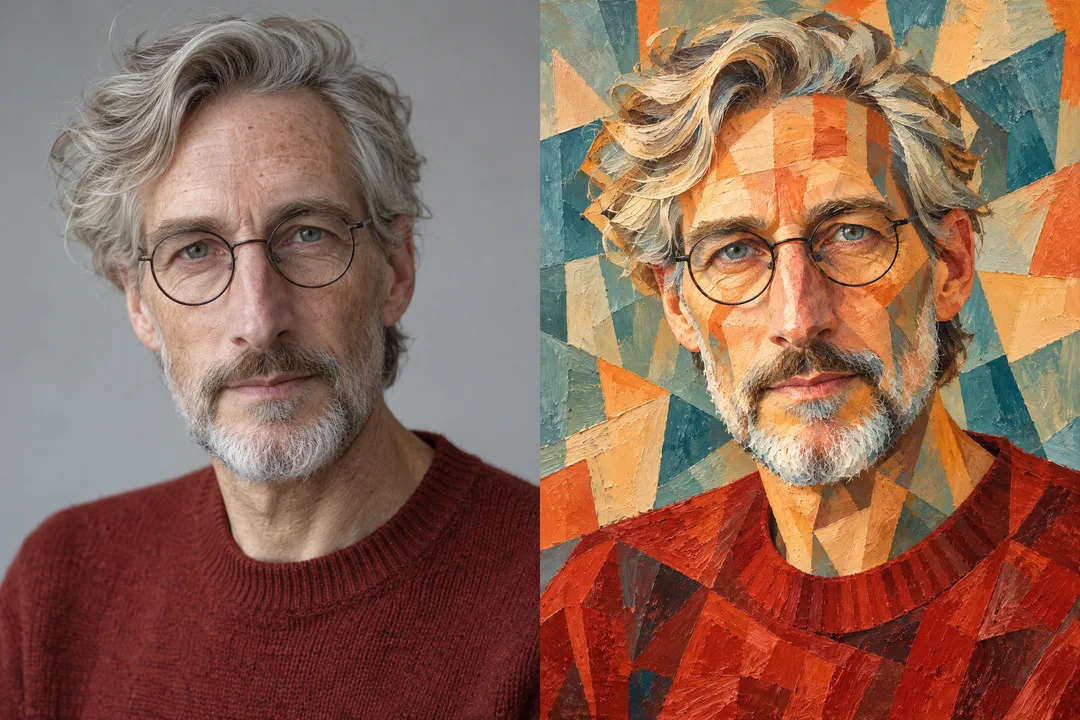
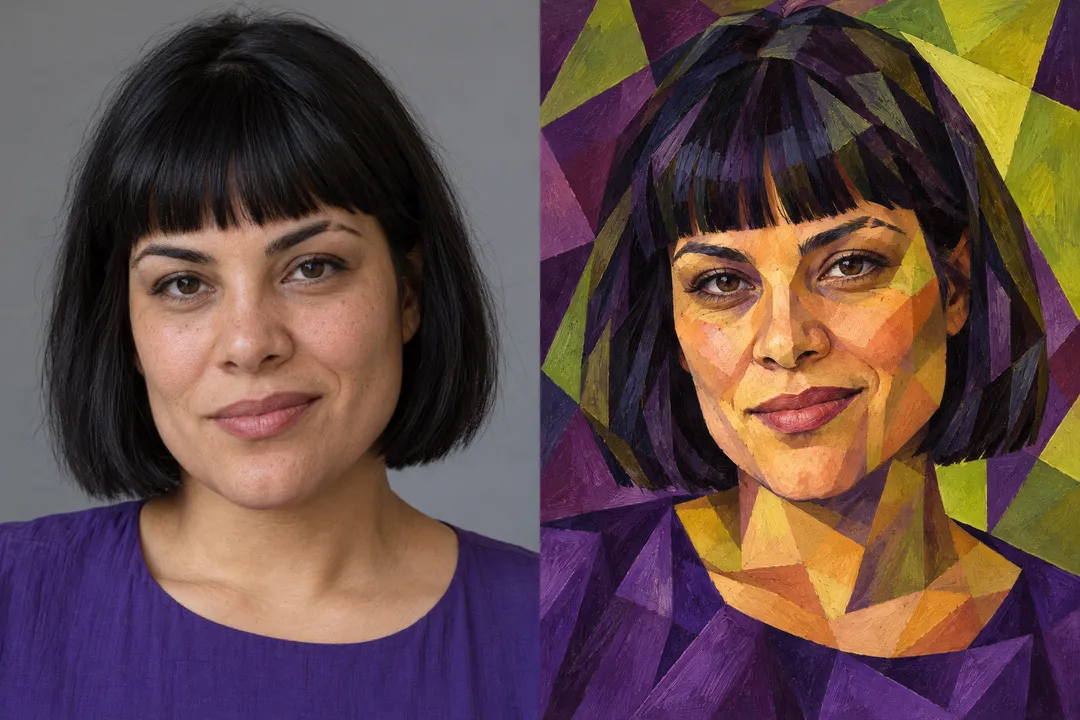
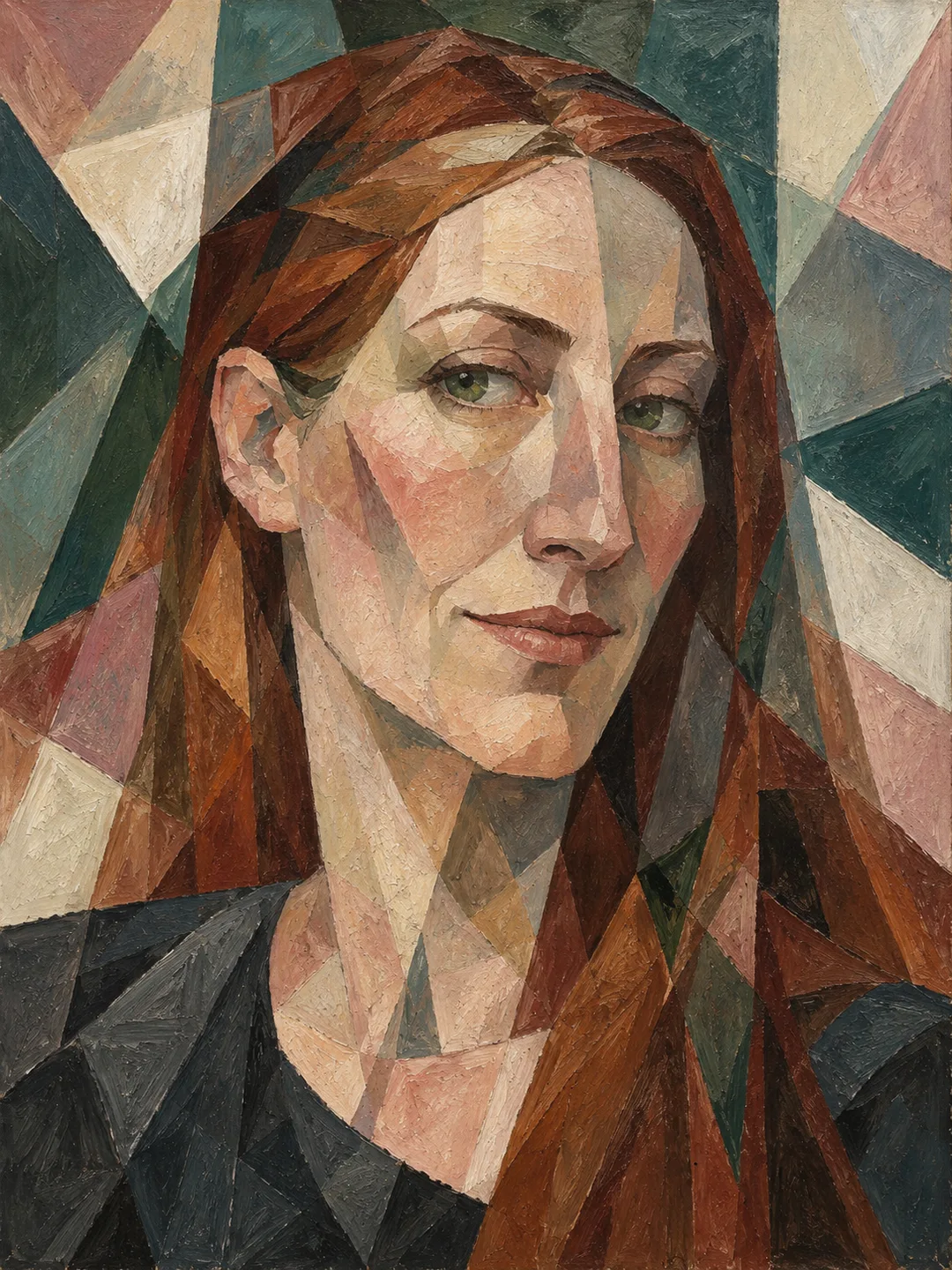
표지는 군청과 구리빛의 별도 가상 초상이에요. 첫 비교판은 은발과 둥근 안경을 가진 가상 남성의 사진과 살구, 청록 결과이고, 둘째는 검은 단발의 가상 여성 사진과 자주, 연두 결과예요. 왼쪽은 합성 원본 사진, 오른쪽은 그 사진을 첨부해 변환한 결과예요. 별도 순수 예시는 또 다른 가상 성인을 보여 줘요. 실제 고객 사진이나 인물 이름은 사용하지 않아요.
닮음과 붓결 확인
원본과 눈 사이 거리, 코끝, 입술, 턱선, 머리 모양, 안경을 차례로 비교하세요. 색면이 얼굴을 가리면 「원본의 눈과 코 비율을 유지하고 큰 면을 얼굴 바깥쪽으로 정리해 줘」라고 고치세요. 사진처럼 매끈하게 남으면 「피부도 넓은 유화 색면과 붓결로 다시 그려 줘」라고 요청하세요. 이름, 숫자, 서명은 출력하지 않는 카드예요. 뜻하지 않은 글자가 생겼는지 마지막으로 확인하세요. 한 번 전송하면 비교판이 아닌 초상 한 장이 나오며, 외부 서비스의 요금과 이용 조건은 해당 서비스에서 확인하세요.
마지막 확인일 · 공개