

506우리 가게 외관 일러스트
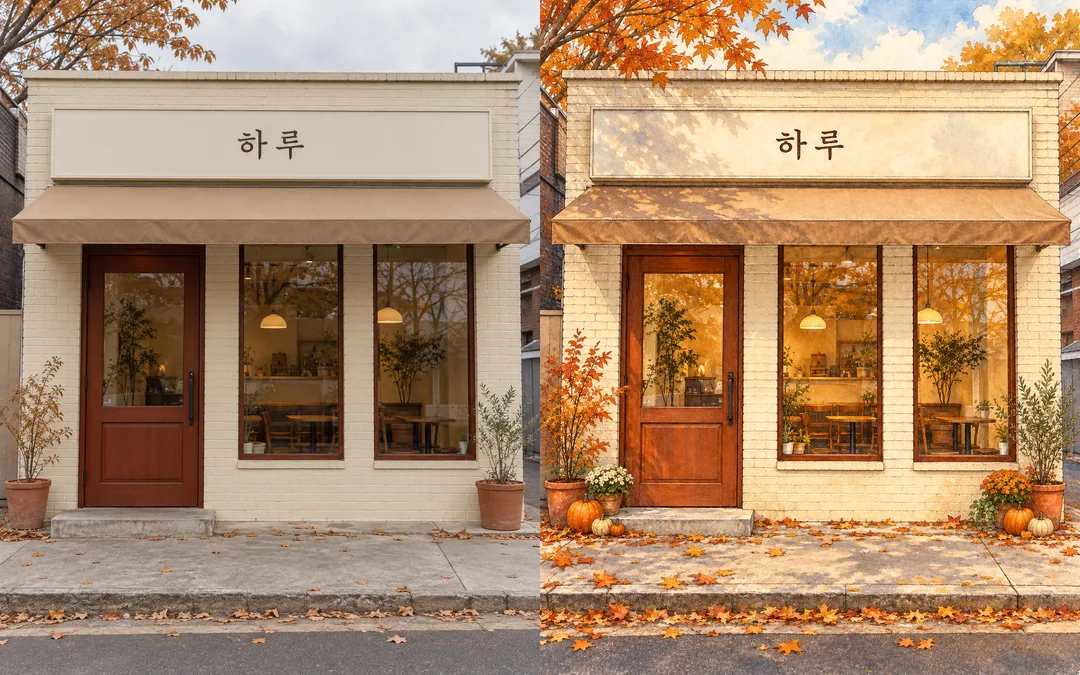
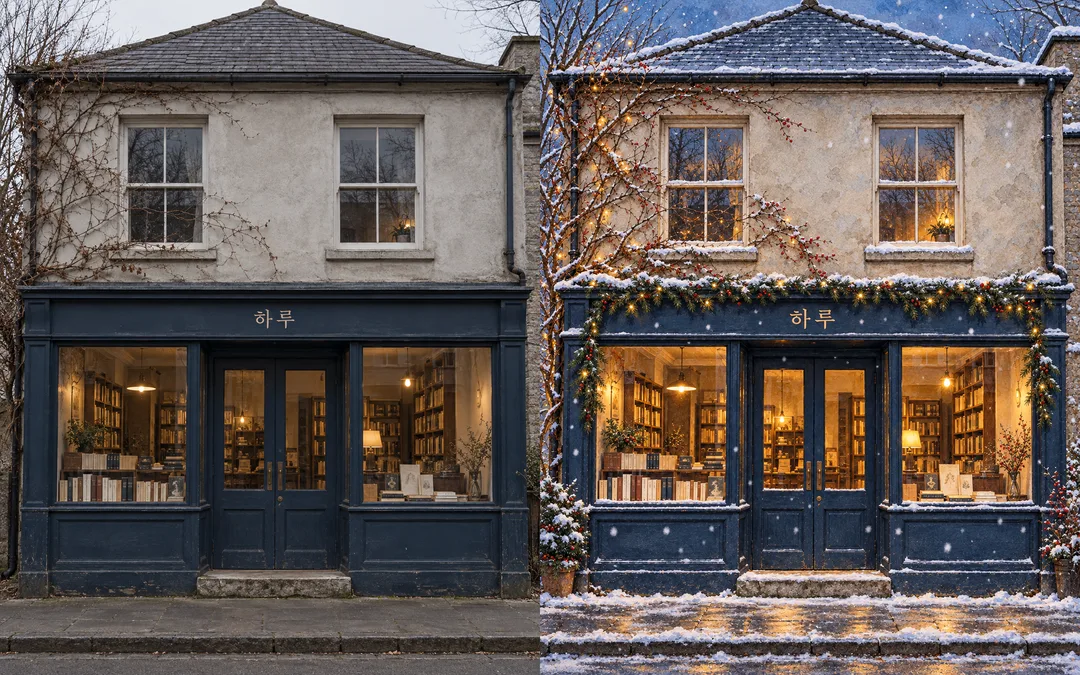
가게 사진의 문과 창문 배치를 살려, 간판 이름과 계절 장식이 있는 동화 속 외관으로 바꿔요.
칸 채우기
- 1칸을 채워요
- 2복사 버튼을 눌러요
- 3GPT 채팅창에 붙여넣어요
- 4그대로 보내면 썸네일 예시처럼 나와요
- 5가게 외관 사진 한 장 (선택)을 같이 넣으면 그 사진이 반영돼요 선택
프롬프트 원문 보기 2,551자
Generate this image now. Draw it directly - do not describe it, explain it, or ask questions.
Output size 1080x1350 pixels, 4:5 portrait, Instagram standard.
Create ONE full-bleed storybook storefront illustration for a shop story poster. Use richly detailed hand-drawn ink contours and layered watercolor with natural paper texture inside painted surfaces, warm glowing interiors and carefully observed architectural details. Fill the frame with the facade and street; no border, mockup or comparison.
PHOTO RULE: if a storefront photo is attached, preserve its building silhouette, story count, roof line, door and window count, positions and proportions, sign position, awning shape and viewpoint exactly. Change only the rendering medium, lighting and removable seasonal decoration. Do not replace the architecture with an idealized different shop. Remove all original lettering and logos. If no photo is attached, invent an original small storefront with these same production standards; do not ask questions.
Shop name: "【가게 이름】". Render this exact name ONCE on the existing fascia in large legible lettering. No other writing, numbers, labels or book titles. Do not print input instructions.
Photo input note: 【사진】. This is an attachment note, never an image filename to render. Use only images actually attached.
If the shop name is empty, use "하루". If seasonal decoration is empty, add no seasonal decorations. Interpret 봄꽃 as spring white blossoms, 여름 수국 as summer blue hydrangeas, 가을 낙엽과 호박 as autumn leaves and small pumpkins, 겨울 상록수와 눈 as winter evergreen garlands and soft snow with cool blue twilight, 없음 as no seasonal ornaments. Other supplied decoration descriptions are interpreted literally. All choices retain the same ink and watercolor medium.
Seasonal decoration: 【계절 장식】. Add restrained removable botanical details around the edges without blocking the door, windows or sign. Keep the physical architecture intact.
No people, real brands, logos, recognizable proprietary products, famous characters, signatures or watermarks. Use only original fictional designs. Before finishing, check the shop name character by character and compare every architectural opening to the photo. Output only one finished illustration.

[Final output format]
Output size 1080x1350 pixels, 4:5 portrait, Instagram standard.
This selected output format takes priority over any fixed canvas size or aspect ratio elsewhere in this template. Adapt the composition, text zones and margins to the selected canvas without stretching or cropping essential content. Device safe areas apply only when a device is selected. Never print these format instructions on the image.
결과 어땠어요?
이 카드도 많이 사용해요


쓰는 법 · 자주 묻는 것
가게 이야기를 그림으로 전하고 싶을 때
카페나 책방의 익숙한 외관을 잉크 선과 수채화 질감의 동화 같은 그림 한 장으로 바꿔요. 가게 소개 게시물, 계절 소식, 매장 이야기 포스터에 어울립니다. 사진의 층수와 지붕선, 출입문과 창문의 개수·위치·비율은 남기고 빛과 계절 장식만 바꿔요. 새 건물을 설계하는 카드가 아니므로 원본에서 출입구가 잘리지 않은 사진이 좋습니다.
칸 채우기와 사진 넣기
꼭 채울 칸은 가게 이름 하나예요. 간판에는 적은 이름만 한 번 표시하며 주소, 영업시간, 가격은 만들지 않아요. 사진 칸은 첨부 사실을 적는 메모예요. 여기에 파일 경로나 주소를 쓰는 것만으로 사진이 전달되지는 않습니다. 그림 AI의 대화창에 사진을 올리고, 아직 보내지 않은 상태에서 복사한 프롬프트를 같은 메시지에 붙여 넣어 함께 보내세요. 사진은 선택이며 없으면 가상의 작은 가게를 그려요. 가게 이름이 비면 하루, 계절 장식이 비면 장식 없이 나옵니다. 화면에서 처음 선택된 계절 장식은 봄꽃이에요.
계절로 달라지는 부분
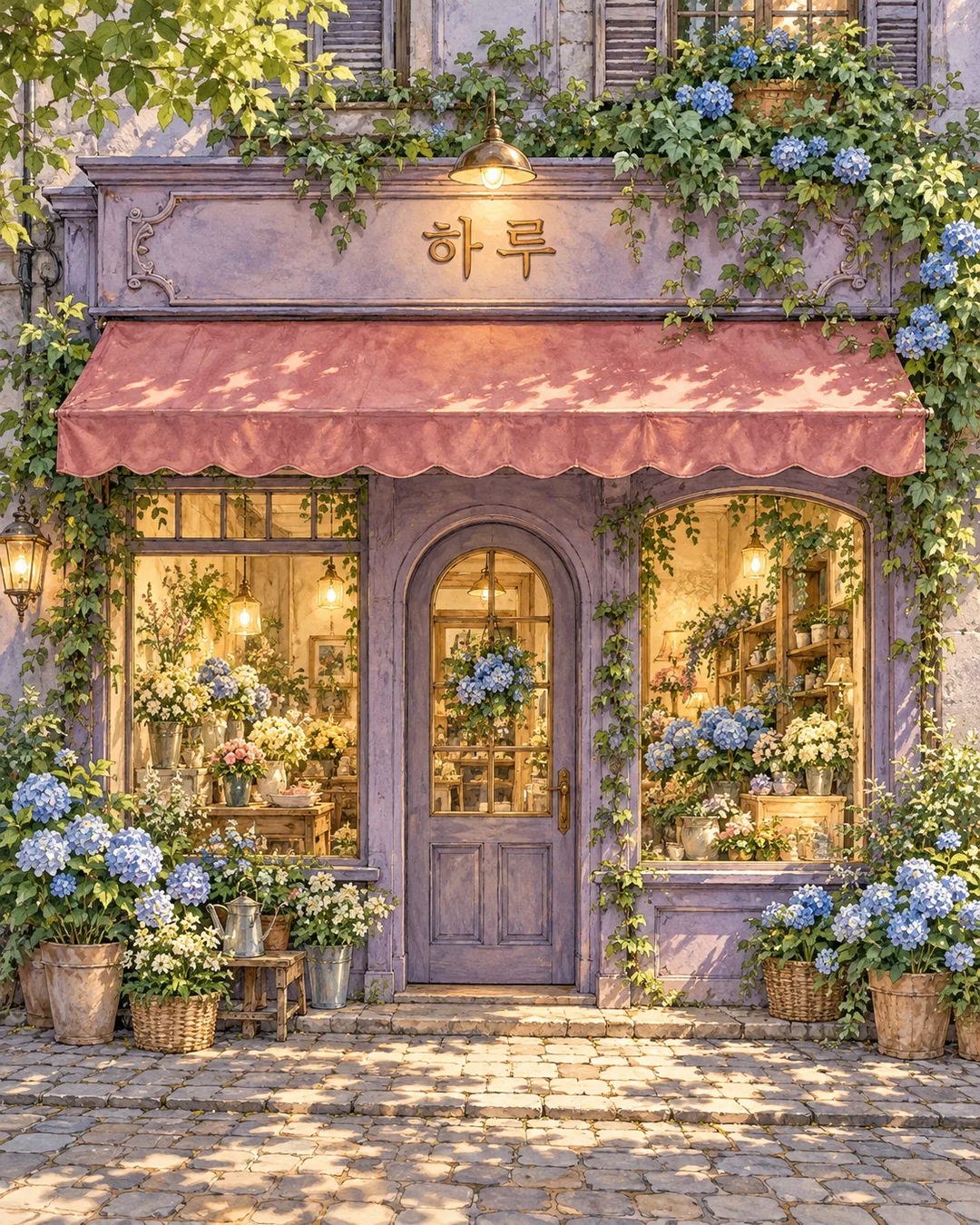
봄꽃은 하얀 꽃과 싱그러운 잎, 여름 수국은 푸른 꽃송이, 가을 낙엽과 호박은 황금빛 거리, 겨울 상록수와 눈은 푸른 저녁과 따뜻한 실내 불빛을 더해요. 없음은 장식을 생략합니다. 그림체를 바꾸는 선택이 아니라 같은 수채화의 계절을 바꾸는 단추예요. 장식은 간판과 출입구를 가리지 않게 그립니다.
예시와 확인할 곳
가상 카페와 책방 사진을 넣은 비교판은 왼쪽이 원본, 오른쪽이 결과예요. 두 비교판의 결과를 갤러리에 따로 반복하지 않았고, 여름 꽃가게는 사진 없이 만든 별개의 완성 그림입니다. 목록 표지도 또 다른 봄 가게예요. 모든 예시의 이름은 하루이며 실제 가게를 촬영한 사진은 아닙니다. 간판을 확대해 하·루를 읽고, 카페의 왼쪽 문과 오른쪽 창 두 개, 책방의 가운데 문과 양쪽 창·위층 창 두 개가 유지됐는지 살펴보세요. 위치가 달라졌다면 원본을 다시 첨부하고 문·창문 배치를 그대로 유지하라고 고쳐 요청하세요. 출입구가 안 보이는 사진에서는 숨은 구조를 정확히 복원하기 어려우니 정면 사진으로 바꾸세요. 사용 권한이 있는 사진을 넣고 실제 로고와 주변 사람의 얼굴은 제외해 주세요.