

All · Ads & posters · Logos & branding
101One brand moodboard
Connect atmosphere photos, materials, four colors, name typography and a logo space on one board.
What you get
- One photo and material moodboard
- Four colors and name typography
- A dedicated original emblem space
ChatGPT Free OK
Fill in the fields
- 1Fill in the fields
- 2Copy the prompt
- 3Paste it into a GPT chat
- 4Send it as is and you get an image like the thumbnail example
- 5Attach a real photo that fits the card and it is used in the result: a background photo for background cards, a person or food photo for those cards Optional
Full prompt 3,441 characters
Generate this image now. Return exactly ONE finished image itself, without explanation or questions.
Output size 1080x1080 pixels, 1:1 square post. Keep all text fully readable.
Create one premium brand moodboard, default square 1:1. The board fills the canvas edge to edge without a desk, device frame or surrounding blank margin. Use a dense asymmetric editorial collage with varied aligned cell sizes and fine gutters. Include three original atmosphere photographs suited to BUSINESS, two tactile material closeups, exactly four large unlabelled color swatches, one modest original abstract emblem in a dedicated logo cell and one large NAME typography specimen. Photographs and materials occupy about 60 percent; the emblem is supporting, not a hero logo presentation. No packaging mockup collection or alternative boards.
NAME: "【Brand name】"
BUSINESS: "【Business】"
MOOD: "【Mood】"
Preserve each supplied string exactly, including script, spelling and spaces. Show NAME once, BUSINESS once and MOOD once, all clearly readable. Reserve a central typography cell with three separate readable lines: large NAME on top, BUSINESS below it, and MOOD on a third line below BUSINESS. MOOD must be printed as text as well as expressed visually. Before delivery, verify that all three supplied strings appear, not just NAME and BUSINESS. These are the only permitted text strings. No digits, color codes, font-file names, captions or extra headings. Use the brand name as the type specimen, with typography that expresses the mood. The four swatches must match the photographs and materials. Place essential text within the central 73 percent height, adapting gracefully to the selected ratio.
Interpret the selected mood only:
- Quiet nature: natural daylight, botanical material references, forest green/sage/ivory/brown, elegant serif
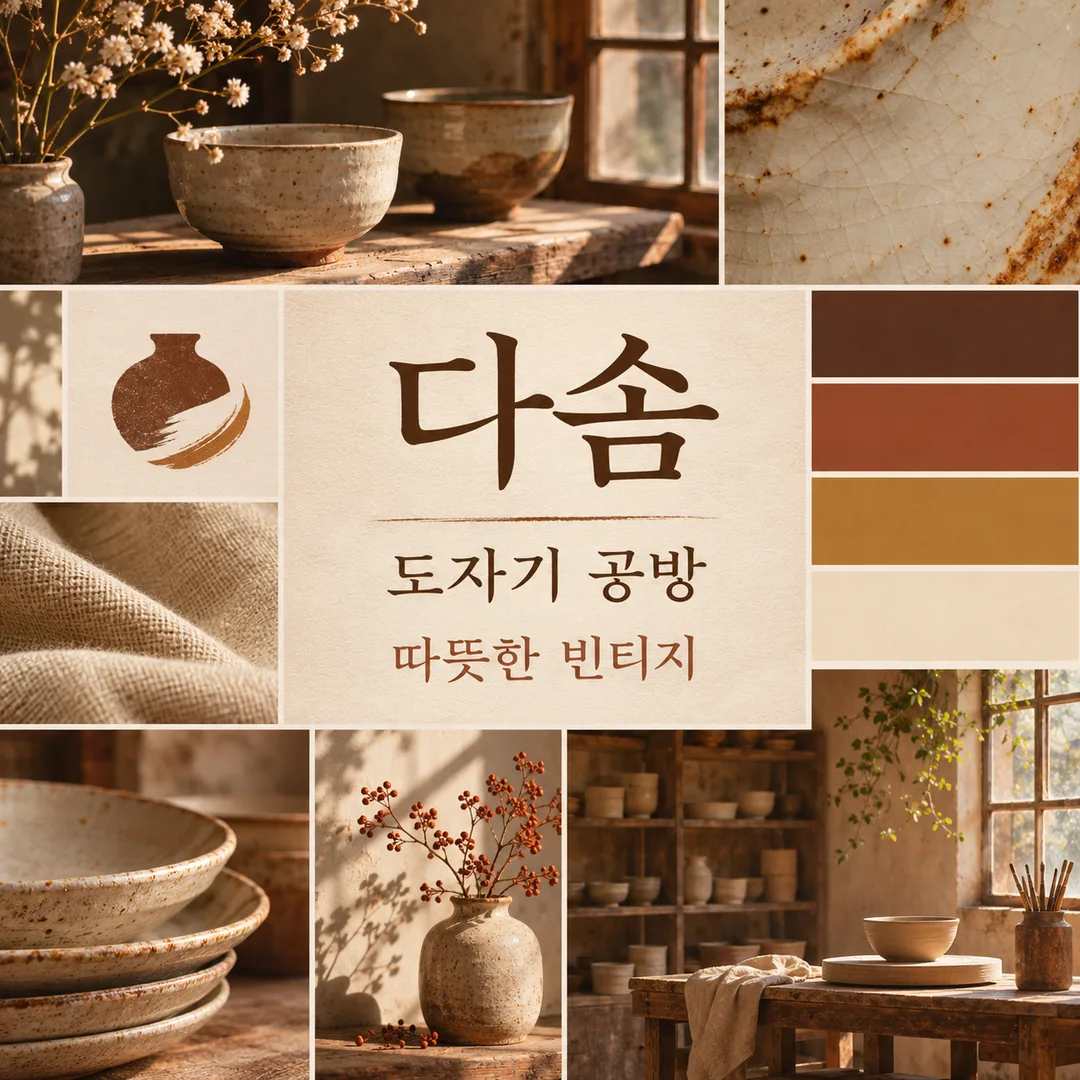
- Warm vintage: warm analog photography, earthy handmade materials, rust/ochre/cream/espresso, classic serif
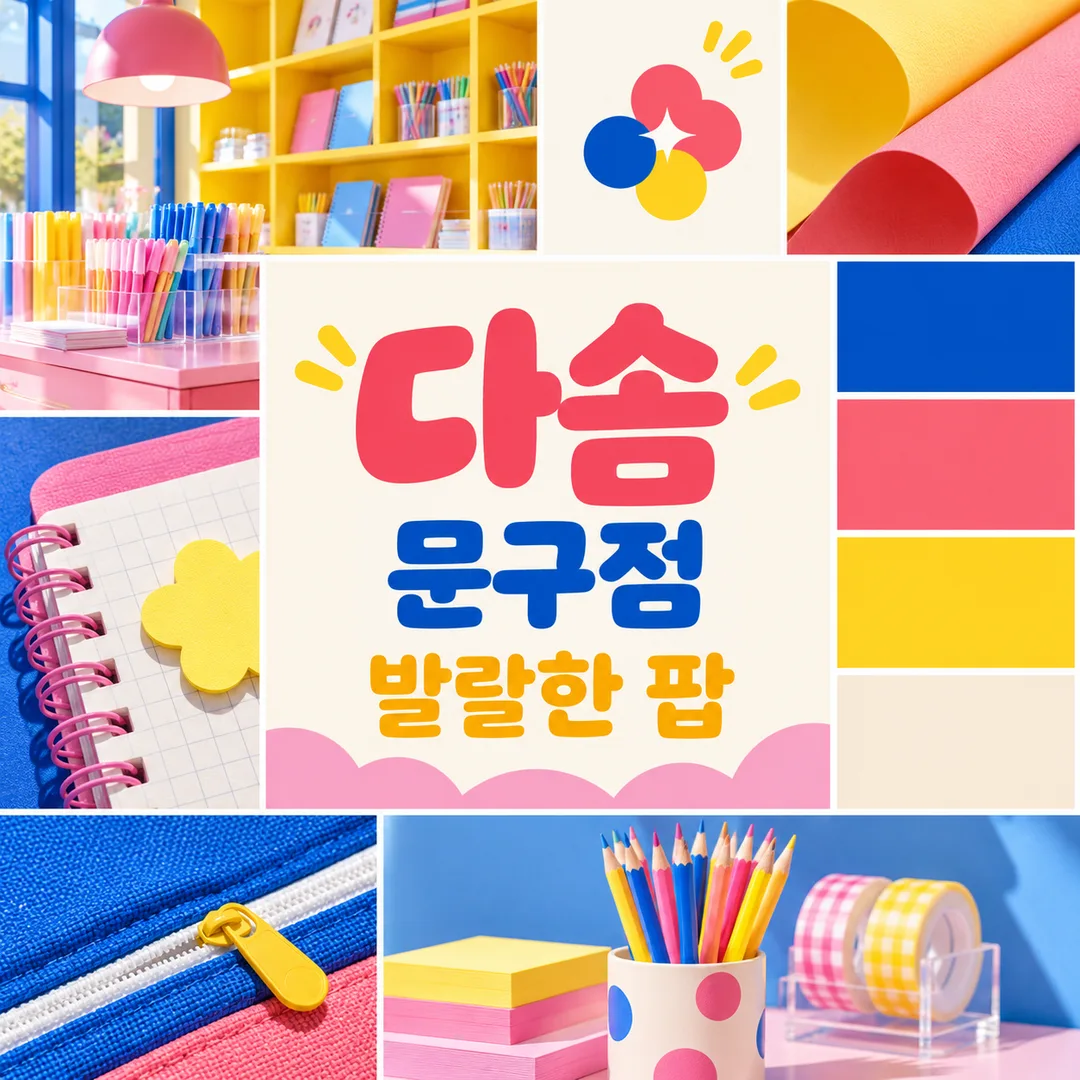
- Playful pop: high-key hard-flash photography, bold flat geometric cells, cobalt/coral/butter/ivory, chunky rounded lettering
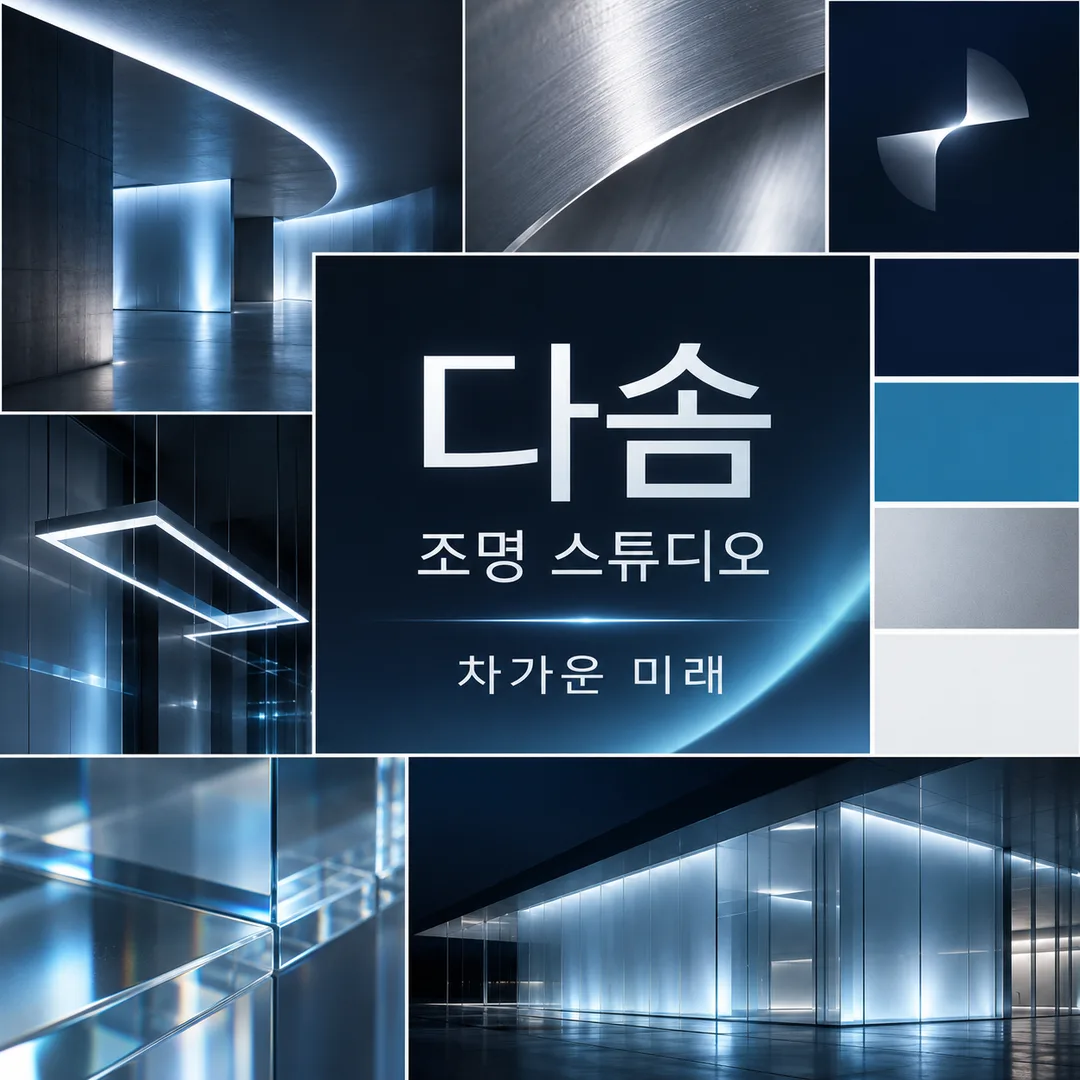
- Cool future: dramatic blue architectural light, aluminum and glass, cyan/navy/silver/white, crisp sans serif
For other free-text moods, infer a coherent palette, photographic lighting, textures and type treatment from the input while preserving the same moodboard structure. Do not imitate an artist or existing brand.
If NAME is empty, omit its lettering and keep the abstract emblem. If BUSINESS is empty, use a fictional craft studio as design context without printing a replacement business label. If MOOD is empty, use the first listed mood visually without printing a replacement mood label. Never print placeholders or instructions.
All objects and designs must be original fictional concepts. No real brands, identifiable commercial product shapes, existing logos, characters, signatures, watermarks or people. No numerical claims or invented contact information. Before returning, inspect every letter at enlarged scale and correct spelling while keeping the design coherent. Deliver the image in one step, without requiring scripts, assembly or postprocessing.

[Final output format]
Output size 1080x1080 pixels, 1:1 square post. Keep all text fully readable.
This selected output format takes priority over any fixed canvas size or aspect ratio elsewhere in this template. Adapt the composition, text zones and margins to the selected canvas without stretching or cropping essential content. Device safe areas apply only when a device is selected. Never print these format instructions on the image.
How did it turn out?
More cards in this category
How to use it · FAQ
Use this moodboard to agree on a visual direction with the people designing your shop interior, sign or visual identity. Photographs and tactile materials lead the composition. Four colors, a large name specimen and a small original emblem connect those references into one coherent sheet. Fill the fields and paste the prompt into an image AI once. No uploaded photograph or assembly is required.
The two required fields are Brand name and Business. Write the name with the exact spelling and spacing you want to see. Describe the business briefly, such as Floral studio. Choose Quiet nature, Warm vintage, Playful pop or Cool future, or write a specific mood. The mood changes the lighting, material references, palette and typography together while keeping the same kind of moodboard. An empty mood uses natural styling without a mood label. An empty name omits its lettering and keeps the emblem. An empty business uses a fictional craft studio as context and omits the business label.
The cover shows a quiet floral studio. The three examples explore warm vintage pottery, playful stationery and futuristic lighting, all using the fictional name Dasom in their corresponding language. The default result is square; the catalog cover is a separate portrait composition. Change the ratio with the shared size selector. The four swatches have no numerical codes, and the name itself demonstrates the proposed type treatment rather than claiming a particular font file.
Enlarge the result and compare the name, business and mood character by character. Count four swatches and check that the photographic materials belong to the same direction. If the lighting feels wrong, make the mood more specific and generate again. Request the exact quoted string again if lettering is misspelled. This image is a creative brief, not an editable logo master, a font license or measured print colors. Review the proposed emblem separately before production or trademark use.
Last checked · Published