

All · Comics & illustration · People
126My Photo, Six Poses
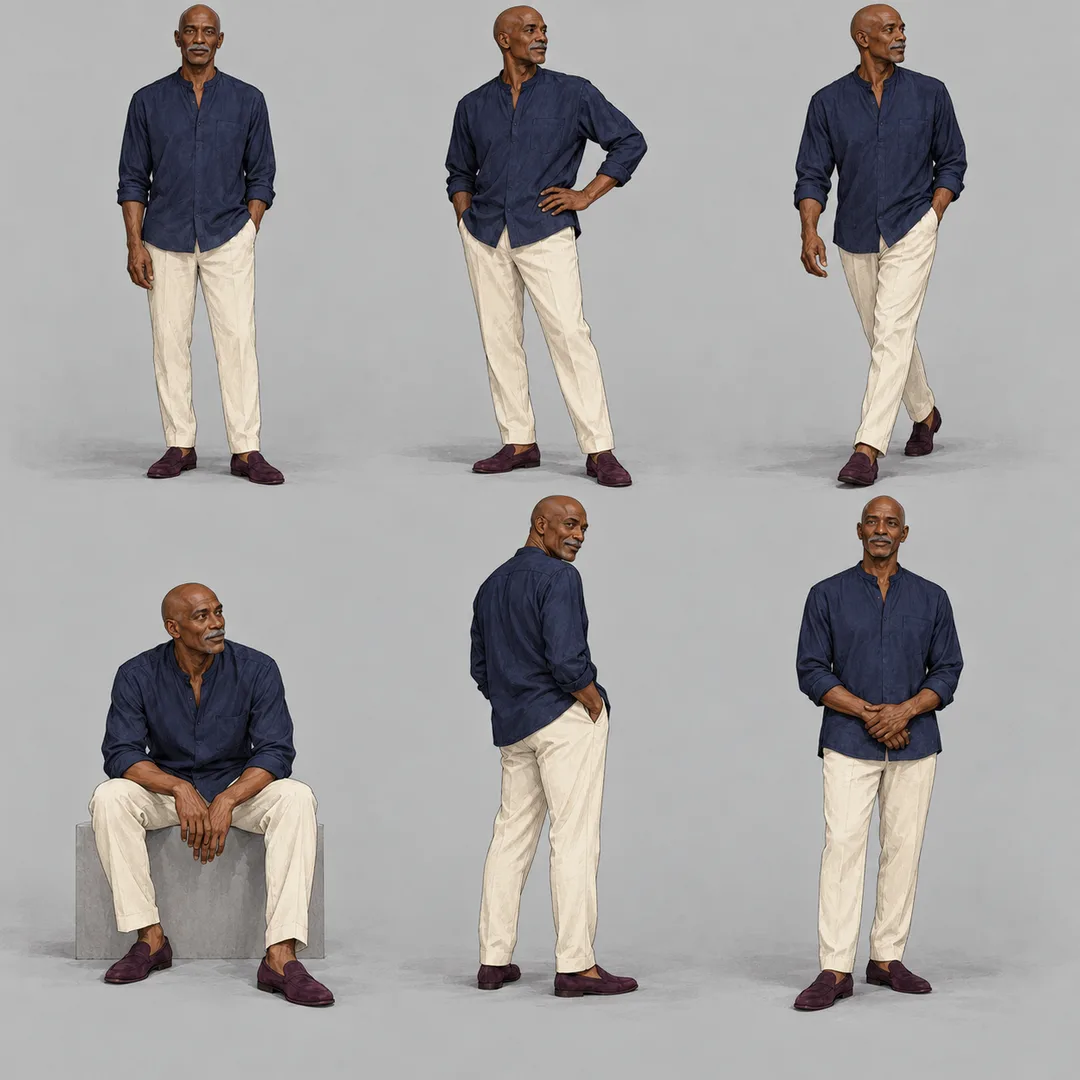
Keep your face and outfit recognizable across six full-body illustrated poses on one sheet.
Fill in the fields
- 1Fill in the fields
- 2Copy the prompt
- 3Paste it into a GPT chat
- 4Send it as is and you get an image like the thumbnail example
- 5Attach One personal photo (optional) with the prompt and your photo is used in the result Optional
Full prompt 3,098 characters
Generate this image now. Deliver one finished image directly, without prose or code.
Canvas: Output size 1080x1080 pixels, 1:1 square post. Keep all text fully readable.. Default 1:1. Exactly six full-body illustrations of the same person in a 3-column by 2-row pose sheet. For tall ratios reflow to 2 columns by 3 rows; keep all six complete figures large, with visible gaps and no cropped hair or shoes. Fill the canvas, no page mockup or outer frame.
Photo note: 【Photo】. Attachments take priority over this note. Preserve the source person's face shape, eye spacing, nose, mouth, skin tone, apparent age, hairstyle, glasses, facial hair and distinctive asymmetry consistently in every pose. Keep the same outfit and its colors in all six, removing branding. Render faces fully in illustration, never paste a photographic face. If multiple people appear, use only the largest foreground adult. PHOTO RULE: if no photo is attached, invent an original fictional adult who resembles no public figure and complete the sheet without asking. Empty note also uses this fallback; never render the note as text.
Background: 【Background】. Choices Apricot = pale apricot, Light gray = light gray, Sky blue = pale sky blue. Empty background uses Apricot. Use the selected color as a seamless backdrop with subtle grounding shadows, not scenery or extra objects.
Mood: 【Mood】. Choices Playful = sunny playful smile and warm light, Calm = calm expression and soft muted light, Confident = confident expression and crisp cool light. Empty mood uses Playful. Mood changes expression, palette accents and lighting, never identity, clothes or the illustration medium.
One fixed premium editorial illustration medium: expressive fine ink contours, softly textured opaque gouache, natural adult facial structure, detailed fabric folds and restrained stylization. No chibi, photographic output or imitation of a named artist.
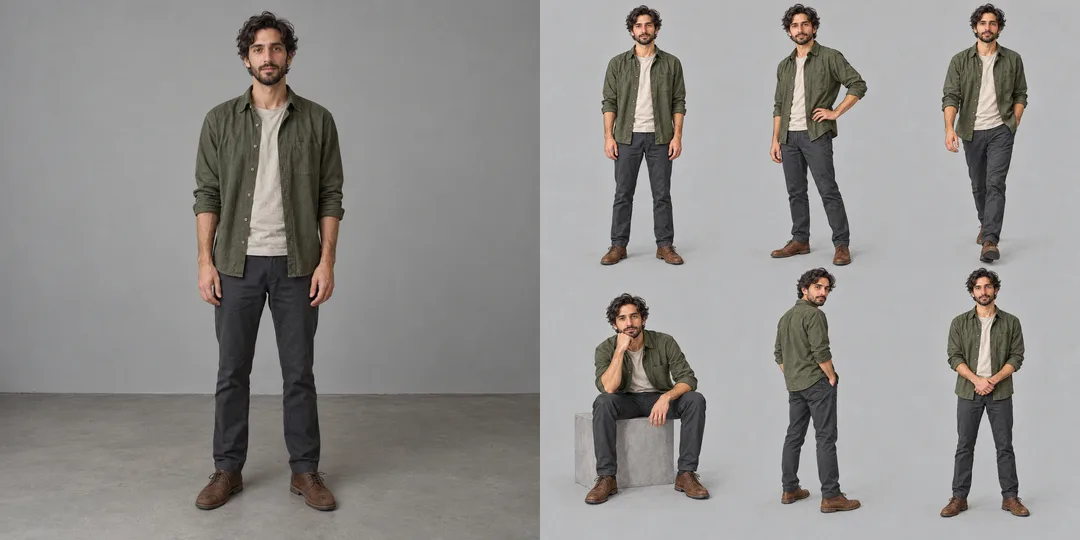
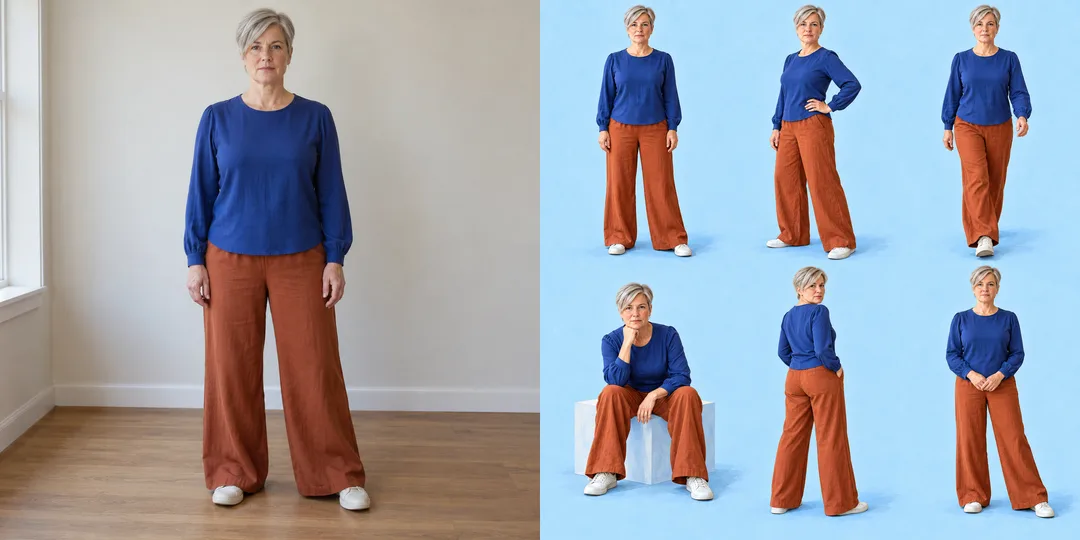
Six distinct poses in reading order: front standing with relaxed arms; three-quarter standing with one hand on hip; a natural walking step; sitting on a simple unbranded block with one hand resting on the thigh and the other supporting the chin; torso turned away looking comfortably over one shoulder; front standing with hands loosely clasped. One person per cell, same scale and identity, head and both shoes entirely visible. Natural joints, hands and balance. Keep adjacent silhouettes apart. No extra face studies or decorative figures.
No readable text, names, letters, numbers, labels, arrows, signature or watermark. Never print input values. No logos, real brands, recognizable commercial product designs, famous people, existing characters or artist-style imitation. Only original generic clothing and a simple geometric seat. Return one complete sheet, not six separate images.

[Final output format]
Output size 1080x1080 pixels, 1:1 square post. Keep all text fully readable.
This selected output format takes priority over any fixed canvas size or aspect ratio elsewhere in this template. Adapt the composition, text zones and margins to the selected canvas without stretching or cropping essential content. Device safe areas apply only when a device is selected. Never print these format instructions on the image.
How did it turn out?
More cards in this category
How to use it · FAQ
Use the sheet
Create one illustrated pose collection for your profile or personal social feed. The same person stands front-facing, rests a hand on the hip, walks, sits, looks over a shoulder and clasps both hands. Square output uses three columns and two rows; tall formats reflow to two columns and three rows. You receive one complete sheet, rather than six separate files.
Three optional fields
Photo is a note about the attachment, such as “Haru, clear full-body photo with visible face and outfit”. A typed note does not upload a file. Attach the actual photo in your image AI, alongside the copied prompt in the same message. Background offers Apricot, Light gray and Sky blue, defaulting to Apricot when empty. Mood offers Playful, Calm and Confident, defaulting to Playful. All fields are optional. Background changes the seamless color; Mood changes expression and lighting while the outfit and ink-and-gouache medium stay consistent.
Choose and send a photo
Use your own photo or one you have permission to use, preferably showing one adult with a clear face, hair and complete outfit down to the shoes. The largest foreground adult is used if several people appear. Hidden body or clothing details may be invented. With no attachment, the prompt completes a fictional adult instead of asking for a photo. Send the photo and prompt together once.
Check before sharing
Count exactly six figures. Compare their eye spacing, nose, jaw and hairstyle with the source and with each other. Check that clothing colors, glasses and shoes stay consistent, the head and feet remain visible, and fingers and seated balance look natural. If the identity drifts, reattach the source and name the changed features, for example “Keep the broad nose and jaw from the source in all six poses”. Remove any accidental lettering or numbers.
Examples and questions
The cover is an independent result without a photo. A separate pure result and two comparisons use different fictional people and moods. Each comparison places its source photo and output side by side at the same height. Its output is not repeated elsewhere in the gallery. A photo becomes an illustration rather than a simulated camera shoot. Identity matching can vary, so inspect it before posting. This site provides the prompt; the image is made in the image AI where you paste it.
Last checked · Published