

All · Ads & posters · Logos & branding
164Your shop as a 3D mascot
Turn your shop name, animal and colors into one dimensional mascot brand illustration.
Fill in the fields
- 1Fill in the fields
- 2Copy the prompt
- 3Paste it into a GPT chat
- 4Send it as is and you get an image like the thumbnail example
- 5Attach a real photo that fits the card and it is used in the result: a background photo for background cards, a person or food photo for those cards Optional
Full prompt 3,435 characters
Generate one finished image now, without questions or explanations.
Output size 1080x1080 pixels, 1:1 square post. Keep all text fully readable.
Default 1:1. Create ONE full-bleed premium original 3D animated shop mascot brand illustration: one animal, one shop name and one representative occupational prop. No sticker border, badge, multiple proposals, comparison board or mockup.
SHOP NAME: 【Shop name】
ANIMAL: 【Animal】
A tapir has a short flexible trunk extending forward and curving downward, small rounded upright ears, a short tail and hoofed toes. When tapir is selected, preserve these traits rather than replacing them with floppy dog ears, a flat canine nose or a long fluffy tail.
COLORS: 【Colors】
Print the input name exactly once, preserving spelling and spaces. A name may include the business type. Flowers means a bouquet; stationery means a blank pencil; alterations means a plain pincushion. Use a work garment appropriate to the business. If the business is unclear, use only a blank apron and never invent business lettering. Empty name or Choose for me defaults to Haru Flowers. Empty animal or Choose for me defaults to tapir. Empty colors or Choose for me defaults to mint and cream. Respect custom animal and color inputs.
Preserve the animal's distinctive ears, muzzle, tail and feet while inventing original proportions and expressions. All clothing and props are fictional unbranded designs. Use the input colors on the body and background with harmonious supporting colors for contrast. The animal holds the prop; the product itself does not become the character.
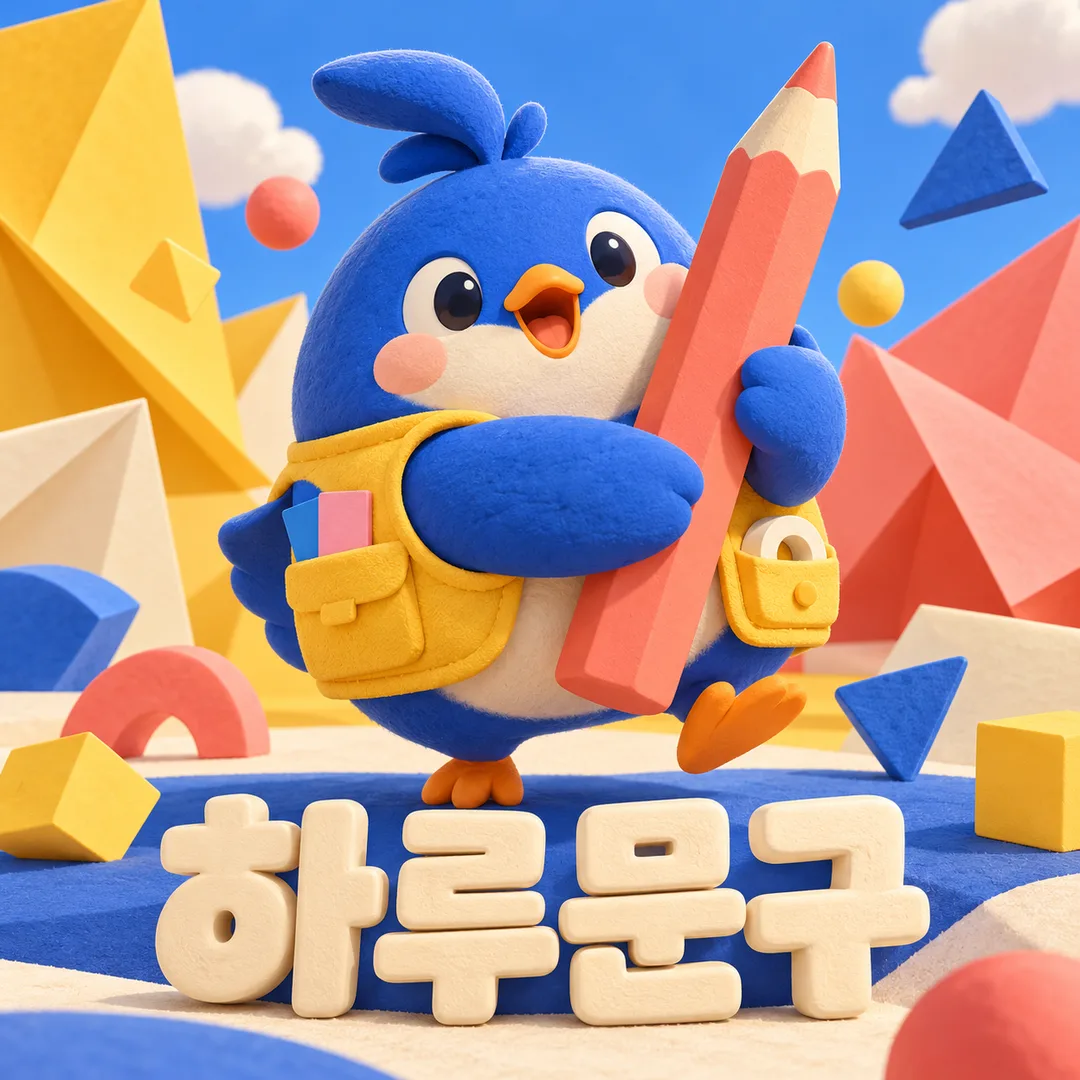
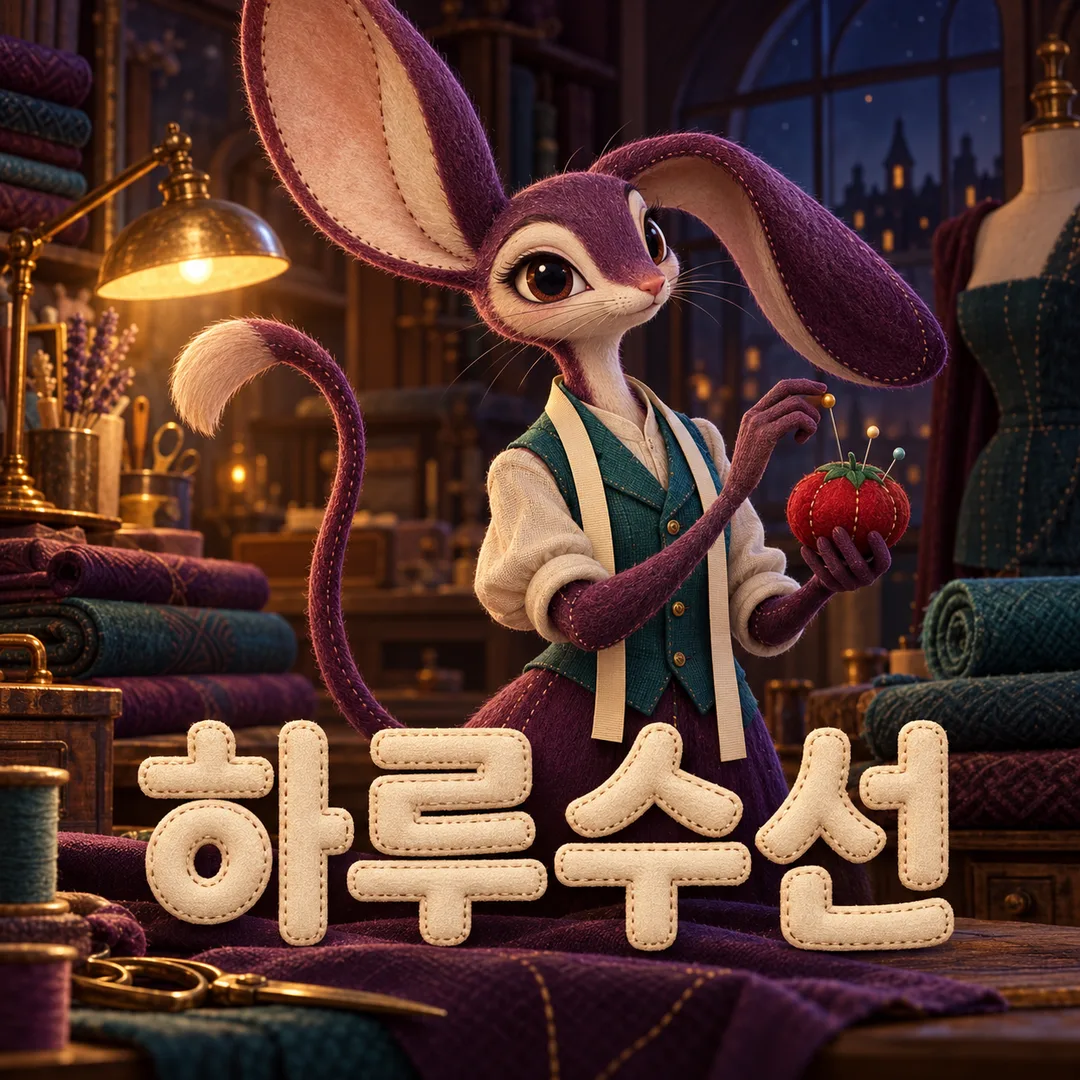
Keep one coherent 3D animated medium within each image. Automatically tailor surfaces and lighting to the animal and business: florist tapir has soft short fur colored with the input colors (mint head and limbs with a cream torso for mint and cream), plum linen apron, bouquet, botanical shadows and warm daylight; stationery quail has round matte clay forms, yellow utility vest, oversized blank coral pencil, folded-paper geometric background and cheerful daylight; alterations jerboa has elongated ears, thin tail, woven wool and felt, teal vest, plain pincushion and amber evening light in a plum atelier. Interpret other combinations at the same premium 3D quality. Never ask for a style choice or additional clarification.
Animal fills about 70–80% of frame width. Separate face, hands and prop clearly. Large cream dimensional shop lettering sits in the lower central area, never obscured. Keep essential lettering outside the top 12% and bottom 15%. For 2:3 recompose vertically and fill the frame edge to edge. Rich tactile materials, believable contact shadows, strong silhouette and professional color harmony.
No text except the shop name; no digits, dates, prices, offers, slogan or watermark. Measuring tapes and props must be blank without marks or numbers. Never imitate real brands, logos, famous product designs, real people, existing characters or a named artist/studio style. Enlarge and compare every name character with the input; repair lettering, anatomy and prop connections before returning only one finished image.

[Final output format]
Output size 1080x1080 pixels, 1:1 square post. Keep all text fully readable.
This selected output format takes priority over any fixed canvas size or aspect ratio elsewhere in this template. Adapt the composition, text zones and margins to the selected canvas without stretching or cropping essential content. Device safe areas apply only when a device is selected. Never print these format instructions on the image.
How did it turn out?
More cards in this category
How to use it · FAQ
Create a friendly face for a shop introduction, social profile or poster illustration. One animal holds a recognizable work prop beside a large dimensional shop name. This is one finished raster illustration, rather than a sticker badge or a product with added eyes. No photograph is needed. Paste the prompt once into an image AI.
Shop name is the only required field. Include the business type, such as Haru Flowers, Haru Stationery or Haru Alterations, to obtain a bouquet, pencil or pincushion. An unclear business produces a plain apron without invented business text. Animal and Colors accept your own values beyond the suggestions. Empty values or Choose for me use tapir and mint with cream. An empty shop name uses Haru Flowers. The shared size selector defaults to 1:1.
The separate 2:3 cover shows a soft mint florist tapir in daylight. Square example one shows a bright cobalt stationery quail in matte sculptural materials; example two shows a plum alterations jerboa with woven textures in amber evening light. Materials and lighting follow the business and animal automatically; there is no separate style selector. Every image was generated independently and the cover is not repeated in the gallery. Gallery shop lettering retains the original Korean demonstration text; your generated result uses your input name exactly.
Enlarge and compare every character, space and any input digit in your name. Request exact spelling again if a letter changes. If hands or props hide the name, move the lettering forward. Check ears, tails, limbs and prop connections. Measuring tapes remain blank. This card supplies no vector logo or print cutting path. Avoid real brands, existing mascots, celebrity names and named artists. Check the image service terms and the printer's required resolution before use.
Last checked · Published