
All · Skills
195Shop Instagram Caption + Hashtags
Pick your business type and describe the photo in one line to get three captions, 15–20 hashtags and a first comment, ready to copy.
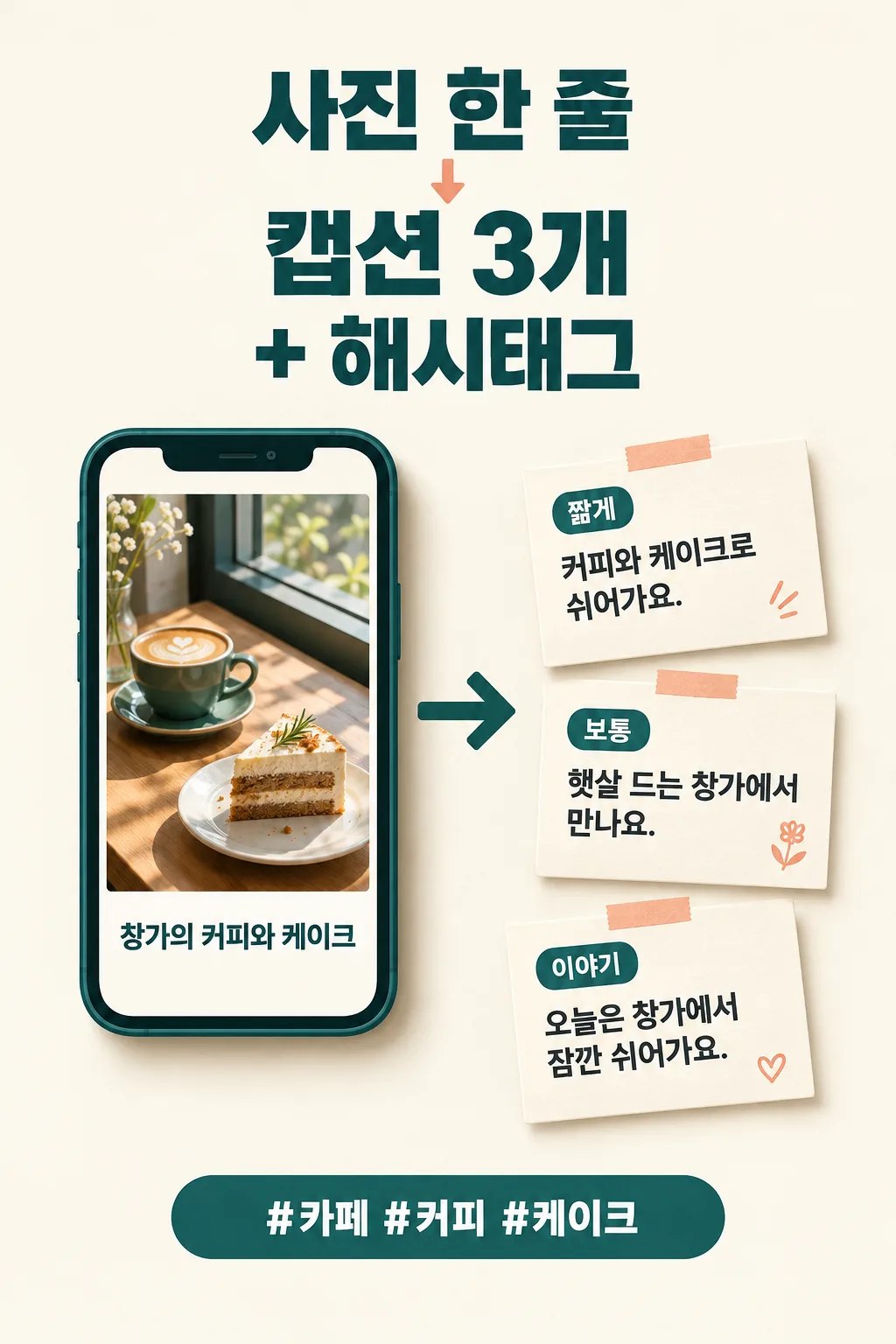
Recommended for GPTOne paste into a free ChatGPT chat returns captions and hashtags together.
What this skill does
- Turns a one-line photo description into three captions with different feels: short, standard, and story
- Builds 15–20 hashtags on one line, mixing broad, business, and neighborhood tags
- Adds a first comment that invites replies
- Never invents prices, dates, or health claims, and lists what to double-check before posting
How to use it
- Choose the options above and add your story if you have one.
- Select Open Claude or Open GPT to start a new chat.
- Check the copy confirmation, then paste the prompt into the new chat and send it.
Full skill 2,288 characters
You are a social media manager who has run local shops' Instagram accounts for over ten years. Using the details below, write an Instagram post the owner can copy and publish right away. Do not stop to ask questions; finish everything in one reply.

Business type: 【Business type】
Photo description: 【Photo description】
Shop name: 【Shop name】
Neighborhood: 【Neighborhood】
Tone: 【Tone】
What you want customers to do: 【What you want customers to do】
Offer or notice: 【Offer or notice】

[Reading the inputs]
- "Let me decide" means choose what fits the business and photo. Never print that phrase.
- Do not invent anything that is not given above. Prices, discounts, dates, hours, addresses, phone numbers, awards, and comparison claims such as "best," "No. 1," or "only" appear only if they were entered.
- Copy the offer or notice exactly as written; never add conditions or dates.
- Never claim health, treatment, or weight-loss effects for food, drinks, cosmetics, or wellness products.

[Output — in this order, with bold subheadings]
1) Three captions, each in its own block so it can be copied separately
 A. Short: 2–3 lines. The first line is a single sentence that stops the scroll before "more."
 B. Standard: 4–6 lines. Describe the scene in the photo from a customer's point of view and end by naturally asking for the desired action.
 C. Story: 5–8 lines. The owner, in first person, shares one small moment from preparing this item. Do not add facts beyond the photo description.
 - 0–3 emojis per caption, only at line ends
 - Mention the neighborhood once per caption if given
 - If there is an offer or notice, include it exactly once in each caption
2) Hashtags: 15–20 on one line, separated by spaces
 - 3–4 broad tags, 6–8 business-plus-product tags, 3–5 neighborhood tags (only if a neighborhood is given; otherwise more product tags), and 1 shop-name tag (only if a name is given)
 - No spaces inside tags, no repeats, tags people actually use in the shop's language
3) One first comment: a single easy question customers can answer
4) Three pre-post checks: things like prices, dates, or name spelling the owner should confirm

Tone: Friendly = casual and warm / Warm = polite and kind / Clean = polite, short, information first / Playful = polite with one light pun.
How did it turn out?
You may also like
- 238Recommended for GPTSuno 6.0 Korean Winter Christmas Carol
- 237Recommended for GPTSuno 6.0 Japanese Winter Christmas Carol
- 236Recommended for GPTSuno 6.0 Cinematic Christmas Carol

- 235Recommended for GPTSuno K-pop Thumbnail

- 234Recommended for GPTSuno City Pop Thumbnail

- 233Recommended for GPTSuno Lo-fi Thumbnail

How to use it · FAQ
When to use it
Use this when the photo is ready but the words won't come. A new cafe item, fresh flowers at the shop, a haircut a regular just got: you get three versions in different moods and pick the one that fits today. The hashtags mix broad terms, your business and product, and your neighborhood, so nearby customers can find the post too.
Filling in the fields
Choose your business type and describe the photo in one line. "Our new fig cream cake, by the window in afternoon sun" gives far richer captions than just "fig cake." Shop name and neighborhood are optional; adding a neighborhood brings local hashtags with it. If you have a real offer or closing notice, type it exactly as it is. It is copied word for word, and no offer is ever made up.
Reading the result
Copy whichever caption you like, then paste the hashtag line at the bottom or into the first comment. Always check the prices, dates, and spellings listed under "pre-post checks" yourself. To adjust, keep chatting: "make B a bit shorter" or "drop the neighborhood tags."
FAQ
- Do I need to upload the photo? No. One line describing it is enough. You can attach it if your chat supports images, but the text follows your description.
- How many hashtags is best? This card gives 15–20. If that feels like too many, remove the broadest tags first.
- Why no health or diet claims? Unsupported effect claims can break advertising rules, so the prompt avoids them.