

287わたしが一面に — 90年代タブロイド新聞の一面の主役
特報写真に合わせて記事を組む90年代風タブロイド。長方形の写真と題字に重なる切り抜きを選べます。
受け取れるもの
- 懐かしいタブロイドの一面一枚
- 現場写真、目撃者の言葉、架空の記事
- 長方形の写真または中央の切り抜き写真
ChatGPT 無料 OK
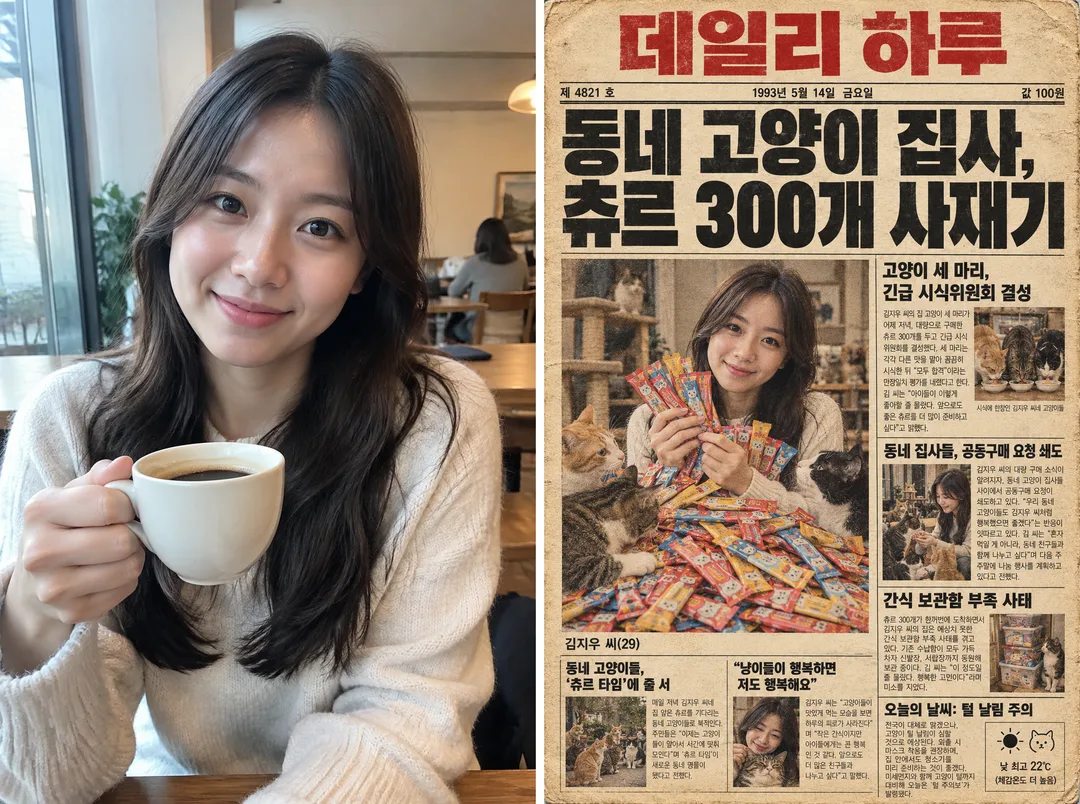
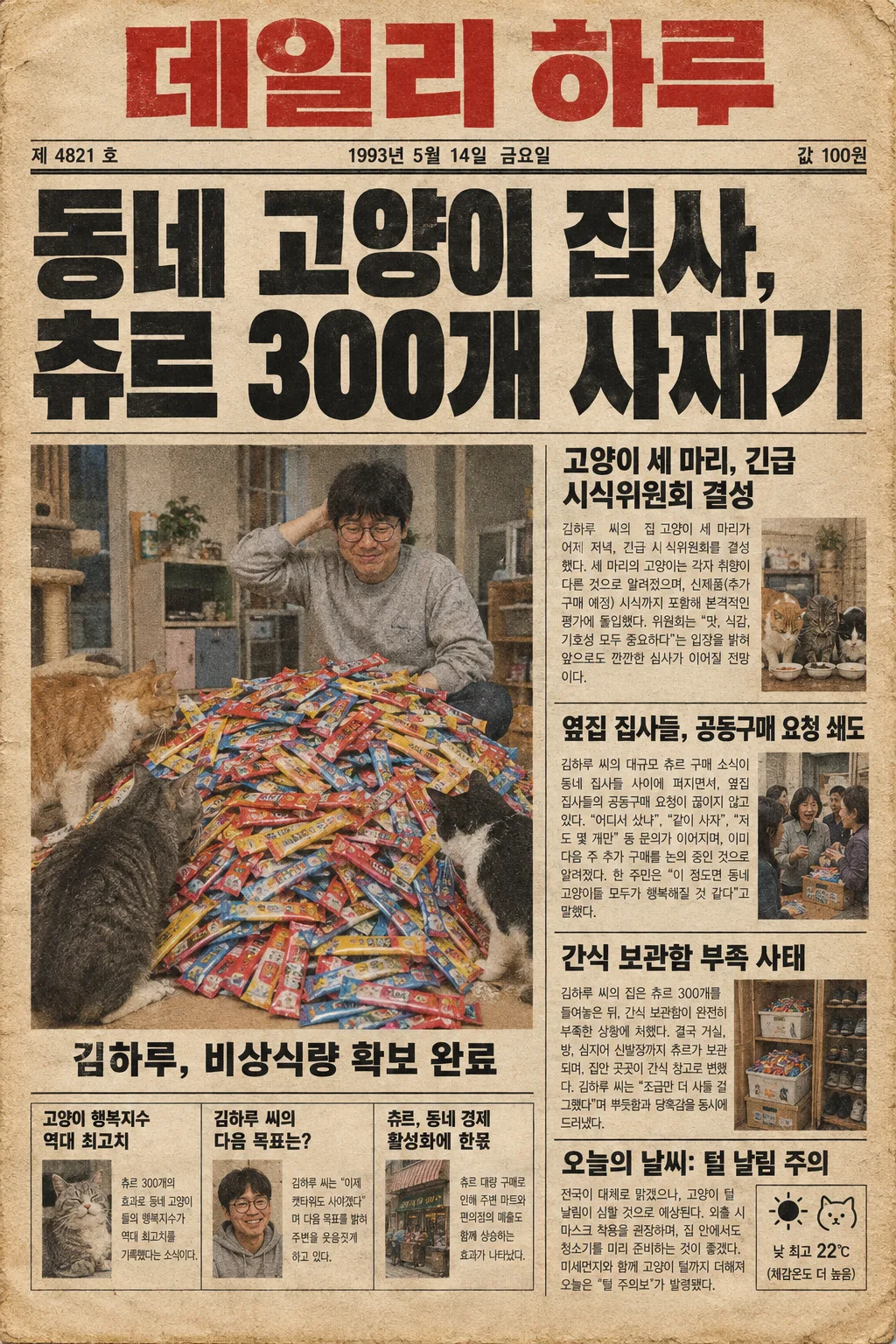
項目を入力
- 1項目を入力します
- 2プロンプトをコピーします
- 3GPTのチャットに貼り付けます
- 4そのまま送ると、サムネイルの例のような画像になります
- 5顔写真一枚(任意)をプロンプトと一緒に入れると、その写真が反映されます 任意
プロンプト全文を見る 3,654文字
Generate one finished front page of an invented early-1990s sensational tabloid. Return the image directly. The editorial device is PHOTO-LOCKED TYPESETTING: the protagonist photograph determines the shape and route of the surrounding newspaper columns.
完成した2:3の縦型画像を1枚、1024×1536ピクセルで出力してください。重要な文字は上12%と下15%に置かないでください。
Default portrait 2:3, flat page seen straight on, edge to edge. Yellowed newsprint, dark red masthead, heavy condensed black headline, faded color flash photography, coarse photographic halftones, thin black column rules and tightly packed little stories. Keep this period and medium for either layout.

MASTHEAD: "【新聞名】"
BANNER HEADLINE: "【大見出し】"
NEWS PHOTO SCENE: "【特報の現場】"
EYEWITNESS QUOTE: "【目撃者の言葉】"
PHOTO CAPTION NAME: "【主役の名前】"
PAGE EDIT: "【一面の組み方】"

Make the photo depict the supplied NEWS PHOTO SCENE, so the absurd headline has visible evidence. If a portrait is attached, preserve that person's face, age, hair and recognizable likeness in this staged scene. With no photo, invent a fictional adult and finish without asking for an upload. Never turn the person into a drawing. Props and setting serve the scene; avoid real product packaging.

Choose only the selected PAGE EDIT geometry:
長方形の報道写真: masthead across the top, banner headline immediately below, then a wide rectangular scene photograph across the middle. All of the person stays inside the photo's straight rectangular border. Below the photo, vertical article columns start on a shared horizontal baseline. No cutout head overlaps the masthead.
題字に重なる切り抜き: remove the rectangular photo frame AND its background. Enlarge the same protagonist with the scene's key prop into a central waist-up photographic cutout. The head protrudes upward across the masthead's lower edge, with masthead lettering visible on both sides. Split the banner headline into left and right blocks beside the shoulders. Narrow article columns wrap around both sides of the irregular body contour down to the bottom. No wide horizontal photograph remains. This is a different page topology, not a color change.

Put the exact EYEWITNESS QUOTE in one outlined witness box next to the relevant photo edge, with a small printed heading meaning 'Witness' in the headline's language. Print the supplied masthead, headline, quote and optional name without rewriting; a blank name means omit the name caption. Keep faces clear of letters and keep the headline fully readable even where the head interrupts the masthead area.

Around the lead, typeset short harmless fictional follow-up reports, compact publication details and small teaser boxes in the headline's language. Small body copy must resemble real typeset columns, not handwritten marks. Add a discreet legible label meaning 'Fictional celebration edition'. Invent no allegations of wrongdoing, real newspaper identity, real brands or celebrity. One page only, no tabletop, hands, frame, watermark or before/after panels. Internal field labels and layout choice names are never printed.

FINAL GEOMETRY LOCK — obey PAGE EDIT "【一面の組み方】" above all scene/background requests: for 題字に重なる切り抜き the bakery background and rectangular photo MUST disappear, the cutout head MUST occupy the top-center masthead zone and the two headline blocks MUST flank the body; for 長方形の報道写真 retain the middle rectangle and intact top masthead.

[Final output format]
完成した2:3の縦型画像を1枚、1024×1536ピクセルで出力してください。重要な文字は上12%と下15%に置かないでください。
This selected output format takes priority over any fixed canvas size or aspect ratio elsewhere in this template. Adapt the composition, text zones and margins to the selected canvas without stretching or cropping essential content. Device safe areas apply only when a device is selected. Never print these format instructions on the image.
結果はどうでしたか?
同じ分類のほかのカード
使い方・よくある質問
パン屋が消えると記事は肩の横へ移りました
最後の同条件テスト二枚では、誕生日の写真が長方形の枠に入り、その下に記事が並びました。「一面の組み方」だけを「題字に重なる切り抜き」に変えると、パン屋の背景が消えました。ケーキを持つ人物が中央を占め、頭が赤い題字の下部に重なり、大見出しは顔の左右に分かれました。黄色いセーターの脇には細い記事の段が入りました。
最初は切り抜きを選んでも写真枠が残りました
最初の変更テストには、背景付きの長方形写真が残りました。現場の背景より選んだ組み方を優先する一文を加え、三枚すべてを再テストして配置が分かれました。表紙と最初の作例は修正後の長方形、二番目の作例は修正後の切り抜きです。長方形は場所を伝え、切り抜きは場所を省いて主役を大きく見せます。
目撃者の枠は残っても名前は誤ることがあります
最後の三枚では、指定した目撃者の言葉が引用枠に入りました。ただし最初のテストの一枚は、韓国語の名前を一音分間違えました。名前が違ったら「写真と組版を保ち、名前のキャプションだけ直して」と頼んでください。小さな記事、日付、価格は架空の編集情報です。誕生日を祝う架空の特報として共有してください。
今回は写真を添付せず、架空の成人で試しました。実際の顔写真との似方は未確認です。切り抜きは題字の一部を隠し、記事は体の輪郭を細かくなぞるというより左右の細い段に整理されました。掲載テストは韓国語の紙面で、日本語の文字生成は未試験です。
最終確認日 · 公開