

596우리가족 영화포스터 — 가족사진이 모험의 주인공으로
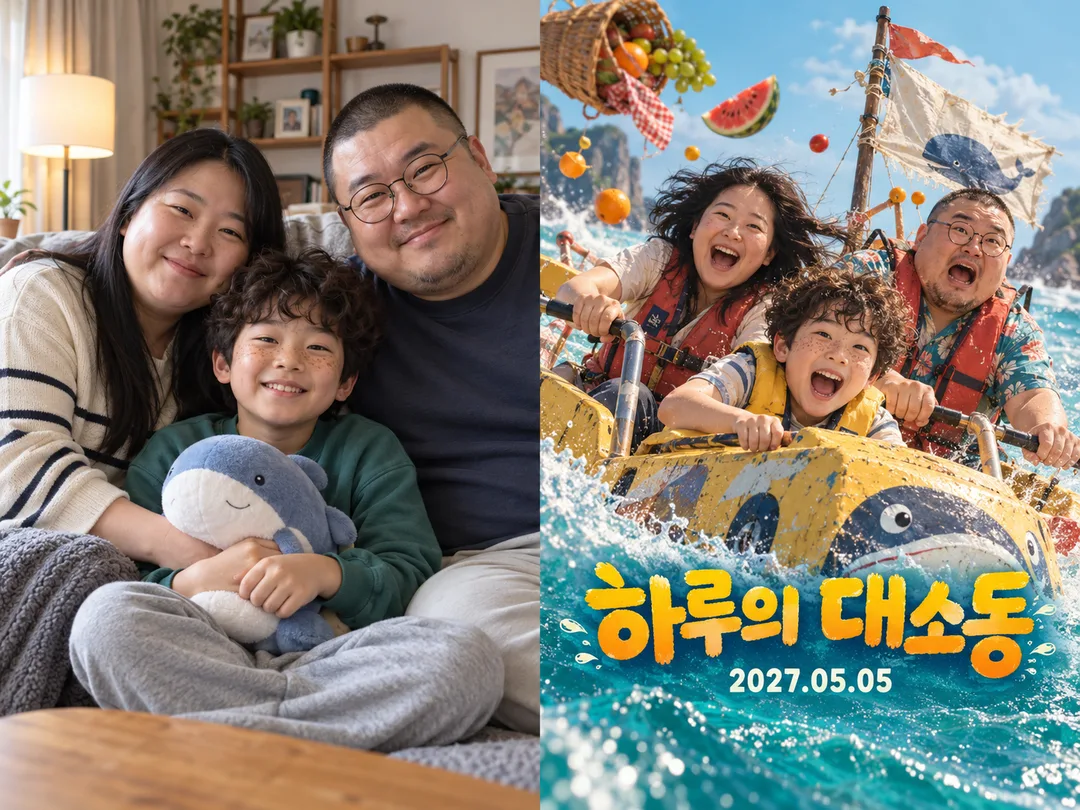
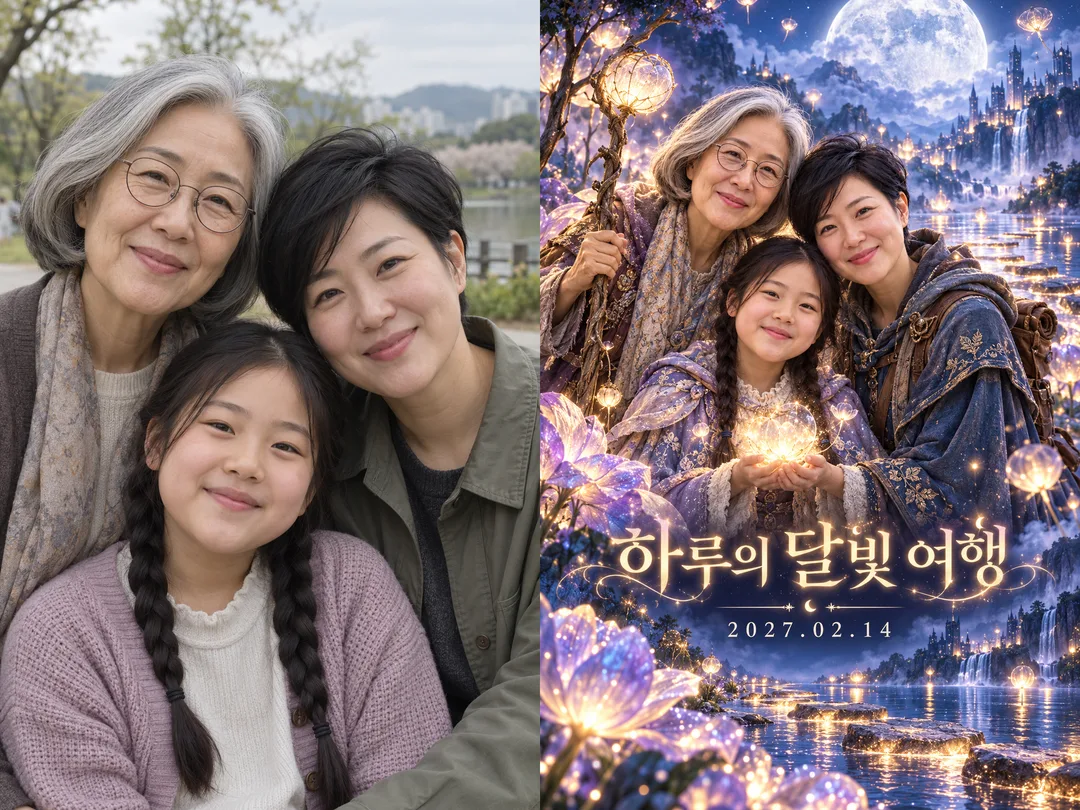
가족 얼굴은 그대로, 제목과 개봉일을 담은 영화 포스터 한 장을 만들어요.
받는 것
- 가족 영화 포스터 한 장
- 제목과 선택한 개봉일
칸 채우기
- 1칸을 채워요
- 2복사 버튼을 눌러요
- 3GPT 채팅창에 붙여넣어요
- 4그대로 보내면 썸네일 예시처럼 나와요
- 5가족사진 한 장 (선택)을 같이 넣으면 그 사진이 반영돼요 선택
직접 해 봤어요
- 시험일
- 2026-10-29
- 도구
- ChatGPT 이미지 모델(코덱스에서 실행) — 무료 ChatGPT와의 모델 동일성 및 한도 차이는 이 시험에서 확인하지 못함
- 결과
- 통과
- 지켜진 것
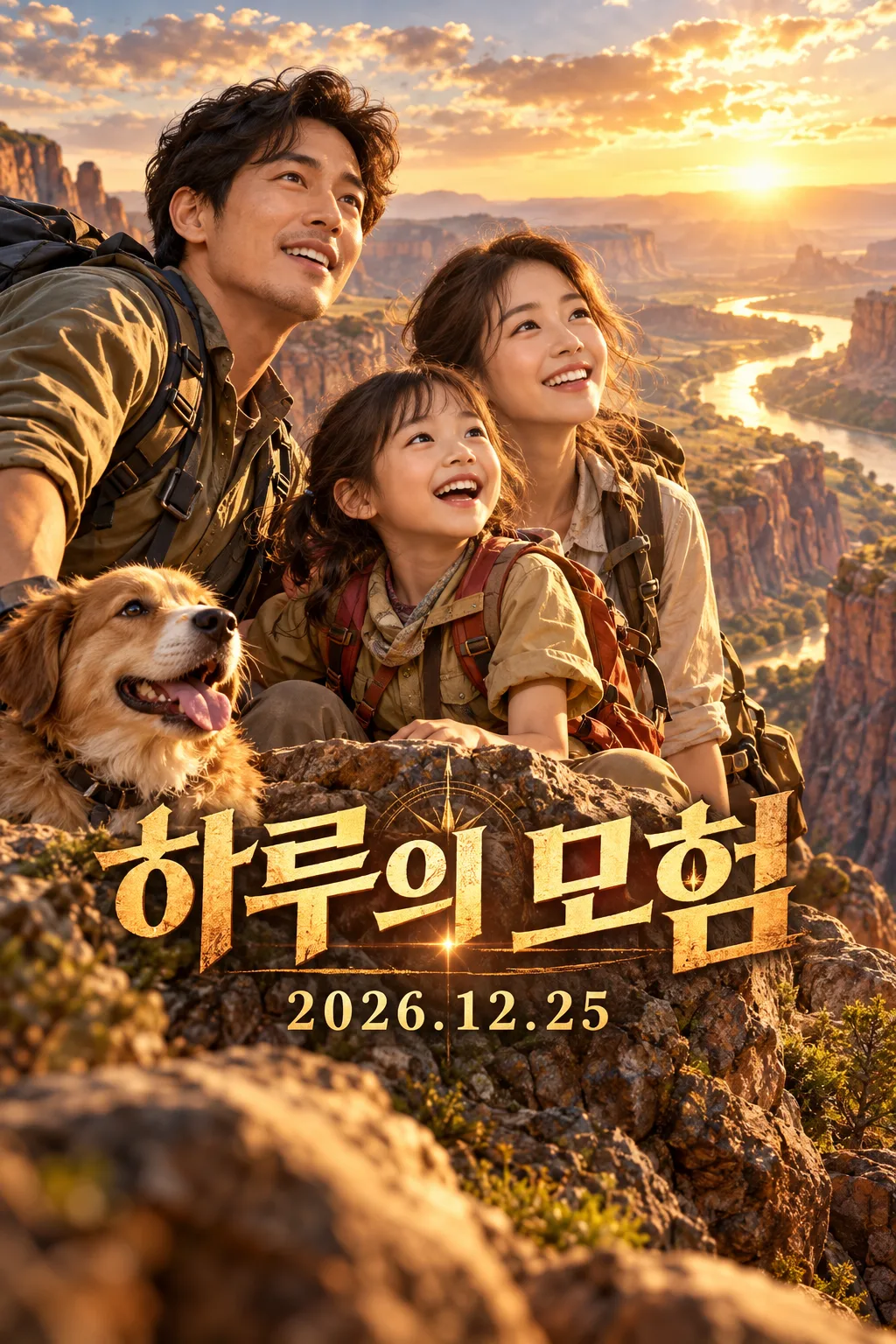
- 최종 수정본에서 「하루의 모험」과 「2026.12.25」의 글자·숫자·구두점이 일치함. 가상 성인 2명과 아이 1명의 얼굴이 가려지지 않고, 황금빛 협곡의 사진 같은 영화 포스터 한 장으로 생성됨. 1024×1536으로 2:3이며 테두리 없이 화면을 채움. 제목 중심 약 66%, 날짜 중심 약 75%, 글자 전체가 상단 12%와 하단 20%를 피함. 보이는 손에 뚜렷한 중복·융합 없음. 추가 배역명·크레디트·로고·워터마크 없음.
- 안 된 것
- 최종 시험 조합에서는 없음. 원문 2번은 날짜 하단이 약 84%·82.6%로 지정한 82%를 벗어남. 수정1 2번은 제목 상단이 약 58%·60%로 지정한 62% 위로 나옴. 사진을 첨부하지 않았으므로 실제 가족사진의 동일 얼굴 유지, 코미디·판타지, 다른 제목·날짜는 확인하지 않음. 최종 결과에는 지시하지 않은 개 한 마리가 함께 생성됨.
- 이렇게 하면 나아요
- 같은 예시 값으로 배치 문장만 고쳐 재시험했을 때 날짜가 하단에 붙는 문제가 해소됐어요. 현재 복사 본문에 수정이 반영되어 있어요. 다른 제목이나 사진에서도 같은 결과가 보장되는 것은 아니므로, 완성 후 글자와 얼굴을 확대해 확인하세요.
프롬프트 원문 보기 2,974자
Generate this image now. Draw it directly, without explanations or follow-up questions.
Output exactly one finished 2:3 portrait image, 1024x1536 pixels. Keep all important text inside the central 73% of image height: leave the top 12% and bottom 15% free of essential lettering.
Create one premium full-bleed cinematic photographic family adventure movie poster. Default portrait ratio is 2:3. Never output a collage, comparison, mockup or multiple versions.
PHOTO RULE: 【사진】 If a photo is attached, preserve ALL family members, their recognizable facial structures, ages, skin characteristics, hairstyles, glasses and natural body proportions. Change the setting, costumes, pose and light, while keeping faces clear and recognizable. Do not add, omit, duplicate or replace family members. If no photo is attached, invent a distinctive fictional family of three, unlike any public figure, and finish without asking for a photo.
TITLE AND RELEASE DATE: "【제목】"
Treat the first line as the title and an optional second line as the release date. Reproduce supplied text character for character, including script, spelling, digits and punctuation. Do not translate or correct user text, compute weekdays, invent a date, or add a release label. If only a title is supplied, omit the entire date line. If empty, use "하루의 모험" as the title with no date.
GENRE: "【장르】". 모험: warm golden canyon expedition, sweeping landscape and courageous joyful expressions. 코미디: turquoise sunny seaside expedition, playful picnic mishap and lively comic expressions. 판타지: indigo moonlit lake, luminous oversized flowers and magical stepping stones. Empty genre defaults to 모험. Keep the same premium photographic theatrical finish; genre changes the story, palette and lighting.
Make a layered cinematic composition with large unobstructed family faces in the middle, a convincing original adventure setting and integrated bold title typography. Place the large title in the lower-middle area, with its visual center around 66 percent of canvas height, and the smaller, readable date centered around 75 percent height. These percentages describe line centers, not the outer edges of large lettering. Keep every part of both text lines, including decorative strokes, below the top 12 percent and above the bottom 20 percent. Keep the bottom 20 percent scenery only. Fill the entire canvas edge to edge.
Only print the supplied title and optional date. No extra cast names, credits, slogans, genre labels, logos, watermarks, recognizable brands, existing characters, celebrity likenesses, existing movie compositions or named artist styles. Use original fictional costume and prop designs. Before finishing, compare every title character and date digit with the input and check each face, person count and hand anatomy.

[Final output format]
Output exactly one finished 2:3 portrait image, 1024x1536 pixels. Keep all important text inside the central 73% of image height: leave the top 12% and bottom 15% free of essential lettering.
This selected output format takes priority over any fixed canvas size or aspect ratio elsewhere in this template. Adapt the composition, text zones and margins to the selected canvas without stretching or cropping essential content. Device safe areas apply only when a device is selected. Never print these format instructions on the image.
결과 어땠어요?
이 카드도 많이 사용해요

쓰는 법 · 자주 묻는 것
가족사진을 함께 모험한 영화의 한 장면으로
가족 여행 기념이나 집 안에 걸 포스터를 만들 때 쓰세요. 사진 속 가족이 같은 얼굴을 유지한 채 커다란 모험 영화의 주인공이 됩니다. 모험은 황금빛 협곡, 코미디는 밝은 바다의 소동, 판타지는 달빛 호수로 배경과 빛이 달라져요. 결과는 사진 같은 영화 포스터 한 장이며 원본 비교판은 만들지 않습니다.
칸 채우는 방법
꼭 칸은 제목 하나입니다. 제목 첫 줄에 영화 제목을, 개봉일도 넣으려면 둘째 줄에 원하는 날짜를 적으세요. 예를 들어 첫 줄은 「하루의 모험」, 둘째 줄은 「2026.12.25」입니다. 날짜는 계산하거나 바꾸지 않고 적은 표기를 그대로 씁니다. 둘째 줄이 없으면 날짜 줄이 통째로 빠집니다. 사진 칸은 첨부 여부를 알려 주는 칸이므로 실제 가족사진 파일도 그림 AI에 프롬프트와 함께 첨부하세요. 얼굴이 가려지지 않은 사진이 좋아요. 사진을 첨부하지 않으면 가상 가족을 만듭니다. 장르는 모험, 코미디, 판타지 중 고르며 비우면 모험입니다.
만들기와 확인
완성된 프롬프트를 복사해 그림 AI에 한 번 붙여 넣으세요. 기본 크기는 세로 2:3이고 공통 크기 선택으로 바꿀 수 있습니다. 제목과 날짜를 확대해 한 글자씩 대조하고, 가족 수와 안경, 머리 모양, 얼굴 특징이 이어지는지 확인하세요. 글자가 틀리면 정확한 원문을 다시 지정해 재생성하세요. 가족사진과 아이 얼굴을 공개할 때는 당사자와 보호자의 동의를 확인하세요. 실제 상표나 영화 캐릭터를 제목과 의상에 넣지 마세요. 외부 서비스의 요금과 약관은 해당 서비스에서 확인하세요.