

칸 채우기
- 1칸을 채워요
- 2복사 버튼을 눌러요
- 3GPT 채팅창에 붙여넣어요
- 4그대로 보내면 썸네일 예시처럼 나와요
- 5사진을 같이 넣으면 그 사진이 반영돼요 선택
프롬프트 원문 보기 2,842자
Generate this image now. Draw it directly - do not describe it, explain it, or ask questions.
Output size 1920x1080 pixels, 16:9 landscape thumbnail. Adapt the vertical layout below to a wide canvas: place all text as one column in the left 55% of the canvas, keeping the same order and size relationships (the zone percentages describe the order within that column), and place the main illustration in the right 45%. Keep the text large enough to read at thumbnail size.
Create one professional finished character turnaround sheet. Default landscape 16:9. Fill the canvas with an orderly dense studio design sheet, never a paper mockup. Output exactly one image.
PHOTO DESCRIPTION: "【사진】"
ART STYLE: "【그림체】"
Use only the selected style: 애니 = clean original anime linework and cel shading; 3D = visibly stylized dimensional character sculpt with simplified sculpted hair, softly exaggerated character proportions, tactile clay-like materials and soft studio light; clearly a rendered character, not a photograph; 펜 = confident ink drawing with restrained pale color washes. Empty style means 애니. Never combine styles.
If a photo is attached, use its single person as the identity reference. Preserve face outline, eye spacing, nose, mouth, skin tone, approximate age, hair silhouette and parting, glasses and distinctive visible features. Do not replace the person with a generic attractive face. Retain photographed clothes and colors, removing logos. Complete unseen surfaces coherently. The photo description supplements the image, never overrides facial identity. If no photo is attached, create one original fictional adult matching the description; if also empty, invent a distinctive adult. Never ask a question.
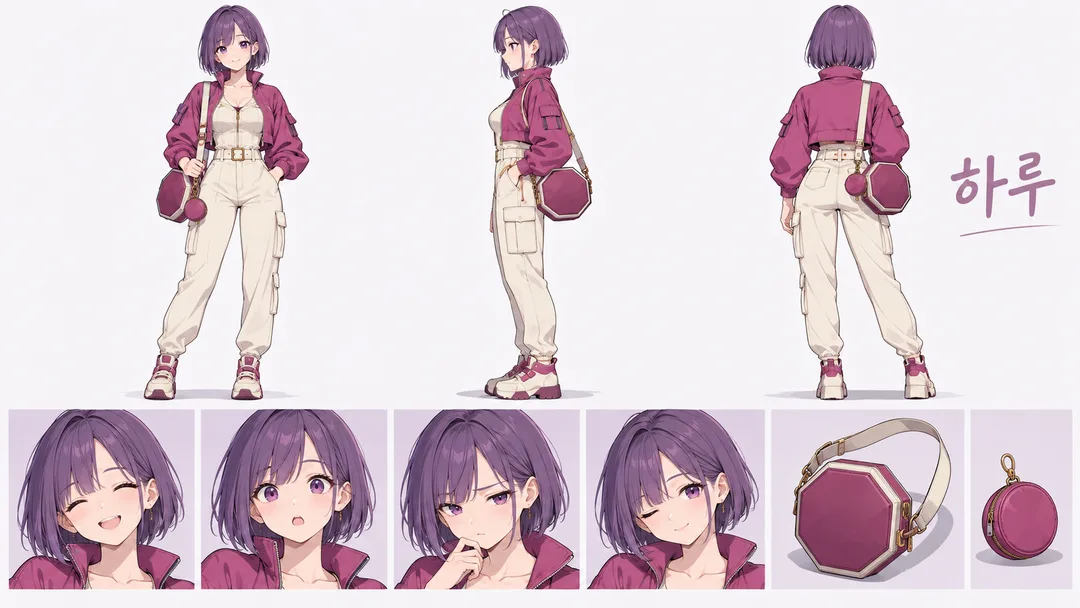
Use three equal-height full-body orthographic views in the upper two thirds: front, exact side profile, back. Align crowns and soles. Keep anatomy, hairstyle, clothes, pockets, shoes and straps consistent. Lower band: exactly four large head studies showing smile, surprise, concentration and wink, plus exactly two isolated accessory studies derived from the outfit (invent two simple unbranded accessories if needed). Exactly nine studies total: three bodies, four heads and two accessories. No additional wardrobe breakdowns, detail panels, swatches or duplicate studies. Clear separation between every study. No chopped limbs, extra fingers or duplicated expressions.
Only printed text is the modest character name "하루", spelled exactly. No section labels, numbers, measurements, notes or watermark. No source photo, before/after panel or collage in the output. Color and materials harmonize with the outfit. Original fictional products and shapes only; no brands, logos, famous people or existing characters. Adapt the arrangement to the selected canvas ratio while keeping all views, expressions and accessories visible.

[Final output format]
Output size 1920x1080 pixels, 16:9 landscape thumbnail. Adapt the vertical layout below to a wide canvas: place all text as one column in the left 55% of the canvas, keeping the same order and size relationships (the zone percentages describe the order within that column), and place the main illustration in the right 45%. Keep the text large enough to read at thumbnail size.
This selected output format takes priority over any fixed canvas size or aspect ratio elsewhere in this template. Adapt the composition, text zones and margins to the selected canvas without stretching or cropping essential content. Device safe areas apply only when a device is selected. Never print these format instructions on the image.
결과 어땠어요?
이 카드도 많이 사용해요
쓰는 법 · 자주 묻는 것
캐릭터를 다시 그릴 때 얼굴과 옷이 매번 달라지지 않도록 기준을 잡는 설계도예요. 웹툰 준비, 개인 아바타 구상, 일러스트 의뢰 자료로 쓸 수 있어요. 앞·옆·뒤 전신, 표정 네 가지, 소품 두 가지가 한 장에 들어가요. 기본 비율은 가로 16:9예요.
필수 칸은 그림체 한 칸이에요. 애니는 또렷한 선과 셀 채색, 3D는 입체적인 재질과 부드러운 조명, 펜은 잉크 선과 절제된 옅은 채색으로 나와요. 사진 칸은 첨부할 사람 사진의 특징을 적는 선택 칸이에요. 사진을 첨부하지 않으면 새로운 가상 성인을 만들어요. 사진 없이 특징만 적어도 그 내용에 맞춰 가상 인물을 설계해요.
사진을 쓰려면 본인 또는 사용 허락을 받은 사람 한 명의 정면 사진을 그림 AI 채팅창에 올리고, 같은 메시지에 복사한 프롬프트를 붙여 함께 보내세요. 사진 칸의 글만으로 파일이 첨부되지는 않아요. 이름은 하루로 고정돼요. 영문·일문 결과에는 Haru로 표시돼요. 가려진 뒷머리와 옷 뒷면은 보이는 디자인에 맞춰 연결해요.
완성 뒤 눈 사이 거리, 코 모양, 얼굴 윤곽, 머리 가르마가 원본과 이어지는지 보세요. 전신 세 방향의 옷 색과 소품 끈 위치도 비교하세요. 웃음·놀람·집중·윙크가 서로 구분되는지 확인해요. 닮음이 약하면 얼굴이 더 크게 보이는 사진으로 같은 프롬프트를 다시 보내세요. 이 시트는 치수 도면이 아니며, 유명인이나 기존 캐릭터를 따라 만드는 용도로 쓰지 마세요.
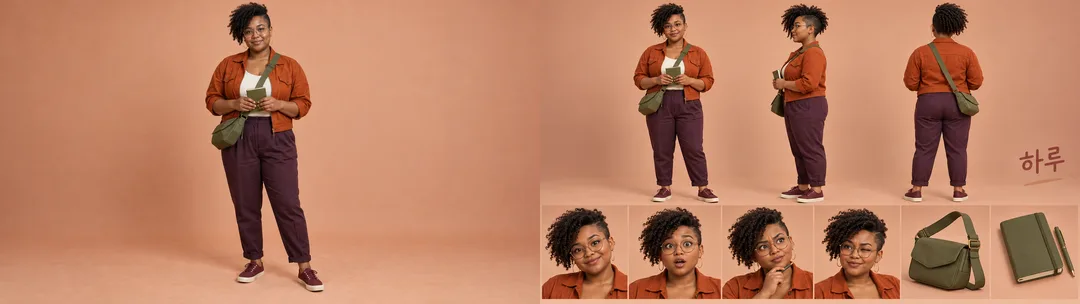
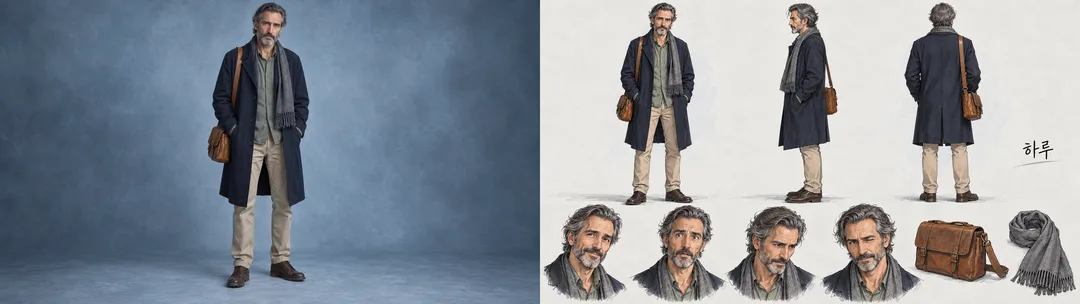
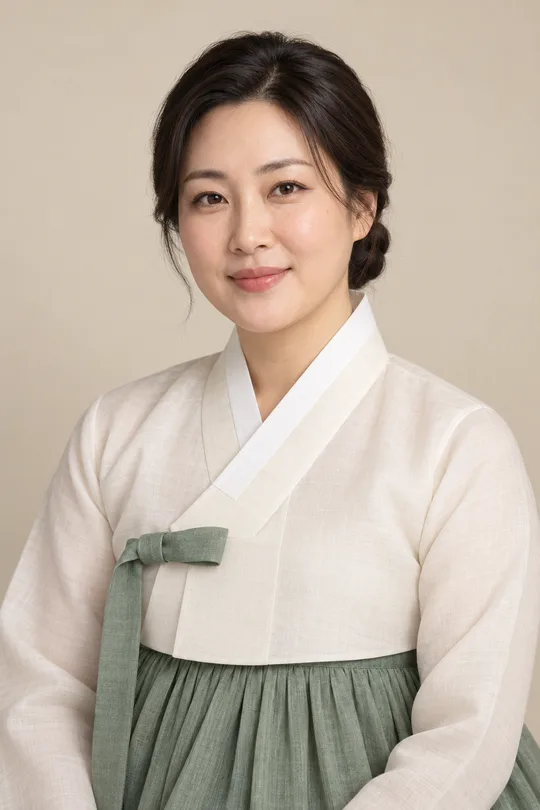
갤러리의 순수 결과는 사진 없이 만든 애니 캐릭터예요. 비교판 두 장은 가상 인물의 생성 사진을 왼쪽, 그 사진을 첨부해 만든 결과를 오른쪽에 놓았어요. 주황 재킷과 둥근 안경의 인물은 3D, 남색 코트와 짧은 수염의 인물은 펜을 골랐어요. 실제 고객 사진이나 변환 전후의 실존 인물 사례는 아니에요. 사진 속 보이지 않는 뒷모습은 새로 설계하므로 실제와 정확히 같다고 보장하지 않아요.