
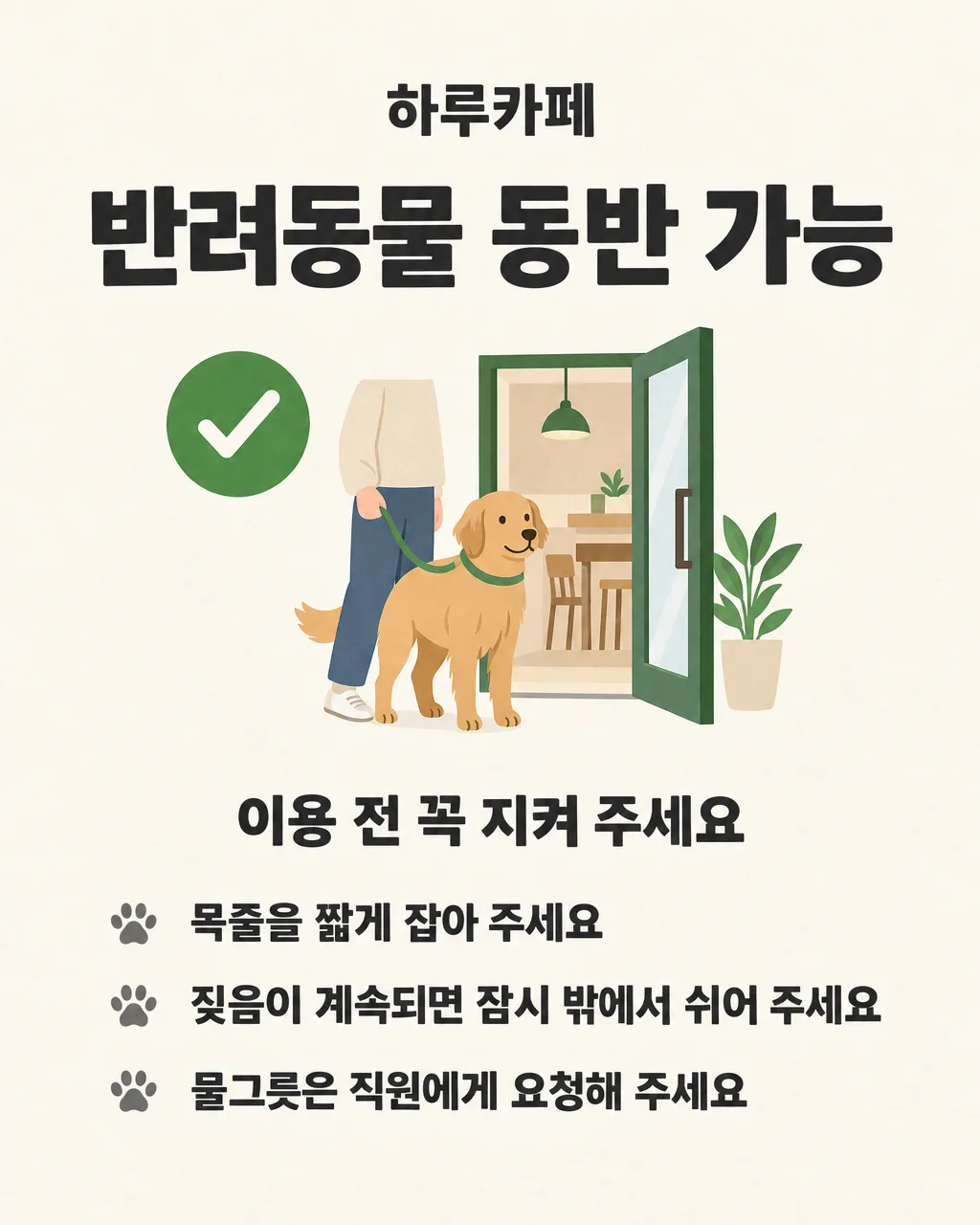
전체 · 인포그래픽/안내 · 매장 안내문
025반려동물 동반 안내문
우리 가게의 반려동물 동반 가능 범위와 손님이 지켜야 할 세 가지를 한눈에 알리는 안내문
칸 채우기
- 1칸을 채워요
- 2복사 버튼을 눌러요
- 3GPT 채팅창에 붙여넣어요
- 4제품·인물 사진을 쓰려면 사진과 프롬프트를 둘 다 넣은 뒤에 보내요 선택
프롬프트 원문 보기 6,945자
Generate this image now. Draw it directly - do not describe it, explain it, or ask questions.
Output size 2480x3508 pixels, A4 portrait, 300dpi, print-ready poster.

[Purpose]
Create a finished Korean storefront notice for "【가게 이름】" that tells customers the shop's exact pet-entry policy and three rules before they enter. The selected value "【동반 가능 여부】" is the controlling condition for the entire design. The headline wording, central icon, animal expression, doorway symbol, accent color, and emotional tone must all agree with that value. This is practical signage for a shop owner, not a cute pet advertisement. A person must understand the policy from several steps away before reading the smaller rules.

[Scene]
Use a clean warm-ivory paper background with generous margins and a simple vertical information hierarchy. At the top is the shop name. Below it is one large policy headline. In the center, draw one original, generic dog beside a simple storefront-door pictogram; add a small generic cat only if spacing allows. The animals must never resemble a known character, mascot, logo, celebrity pet, or branded illustration. Below the central symbol, place the three rules as three evenly spaced lines, each led by a small neutral paw-print bullet. Keep all functional text on open background with no plaques, ribbons, speech balloons, boxes, or decorative panels behind it.

Apply exactly one of these four conditional art directions according to "【동반 가능 여부】":
- If the value is "가능": render the exact headline "반려동물 동반 가능". Show an open doorway and a calm, gently smiling dog standing beside its guardian's simple leash hand. Use a green circular check icon. The pose is welcoming but orderly, not excited.
- If the value is "케이지·유모차만": render the exact headline "케이지·유모차 이용 시 동반 가능". Show a calm dog safely inside a clearly recognizable closed pet carrier or pet stroller, with no loose animal walking through the doorway. Use a blue carrier icon with a small green check. Do not show confinement as sadness or punishment.
- If the value is "테라스만": render the exact headline "반려동물은 테라스만 이용 가능". Show a calm dog seated beside an outdoor table under a small patio awning; the indoor doorway stays behind a clear boundary line. Use a terracotta outdoor-table icon with a green check. Do not show the animal inside the shop.
- If the value is "불가": render the exact headline "반려동물 동반이 어렵습니다". Show a closed storefront doorway with a clear red no-pet pictogram. The dog stands outside beside its guardian, with a neutral, respectful expression and closed mouth: not smiling, waving, celebrating, entering, or looking invited. Use muted gray and restrained red accents. Never use a green check, open door, welcome gesture, happy entering pose, carrier-entry scene, or terrace-service scene for this value.

[Attached photo]
No attached photo is needed. If a photo is attached anyway, do not copy any logo, brand, character, person, or distinctive pet from it. Use only the original generic pictograms and animals described here. Do not add a QR code, delivery-app mark, certification mark, social-media logo, or third-party trademark.

[Text layout] top to bottom, as % of canvas height. Render these exact Korean strings:
- 5-10%: "【가게 이름】" - small bold Korean sans-serif, dark charcoal, centered
- 13-25%: the one exact conditional headline required by the selected value "【동반 가능 여부】" - the largest heavy Korean sans-serif text, centered, maximum two lines; do not print the raw value separately
- 29-52%: conditional illustration and icon zone only, with no text
- 57-63%: "이용 전 꼭 지켜 주세요" - medium bold Korean sans-serif, dark charcoal, centered
- 67-73%: "【지켜 주실 것 1】" - bold Korean sans-serif, dark charcoal, left aligned after one small paw-print bullet
- 76-82%: "【지켜 주실 것 2】" - bold Korean sans-serif, dark charcoal, left aligned after one small paw-print bullet
- 85-91%: "【지켜 주실 것 3】" - bold Korean sans-serif, dark charcoal, left aligned after one small paw-print bullet

[Style]
A polished Korean small-business information poster with friendly editorial pictograms, crisp flat shapes, and restrained hand-drawn warmth. Use dark charcoal for all body text and warm ivory for the background. Let the selected policy control one accent palette: leaf green for "가능", clear blue plus a small green check for "케이지·유모차만", terracotta plus a small green check for "테라스만", and muted gray plus restrained red for "불가". Illustration details must serve comprehension. Keep the animal anatomically simple and generic, with no costume, exaggerated cartoon face, human behavior, or mascot styling. Paw bullets are tiny navigation marks, never decoration scattered around the page.

[Visual hierarchy]
First read: the conditional policy headline and its matching icon. Second read: the three requested rules. Third read: the shop name and supporting animal illustration. The policy must remain unmistakable even when viewed as a phone thumbnail. Make the conditional icon large enough to identify immediately, but keep it below the headline in importance. Maintain generous empty space between the policy block and the rules. All three rule lines must have equal visual weight and enough room for Korean text without squeezing, overlap, or edge cropping.

[Lighting and texture]
Use flat, even print-poster lighting with a very subtle recycled-paper grain. No photographic shadows, dramatic spotlight, glow, halo, neon, glass effects, metallic finish, or glossy 3D rendering. Colors should reproduce clearly on an ordinary color printer. Keep contrast strong and backgrounds quiet.

[Text rules]
Render only the exact Korean strings specified in [Text layout]. Select exactly one conditional headline; never show two or more policy alternatives and never print "【동반 가능 여부】" as an extra label. Copy "【가게 이름】", "【지켜 주실 것 1】", "【지켜 주실 것 2】", and "【지켜 주실 것 3】" character for character. Do not shorten, paraphrase, reorder, duplicate, or invent any sentence. Draw every Korean syllable with complete clean strokes. Do not add English, phone numbers, web addresses, hashtags, legal claims, tiny filler text, labels inside icons, or punctuation that was not supplied. Keep every text line well inside the safe margins.

[Avoid]
any mismatch between selected policy, headline, icon, animal location, facial expression, or color; smiling, celebrating, waving, welcoming, entering, or open-door imagery when the value is "불가"; loose indoor pet when the value is "케이지·유모차만"; indoor pet when the value is "테라스만"; red prohibition symbol when the value is "가능"; displaying all four options like a menu; raw placeholder braces; misspelled or broken Korean; added rules; duplicated text; speech balloons; checklists with empty boxes; panels behind text; frames; clutter; excessive paw prints; cute mascot treatment; famous characters; celebrity likenesses; brand or delivery-app logos; QR codes; watermarks; product advertising; medical or behavioral claims; glowing edges; neon; 3D text; text outlines; heavy drop shadows
이 카드도 많이 사용해요
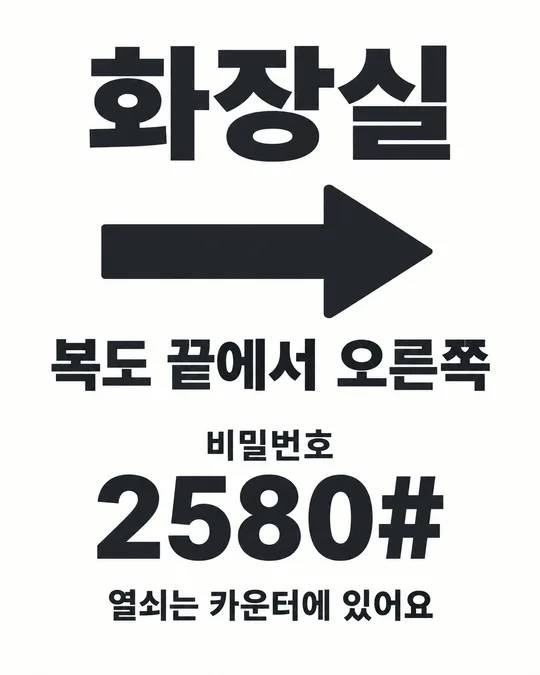
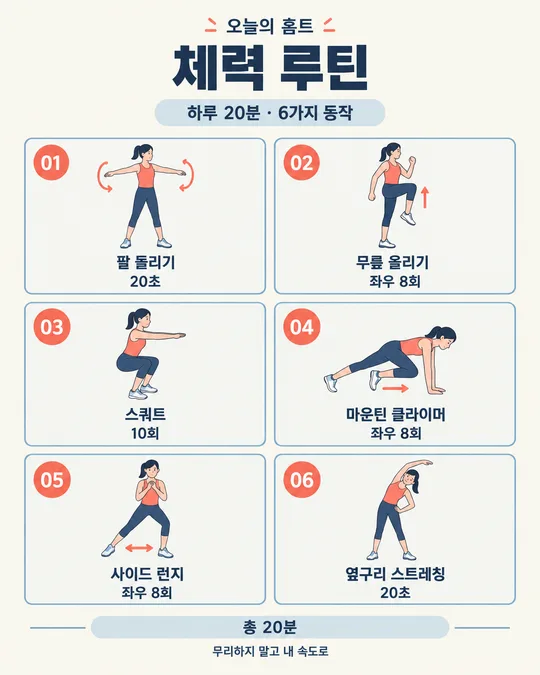
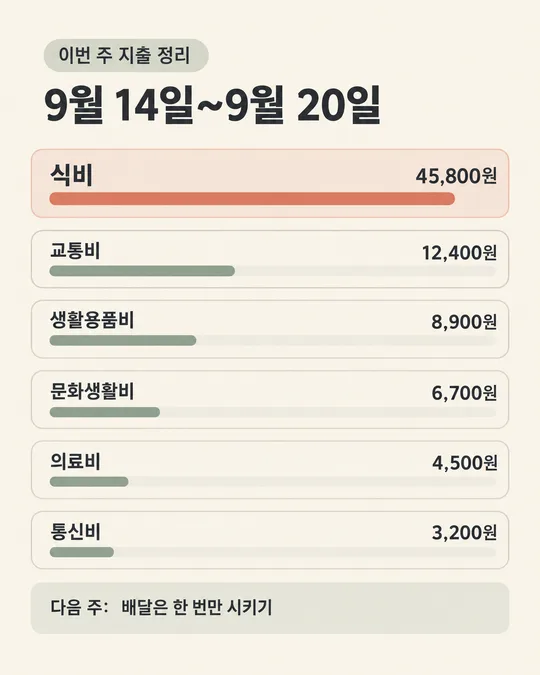
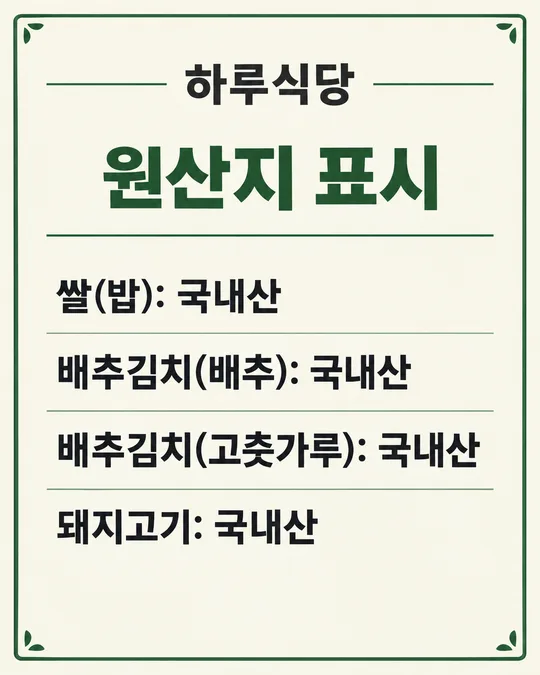
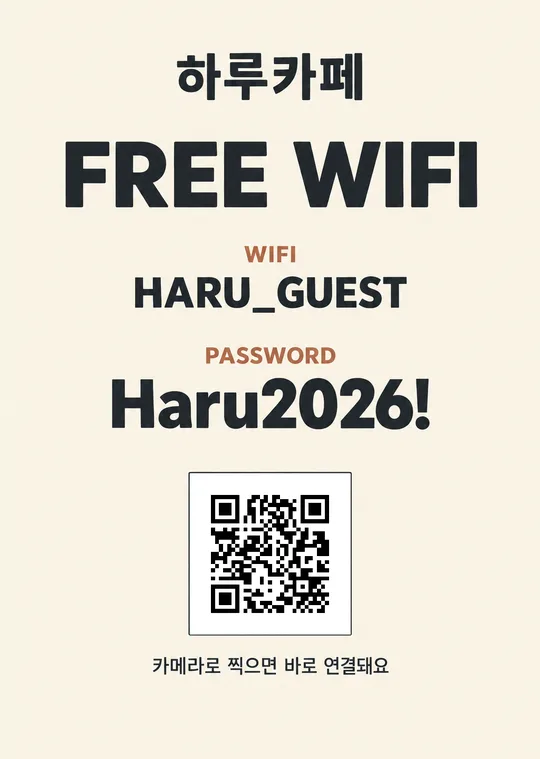
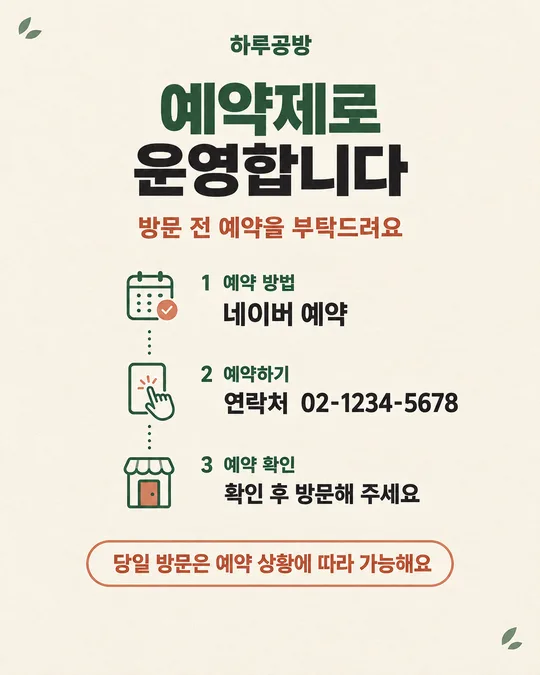
쓰는 법 · 자주 묻는 것
이런 때 쓰세요
반려동물과 함께 오는 손님이 있는 카페, 식당, 미용실, 공방, 숙소 같은 매장에서 쓰는 안내문이에요. 출입문 앞에서 "들어가도 될까요?"를 매번 묻지 않아도 되도록 동반 범위를 먼저 크게 보여 줍니다. 완전 동반 가능, 케이지·유모차 이용 때만 가능, 테라스만 가능, 동반 불가 중 하나를 고르면 문구뿐 아니라 그림도 함께 바뀌어요. 특히 "불가"를 고르면 웃으며 들어가는 강아지 대신 닫힌 문과 금지 아이콘, 차분한 표정이 나오도록 지시해 오해를 줄였습니다. 출입문에 A4로 붙이고 네이버 플레이스나 인스타 공지에도 같은 그림을 올리면 방문 전에 확인하기 좋아요.
칸 채우는 법
- 가게 이름: 간판에 적힌 이름을 그대로 적어 주세요. 띄어쓰기와 받침까지 확인하세요.
- 동반 가능 여부: 실제 운영 방식과 맞는 하나만 고르세요. 케이지와 유모차 가운데 하나만 허용한다면 아래 규칙에 더 구체적으로 적어 주세요.
- 지켜 주실 것 1~3: 손님이 매장에서 바로 행동할 수 있는 짧은 문장으로 적으세요. 세 줄이 서로 겹치지 않게 목줄, 짖음, 배변, 좌석 이용처럼 주제를 하나씩 나누면 읽기 쉬워요.
- 크기: 출입문에 인쇄하려면 A4, 네이버 플레이스나 인스타 피드에는 4:5 또는 3:4, 스토리에는 9:16을 고르세요. 1:1은 작은 카드 공지에, 16:9는 가로 화면에 알맞아요.
적은 내용은 그림에 그대로 들어갑니다. 가게 규칙과 실제 응대가 다르면 손님이 더 혼란스러우니, 직원끼리 먼저 기준을 맞춘 뒤 안내문을 만들어 주세요.
우리 제품·인물 사진을 넣고 싶을 때
이 카드는 제품이나 인물 사진 없이도 완성되는 안내문입니다. 가게 로고, 배달앱 로고, 유명 캐릭터, 연예인 사진은 넣지 마세요. 실제 반려동물 사진을 넣으면 특정 손님의 반려동물이 매장의 대표 캐릭터처럼 보일 수 있고, 상태별 아이콘이 흐려질 수 있어 권하지 않아요. 가게 분위기를 더하고 싶다면 사진 대신 칸의 문장을 정확히 채우고 결과를 먼저 확인해 주세요.
그림이 나오면 꼭 볼 것
먼저 고른 동반 가능 여부와 큰 제목이 맞는지 보세요. 다음으로 아이콘과 동물의 위치를 확인하세요. "불가"인데 문이 열려 있거나 강아지가 웃으며 들어가면 쓰지 말아야 합니다. "케이지·유모차만"인데 동물이 매장 안을 자유롭게 걷거나, "테라스만"인데 실내에 앉아 있어도 다시 만들어야 해요. 마지막으로 가게 이름과 세 규칙을 한 글자씩 읽어 오탈자와 빠진 줄이 없는지 확인하세요.
틀린 곳 고치는 법
같은 GPT 대화에서 잘못된 한 곳만 짧게 말하세요.
동반 불가 안내에 맞게 문을 닫고 강아지 표정을 중립적으로 고쳐줘. 글자는 그대로.
두 번째 규칙의 받침만 고쳐줘. 나머지는 그대로.
한 번에 여러 부분을 바꾸면 맞던 글자나 아이콘까지 달라질 수 있어요. 두세 번 고쳐도 정책과 그림이 계속 어긋나면 새 대화에 프롬프트를 다시 붙여넣는 편이 빠릅니다.
자주 묻는 것
- 동반 불가 안내도 너무 차갑지 않게 만들 수 있나요? 네. 문구는 정중하게, 표정은 중립적으로 만들되 금지 아이콘과 닫힌 문은 분명하게 유지합니다.
- 연락처를 넣을 수 있나요? 이 안내문은 출입 정책을 빠르게 읽는 데 집중해 연락처 칸을 두지 않았어요. 문의가 꼭 필요하면 별도 매장 안내문을 함께 붙이세요.
- 규칙을 세 줄보다 더 넣어도 되나요? 출입문 안내는 멀리서 빨리 읽어야 해서 핵심 세 줄을 권해요. 자세한 규정은 별도 안내문으로 나누는 편이 좋습니다.
- 무료 GPT에서도 그림을 만들 수 있나요? 네. 다만 무료 계정은 이미지 생성 횟수가 제한될 수 있으니 동반 가능 여부와 세 규칙을 먼저 확인하고 보내세요.
- 그림의 한글이 틀리면 그대로 써도 되나요? 안 됩니다. 가게 이름, 정책 제목, 세 규칙을 한 글자씩 확인하고 틀린 부분을 고친 뒤 인쇄하세요.