

491반려동물 실크스크린 캐릭터 — 털무늬는 그대로, 표정은 능청스럽게
우리 아이의 털색과 비대칭 무늬를 남기고, 굵은 판화 면과 웃긴 표정의 캐릭터로 바꿔요.
받는 것
- 반려동물 실크스크린 캐릭터 한 장
- 원래 털색과 무늬, 단색 배경
- 글자 없는 굵은 판화 표현
ChatGPT 무료 OK
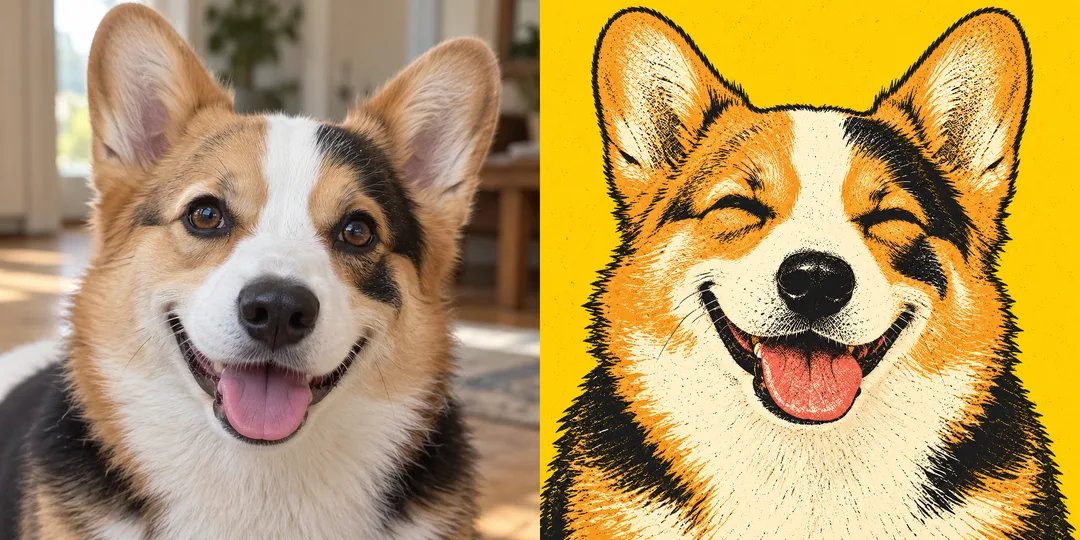
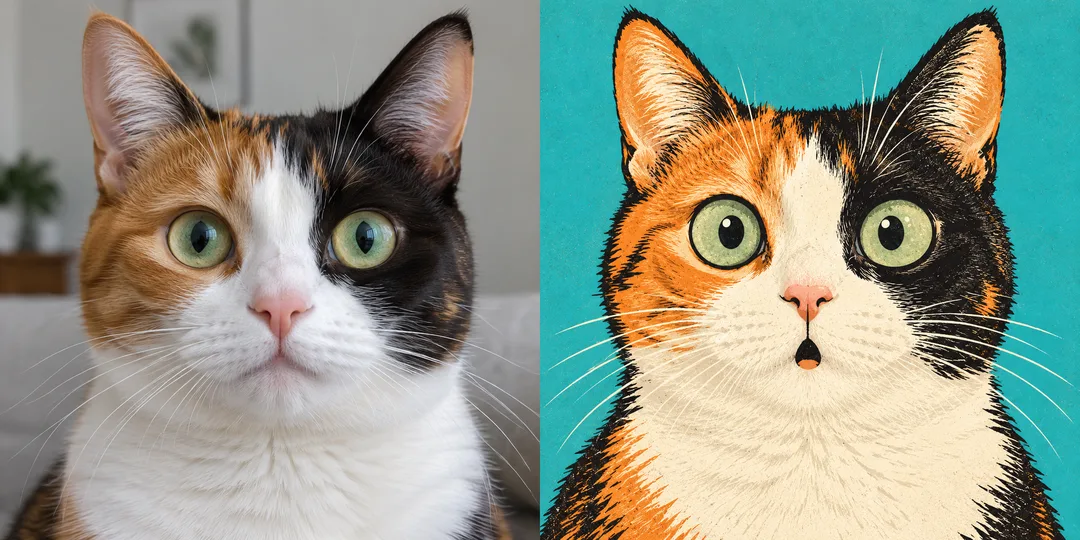
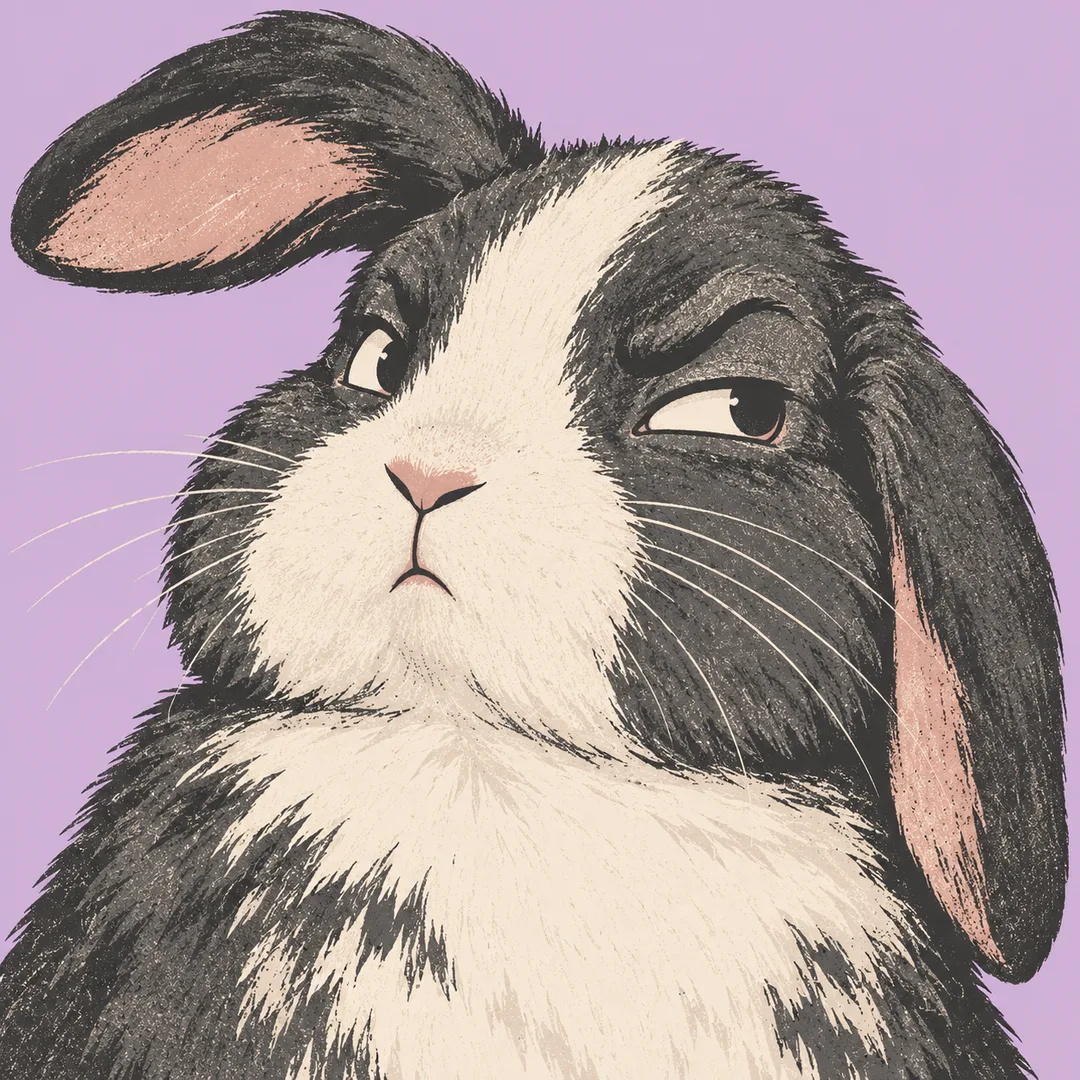
칸 채우기
- 1칸을 채워요
- 2복사 버튼을 눌러요
- 3GPT 채팅창에 붙여넣어요
- 4그대로 보내면 썸네일 예시처럼 나와요
- 5반려동물 사진 한 장 (선택)을 같이 넣으면 그 사진이 반영돼요 선택
직접 해 봤어요
- 시험일
- 2026-10-29
- 도구
- ChatGPT 이미지 모델(코덱스에서 실행) — 무료 ChatGPT와 같은 모델, 한도만 다름
- 결과
- 통과
- 지켜진 것
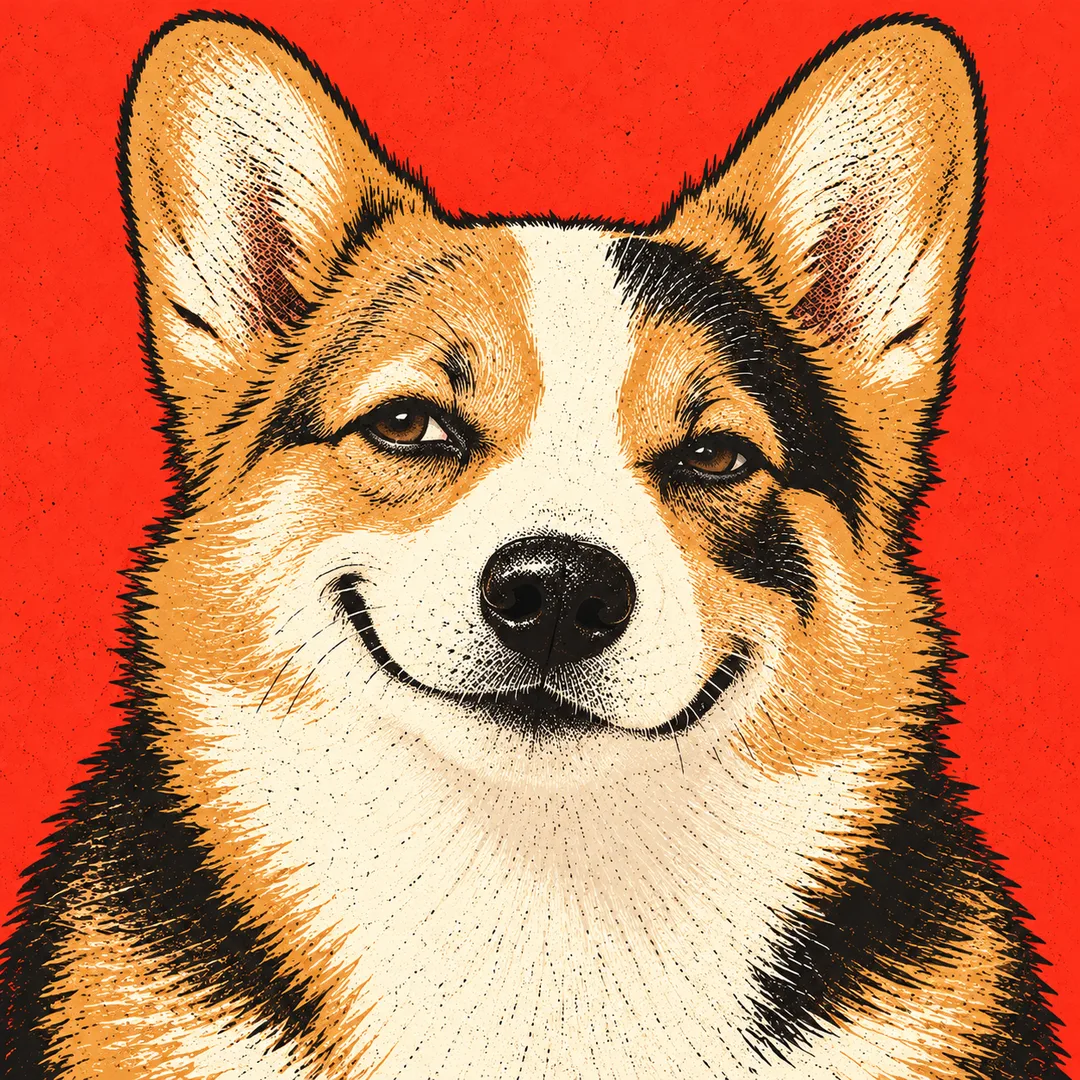
- 수정 후 결과_1.png에서 사진 기준 오른쪽 눈과 이마의 검은 무늬, 가운데 흰 콧등 줄, 황갈색·흰색·검은색 털의 큰 구획과 갈색 눈, 선 양쪽 귀를 유지했다. 반쯤 감은 눈과 닫힌 입의 비대칭 반웃음, 보이지 않는 혀를 확인했다. 정사각형 한 장에 머리·어깨를 크게 배치했고, 빨강 단색 바탕과 굵은 잉크 면·인쇄 결을 사용했다. 글자·숫자·로고·테두리·액세서리·추가 눈·팔다리는 없다.
- 안 된 것
- 수정 후 없음. 수정 전 두 번은 모두 반웃음 대신 입을 벌리고 혀를 내민 웃음이 나왔다. 수정전_결과_1.png와 수정전_결과_2.png에 그대로 남겼다.
- 이렇게 하면 나아요
- 비교 그림을 첨부할 때는 사진 패널만 참조하고 기존 일러스트는 무시하도록 명시한다. 반웃음에는 “half-closed eyelids, a closed mouth with one corner raised, and no visible tongue”를 명시한다. 두 지시를 함께 넣은 수정본으로 실제 재시험해 표정 개선을 확인했다.
프롬프트 원문 보기 2,404자
Create one finished vintage silkscreen pet character illustration now. Return only one image, never a comparison or collage. Use Output size 1080x1080 pixels, 1:1 square card. Keep the same top-to-bottom order but compress the zones to fit the square: the illustration becomes smaller and every text line stays fully readable.; default square 1:1.
Photo instruction: 【사진】. Use the attached pet photo as the identity reference. Preserve species, head and ear silhouette, eye color, fur colors and especially the exact left/right positions and boundaries of distinctive markings. Simplify fur into bold carved flat ink shapes without recoloring or inventing patches. If several pets appear, use the largest foreground pet only. PHOTO RULE: when no photo is attached, invent one original cream-and-chocolate upright-eared mixed-breed dog with an asymmetric eye patch; finish without asking for a photo.
Background color: 【배경 색】. Empty means tomato red. Use a single full-bleed solid color, separate from the pet's unchanged fur colors.
Expression: 【표정】. Empty means a smug half-closed gaze and crooked grin. Exaggerate eyes and mouth for warm visual humor while preserving the pet's identity and natural facial structure. Never add extra eyes, teeth rows or limbs.
If the attachment is a before/after comparison, use only the photographic panel as the identity reference and ignore the illustrated panel. Copy neither panel's expression: apply the requested expression instead. For a smug half-smile, use half-closed eyelids, a closed mouth with one corner raised, and no visible tongue. Preserve the photographic panel's original fur palette; do not adopt the illustrated panel's ink colors.
Use a large head-and-shoulders composition filling the frame, keeping both ears readable. Build broad graphic ink planes, confident cut contours and restrained uneven ink grain; no gradients, glossy 3D or photorealistic fur. Keep the same silkscreen medium for every expression. No accessories unless already essential to the subject, and remove all branding. Original animal character only; no existing characters, real brands, logos, signatures, watermarks, text, letters or numbers. No border, paper mockup or scene around the artwork.

[Final output format]
Output size 1080x1080 pixels, 1:1 square card. Keep the same top-to-bottom order but compress the zones to fit the square: the illustration becomes smaller and every text line stays fully readable.
This selected output format takes priority over any fixed canvas size or aspect ratio elsewhere in this template. Adapt the composition, text zones and margins to the selected canvas without stretching or cropping essential content. Device safe areas apply only when a device is selected. Never print these format instructions on the image.
결과 어땠어요?
이 카드도 많이 사용해요
쓰는 법 · 자주 묻는 것
사진 속 우리 아이를 굵은 판화 캐릭터로
프로필 사진이나 반려동물 소개 게시물에 쓸 표정 캐릭터를 만들어요. 가는 털을 일일이 그리는 대신 큰 잉크 면과 거친 인쇄 결로 정리하고, 눈과 입에 웃긴 표정을 더해요. 배경은 단색으로 채워 작은 화면에서도 얼굴과 귀가 선명하게 보여요. 결과는 기본 1:1 한 장이며 글자나 이름은 들어가지 않아요.
세 칸은 이렇게 써요
필수 칸은 0개예요. 사진 칸에는 「하루의 정면 사진」처럼 첨부할 대상을 짧게 적고, 실제 사진 파일을 복사한 프롬프트와 같은 메시지에 첨부하세요. 사진 칸에 글만 써도 파일이 자동으로 전달되지는 않아요. 사진이 없으면 크림색과 초콜릿색 털의 가상 강아지가 나와요. 배경 색은 털색을 바꾸지 않고 바탕만 바꿔요. 표정은 능청스러운 반웃음, 즐거운 혀 내밀기, 놀란 동그란 입, 의심스러운 곁눈질 중에서 고를 수 있어요. 배경과 표정을 비우면 토마토 빨강과 능청스러운 반웃음을 사용해요.
같은 아이인지 확인하기
양쪽 눈 주위 무늬, 코 위 흰 줄, 귀가 접힌 방향을 원본과 나란히 확인하세요. 털색은 같은 계열의 잉크색으로 단순화되며 미세한 털 한 올까지 보존되지는 않아요. 무늬가 뒤집히면 「사진 기준 왼쪽 눈의 검은 무늬 위치를 그대로 유지」처럼 위치를 구체적으로 알려 다시 생성하세요. 얼굴을 가린 사진보다 정면에 가까운 밝은 사진이 좋아요. 여러 마리가 있으면 앞쪽에서 가장 크게 보이는 한 마리만 사용해요.
예시와 자주 묻는 점
강아지와 고양이 비교 그림은 왼쪽의 생성된 가상 사진을 참조해 오른쪽 결과를 별도로 생성한 변환 예시예요. 참조 파일에는 기존 비교 시안도 포함되어 있어 실제 사용자 단독 사진의 재현성을 보장하는 시험은 아니에요. 토끼는 별도로 만든 순수 결과 예시이고 목록 표지와도 달라요. 예시 이름은 모두 하루예요. 배경색을 바꿔도 그림체는 실크스크린으로 유지돼요. 실크스크린 느낌의 디지털 그림이며 실제 인쇄용 색분해 파일이나 재단 도안은 제공하지 않아요. 사용할 권한이 있는 사진을 첨부하고 외부 이미지 도구의 요금과 이용 조건은 해당 도구에서 확인하세요.