

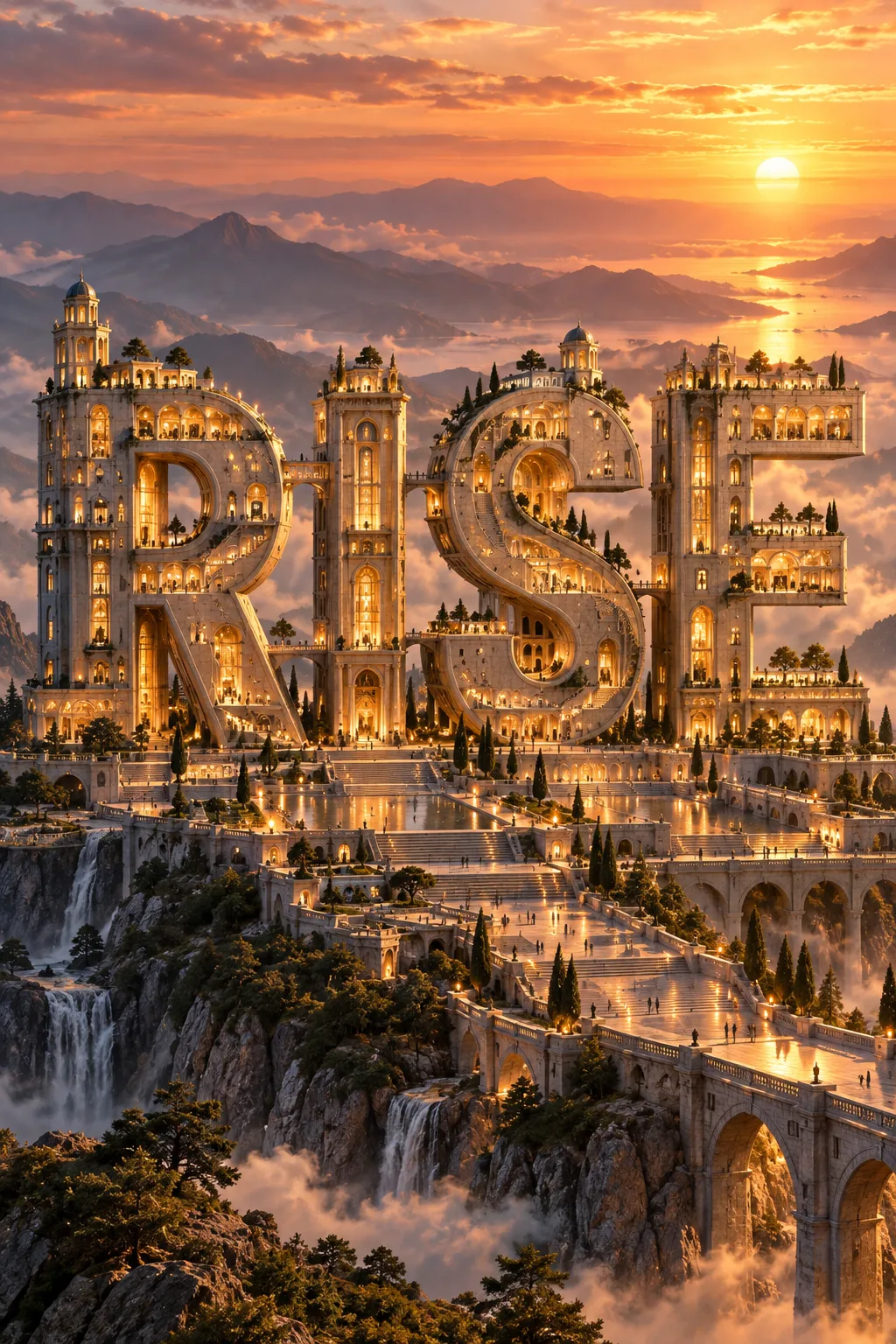
324글자 건축물 포스터 — 단어 하나가 창 · 계단 · 다리가 달린 거대한 건물이 된 3D 타이포
단어의 획을 사람이 드나드는 거대한 건물로 짓고, 외벽을 열어 방과 계단이 드러나는 단면 포스터로 바꿔요.
받는 것
- 단어의 획 자체가 건물이 된 3D 포스터
- 창문과 공중 다리 또는 방과 계단이 드러나는 단면
- 노을 산맥 위 거대한 글자 건축물
ChatGPT 무료 OK
칸 채우기
- 1칸을 채워요
- 2복사 버튼을 눌러요
- 3GPT 채팅창에 붙여넣어요
- 4그대로 보내면 썸네일 예시처럼 나와요
- 5카드에 맞는 실제 사진을 같이 넣으면 그 사진이 반영돼요 — 배경 카드는 배경 사진, 인물 · 음식 카드는 그 사진 선택
프롬프트 원문 보기 3,341자
Render a monumental inhabited WORD BUILDING as a finished surreal 3D poster. Deliver the image itself, portrait 2:3.
Output exactly one finished 2:3 portrait image, 1024x1536 pixels. Keep all important text inside the central 73% of image height: leave the top 12% and bottom 15% free of essential lettering.

BUILDABLE WORD: "【건축할 단어】"
LIFE INSIDE THE STROKES: 【획 안 공간】
ROOFTOP DESTINATION: 【옥상 도착점】
BUILDING OPENING: 【건물 열기】

THE LOAD-BEARING ALPHABET
Extrude the supplied characters into deep golden sandstone building volumes, arranged left to right on one mountain ridge. Each upright stroke is a habitable tower; each crossbar carries floors. Letter counters remain open sky, never plugged by rooms. Build real recessed windows into the strokes. Narrow pedestrian skybridges connect adjacent letter sidewalls behind their readable front silhouettes, with stairs arriving on roof terraces. Tiny anonymous visitors establish the enormous scale. The alphabet must carry the architecture: no ordinary building with a word mounted on top, no separate title duplicating the word.

Shape the rooms around LIFE INSIDE THE STROKES: place the named activities within the thick letter volumes. ROOFTOP DESTINATION becomes a recognizable architectural feature on a letter roof, connected to the stairs. These notes describe space and furnishings, never signage. Keep all rooms subordinate to the continuous readable outer letter contours.

BUILDING OPENING changes what physically encloses those rooms. Follow only its selected branch:
- 외벽 닫기: intact sandstone front facades. Small deeply recessed windows reveal hints of warm rooms, while solid stone dominates each letter face. Roofs, balconies, exposed exterior stairs and connecting skybridges are visible. Do not expose entire room cross-sections.
- 단면 열기: remove the camera-facing stone facade from EVERY letter, exposing deep dollhouse-like sectional interiors within the same letter-shaped outer shell. Clearly show stacked floor slabs, furnished rooms, stair flights and landings through large open fronts. Retain narrow stone perimeter rims, back walls and sidewalls so the exact word remains legible. Do not merely enlarge the windows; the fronts are physically absent. Keep the same mountain ridge, sandstone, rooftop purpose and skybridges.
An empty opening selection means 외벽 닫기.

View the word almost frontally from slightly above, with enough side depth to see architecture; the complete word fits with generous side margins. Layered blue mountain ranges fill the lower distance beneath an apricot sunset sky. Warm interior lighting, long coherent shadows, detailed weathered stone, cinematic realistic 3D rendering. The word-building dominates the middle and lower poster; open sky above, no graphic text panel.

Spell BUILDABLE WORD exactly once as the architecture, preserving letter order and all identifying gaps. No translated or invented characters. A missing word means make an unlettered monumental building without inventing text. No readable writing besides the supplied architectural word, no logos, watermark, real landmarks or comparison panels. Return one scene, not a diagram sheet.

[Final output format]
Output exactly one finished 2:3 portrait image, 1024x1536 pixels. Keep all important text inside the central 73% of image height: leave the top 12% and bottom 15% free of essential lettering.
This selected output format takes priority over any fixed canvas size or aspect ratio elsewhere in this template. Adapt the composition, text zones and margins to the selected canvas without stretching or cropping essential content. Device safe areas apply only when a device is selected. Never print these format instructions on the image.
결과 어땠어요?
같은 분류의 다른 카드




쓰는 법 · 자주 묻는 것
돌벽을 열었더니 글자 안에 책장이 있었어요
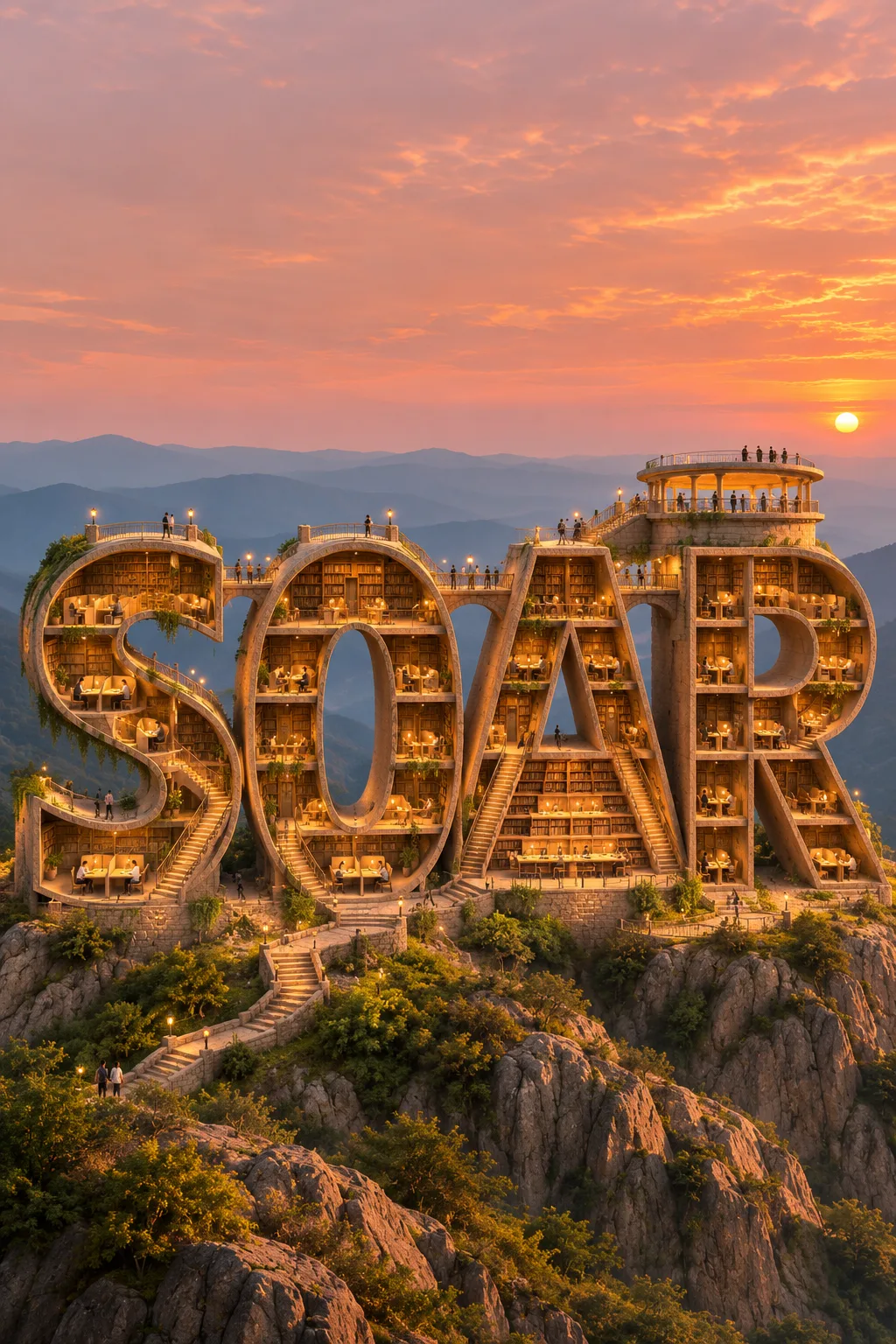
SOAR를 같은 설정으로 두 번 지었더니, 두 장 모두 글자 획에 작은 창이 뚫리고 지붕 사이로 보행교가 이어졌어요. 「건물 열기」만 「단면 열기」로 바꾸자 네 글자의 앞벽이 사라졌어요. 좁은 창으로 엿보던 독서 자리가 넓게 열리고, 책장 뒤 벽과 층판·계단이 글자 안을 채웠어요. 노을 산맥과 금빛 돌은 남아서 색보다 건물의 껍질이 달라진 것이 먼저 보여요.
A의 빈칸까지 서가가 들어왔어요
단면에서도 SOAR는 읽혔고 O 가운데 구멍은 산이 보이는 빈자리로 남았어요. 다만 A의 가로획 아래 공간에는 계단형 서가가 들어와, 외벽 그림보다 아래쪽이 묵직해졌어요. 글자의 모든 빈 공간을 그대로 지킨 결과는 아니에요. 글자 윤곽이 더 중요하면 「A 아래 빈 공간은 산이 보이게 비우고 서가는 두 다리 안으로 옮겨 줘」라고 요청하세요. 이번에 시험한 단어는 SOAR뿐이라 한글이나 긴 이름의 정확도까지 확인한 것은 아니에요.
어떤 단어와 공간을 고를까
‘건축할 단어’는 짧을수록 한 글자가 크게 서요. 칸의 보기는 SOAR, OPEN, 꿈이고 응원이나 가게 슬로건처럼 한마디로 읽히는 말이 어울려요. ‘획 안 공간’에는 글자 속에 사람이 들어가 쓰는 방을 적어요. 이번에는 작은 독서실과 계단형 서가였고, 보기에는 음악 연습실, 실내 정원도 있어요. 단어의 뜻과 방이 이어지면 포스터가 하나의 이야기로 읽혀요. 하늘로 오르는 SOAR에 독서실을 넣은 것처럼 ‘올라가는 공부’ 같은 연결을 만들어 보세요.
옥상에 적은 장소는 간판이 아니라 건물이 돼요
「획 안 공간」의 독서실과 계단형 서가는 단면에서 책장·책상·층 사이 계단으로 드러났어요. 「옥상 도착점」에 쓴 둥근 전망 테라스는 세 장 모두 오른쪽 R 지붕에 생겼지만, 단순한 평평한 데크보다는 기둥이 있는 둥근 누각에 가까웠어요. 이 칸은 장소의 용도를 건축으로 풀어내는 자리라 정확한 설계도를 재현하지는 않아요.
외벽과 단면은 올리는 곳에 맞춰 골라요
외벽은 먼 거리에서 단어를 크게 읽히는 게시물에, 단면은 글자 속 독서 공간까지 들여다보는 게시물에 어울려요. 같은 단어로 두 장을 만들어 첫 장은 외벽, 둘째 장은 단면으로 이어 올리면 ‘안이 궁금해지는’ 흐름도 만들 수 있어요. 노을 해의 위치, 창 배치와 인원은 세 장 사이에서 달라졌으니 두 장을 짝으로 쓴다면 건물의 위치까지 똑같을 거라고 기대하지는 마세요. 건물의 층수나 사람 수를 약속하는 도면으로 쓰기보다, 짧은 응원 단어를 건축 장면으로 보여 주세요.
‘옥상 도착점’은 계단이 끝나는 곳이라서 둥근 전망 테라스나 지붕 정원처럼 한 장면으로 그릴 수 있는 곳이 좋아요. 건물 안에서 올라가는 길이 있으니, 포스터를 보는 사람도 글자의 맨 위까지 시선을 따라가요.
마지막 확인일 · 공개