
All · Ads & posters · Restaurants
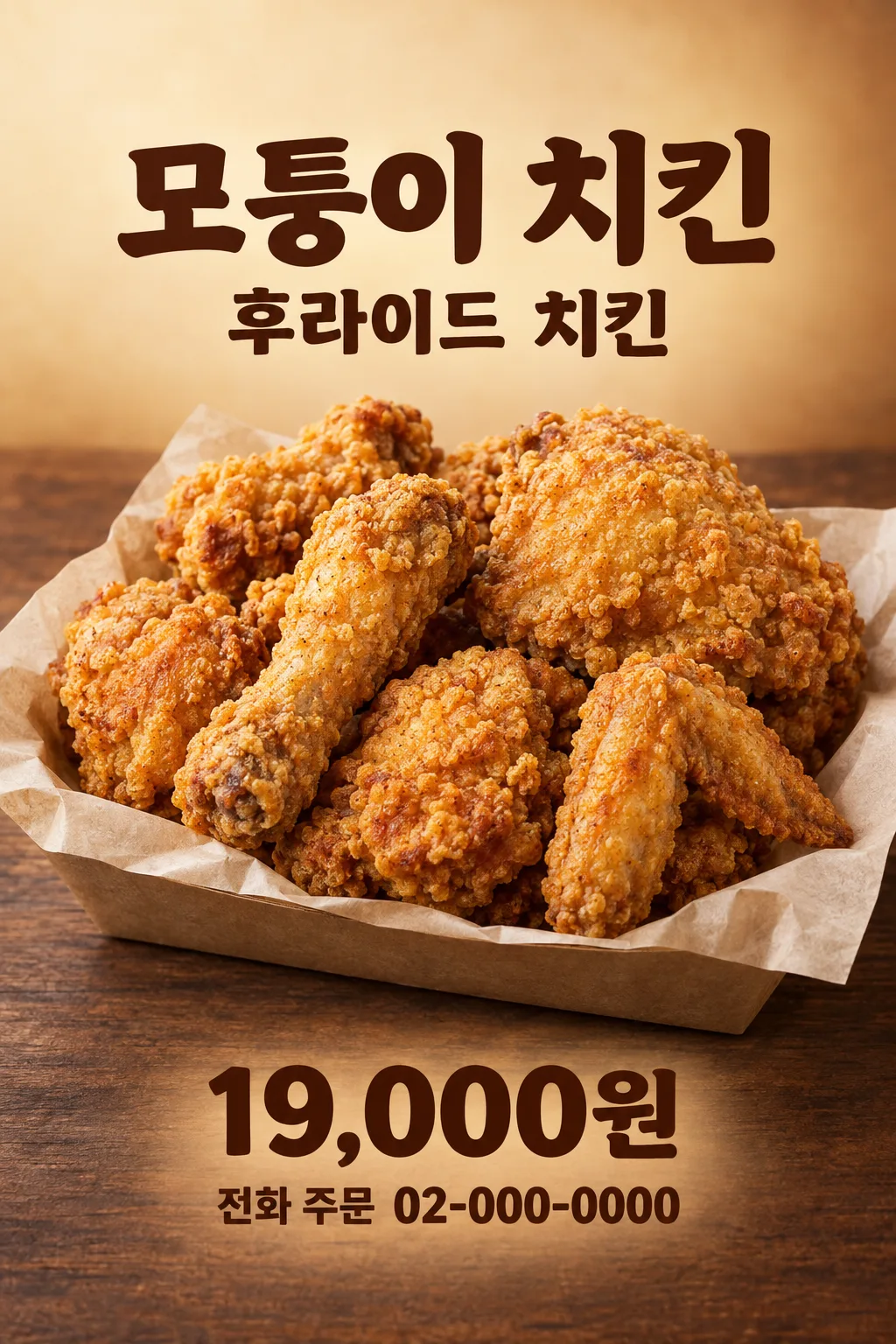
106Fried Chicken Delivery Poster
Turn your real fried-chicken photo, actual price and order method into one ready-to-use shop poster.
Fill in the fields
- 1Fill in the fields
- 2Copy the prompt
- 3Upload One real photo of the fried chicken you sell and paste the prompt into your GPT chat
- 4Check that both the photo and prompt are attached, then send
Full prompt 1,973 characters
Generate this image now. Draw it directly - do not describe it, explain it, or ask questions.
Output size 2480x3508 pixels, A4 portrait, 300dpi, print-ready poster.
Create exactly ONE finished full-bleed portrait delivery poster for a real fried-chicken shop, ready to post or print. The user attaches ONE actual photo of the exact dish sold in this SAME message. The poster already includes food, store name, menu, price and order method. No mockup, editable template, extra output, code, crop or later step.

The attached food photo is mandatory and is the source of truth. Preserve the real number and kind of pieces, irregular contours, coating, color, sauce, side dishes, container and portion. Bone-in cuts stay bone-in; a whole old-style chicken stays whole; boneless pieces stay boneless. Do not clone identical nuggets, turn the crust into a net, invent a sauce, flatten the food or add garnish that is not in the photo. Without a real photo, request one instead of inventing a commercial product.

Set the food large in the central 33–69% of the canvas over a warm cream-to-roasted-brown background with a modest dark wooden surface. Retain the actual product. At 17–25% write "【Store name】" exactly. At 25–32% write "【Menu name】" once. Around 70–78% put "【Selling price】" in bold type and "【How to order】" immediately nearby and highly legible. Keep top 12% and bottom 15% quiet for site overlays. A plain "ORDER NOW" line may appear only if there is room. Do not fabricate a platform logo or a link.

Use one fixed warm restaurant-poster design: crisp deep-brown type, small toasted-gold accent, believable directional light and actual food as the hero. Print the four values once each and proofread every letter, number and currency sign. Never add an invented discount, old price, deadline, free side, delivery fee, minimum order, opening hours, review, health promise, alcohol or trademarked packaging. Avoid repeated food pieces, plastic shine, aggressive neon and tiny order details. Return only the one finished poster.
You may also like
How to use it · FAQ
Use it for
Put your own fried-chicken menu photo, selling price and real order method on one Instagram or delivery-bag poster.
Fill in the fields
Replace the store-name placeholder with your actual name. Use the price customers currently pay and an accurate phone number or app search instruction. The poster does not invent a deal.
Send the photo
Attach one photo of the dish you actually sell without sending it yet. Paste the prompt into the same message, verify both are present, and send once.
Check before use
Compare the food and portion with your menu. Proofread store name, menu, price and every digit of the order details.