

All · Ads & posters · New products
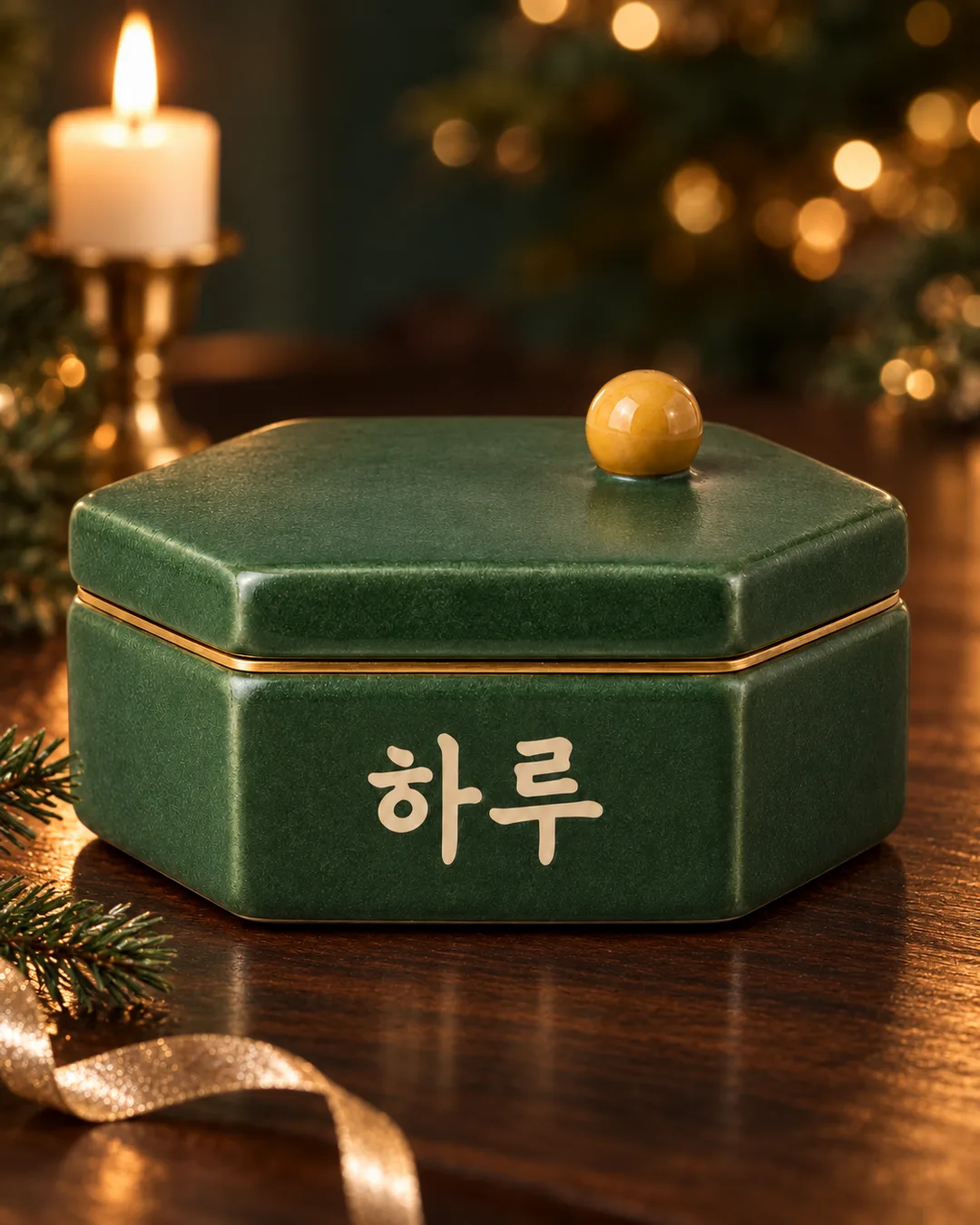
488Holiday product still life — seasonal light around your product
Keep your product's shape and lettering while adding dark wood, candlelight and holiday bokeh.
What you get
- One holiday product still-life photograph
- Dark wood, candlelight and fairy-light bokeh
- A crisp product in a portrait composition
ChatGPT Free OK
Fill in the fields
- 1Fill in the fields
- 2Copy the prompt
- 3Paste it into a GPT chat
- 4Send it as is and you get an image like the thumbnail example
- 5Attach a real photo that fits the card and it is used in the result: a background photo for background cards, a person or food photo for those cards Optional
Tested by us
- Test date
- 2026-10-29
- Tool
- ChatGPT image model (run on Codecs) — Same model as free ChatGPT, only limits differ
- Result
- Pass
- What worked
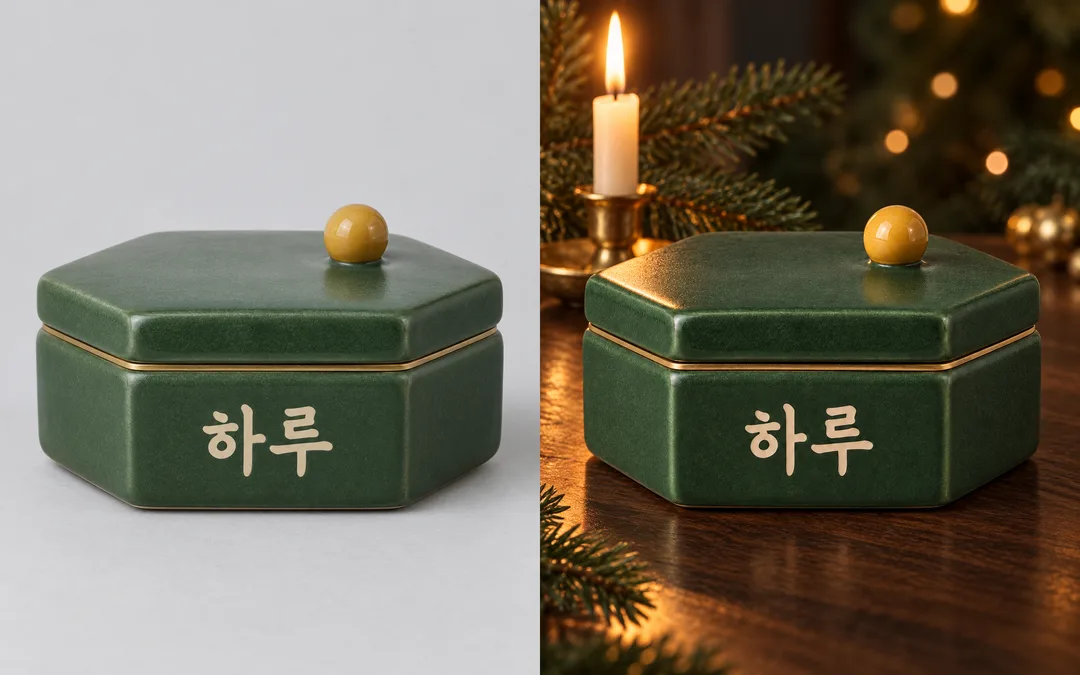
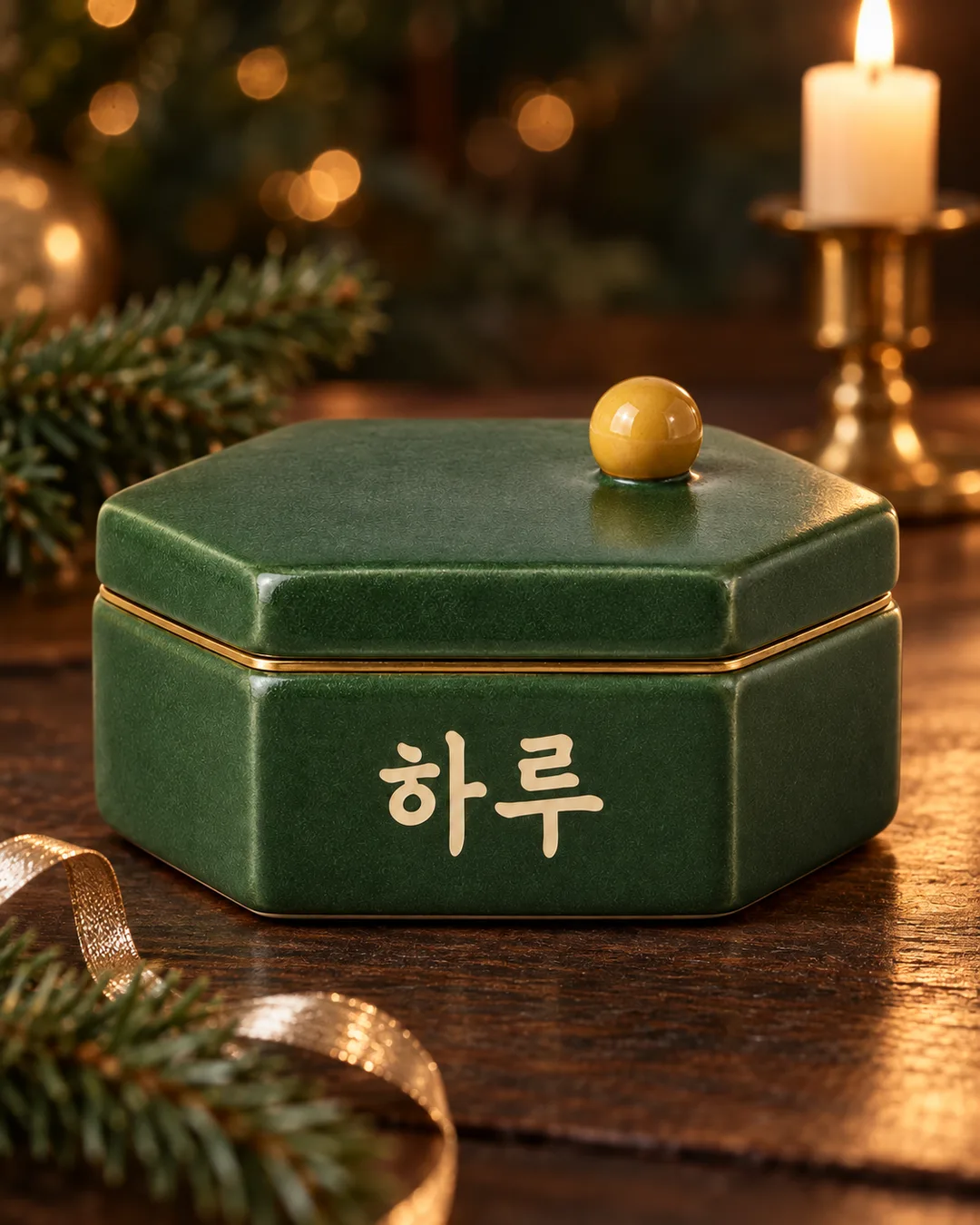
- On the 2nd attempt, overall outline, perspective, lid, brass band, yellow spherical handle, and the strokes, spacing, and position of the ivory-colored "Haru" text were maintained based on visual comparison. Confirmed dark wooden table, deep green background, warm golden bokeh, one brass candlestick and pine branch in the back, and vertical 4:5 composition. Props did not obscure the product or text, and no fire effects appeared on the product. No new text, prices, people, or watermarks.
- What did not work
- On the 1st attempt, the spacing of "Haru" was narrower than the original, resulting in a partial pass. No visible rule violations on the 2nd attempt. Note that neither result guarantees pixel-perfect matching with the original.
- How to improve
- Re-running with the original_1.png attached again using the same input without changing cells or sentences resulted in correct character spacing on the 2nd attempt. No other modified prompts were tested.
Full prompt 2,857 characters
Generate one finished premium holiday product still-life photograph now. Do not explain or ask questions.
Output size 1080x1350 pixels, 4:5 portrait, Instagram standard.
Default to portrait 4:5 if size is empty. Fill the frame edge to edge.
Photo: 【Photo】
Props: 【Props】
Color: 【Color】
If a photo is attached, use that product as the sole hero. Photo is a description of the attachment, never a caption. Preserve its exact silhouette, proportions, viewpoint, lid, band, materials and original color. Compare every label character, number, line break and spacing against the original and preserve it exactly; never translate existing lettering or add copy. Do not guess illegible text. Change only the environment and surrounding props. Background color must not recolor the product.
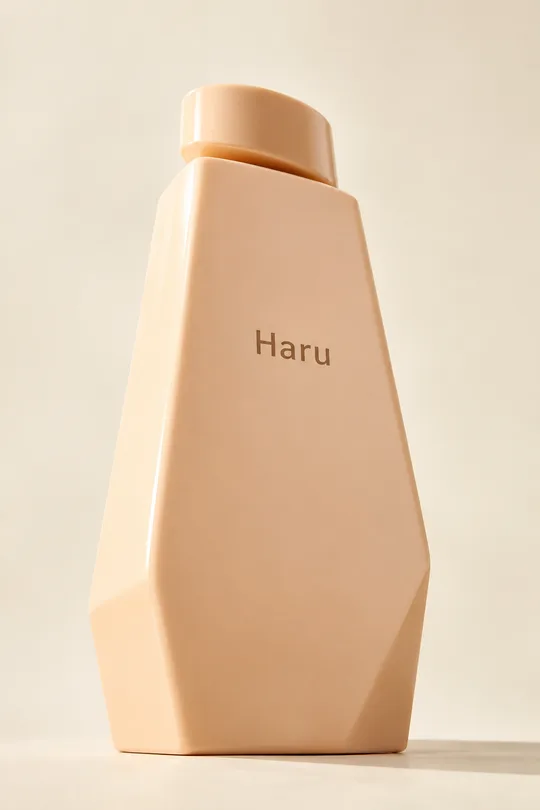
If no photo is attached, do not stop or request one: invent an original fictional product matching Photo. If Photo is also empty, use an ivory ceramic vessel with an asymmetrical shoulder and a plum square stopper. Fictional products carry only 'Haru'; no other copy, ingredients, claims or prices. Do not imitate distinctive existing products or packaging.
Place the large, fully visible product on dark wood. Use soft side lighting on its crisp front, tiny fairy-light bokeh far behind, and a distant lit candle. Keep props sparse and clear of the product and label; never set the product itself alight.
Props: Fir branch and brass candleholder means a small branch at the edge and one brass candleholder behind. Silver ribbon and ivory candle means a loose silver ribbon and one candle behind. Copper ribbon and ivory candle means a thin curving copper ribbon and one candle behind. Empty or Choose for me selects one suitable option above.
Color: Forest green and gold means deep green surroundings and warm golden bokeh. Midnight blue and silver means deep blue surroundings, cool white bokeh and a small warm candle accent. Terracotta and copper means dark brown surroundings, copper reflections and amber bokeh. Empty or Choose for me selects the palette above that best separates the product. Apply palette to setting, props and light only.
Use realistic fine textures, natural contact shadows and reflections, and dense premium advertising photography. The product is the sharpest visual focus. No borders, split panels, comparison sheets, overlay copy, new logos, watermarks, people or real brands. Assume an authorized source photo. Before finishing, compare the product's lettering and structure with the original again. Output one photograph only.

[Final output format]
Output size 1080x1350 pixels, 4:5 portrait, Instagram standard.
This selected output format takes priority over any fixed canvas size or aspect ratio elsewhere in this template. Adapt the composition, text zones and margins to the selected canvas without stretching or cropping essential content. Device safe areas apply only when a device is selected. Never print these format instructions on the image.
How did it turn out?
You may also like

How to use it · FAQ
A seasonal setting for one product
Use this for gift items, stationery or home accessories that need a holiday introduction. Dark wood, a distant candle and tiny lights create the setting while the product stays crisp. The result is one photograph without added prices or advertising headlines.
Fill the fields and attach the file
Photo describes the item, for example “Haru ceramic trinket box.” Attach the actual file in the image AI's message box, paste the copied prompt into that same message and send both together. Typing a description does not upload a file. Use a clear view of one product with readable labels and visible corners. All fields are optional. Without a photo the prompt creates an original fictional product; with Photo also empty it uses an ivory ceramic vessel.
Props offers fir and brass, silver ribbon, or copper ribbon, each with a distant candle. Color changes the setting and lights while keeping the product's own color. Empty selections or Choose for me choose a suitable option. Use the shared size control; the default result is portrait 4:5.
Read the gallery and check the result
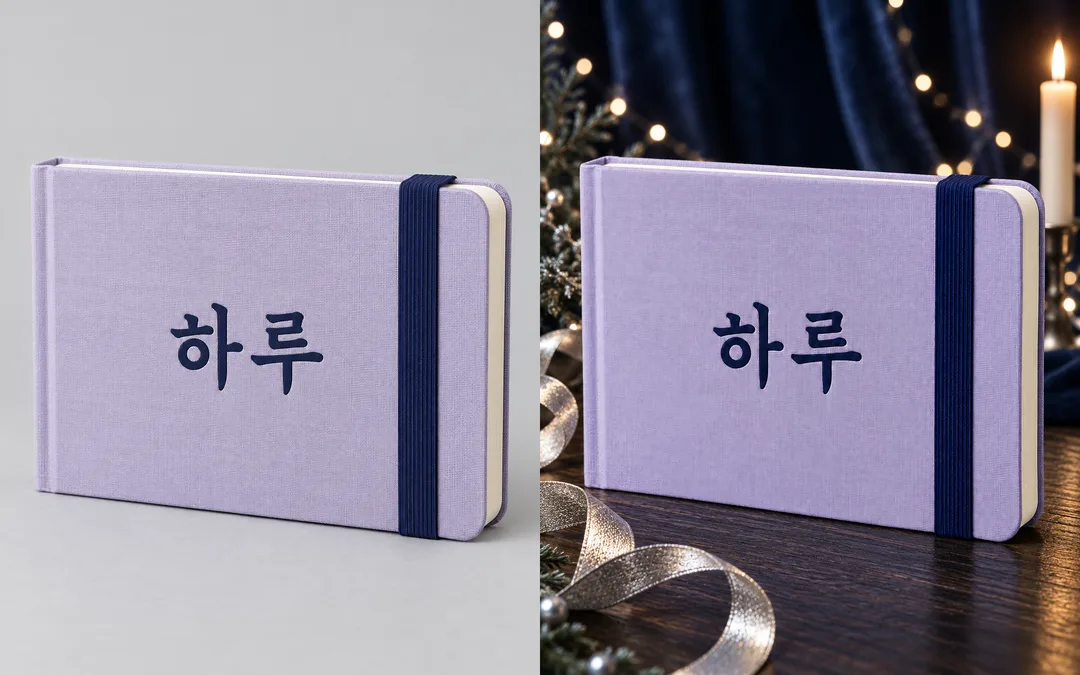
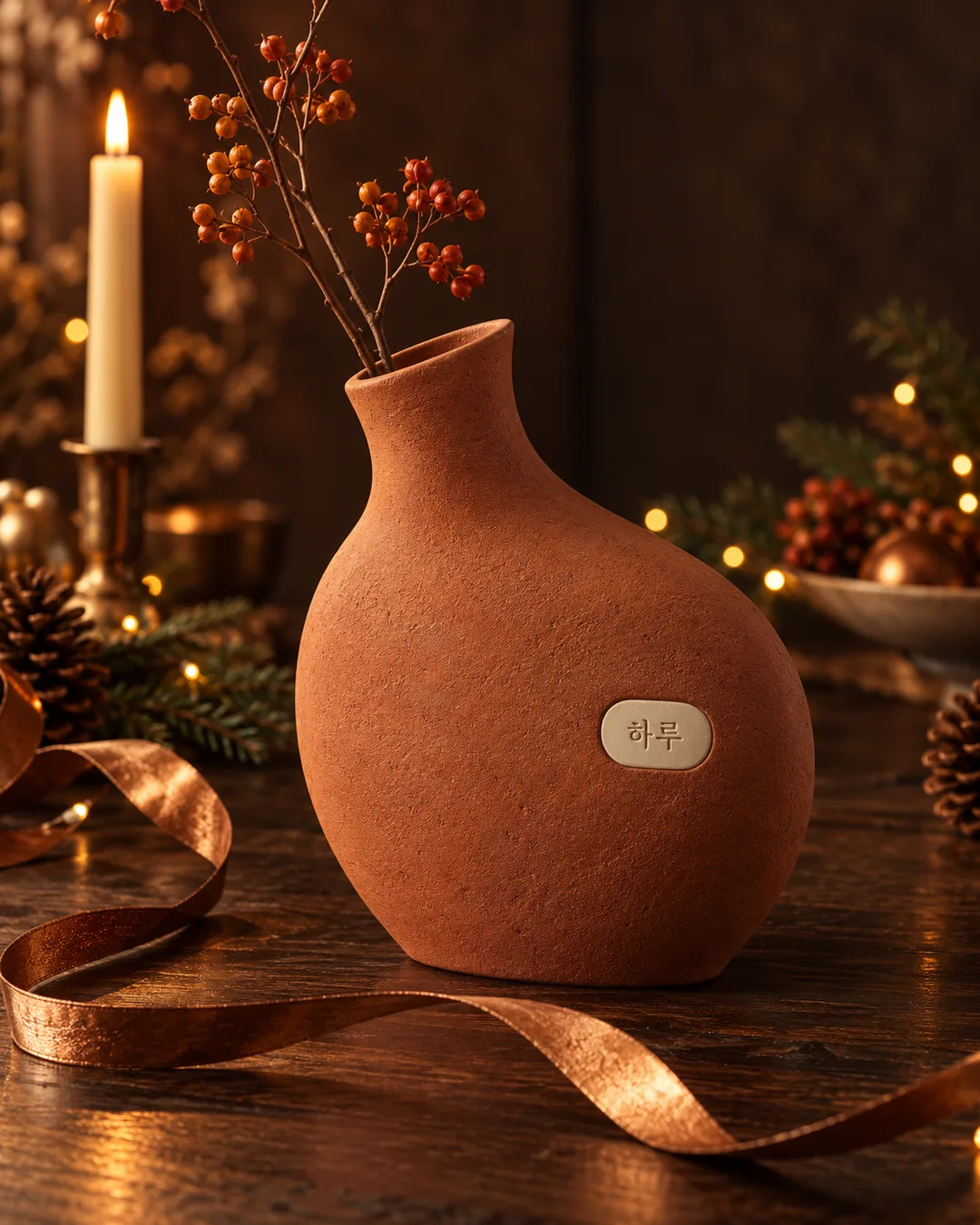
The cover is a separate fictional vessel. The first pair shows a green box before and after a golden setting; the second shows a lavender journal before and after a cool blue setting. Original is on the left, result on the right. The last vase is another independent result made without an attached photo. These fictional demonstration products retain their original source lettering; a newly invented product in this language uses Haru.
Zoom into every letter, spacing, label edge, lid seam and elastic band before sharing. Generative editing may still change details despite preservation instructions. If something differs, attach the original again and ask for a new background while preserving the exact label and silhouette. Move obscuring props farther behind. Use source photos you have permission to use and check the external service's terms.