
All · Ads & posters · New products
399Secondhand listing photo — keep the wear, tidy the background
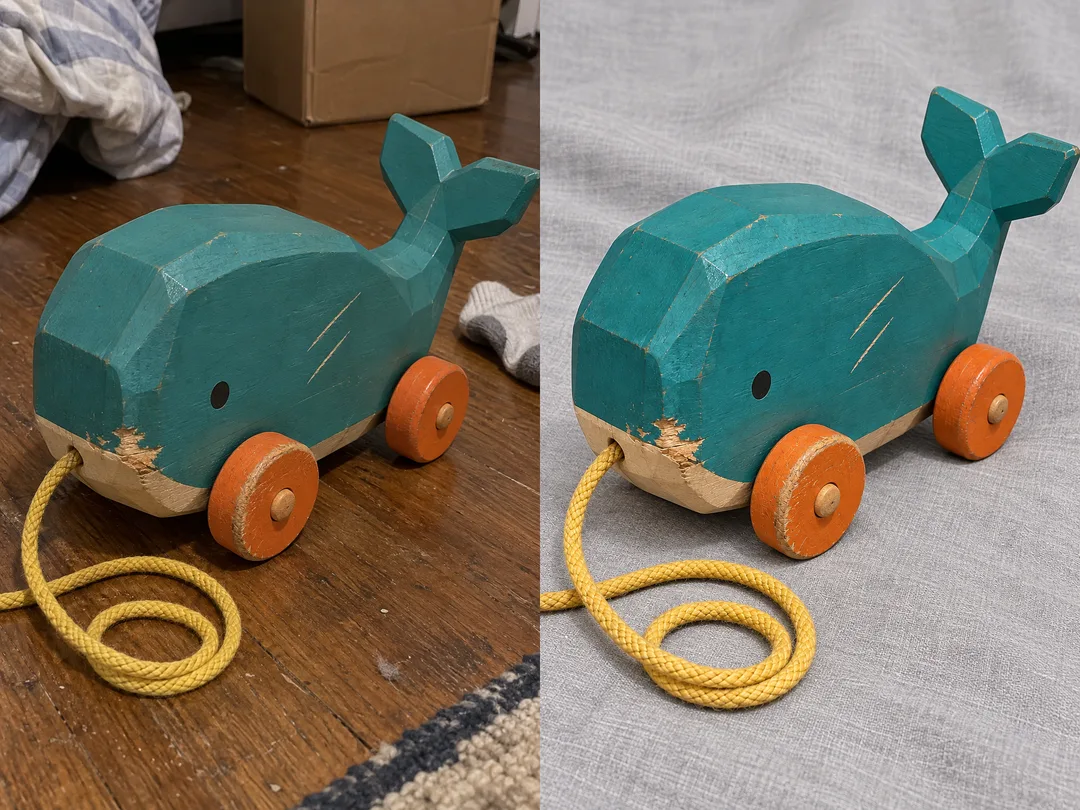
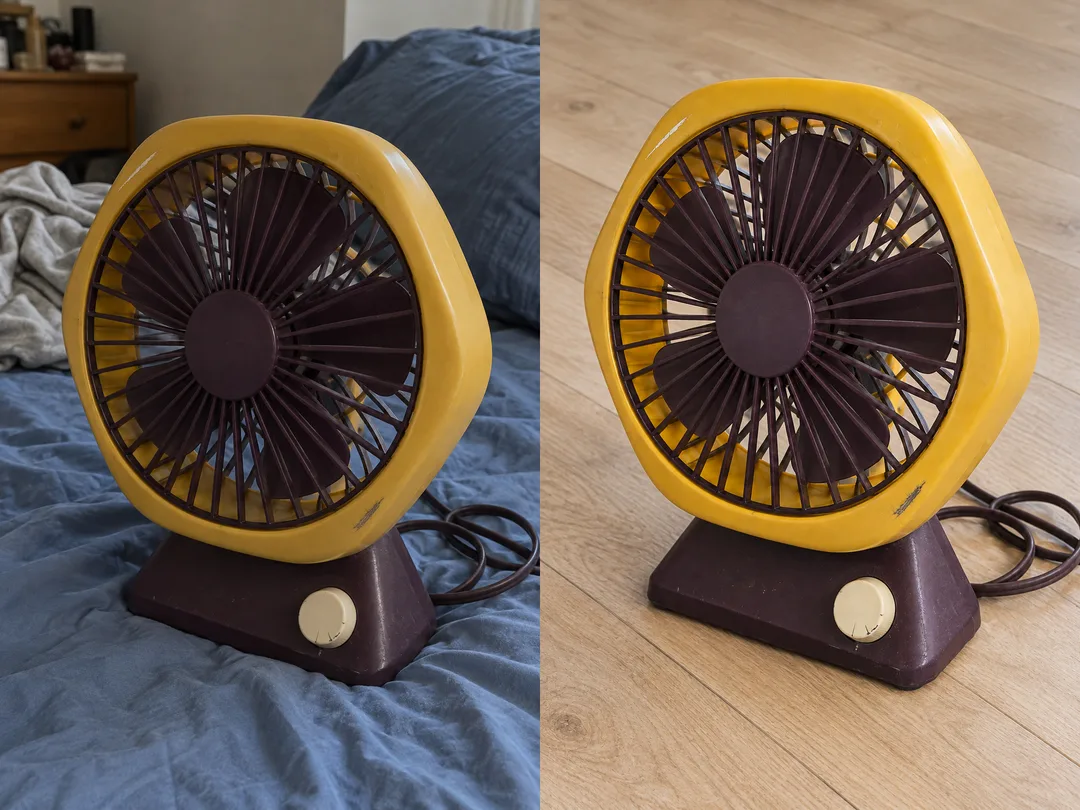
Turn a cluttered phone snapshot into one clear personal resale photo while keeping the item’s actual wear and condition.
What you get
- One resale photo preserving visible wear
- A bright tidy background without prices or text
Fill in the fields
- 1Fill in the fields
- 2Copy the prompt
- 3Paste it into a GPT chat
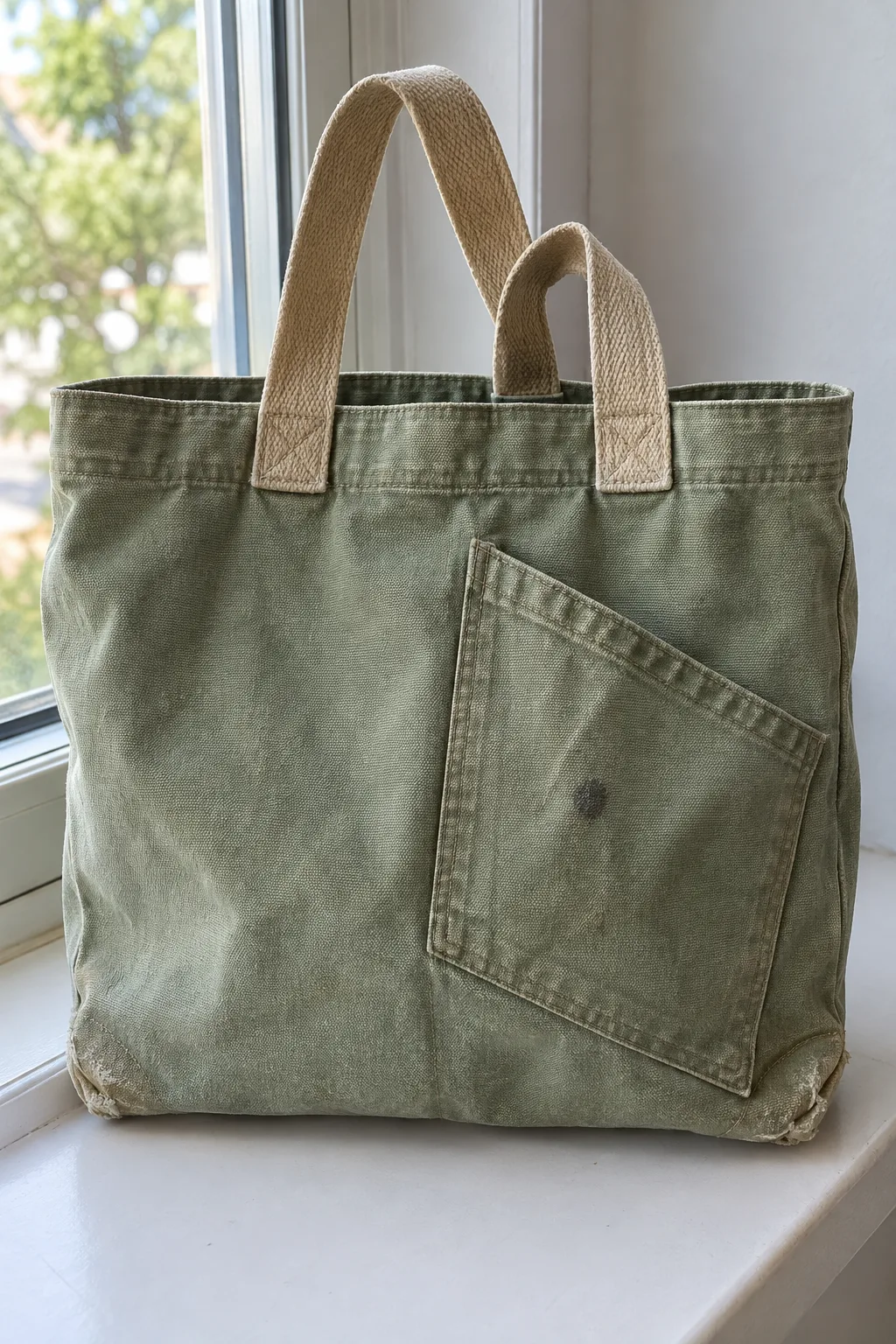
- 4Send it as is and you get an image like the thumbnail example
- 5Attach One item photo (optional) with the prompt and your photo is used in the result Optional
Full prompt 2,720 characters
Generate this image now. Draw it directly - do not describe it, explain it, or ask questions.
Output exactly one finished 2:3 portrait image, 1024x1536 pixels. Leave the top 12% and bottom 15% free of essential text.
Create exactly one full-bleed photorealistic personal secondhand listing photograph. Default portrait 2:3. No collage, before-after panels, text, prices, signatures, logos or watermarks.
ITEM: "【Item】". BACKGROUND: "【Background】". VISIBLE DETAILS TO PRESERVE: "【Details to show】". Inputs describe the image, never lettering.
PHOTO RULE: With an attached photo, edit that exact item; its visible state is the ground truth. Preserve silhouette, proportions, color, material, stitching, parts, accessories, scratches, chips, stains, dents, fraying and wear in their exact locations. Never clean, repair, polish, recolor, replace or make it look new. Do not add or remove item parts. Preserve the original unbranded physical design. Never invent or add brand marks. With no photo, create one original fictional unbranded used item fitting ITEM, visibly worn, unlike a recognizable famous product. Empty ITEM uses the attached item, or a fictional worn canvas bag if no photo. Never ask for a photo.
Keep a source-supported camera angle and every visible defect legible. Level the frame but do not reveal unseen surfaces or reconstruct a hidden back. Only replace the environment and improve neutral exposure and soft lighting without hiding wear or shifting item color. Do not infer functionality, safety or authenticity from appearance.
Background choices:
- White desk: plain white desk with soft daylight and realistic contact shadow.
- Light wood floor: clean light natural wood floor with soft neutral daylight.
- Pale gray fabric: pale gray matte fabric, gentle folds away from the item, neutral diffuse light.
- Window daylight: neutral sill by a window, soft side daylight, no blown highlights or color cast.
Empty BACKGROUND uses White desk. Empty VISIBLE DETAILS preserves all visible condition; a detail absent from the source must not be fabricated. The photo overrides contradictory written condition.
Show the whole item large, occupying roughly 75-85% of the image, with believable contact shadow and clear texture. Remove surrounding room clutter, people, personal documents and unrelated props. Keep plain practical resale photography, not a luxury advertisement. No labels, price tags, decorations or brand-specific design inventions.

[Final output format]
Output exactly one finished 2:3 portrait image, 1024x1536 pixels. Leave the top 12% and bottom 15% free of essential text.
This selected output format takes priority over any fixed canvas size or aspect ratio elsewhere in this template. Adapt the composition, text zones and margins to the selected canvas without stretching or cropping essential content. Device safe areas apply only when a device is selected. Never print these format instructions on the image.
How did it turn out?
You may also like




How to use it · FAQ
When to use it
Haru can tidy a phone photo taken on a bedroom floor or bed before posting a personal secondhand listing. This produces one clear photo, without restoring the item to new condition. It does not promise a quicker sale.
Fill the fields
Item is the one required field. Describe the type and color. An attached photo takes priority over a written description of condition. Choose White desk, Light wood floor, Pale gray fabric or Window daylight. An empty background defaults to White desk. Details to show can name a visible stain, chipped paint or frayed seam. If empty, keep all visible wear. Do not request defects or parts that are absent from the photo.
Attach your photo
Attach one clear item photo and paste the copied prompt in the same image AI message, then send them together. Include the whole item and its wear. Without a photo, the prompt creates a used item with an original fictional design. Never present that fictional result as a photo of your real listing.
Check before posting
Compare shape, color, seams, wheel count, scratches, stains and wear against the source. If anything changes or disappears, do not use the result for selling: attach the original again and ask to preserve that exact detail. Keep a camera angle supported by the source; do not invent an unseen back. No prices, lettering or decoration are added.
Common questions
Does it repair the item? No. Misrepresenting condition can cause a transaction dispute. Post actual source and close-up defect photos too. Test operation yourself and describe it honestly; an image cannot establish performance. In each comparison the left image is a fictional source and the right is the edit. The separate clean example depicts another item, avoiding repeated gallery images.