
All · Comics & illustration · Characters · People
253Me and My Animal Buddy Twin-Look Figure — Matching Outfits in 3D, From Your Photo
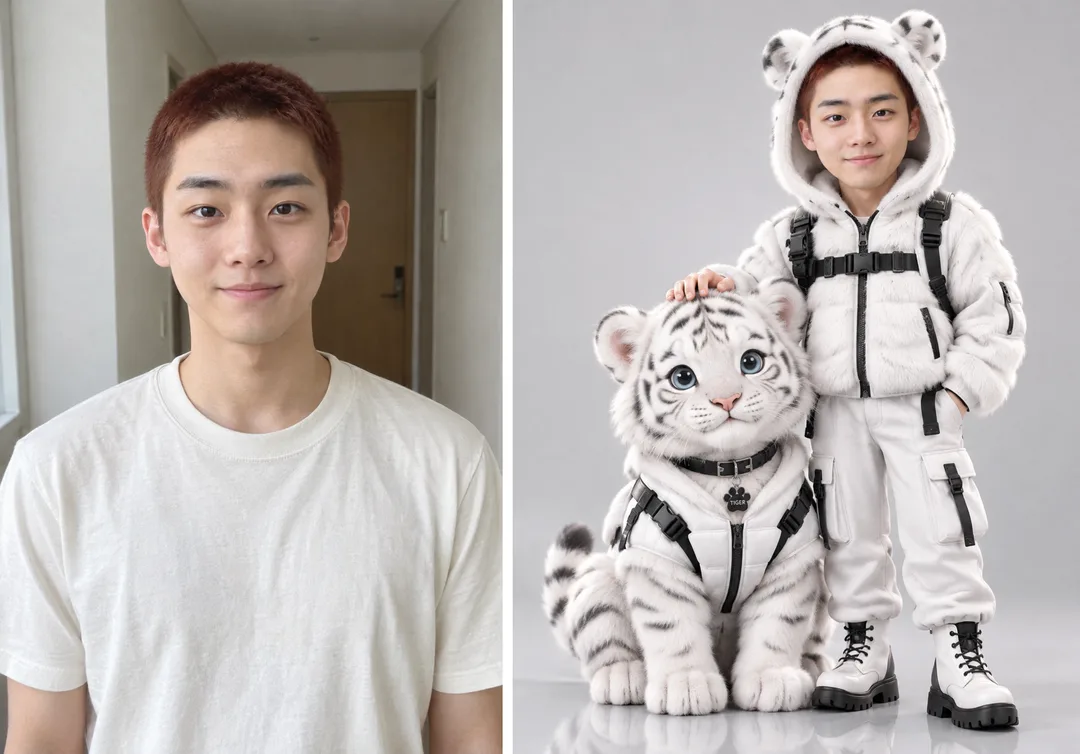
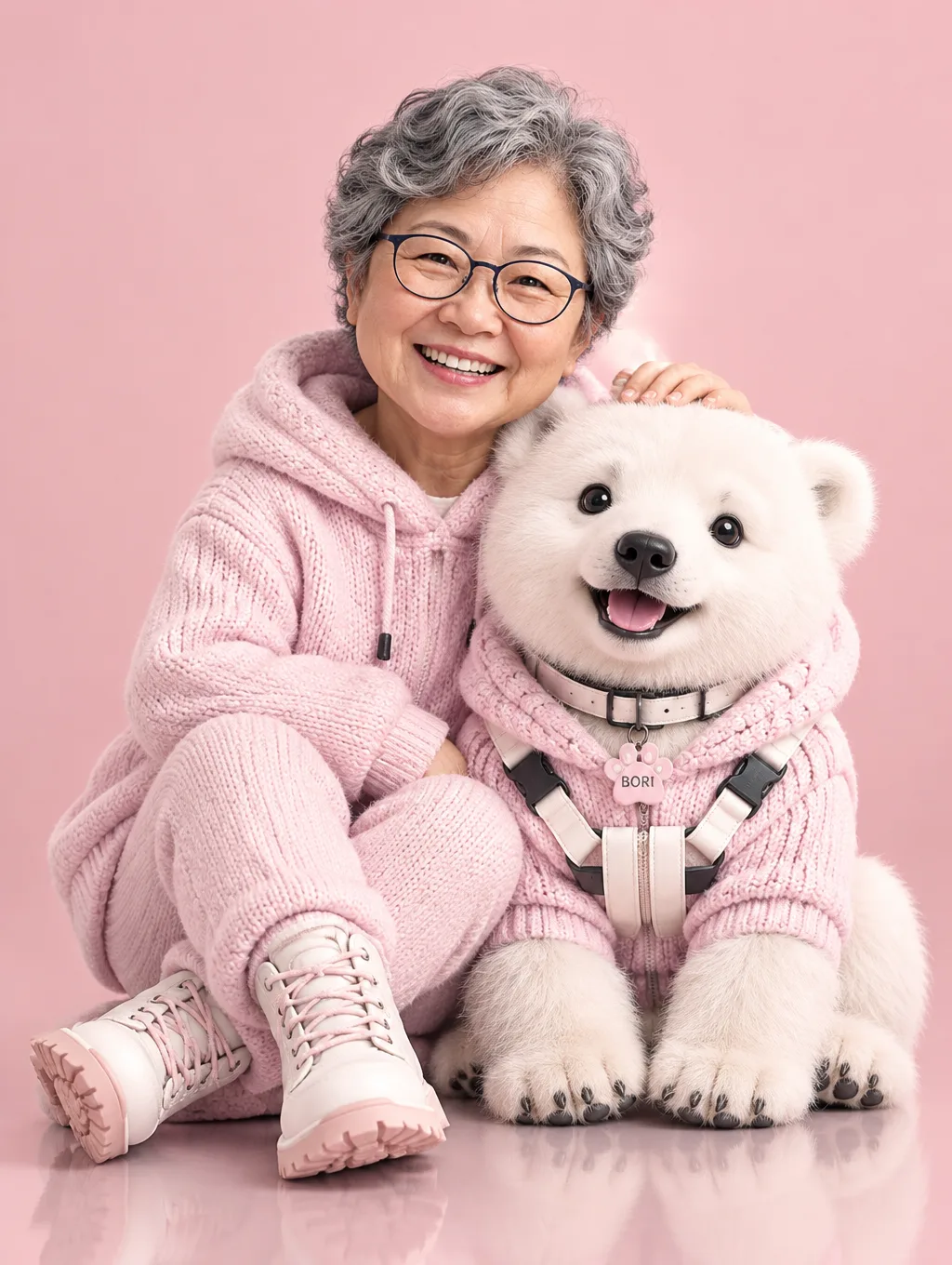
Your photo becomes a big-eyed 3D doll, with a baby animal sitting beside you in the exact same outfit. Just pick the animal, outfit and pose.
ChatGPT Free OK
Fill in the fields
- 1Fill in the fields
- 2Copy the prompt
- 3Paste it into a GPT chat
- 4Send it as is and you get an image like the thumbnail example
- 5Attach one photo of yourself with the prompt and your photo is used in the result Optional
Full prompt 10,088 characters
Generate this image now. Render the finished image directly; do not explain it, describe a plan, or ask questions.
Output size 1080x1440 pixels, 3:4 portrait, social media post.
PHOTO RULE: If photographs are attached, use the pictured person's face as the sole human identity reference. If no human photo is attached, immediately invent an original fictional person and finish the image without asking for a photo. For a pet-photo request, use the attached pet reference as described below; if that reference is missing, invent a fitting fictional pet and continue. This rule takes precedence over any instruction that might otherwise require a photograph or clarification.

[One finished scene]
Create one premium 3D collectible-figure campaign photograph: exactly one person and one large, fluffy young animal wearing coordinated versions of the SAME outfit, together in one continuous environment. The person and animal must feel like a carefully art-directed pair of expensive character figures. Make the result a full-bleed image, not a product box, stationery design, sticker sheet, comparison board, or photographed printed card. Follow the requested aspect ratio; use a vertical 3:4 frame when none is specified.

ANIMAL = "【Animal】". Resolve this into one species and keep it consistent throughout. A blank or automatic choice defaults to a baby white tiger. If the value requests our own pet, including "Our own pet (upload its photo too)" or "Our own pet", use the SECOND attached photo for the pet's identity: preserve its species, coat color, exact markings, ears, muzzle, eye color and distinctive features in the same premium 3D figure language. If there is only an identifiable pet photo, use that for the pet and invent the human. If the pet reference is absent, choose one fictional domestic dog or cat without asking. Never turn a reference dog into a tiger, add a second animal, or combine different species.

[Defaults and input resolution]
Start with white fur techwear, a hood with ears matching ANIMAL, a standing person gently stroking a seated animal's head, the source photograph's expression, no extra prop, a bright gray studio and no name lettering. With no source photo, choose a gentle, confident expression for the fictional person. These defaults remain complete when any optional line at the end is absent. Each active owner-input line defines one named value once and overrides only that feature; carry that resolved value through the whole image. For any input reading "Choose for me", make a fitting choice yourself and finish. Treat blank inputs and "None selected" as absent; treat "None" as an explicit request to omit that feature. Do not render these control phrases as image text.

[Human figure and likeness]
Use a chic chibi body roughly THREE heads tall, with an oversized head, large clear eyes and credible skin shading. The face is stylized in proportion but finely rendered in surface detail: subtle skin texture, soft subsurface scattering, believable lips, lashes and a restrained eye highlight. Preserve the supplied person's facial structure, eye spacing, nose, mouth, skin tone, hairstyle, hair color, glasses and visible identity details. Retain their apparent age and gender presentation; do not apply a generic beauty-filter face. If a group photo is supplied, use only the largest, most prominent person; if tied, choose the person nearest the center without asking. If there is no photo, invent one distinctive fictional young adult with natural features and a deliberate hairstyle, never the likeness of a real person or celebrity. The entire figure, including both feet, must remain visible.

[Animal figure and shared wardrobe]
Make ANIMAL a substantial companion, not a tiny accessory: in the default seated pose the top of its head reaches approximately the human's waist to chest. Give it an oversized rounded head, bright expressive eyes, a species-correct muzzle, plausible paws and exceptionally soft layered fur with individually visible fine strands. A white tiger has charcoal stripes and round tiger ears; a lion cub has warm tawny fur and no adult mane; a lynx has tufted ears and a short tail; a polar bear has round ears, a broad muzzle and no stripes; a tabby has coherent tabby markings. Other animals retain their own anatomy. Exaggerate cuteness through head and eye proportions while preserving the chosen species.

For the default white fur techwear, dress the human in a luxurious white faux-fur hooded jacket with sculpted puffer sections, matte black straps, substantial black buckles, clean zipper hardware and carefully finished seams. Use coordinated white lower garments and white combat boots with thick BLACK outsoles. Dress the animal in a fitted torso jacket or padded vest made from the very same white fur and puffer fabric, with matching black straps, buckles and zipper accents; add a coordinated harness and collar with one small paw-shaped pendant. Both outfits must share the same palette, material texture and design motifs, with believable tailoring for two different bodies. The animal's clothing must leave its face, paws and characteristic markings visible. Other outfit themes change BOTH wardrobes together; maintain equally rich material detail and matched construction. Never give the human an elaborate costume while leaving the animal in an unrelated plain collar.

[Interaction, composition and physical detail]
Default pose: the human stands on one side, the animal sits beside them, and one relaxed human hand rests gently on the crown of the animal's head. Show visible, naturally separated fingers, a plausible wrist and clear affectionate contact without obscuring either face or pressing down the ears. Keep the other arm relaxed. The pair occupies about 80% of the image height and most of its width, with a little space around the hood, boots, paws and tail. Their bodies are close enough to read as a team. Use an eye-level to slightly low camera angle, a modest portrait-lens perspective and a crisp focus plane encompassing both faces. Avoid a giant empty header, distant miniature figures, extreme wide-angle distortion and cut-off footwear.

[Studio finish]
In the default bright gray studio, use a seamless pale-gray cyclorama and a smooth reflective floor. Produce a restrained, slightly softened reflection of the pair with accurate contact shadows under boots and paws. Light the scene with a large diffuse key, gentle fill and a delicate rim that separates white fur from the gray background. Preserve detail in the whites and depth in the black straps. Make the skin, glassy eyes, fur strands, padded fabric, rubber soles and brushed hardware respond differently to the same coherent light. The image should have the tactile density of a luxury 3D figure advertisement, with polished rendering and believable texture, not a flat cartoon or cheap smooth-plastic toy. A selected environment changes the setting and its lighting coherently while keeping the same material quality.

[Text and originality]
Use original character and costume design. With no uploaded identity reference, all characters must be fictional. Do not imitate a named real person, recognizable franchise character or brand mascot. No logos, branded shoe marks, packaging, titles, slogans, watermarks or random lettering. The only allowed text is an explicitly supplied pet name, small and exact on the collar pendant. Without that input, keep the paw-shaped pendant free of letters. Deliver one complete image with clean anatomy, one animal, one person and consistent materials.

[OPTIONAL OWNER INPUT - each line exists only when supplied]
OUTFIT = "【Outfit theme】". Replace the shared wardrobe theme for BOTH figures: black leather streetwear uses supple black leather and matching hardware; pastel knit uses thick soft knit and ribbing; winter long puffer uses quilted coats and coordinated pet padding; Christmas Santa uses coordinated red fabric and white fur trim; modern hanbok uses matched wrap closures and rich woven fabric without printed lettering. Keep the human's footwear coordinated and adapt the animal garment to four-legged anatomy.
HOOD_EARS = "【Hood ears】". Matching animal ears means fabric ears on the human hood with ANIMAL's shape, color and markings; an earless hood retains the hood without ears; no hat removes the headwear entirely. Never add human animal ears directly to skin.
POSE = "【Pose】". Replace the default interaction with the supplied pose: embrace gently, sit side by side, lean against the animal or meet one human palm with one raised animal paw. Keep both faces visible, balance and contact plausible, and the pet comfortable.
EXPRESSION = "【Expression】". Change only the expression while retaining identity; "Same as photo" means preserve the photo expression, or use a gentle, confident expression when no photo exists. A smile, wink, shy look or cool look must remain natural and recognizable.
PROP = "【Prop】". Add exactly one chosen accessory to the human, scaled to the figure and clear of the face; "None" means no extra prop. Sunglasses may be pushed onto the hood so the identity-defining eyes stay visible; headphones and a small crossbody bag use unbranded designs.
BACKGROUND = "【Background】". Replace the default studio with this setting, keeping the pair dominant: a snowy night uses subtle falling snow and soft cool rim light; pastel pink uses a seamless pink studio; a Christmas tree setting uses a softly blurred decorated tree and warm bokeh.
NAME_TAG = "【Animal name tag】". Render this exact short English name once, small and legible on the collar pendant, without translation or extra letters. It overrides the no-lettering default only for this pendant; automatic or omitted values produce no name text.

[Final output format]
Output size 1080x1440 pixels, 3:4 portrait, social media post.
This selected output format takes priority over any fixed canvas size or aspect ratio elsewhere in this template. Adapt the composition, text zones and margins to the selected canvas without stretching or cropping essential content. Device safe areas apply only when a device is selected. Never print these format instructions on the image.
How did it turn out?
You may also like
- 258Pink-Sunglasses City-Pop Anime Profile — Your Photo as a '90s Anime Illustration

- 256Tiny Me in Your Palm — A Finger Poking the Miniature's Cheek
- 255Walking Out of a Comic Book — A Photoreal Hero Among Pen-and-Ink Panels
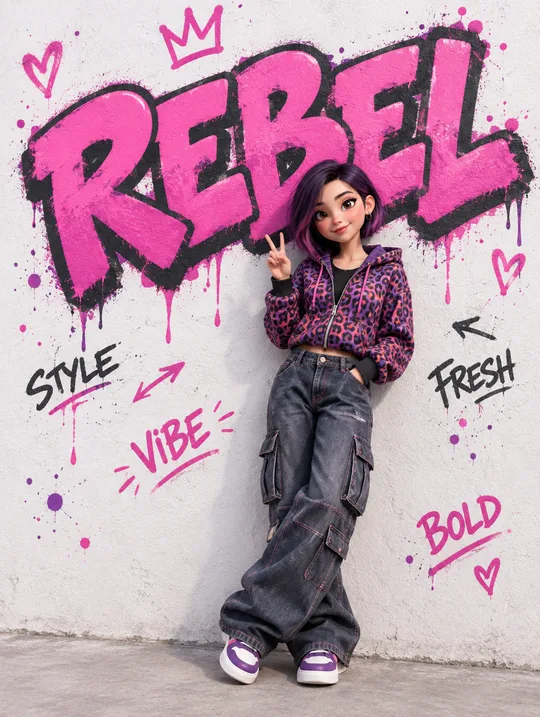
- 2523D Character at a Graffiti Wall — Your Word in Giant Spray Paint
- 251Cozy Coloring Page
- 250Word Architecture

How to use it · FAQ
When to use it
Make one picture of a 3D doll version of you with a baby animal friend in a perfectly matching outfit — white fur jackets with a white tiger cub, or long winter puffers with a Shiba Inu. Your hood even has the animal's ears, so the two of you look like a team. It works well as a profile photo, story or phone wallpaper, and if you upload a photo of your own dog or cat, you get a twin look with your real pet.
Filling in the fields
Only the Animal is required. Leave the rest empty and you get white fur techwear, matching hood ears, a head-patting pose and a light gray studio. Changing the outfit theme changes both of you at once. For a name tag on the collar, type a short name in English capitals; it renders more accurately than other scripts.
Adding your photo (and your pet's)
- Upload a clear front-facing photo of yourself — don't send yet
- Paste the copied prompt into the same message box
- Check that both are there, then send
For your own pet, choose "Our own pet" and upload two photos together in step 1: yours and your pet's. If you already sent the photo alone, add "Draw it from the photo above" to the end of the prompt.
What to check
- Does the face look like you? Hair, hair color and glasses follow the photo
- Is the animal the one you picked? A lynx can come out like a house cat
- Do you and the animal wear the same color and material?
- Is the name tag spelled exactly as typed?
Fixing what's off
Ask in the same chat, one thing at a time: "Make the face look more like the photo", "Make the tiger stripes clearer", "Make the animal a little bigger". Changing many things at once tends to change the face.
FAQ
- Does it work without a photo? Yes — it draws a new fictional person. Upload a photo to make it look like you.
- Two people and one animal? This card is built for one person and one animal. In a group photo, the most prominent person is drawn.
- Can I use my child's photo? Yes, but we recommend sharing children's pictures in family chats rather than public social media.