

All · Comics & illustration · People
012Professional Headshot from Your Photo
Upload your photo to create a clean, natural 3:4 headshot that still looks unmistakably like you.
ChatGPT Free OK
Fill in the fields
- 1Fill in the fields
- 2Copy the prompt
- 3Paste it into a GPT chat
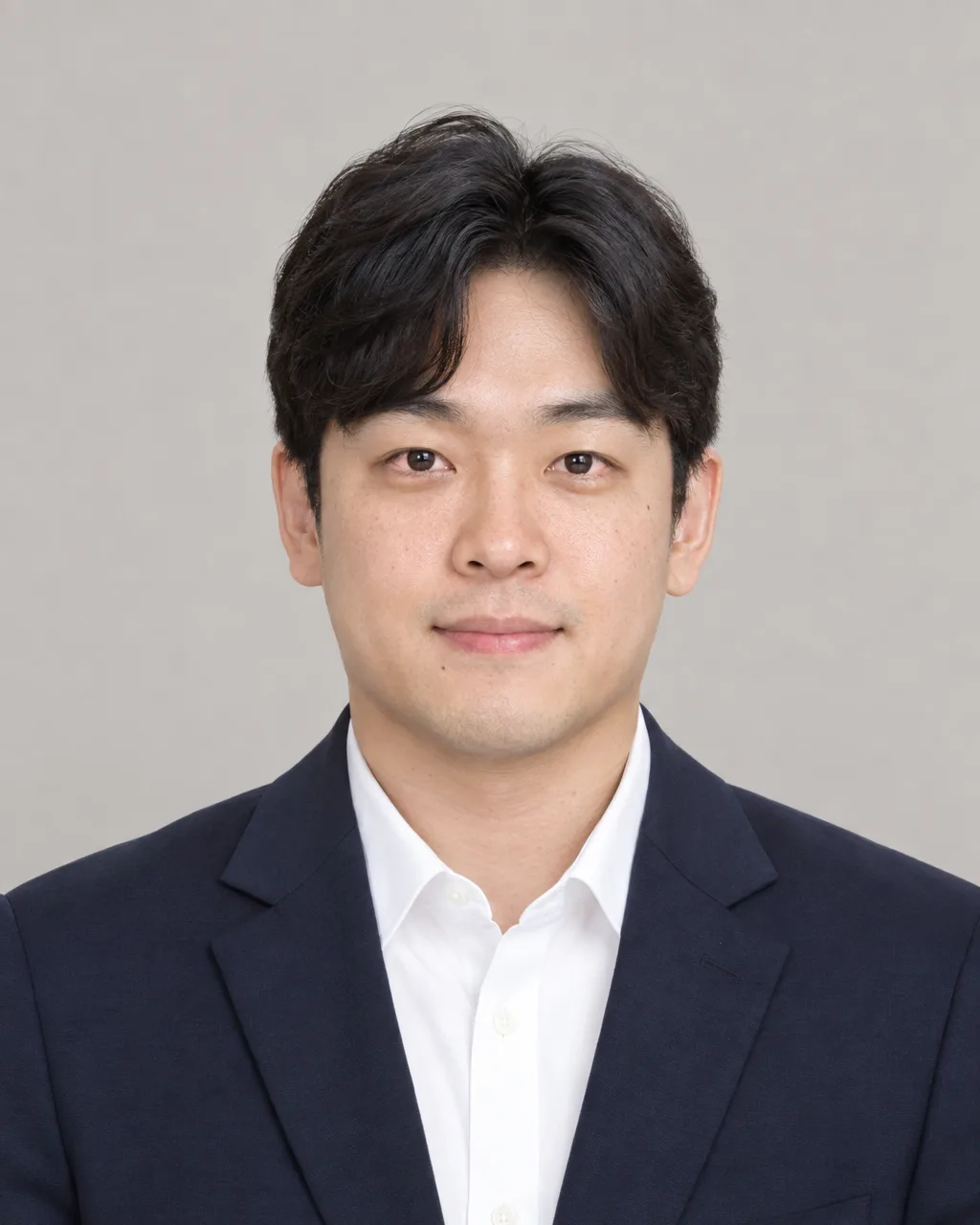
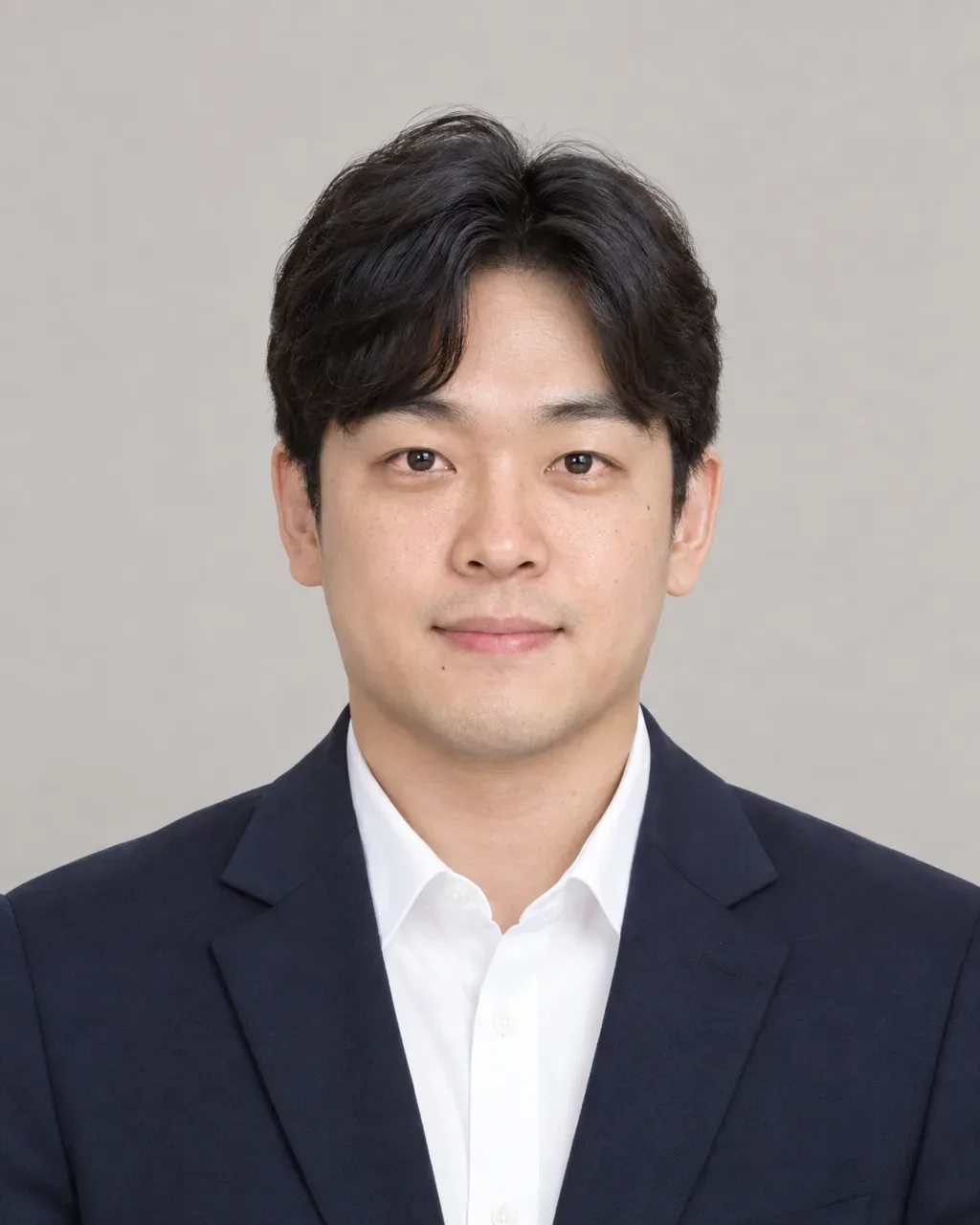
- 4Send it as is and you get an image like the thumbnail example
- 5Attach your photo with the prompt and your photo is used in the result Optional
Full prompt 7,436 characters
Generate this image now. Draw it directly - do not describe it, explain it, or ask questions.
PHOTO RULE (this overrides any other line in this prompt, before or after it, that calls the photo required or mandatory or says to ask for it): if a photo is attached, use it exactly as the instructions below describe. If no photo is attached, never ask for one and never stop — invent a fitting fictional subject (person, pet, food, product or place, whatever this card is about) in the spirit of the card's example image, and finish the image.
Output size 1080x1440 pixels, 3:4 portrait, social media post.

[Purpose]
Create a clean Korean-style ID photo (application ID photo) for résumés, job applications, and staff or student cards, using the one attached photograph as the sole identity reference. The result must unmistakably depict the exact same person in the uploaded photo. Identity preservation is the highest-priority requirement and overrides beautification, styling, clothing, background, mood, and every other instruction. It is not a passport, government ID, visa, license, or biometric-compliance submission.

[Scene]
Show one person only, framed as a clean head-and-shoulders portrait, facing the camera straight on with level shoulders and natural posture. Use the selected clothing exactly in spirit: "【Outfit】". Use a plain seamless "【Background】" background with no room, furniture, scenery, pattern, gradient halo, frame, border, or decorative object. Convey "【Expression】" through a subtle natural expression, relaxed shoulders, attentive eyes, and restrained professional styling. Keep the composition centered, uncluttered, easy to crop, and readable at a small print size. Leave comfortable space above the hair and around both shoulders. Do not crop the chin, hair, ears, or shoulders awkwardly.

[Attached photo]
Use the uploaded photo as the mandatory and only source of the person's identity. Preserve the person's facial identity with maximum fidelity: the same facial proportions, face shape, jawline, chin, cheek structure, forehead, hairline, eyebrow shape and spacing, eye shape and spacing, eyelids, nose shape and width, nostrils, philtrum, lip shape, mouth width, ears, skin tone, age, visible freckles, moles, scars, asymmetry, and other distinctive features. Preserve the natural relationship among all features, not merely a vague resemblance. The output must look like a new photograph of the same real person taken moments later in a professional setting, never like a similar model, relative, idealized version, or face inspired by the reference.

Do not replace, redesign, average, reconstruct, or reinterpret the face. Do not make the eyes larger, the nose narrower, the jaw sharper, the face slimmer, the skin lighter, the person younger, or the features more symmetrical. Do not apply beauty filters, glamour retouching, cosmetic changes, face swapping, or identity blending. Keep the person's ethnicity, apparent age, gender presentation, and recognizable appearance unchanged. If any styling request conflicts with identity fidelity, preserve identity and simplify the styling. Preserve the existing hairstyle, hair color, hair texture, and natural part as closely as possible; only tidy stray hairs minimally. If glasses are present, retain their recognizable shape and placement unless glare makes the eyes unreadable; remove glare without changing the glasses. Do not invent teeth if they are not visible in the reference. Do not change facial hair except for minimal grooming of stray hairs.

[Text layout]
No text. Do not render names, job titles, captions, letters, numbers, logos, badges, watermarks, signatures, UI elements, or marks anywhere in the image.

[Style]
Natural contemporary studio portrait photography with realistic optics and honest skin texture. Professional but not stiff, polished but not artificial. Use a portrait-lens perspective equivalent to approximately 70-100 mm on full frame, with the camera near eye level to avoid facial distortion. Keep both eyes sharply focused. Clothing should look physically plausible, correctly fitted, and free from distracting patterns. The portrait must remain useful after a square or vertical crop. Avoid an editorial fashion look, cinematic character styling, painterly rendering, illustration, anime, 3D graphics, or synthetic stock-photo perfection.

[Visual hierarchy]
First: the exact recognizable face of the attached person. Second: clear eyes and a natural expression matching "【Expression】". Third: the neat silhouette of "【Outfit】" against the "【Background】" background. Nothing may compete with the face. The background and clothing must support recognition rather than transform the person.

[Lighting and texture]
Use soft, even studio light from slightly above and in front, with gentle fill and a very light separation from the background. Keep exposure natural across the forehead, cheeks, and chin. Preserve pores, fine lines, natural under-eye texture, and realistic tonal variation while reducing only temporary distractions such as harsh shine or a single stray hair. No plastic skin, waxy smoothing, heavy sharpening, HDR, dramatic rim light, colored light, hard shadow across the face, blown highlights, crushed blacks, glow, lens flare, or vignette. Maintain realistic fabric texture and clean background color.

[Text rules]
There must be no visible text or typographic element. The selected English values are instructions only and must never be printed in the portrait.

[Avoid]
any change of identity; a merely similar person; generic model face; face swap artifacts; mixed identity; altered facial proportions; changed eye, nose, mouth, jaw, skin tone, age, ethnicity, gender presentation, hairline, hairstyle, glasses, facial hair, moles, scars, or natural asymmetry; excessive beautification; skin whitening; slimming; de-aging; enlarged eyes; narrow nose; sharpened jaw; heavy makeup; glamour retouching; artificial smile; invented teeth; expression that obscures recognition; side profile; tilted camera; wide-angle distortion; low resolution; blur over the eyes; extra person; duplicate face; cropped chin or hair; hands near the face; busy background; office scenery; props; logos; text; border; watermark; passport template; government emblem; official seal; biometric guides; illustration; cartoon; anime; painting; 3D render; uncanny skin; malformed ears; asymmetrical glasses; mismatched eye direction

[MORE OWNER INPUT — each line exists only when supplied; treat "Not selected" as absent]
HAIR: "【Hair】". Tidy the hair only in this way; never change length or color.
GLASSES: "【Glasses】". "Without glasses" only if the face stays the same person; never alter facial features.
USE: "【Use】". Passport/visa: plain white or light background, neutral expression, mouth closed, ears visible if possible. Others: follow the chosen mood.
RETOUCH: "【Retouching】". Only skin evenness, stray hairs and lighting; never reshape the face.
Keep every added line smaller than the main message; never let added text crowd the hero or shrink the main title. Supplied texts stay exact.

[Final output format]
Output size 1080x1440 pixels, 3:4 portrait, social media post.
This selected output format takes priority over any fixed canvas size or aspect ratio elsewhere in this template. Adapt the composition, text zones and margins to the selected canvas without stretching or cropping essential content. Device safe areas apply only when a device is selected. Never print these format instructions on the image.
How did it turn out?
More cards in this category
How to use it · FAQ
When to Use This Card
Create a clean, natural headshot from your own photo for résumés, staff IDs, or professional profiles. This tool preserves your facial features, age, and proportions while updating your attire and background.
How to Fill the Fields
- Outfit: Select professional clothing like a navy blazer or neat sweater.
- Background: Choose a neutral tone such as warm light gray or clean white.
- Expression: Pick a subtle, confident, or friendly look.
- *Note*: This is designed for professional profiles, not official government ID documents like passports or driver's licenses, which often reject AI-modified photos.
How to Attach Your Photo
- Upload one clear, front-facing photo of yourself to the chat. Do not send it yet.
- Paste this card's prompt into the same input box.
- Send both the photo and the prompt together.
What to Check in the Result
Verify that the generated portrait still looks unmistakably like you. Check eye spacing, nose width, jawline, and skin tone against your original photo, and ensure there are no unnatural blending artifacts around the shoulders or collar.
How to Request Corrections
In the same chat, re-attach your original photo and request specific adjustments: "Restore the original eye size and jawline while keeping the new outfit and background. Do not overly beautify the face."
Fine-tune with optional fields
All of these are optional. Leave a field empty or tap "Not selected" and the result follows your original photo.
- Hair: Tidies the hair only in the chosen way. Length and color never change. Try "Forehead visible" if bangs cover your eyebrows.
- Glasses: "Reduce reflections" removes glare from the lenses only. "Without glasses" is used only if you still look like the same person; skip the result if you don't.
- Use: "Passport and visa" gives a plain light background, neutral expression, and closed mouth. Official ID offices may reject retouched or AI-edited photos, so check their rules before submitting. Other uses follow the expression you chose.
- Retouching: Evens skin tone, tidies stray hairs, and fixes lighting. It never reshapes the face.
A photo-to-image example
The first image compares the original on the left with the result on the right; the second is the existing example. The comparison uses fictional photos made with a subscription image tool.
The wide nose and chin, the asymmetry between the left and right eyelids, the mole on the right cheek, short black hair, and skin texture are preserved. The gray T-shirt and home wall were replaced with a jacket, white shirt, and light gray background, and the yellow lighting and shadows on the face were cleaned up.
While the impression of the same person remains, the corners of the mouth and skin brightness are slightly raised compared to the original.
"Please keep the angle of the corners of the mouth and the skin brightness exactly as they are in the original."
Last checked · Published