
項目を入力
- 1項目を入力します
- 2プロンプトをコピーします
- 3GPTのチャットに本人の顔写真一枚とプロンプトを一緒に送ります
- 4写真と文章の両方が入っていることを確認します
プロンプト全文を見る 1,751文字
Generate this image now. Draw it directly - do not describe it, explain it, or ask questions.
出力サイズは2480×3508ピクセル、A4縦、300dpiの印刷用ポスターにしてください。
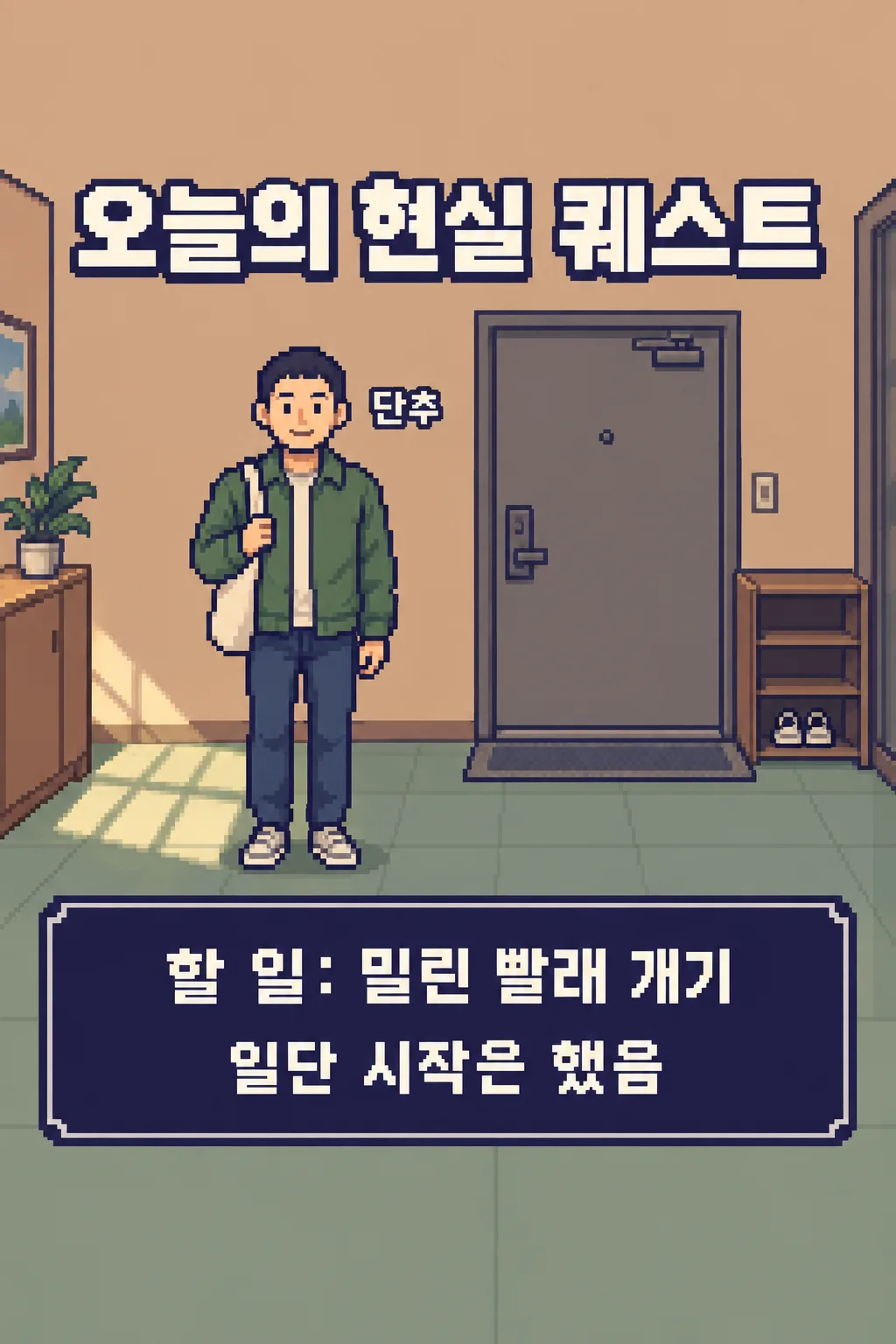
Create exactly ONE finished original JAPANESE PIXEL-ART DAILY QUEST SCREEN from ONE face photo attached in the same message. It is a playful still picture for social posting, not a playable game, copied screenshot, comic, character profile poster or set of scenes. Draw one adult avatar with the photographed person's recognizable hair, glasses, broad face impression and visible outfit colors. "【写真で残す特徴】" is an emphasis only when the photo supports it. Never add a monster, weapon, friend or a claim about the person's real home.

The fixed fictional setting is one sunlit apartment entrance with a rear door, small shoe shelf and one pair of shoes. Use side-view 16-bit-inspired crisp pixel blocks, deep indigo outlines, muted apricot walls and sage floor. Keep a single vertical 2:3 screen. Leave the top 12% and bottom 15% free of essential letters. At 17–26%, put the large title "今日の現実クエスト". The one avatar stands at central lower-left, about 35% of image height. Write "【画面に出す愛称】" once near, not over, the face. In ONE wide indigo instruction box around 65–81%, print "やること:【今日やる一つのこと】" in large readable Japanese, then one short playful line from "【最後の一言】". If the value is "おまかせ", invent a light encouraging line and never print the instruction.

Do not add deadlines, rewards, scores, completion badges, level numbers, extra tasks, progress bars or a second box. The task words may change, but room, palette, layout and pixel art stay fixed. Make the Japanese text sharp rather than meaningless pixel characters. No brand, game franchise sprite, logo, watermark, console frame, code, crop or follow-up. Return just the one completed image.
こちらのカードも人気です
使い方・よくある質問
使う場面
洗濯や返信のような小さな用事をゲームのクエスト風にして、ストーリーズやThreadsで共有できます。終わったことを示す画像ではなく、始める瞬間の冗談です。
入力と送信
公開してよい愛称、写真に見える特徴、今日することを一つだけ書きます。「おまかせ」なら短い一言を作ります。使用許可のある顔写真を入力欄に置き、まだ送らず、同じ欄にプロンプトを貼って一度に送ってください。
確認と修正
人物が似ているか、愛称と用事が正しいか、一人・一部屋・一つの説明欄だけか確認します。文字が切れたり達成済みの表示が出たりしたら、用事を短くして画像一枚を作り直してください。