
すべて · SNS投稿 · お店のストーリー · 割引・イベント
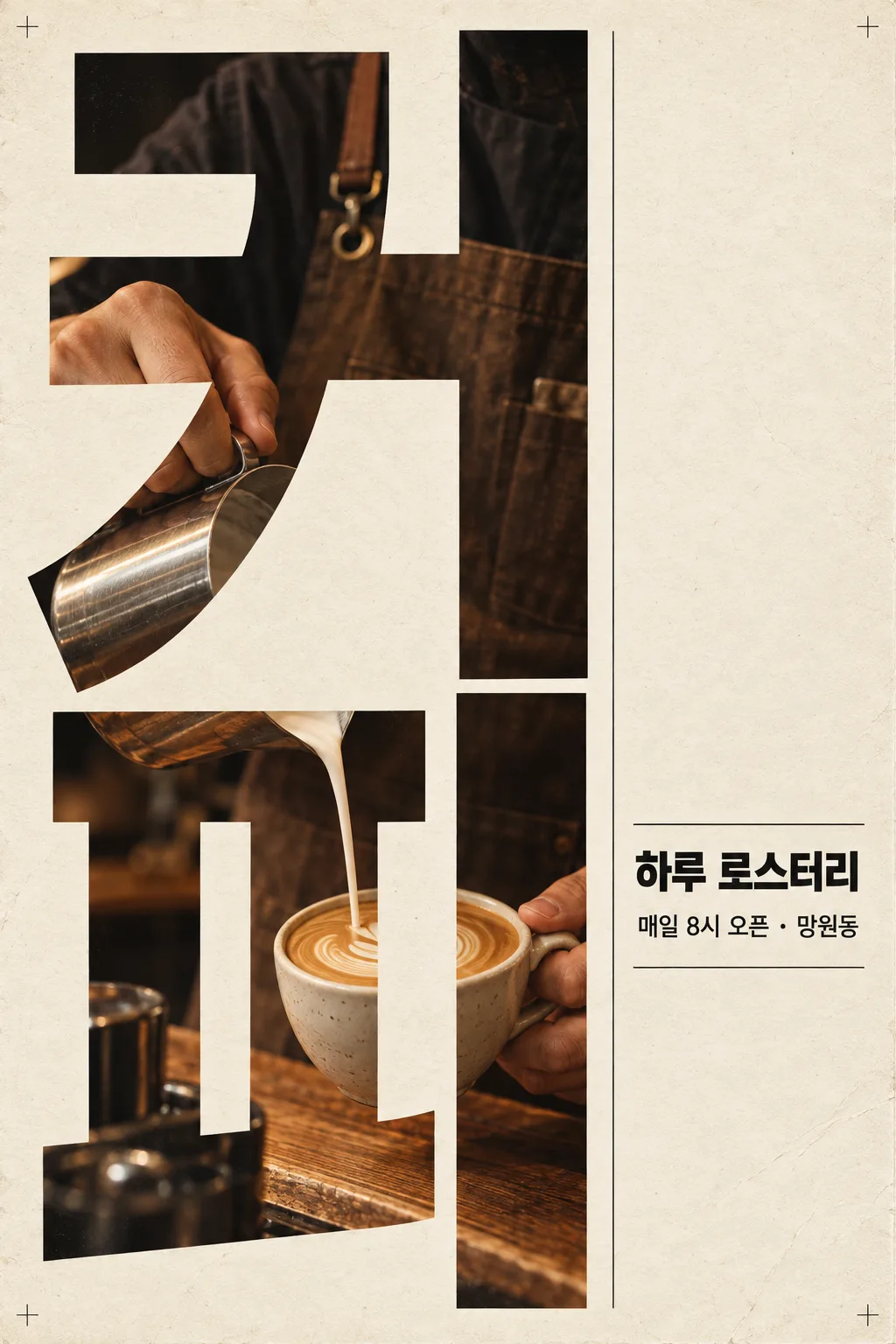
329縦の大文字ポスター — 巨大な言葉の中が写真の窓になるモダンなグラフィック
言葉と場面を書くと、画面いっぱいの縦の文字の中に写真が見え、横に小さなタイトルと情報が並ぶモダンなポスターになります。
受け取れるもの
- 縦の大文字のグラフィックポスター一枚
- 文字の中に見える場面写真
- 横の小さなタイトルと情報
ChatGPT 無料 OK
項目を入力
- 1項目を入力します
- 2コピーを押します
- 3GPTのチャットに貼り付けます
- 4そのまま送ると、サムネイルの例のような画像になります
- 5カードに合う実際の写真を一緒に入れると反映されます。背景カードなら背景の写真、人物・料理カードならその写真 任意
プロンプト全文を見る 3,081文字
Generate this image now. Draw it directly - do not describe it, explain it, or ask questions.
出力サイズは1080×1440ピクセル、3:4の縦型SNS投稿にしてください。
If the size line is missing or empty, use a vertical 2:3 canvas.

Create one finished modern photographic typography poster. Fill approximately the left two-thirds of the canvas with a giant word arranged vertically, with one character per row. Use extremely heavy, condensed lettering with correctly formed strokes and open counters. Make the word nearly fill the height of the poster.

GIANT WORD:
"【大きな言葉】"
Print this exact string once as the giant photographic typography. Preserve its spelling, punctuation, and character order. For Japanese text, render every hiragana, katakana, and kanji character correctly.

SCENE INSIDE THE LETTERS:
"【中に見える場面】"
Invent a realistic photographic composition of this scene. Reveal the photograph inside the giant letter strokes only. Arrange the subject, hands, objects, and environmental details into a visually connected scene across the stacked characters. Keep counters and inter-letter gaps as the plain poster background. Do not substitute rectangular photographs for the letterforms. Keep the word immediately readable.

SMALL TITLE:
"【小さなタイトル】"
If the small-title line is missing or empty, omit the title completely. Do not invent replacement wording.

INFORMATION LINE:
"【情報の行】"
If the information-line entry is missing or empty, omit it completely. Do not invent dates, addresses, slogans, or replacement wording.

PALETTE selected: "【色】"
Interpret only the selected choice:
- クリーム・黒: warm cream paper, black editorial typography, and warm photographic tones.
- 白・赤: clean white paper, vivid red editorial typography, and neutral photographic tones with controlled red accents.
- ベージュ・紺: textured beige paper, deep navy editorial typography, and muted warm photographic tones.
If this selection line is missing or empty, use クリーム・黒 only.

Reserve the right third for the supplied small title and information line, using a carefully aligned editorial column, strong type hierarchy, and fine rules. If either text field is absent, rebalance the remaining elements without adding text. If both are absent, use quiet space and thin graphic rules only.

Use subtle paper fibers, light printing wear, tiny nonverbal registration marks, crisp typography, cinematic photographic detail, and precise margins. Preserve the dense photographic interior and dramatic scale of the giant word. Print supplied text exactly as quoted; do not translate, paraphrase, or add characters. No additional text, logos, trademarks, real public figures, existing characters, signatures, or watermarks.
The choice names in this prompt are internal labels only; never print them as text.

[Final output format]
出力サイズは1080×1440ピクセル、3:4の縦型SNS投稿にしてください。
This selected output format takes priority over any fixed canvas size or aspect ratio elsewhere in this template. Adapt the composition, text zones and margins to the selected canvas without stretching or cropping essential content. Device safe areas apply only when a device is selected. Never print these format instructions on the image.
結果はどうでしたか?
こちらのカードも人気です

使い方・よくある質問
こんなときに
お店・イベント・ブランドをデザイナーが作ったようなモダンなポスターで見せたいときに。画面いっぱいの縦の文字の中に場面写真が見え、横に小さなタイトルと情報が雑誌のように並びます。
欄の埋め方
大きな言葉と場面だけで大丈夫です。
出てきたら確認すること
- 言葉と日付は正しいですか?
色ボタンの違い
クリーム・黒はいちばん雑誌らしく、カフェや書店に。白・赤は強烈で、セールやイベントの告知に。ベージュ・紺は落ち着いた上品さで、花屋や教室の募集に向いています。
言葉と場面の組み合わせ
「パン」+「焼きたてパンを出す手」のように、言葉と場面が同じ話をしているとひと目で伝わります。情報の行の日付や場所は正確に入力してください。