

084二択比較カード
中央の問いに左右の答えをそろえ、場面の分岐か併用の順序で結ぶ一枚。
受け取れるもの
- 縦長の比較画像一枚
- 左右の答えと分岐または併用の図
ChatGPT 無料 OK
項目を入力
- 1項目を入力します
- 2コピーを押します
- 3GPTのチャットに貼り付けます
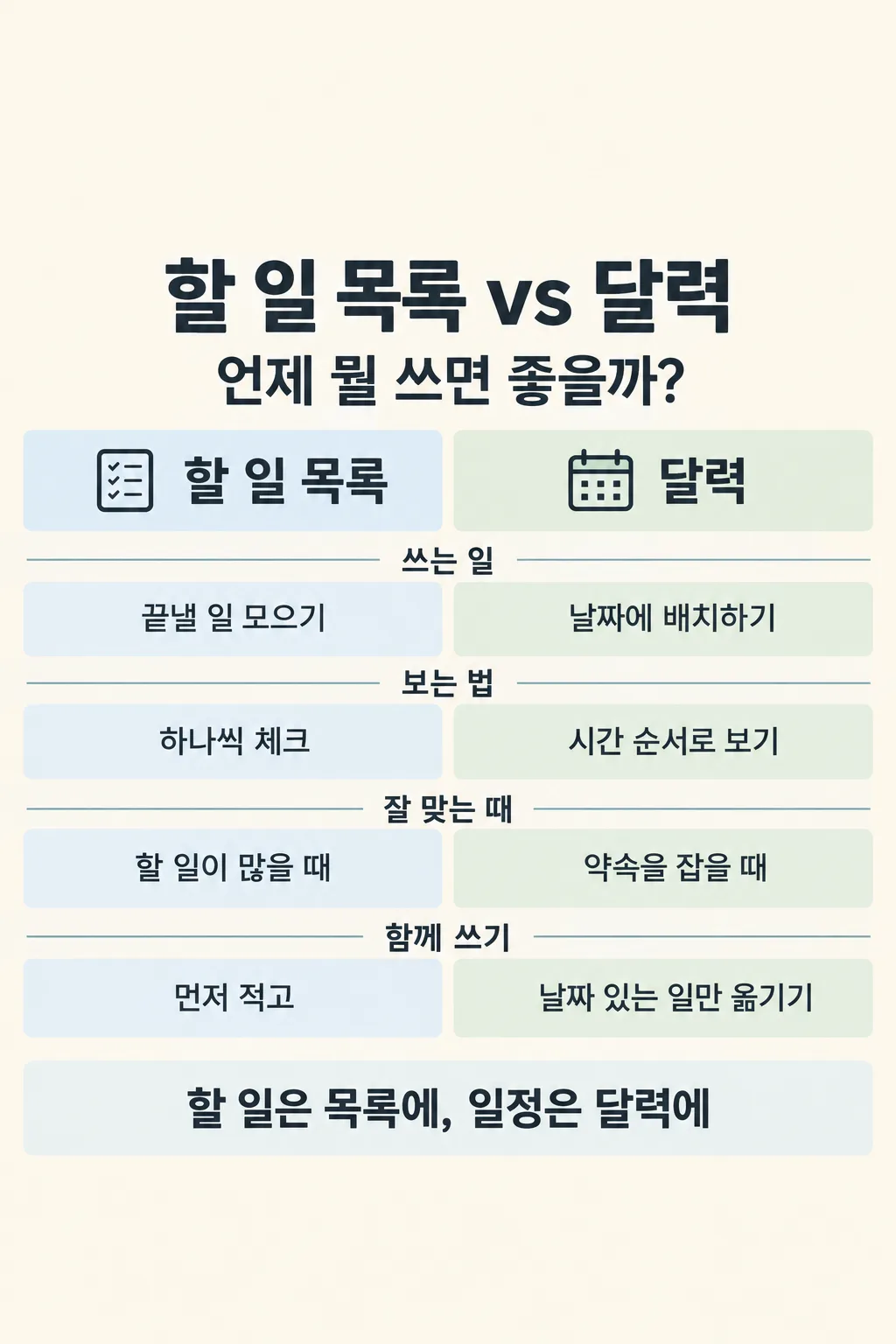
- 4そのまま送ると、サムネイルの例のような画像になります
- 5カードに合う実際の写真を一緒に入れると反映されます。背景カードなら背景の写真、人物・料理カードならその写真 任意
プロンプト全文を見る 2,522文字
Generate ONE finished Japanese editorial comparison image now, portrait 完成した2:3の縦型画像を1枚、1024×1536ピクセルで出力してください。重要な文字は上12%と下15%に置かないでください。. Flat pale paper, charcoal sans-serif type, restrained cream and muted blue columns, small original list/calendar icons; no photography, mockup or brand. This is a saveable two-alternative social card.

The signature device is a QUESTION SPINE: a narrow central rail holds the shared questions, each flanked by its matching A answer on the left and B answer on the right. Align each answer pair horizontally with its question. The spine is the reading anchor, not an extra alternative. Equal visual weight for A and B. Above it print both names and the comparison question. Use the supplied comma-separated sequences in matching order; do not invent extra criteria. Keep the short answers large, with fine horizontal separators and roomy margins.

A: 【選択肢A】
B: 【選択肢B】
TITLE QUESTION: 【比較の問い】
SPINE QUESTIONS: 【共通の問い】
A ANSWERS: 【Aの答え】
B ANSWERS: 【Bの答え】
A SITUATION: 【Aを選ぶ場面】
B SITUATION: 【Bを選ぶ場面】
JOINT SEQUENCE: 【併用の順序】
SIGNATURE: 【アカウント名】
SOURCE CREDIT: 【出典】
ENDING STRUCTURE: 【結びの構造】

The lower quarter is a decision diagram controlled only by ENDING STRUCTURE. For 場面の分岐, draw a single question node splitting into two visibly diverging arrows, ending in separate A and B boxes, with each supplied situation beside its own branch. Do not print JOINT SEQUENCE in this mode. For 併用の順序, replace the entire fork with a single horizontal arrow chain: A step → B step, using JOINT SEQUENCE; no branching arrows and no situation boxes. Never combine the two endings. The upper question spine stays unchanged. If absent, use the fork.

Preserve supplied facts and names. Blank optional signature or source means omit that line. The source credit identifies supplied material, never evidence of research. Use only the provided comparison facts; do not invent performance numbers, endorsements, prices or a universal winner. If the facts and questions do not match, ask for corrected pairs instead of drawing unsupported claims. Fit all wording within generous trim margins on one canvas. Return the image itself, not a written layout. No internal field names or braces visible.

[Final output format]
完成した2:3の縦型画像を1枚、1024×1536ピクセルで出力してください。重要な文字は上12%と下15%に置かないでください。
This selected output format takes priority over any fixed canvas size or aspect ratio elsewhere in this template. Adapt the composition, text zones and margins to the selected canvas without stretching or cropping essential content. Device safe areas apply only when a device is selected. Never print these format instructions on the image.
結果はどうでしたか?
同じ分類のほかのカード
使い方・よくある質問
真ん中の問いから左右へ読めます
二回の試作では「何を書く」の左右に「やること」と「日付と時刻」が並びました。中央の問いが縦につながり、左右の答えを同じ高さで比べられました。苦手なことも、リストでは時間の空きが見えず、カレンダーでは細かな作業が混み合うという違いが出ました。
選び分けと併用は別の図です
「場面の分岐」では一つの問いから矢印が二つに分かれ、今日の作業を選ぶ場面と約束の時間を確保する場面へ向かいました。「併用の順序」に変えると、作業を選んでから時間を確保する一本道になります。優劣ではなく、二つの道具の関係を描き分けます。
問いと答えの順番をそろえてください
問いも左右の答えも読点ではなくコンマで区切り、同じ順番にします。「何を書く, いつ見る」なら、答えも内容、確認する場面の順です。整った図でも順序が違えば比較がずれます。今回は基本機能の比較で、価格や性能の検証ではありません。出典欄に資料名を書くだけでは事実確認になりません。
最終確認日 · 公開