
전체 · 만화/일러스트 · 인물
103내 사진 3D 애니 장면
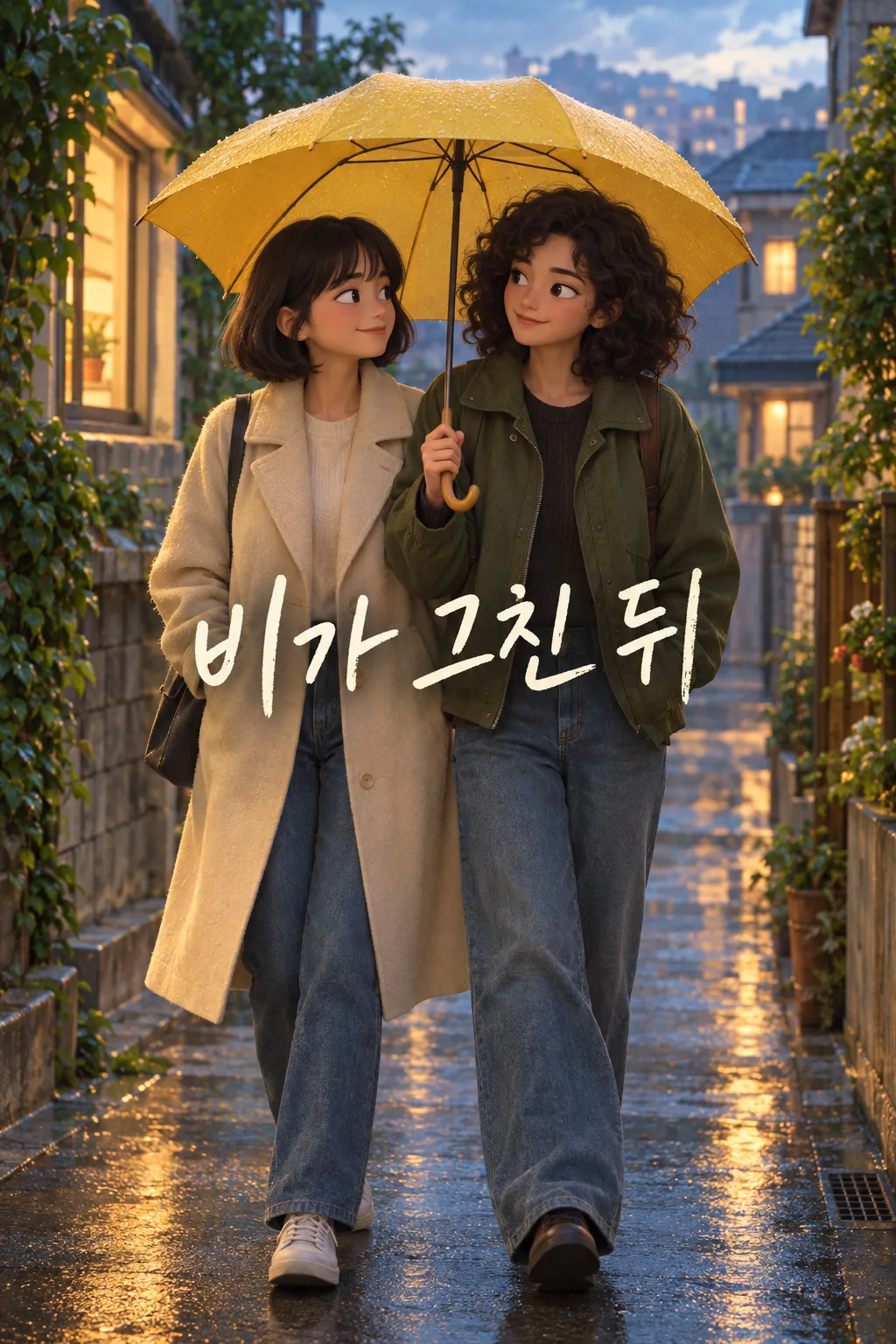
자기 사진을 찍은 사람이 그 순간을 극장 3D 애니 영화의 한 장면으로 바꿔 인스타 피드나 스레드에 올려요.
칸 채우기
- 1칸을 채워요
- 2복사 버튼을 눌러요
- 3GPT 채팅창에 내 사진 1장을 올리고, 프롬프트를 같이 붙여넣어요
- 4내 사진 1장과 프롬프트가 둘 다 들어간 걸 보고 보내요
프롬프트 원문 보기 4,841자
Generate this image now. Draw it directly - do not describe it, explain it, or ask questions.
Output size 2480x3508 pixels, A4 portrait, 300dpi, print-ready poster.

[Purpose]
Create exactly ONE complete portrait image that turns the attached personal photo into a single frame from an ORIGINAL warm theatrical 3D animated film. The owner will share this one image on Instagram or Threads. The result is one continuous scene on one canvas, not a storyboard, comic, film strip, phone mockup, poster advertising a film, before/after comparison, or a set of variations. No cropping, code, further turn, or assembly is required. The fixed result is a polished animated scene; do not offer alternative art styles.

[Scene]
Start with what is really visible in the attached photo. Preserve the number of people, their relationship as visible, clothing silhouettes, body positions, recognizable objects and the setting. Convert them into stylized but recognizable three-dimensional animated characters with expressive eyes, rounded yet individual facial geometry, natural hand anatomy, soft skin shading, and believable hair volume. Preserve the specific memory "【사진 속 기억】" only as context; do not illustrate an unphotographed event merely because the text suggests it. Pay particular attention to "【꼭 살릴 것】". If the supplied detail conflicts with the photo, use the photo as the visual source and keep the detail only where it truly appears. The moment should feel candid and alive, as if captured between actions. One gentle visual narrative beat is enough: a shared look, mid-step motion, or a small reaction already supported by the original pose. Keep the same viewpoint and approximate framing.

[Attached photo]
The user attaches ONE photo in the SAME message as this prompt. Use it as the identity and scene reference. Keep each person's apparent age, skin tone, face shape, hairstyle and glasses recognizable. Do not beautify into a stranger, swap faces, change the number of people, add a child or companion, or invent a costume. A photo without people is unsuitable for this portrait card; request a photo showing at least one person instead of fabricating a protagonist. Do not treat a background passerby as a new lead.

[Text layout]
Place one short Korean scene title "【짧은 장면 제목】" in the quiet area around 68–76% of the portrait, away from eyes and hands. If the value is "알아서 골라줘", invent one original Korean title of at most eight syllables that fits only what the photo shows; never print the instruction phrase. The title is the only visible text. Render it once in clear, gently hand-lettered type with a solid subtle shadow. The top 12% and bottom 15% must contain no important letters because the site's listing overlays those regions. There is no film logo, credit block, date, subtitle, episode number or fake studio label.

[Style]
Use one consistent, original feature-animation 3D look: sculpted human proportions with slightly amplified expressions, refined material response, clean forms, rich but restrained color, shallow depth of field and soft cinematic bounce light. Let the attached photo's time of day and weather determine the palette. Rain may give warm window reflections; sunlight may give diffuse golden edges. Do not impose a generic sunset over every image. Faces retain small real asymmetries, and clothing folds follow the actual posture. The environment is a coherent modeled version of the original place, not a newly invented fantasy world.

[Visual hierarchy]
At thumbnail size, the viewer should first recognize the animated person or people and their interaction, then read the small title. Keep heads large enough to see and leave breathing room around them. Avoid stickers, decorative frames and scattered microtext. If there are two people, give both clear faces without reducing either to a background duplicate. Keep all figures in one spatially continuous shot, with shadows and eye lines that agree.

[Lighting and texture]
Use physically plausible contact shadows, gentle surface roughness and clean volumetric light only where a real light source could create it. Text remains sharp. Avoid plastic shine, waxy skin, heavy glitter, oversaturated neon, artificial lens stars, repeated windows and warped geometry. The 3D finish should look cinematic on a phone rather than like a toy in a box.

[Text rules]
Proofread every Korean syllable. Print the supplied title exactly once, or invent only the title if the input requests it. Never print field names, braces, "알아서 골라줘", the memory note, the preserved-detail note, English filler or watermarks.

[Avoid]
No named work, artist, animation studio or copyrighted character. No four panels, multiple frames, split view, figurine, package, wallpaper clock area, cosplay photograph, extra limbs, changed identity, invented landmark, false event or explanation outside the image. Return only the finished image.
이 카드도 많이 사용해요
쓰는 법 · 자주 묻는 것
이런 때 쓰세요
친구나 가족과 찍은 사진, 나 혼자 나온 여행 사진을 조금 더 영화 같은 한 장으로 올리고 싶을 때 쓰세요. 완성 결과는 3D 애니메이션의 한 장면처럼 보이는 세로 이미지 한 장입니다. 4컷 만화처럼 새로운 줄거리를 만들거나 장난감 피규어로 바꾸는 카드가 아닙니다. 원래 사진의 사람 수와 장소를 지키면서 표정과 빛을 부드럽게 살리는 데 초점을 맞췄습니다. 매번 다른 사진으로 새 추억을 만들 수 있습니다.
칸 채우는 법
‘사진 속 기억’에는 사진을 찍을 때 실제로 있었던 일을 짧게 쓰세요. 이 문장은 그림 속 문구로 찍히지 않고 장면을 이해시키는 데 쓰입니다. ‘꼭 살릴 것’에는 사진에서 알아볼 수 있는 우산, 옷, 손동작, 서로 바라보는 모습처럼 눈에 보이는 특징을 넣으세요. 사진에 없는 물건을 적어 사실처럼 추가하는 용도가 아닙니다. ‘짧은 장면 제목’은 그림에 한 번만 들어갑니다. 마음에 드는 말이 없다면 「알아서 골라줘」를 누르면 사진에 맞는 짧은 제목을 만들게 했습니다.
사진을 넣는 순서
- GPT 입력창에 본인이 찍었거나 사용할 허락을 받은 사람이 보이는 사진 한 장을 올리고 아직 보내지 마세요.
- 같은 입력창에 이 카드에서 복사한 프롬프트를 붙여넣으세요.
- 사진과 프롬프트가 둘 다 들어간 것을 확인하고 한 번만 보내세요. 결과 한 장에 얼굴·장소·제목이 함께 들어갑니다.
사진만 먼저 보냈다면 프롬프트 끝에 「위 사진으로 그려줘」를 덧붙이세요. 함께 나온 사람의 얼굴을 공개하려면 게시 의사를 먼저 확인하는 편이 좋습니다.
그림이 나오면 꼭 볼 것
두 사람이 세 사람으로 늘지 않았는지, 원래 옷과 소품이 남았는지, 제목의 글자가 틀리지 않았는지 보세요. 특히 손가락과 얼굴이 다른 사람처럼 바뀌는 경우가 있어 원본과 나란히 확인해 주세요. 원본에 없던 사건이 그려졌다면 기억 칸을 더 구체적으로 고쳐 같은 사진과 다시 한 번 보내면 됩니다. 이미지 편집 앱에서 여러 컷을 이어 붙일 필요는 없습니다.
자주 묻는 것
- 혼자 나온 사진도 되나요? 네. 사진 속 한 사람을 그대로 한 장면의 주인공으로 그립니다.
- 제목을 직접 써야 하나요? 아니요. 「알아서 골라줘」를 고르면 장면에 맞는 짧은 제목을 만듭니다.
- 애니 작품 이름을 넣어도 되나요? 이 카드는 독자적인 3D 애니 장면으로 고정되어 있습니다. 특정 작품이나 캐릭터의 모습을 재현하지 않습니다.
- 결과는 몇 장인가요? 붙여넣기 한 번으로 완성된 이미지 한 장입니다.