
전체 · SNS/카드뉴스 · 밈·공감
405내 여행 사진을 필름 감성 피드로
여행 사진의 장면·구도·사람은 그대로, 색감과 고운 입자만 필름처럼 바꿔요.
받는 것
- 같은 여행 장면을 담은 필름 감성 사진 한 장
- 선택한 필름 색감과 고운 입자, 바랜 검정과 빛 번짐
- 날짜 각인과 추가 글자 없는 전체 화면 사진
ChatGPT 무료 OK
칸 채우기
- 1칸을 채워요
- 2복사 버튼을 눌러요
- 3GPT 채팅창에 붙여넣어요
- 4그대로 보내면 썸네일 예시처럼 나와요
- 5내 여행 사진 한 장 (선택)을 같이 넣으면 그 사진이 반영돼요 선택
프롬프트 원문 보기 2,735자
Generate this image now. Return one finished photograph, not instructions or a comparison.
Output size 1080x1350 pixels, 4:5 portrait, Instagram standard.
PHOTO NOTE: "【내 사진】"
FILM MOOD: "【필름 느낌】"

If a photo is attached, edit that photograph. Preserve the same scene, camera viewpoint, relative composition, people, identity, face, body proportions, hair, pose, clothing, objects, architecture, weather and time of day. Change only film color and texture. Do not redraw faces, beautify skin, move objects, add a sunset, or introduce flash. The note only identifies the photo; it never overrides the attached scene.
If no photo is attached, do not ask for one. Create a fictional travel snapshot based on the note; if the note is empty, show a fictional traveler from behind in an ochre shirt at a seaside overlook with blue water and flowering vines. Invent no recognizable real person, logo or branded product; use generic original accessories.

Apply only the selected mood:
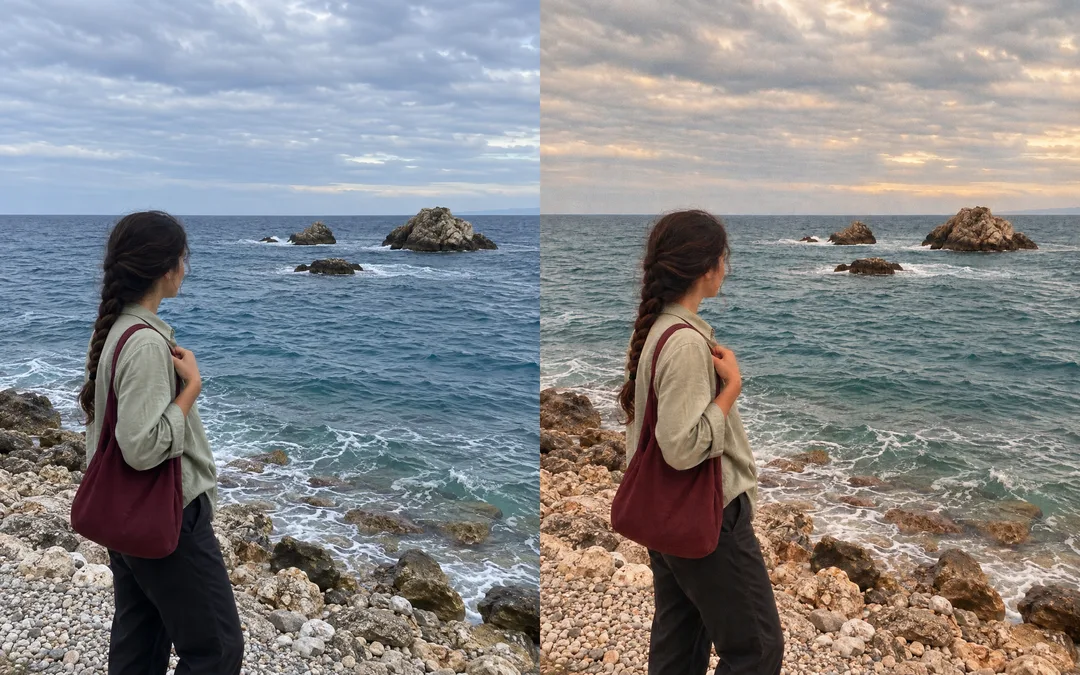
- 따뜻한 노을 필름: clearly warm creamy amber/peach highlights, muted teal blues, faded warm browns, natural skin; retain cloudy daytime brightness and original cloud shapes, never create glowing sunset clouds; keep the original lighting and weather, even on cloudy photos.
- 차가운 푸른 필름: cool blue/cyan shadows, slightly faded color, neutral believable skin.
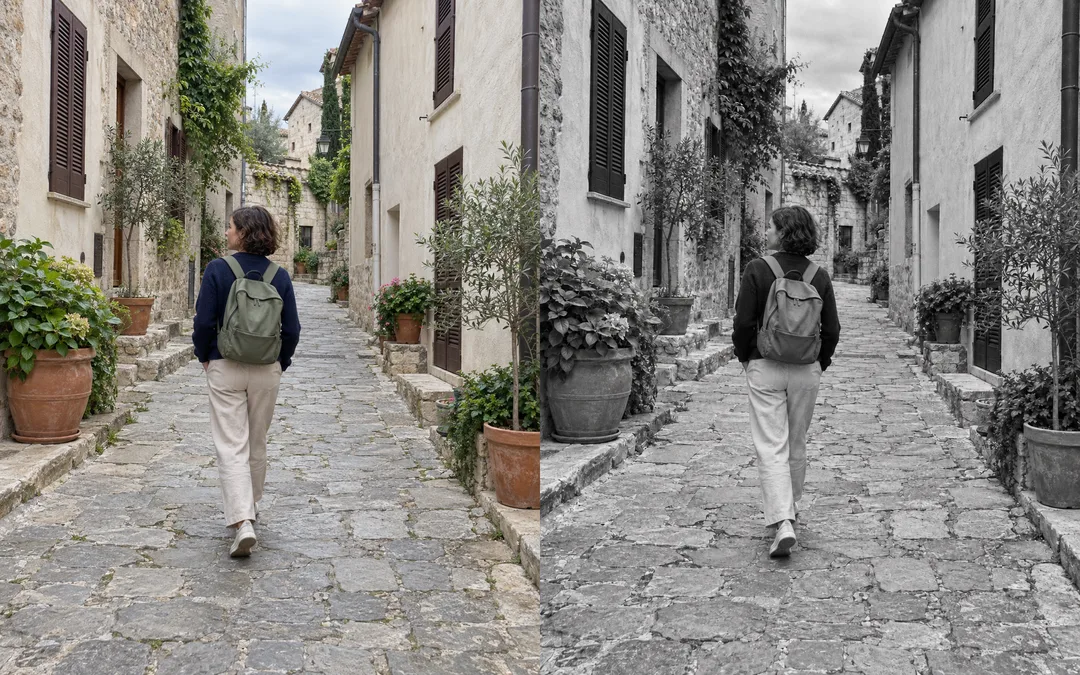
- 흑백 필름: neutral monochrome grayscale, smooth highlights and natural tonal separation.
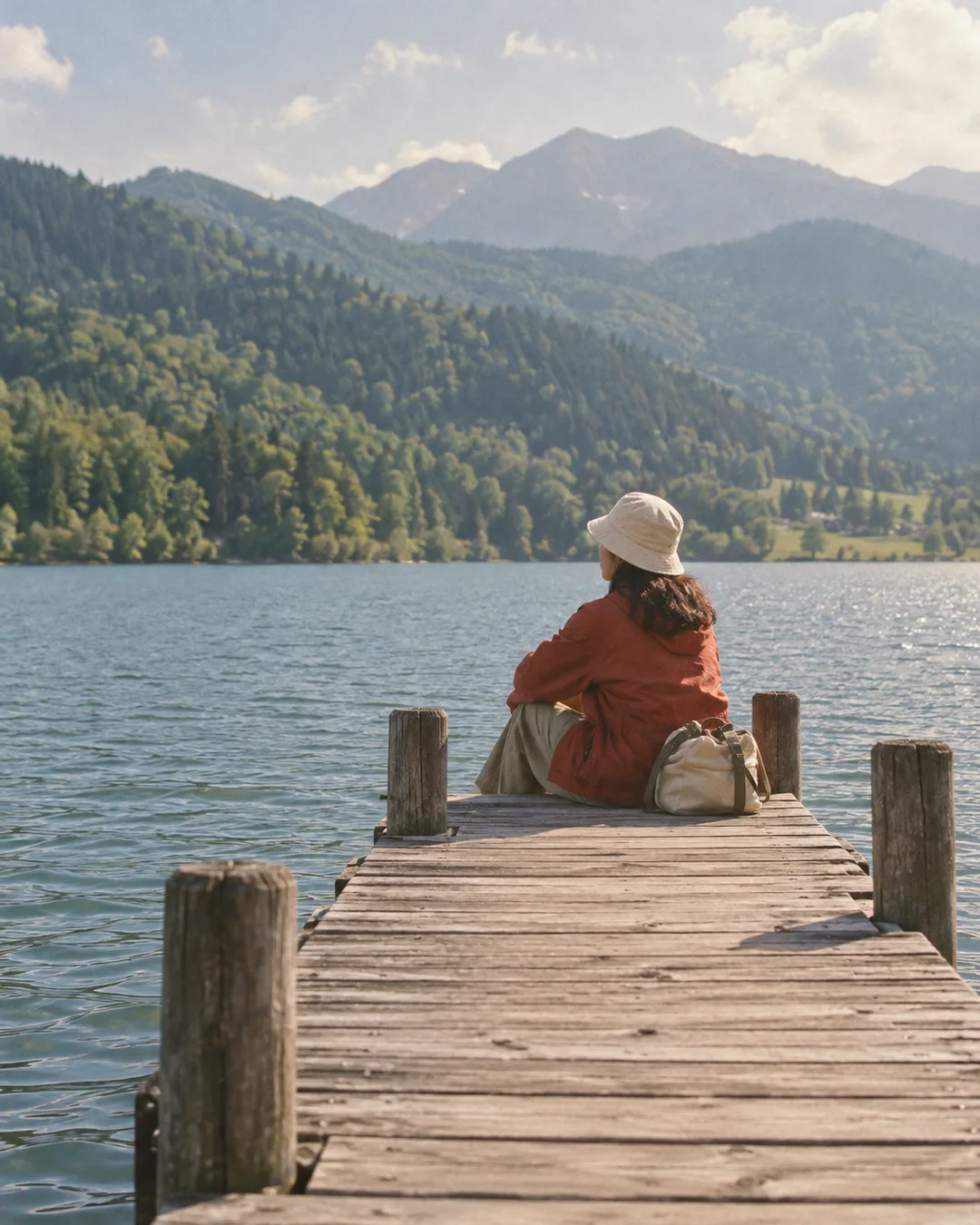
- 빛바랜 90년대: softly muted greens and reds, creamy shadows, modest nostalgic fading.
If the mood is empty, use 따뜻한 노을 필름.
All moods use clearly visible fine organic 35mm film grain across sky and shadows, visibly lifted matte charcoal blacks and soft optical halation only around existing bright highlights. The film transformation must be obvious at feed thumbnail size, not merely a slight color tint. Preserve the original light distribution and cloud shapes. Keep important detail sharp enough. No large light leaks, sepia wash, heavy scratches, strong blur, HDR or plastic skin.
Fill the requested aspect ratio edge to edge. Default is 4:5. Keep the original composition as close as possible; if aspect ratios differ, use the smallest necessary crop and never cut faces or hands. Never invent extra scenery to force the ratio.
No added text, date stamp, caption, signature, watermark, frame, phone mockup, UI or multiple panels. Do not add or amplify trademarks. Return just one finished travel photograph.

[Final output format]
Output size 1080x1350 pixels, 4:5 portrait, Instagram standard.
This selected output format takes priority over any fixed canvas size or aspect ratio elsewhere in this template. Adapt the composition, text zones and margins to the selected canvas without stretching or cropping essential content. Device safe areas apply only when a device is selected. Never print these format instructions on the image.
결과 어땠어요?
이 카드도 많이 사용해요


쓰는 법 · 자주 묻는 것
여행의 장면은 남기고 색감만 바꿔요
휴대폰으로 찍은 바다·골목·호숫가 사진을 차분한 필름 감성 피드로 만들 때 쓰세요. 사람을 다른 인물로 바꾸거나 여행지를 새로 꾸미는 카드가 아니에요. 같은 옷과 표정, 같은 구도에 눈에 띄는 필름 색 이동과 고운 입자, 살짝 들뜬 검정과 밝은 부분의 부드러운 빛 번짐을 입힙니다. 파티 사진의 강한 직광 플래시나 주황 날짜 각인은 넣지 않아요.
사진과 프롬프트를 함께 보내세요
꼭 채울 칸은 없어요. 내 사진에는 「하루가 바닷가에서 찍은 여행 사진」처럼 첨부 사진을 짧게 설명하세요. 이 칸에 파일이 올라가는 것은 아니므로, 그림 AI의 대화 입력창에 여행 사진 한 장을 첨부하고 복사한 프롬프트를 같은 메시지에 붙여 넣은 뒤 한 번 보내세요. 사진을 첨부하면 실제 사진이 우선이며 설명으로 사람이나 배경을 바꾸지 않습니다. 사진이 없으면 적은 장면의 가상 여행 사진을 만들고, 설명도 비우면 바닷가 전망대의 가상 여행자를 그려요.
필름 느낌은 네 가지예요. 따뜻한 노을 필름은 빛을 부드러운 호박색으로, 차가운 푸른 필름은 그늘을 푸른색으로 바꿔요. 흑백 필름은 색을 없애고 돌·물·옷의 명암을 살리며, 빛바랜 90년대는 녹색과 붉은색을 은은하게 누릅니다. 비우면 따뜻한 노을 필름이 적용돼요. 이름에 노을이 있어도 흐린 낮 사진을 저녁으로 바꾸지는 않아요.
결과 확인과 예시
기본 비율은 4:5예요. 원본도 4:5이면 구도를 가장 잘 유지할 수 있습니다. 다른 비율을 고르면 필요한 만큼 가장자리가 잘릴 수 있으니 얼굴과 손, 지평선을 원본과 비교하세요. 사진에 있던 사람 수·머리·가방·건물 위치가 달라졌다면 「원본의 사람과 구도를 유지하고 색감만 수정」이라고 요청하세요. 필름 입자가 너무 강하면 「입자를 더 고운 정도로」라고 고칠 수 있어요.
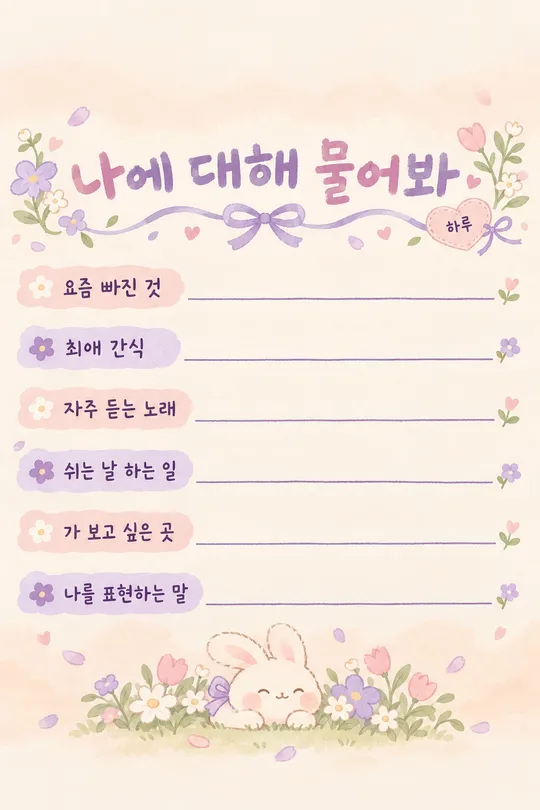
바다와 골목 비교는 각각 왼쪽 원본, 오른쪽 결과이며, 따뜻한 노을 필름과 흑백 필름을 보여 줘요. 호숫가 순수 결과는 빛바랜 90년대, 목록 표지는 따뜻한 노을 필름입니다. 모든 예시의 여행자는 가상의 하루예요. 날짜·이름·글자는 사진에 새로 찍히지 않습니다. 다른 사람이 나온 사진은 사용과 공유 동의를 먼저 확인하세요. 외부 그림 서비스의 요금과 약관은 해당 서비스에서 확인하세요.