

All · Comics & illustration · People
596Our family movie poster
Keep your family recognizable in a cinematic adventure poster with your exact title and release date.
What you get
- One family movie poster
- Your title and optional release date
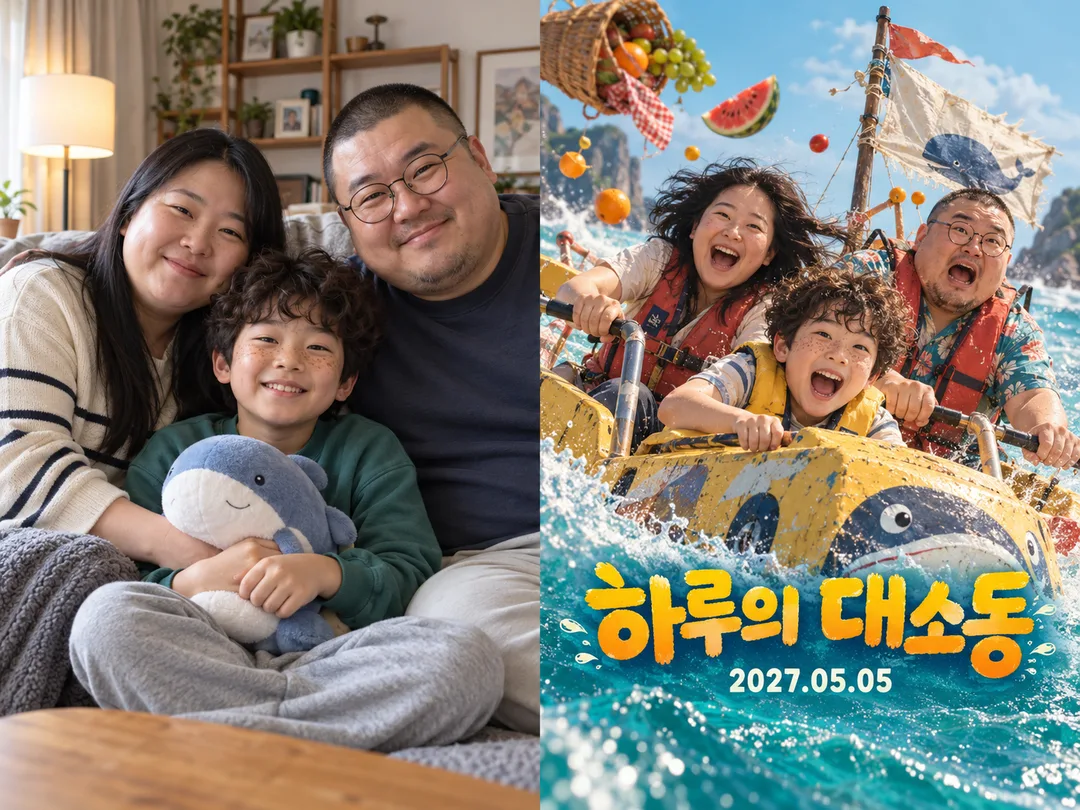
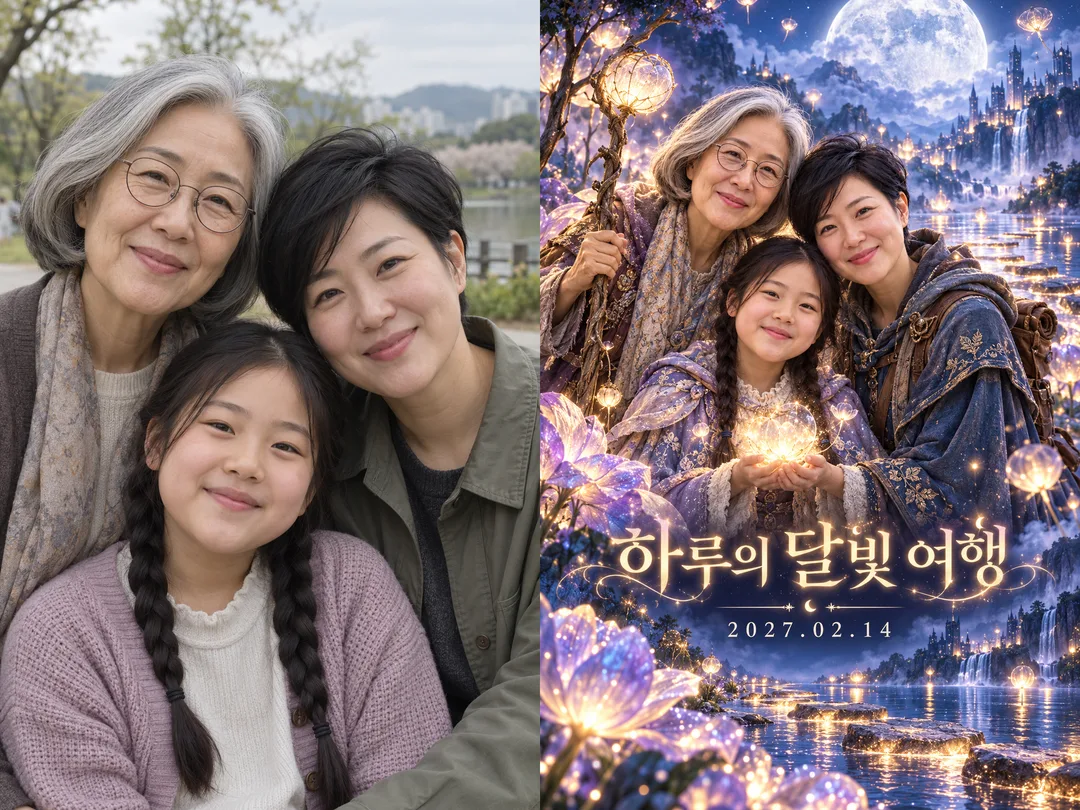
Fill in the fields
- 1Fill in the fields
- 2Copy the prompt
- 3Paste it into a GPT chat
- 4Send it as is and you get an image like the thumbnail example
- 5Attach a real photo that fits the card and it is used in the result: a background photo for background cards, a person or food photo for those cards Optional
Tested by us
- Test date
- 2026-10-29
- Tool
- ChatGPT image model (run via Codec) — Model identity and limit differences with free ChatGPT were not verified in this test
- Result
- Pass
- What worked
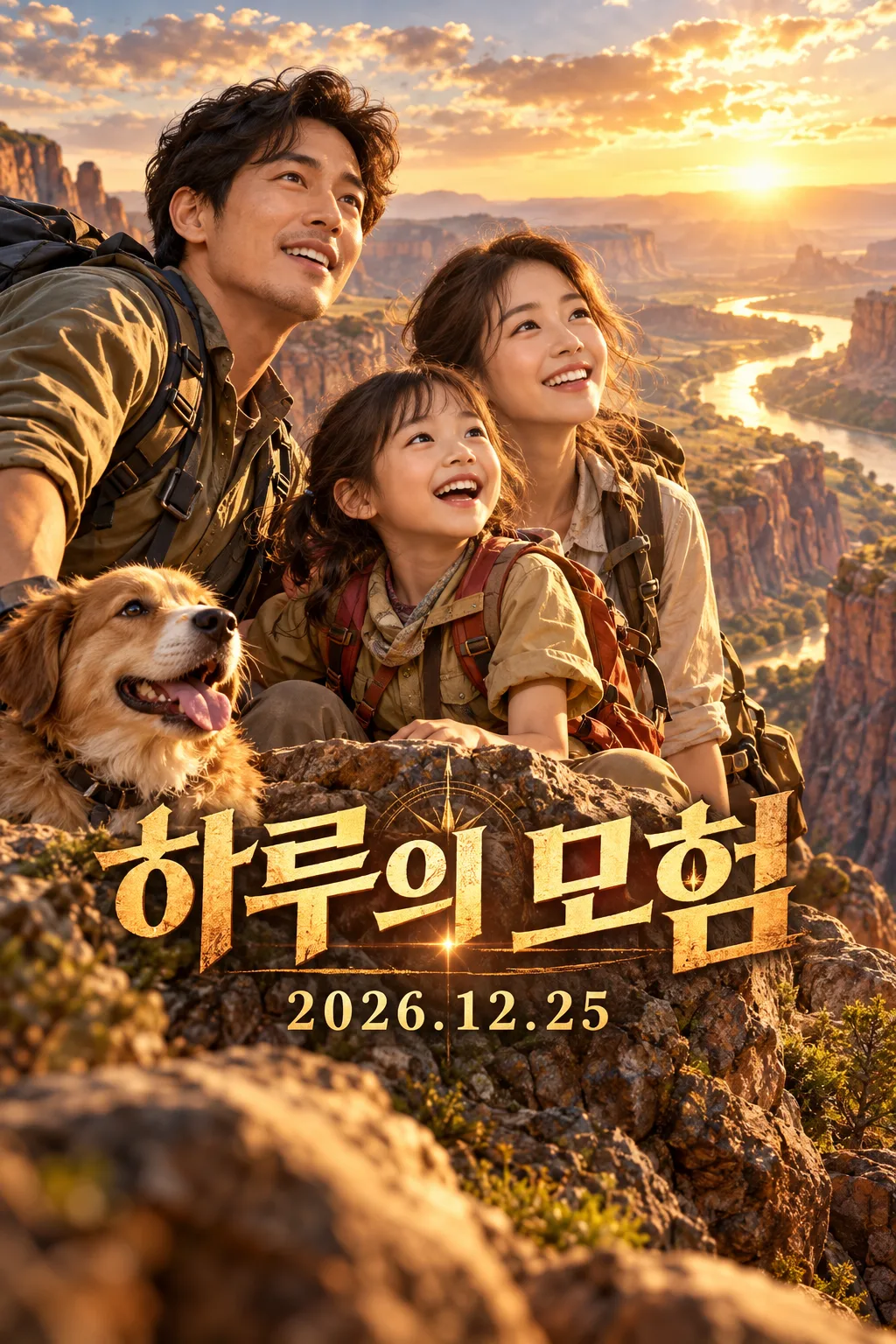
- In the final revision, the characters, numbers, and punctuation of "하루의 모험" and "2026.12.25" matched correctly. The faces of two virtual adults and one child were unobscured, including a photorealistic movie poster of a golden canyon. The image is 1024×1536 (2:3) with no border, filling the frame. Title center approx. 66%, date center approx. 75%; all text avoids the top 12% and bottom 20%. No distinct duplication or fusion in visible hands. No additional character names, credits, logos, or watermarks.
- What did not work
- None in the final test combination. The 2 original attempts had date bottoms at approx. 84% and 82.6%, deviating from the specified 82%. The 2 attempts from batch fix 1 had title tops at approx. 58% and 60%, going above the specified 62%. Since no photo was attached, consistency of actual family faces, comedy/fantasy styles, and other titles/dates were not verified. One unrequested dog was generated in the final result.
- How to improve
- When retesting with the same example values but modified only the batch sentences, the issue of the date sticking to the bottom was resolved. The current copy text has the fixes applied. It is not guaranteed that the same result will occur with other titles or photos, so please zoom out to check the characters and faces after completion.
Full prompt 3,018 characters
Generate this image now. Draw it directly, without explanations or follow-up questions.
Output exactly one finished 2:3 portrait image, 1024x1536 pixels. Leave the top 12% and bottom 15% free of essential text.
Create one premium full-bleed cinematic photographic family adventure movie poster. Default portrait ratio is 2:3. Never output a collage, comparison, mockup or multiple versions.
PHOTO RULE: 【Photo】 If a photo is attached, preserve ALL family members, their recognizable facial structures, ages, skin characteristics, hairstyles, glasses and natural body proportions. Change the setting, costumes, pose and light, while keeping faces clear and recognizable. Do not add, omit, duplicate or replace family members. If no photo is attached, invent a distinctive fictional family of three, unlike any public figure, and finish without asking for a photo.
TITLE AND RELEASE DATE: "【Title】"
Treat the first line as the title and an optional second line as the release date. Reproduce supplied text character for character, including script, spelling, digits and punctuation. Do not translate or correct user text, compute weekdays, invent a date, or add a release label. If only a title is supplied, omit the entire date line. If empty, use "Haru’s Adventure" as the title with no date.
GENRE: "【Genre】". Adventure: warm golden canyon expedition, sweeping landscape and courageous joyful expressions. Comedy: turquoise sunny seaside expedition, playful picnic mishap and lively comic expressions. Fantasy: indigo moonlit lake, luminous oversized flowers and magical stepping stones. Empty genre defaults to Adventure. Keep the same premium photographic theatrical finish; genre changes the story, palette and lighting.
Make a layered cinematic composition with large unobstructed family faces in the middle, a convincing original adventure setting and integrated bold title typography. Place the large title in the lower-middle area, with its visual center around 66 percent of canvas height, and the smaller, readable date centered around 75 percent height. These percentages describe line centers, not the outer edges of large lettering. Keep every part of both text lines, including decorative strokes, below the top 12 percent and above the bottom 20 percent. Keep the bottom 20 percent scenery only. Fill the entire canvas edge to edge.
Only print the supplied title and optional date. No extra cast names, credits, slogans, genre labels, logos, watermarks, recognizable brands, existing characters, celebrity likenesses, existing movie compositions or named artist styles. Use original fictional costume and prop designs. Before finishing, compare every title character and date digit with the input and check each face, person count and hand anatomy.

[Final output format]
Output exactly one finished 2:3 portrait image, 1024x1536 pixels. Leave the top 12% and bottom 15% free of essential text.
This selected output format takes priority over any fixed canvas size or aspect ratio elsewhere in this template. Adapt the composition, text zones and margins to the selected canvas without stretching or cropping essential content. Device safe areas apply only when a device is selected. Never print these format instructions on the image.
How did it turn out?
You may also like
How to use it · FAQ
A family keepsake with a cinematic story
Turn a family photograph into one photographic adventure movie poster for a trip keepsake or a wall display. Adventure uses a golden canyon, Comedy a sunny seaside mishap, and Fantasy a moonlit lake. The photographic finish remains consistent while the story, lighting and palette change. The result is one finished poster, without comparison panels.
Fill the fields
The title is the only required field. Put the movie title on its first line and an optional release date on the second. For example, use “Haru’s Adventure” followed by “2026.12.25”. Both are reproduced exactly, without translation or date conversion. Leave out the second line to remove the date entirely. The Photo field records whether you will attach a picture: attach the actual family photograph together with the copied prompt in your image tool. Choose a clear image with every face visible. With no attachment, a fictional family is created. Choose Adventure, Comedy or Fantasy; an empty genre means Adventure.
Create and check
Paste the completed prompt once into an image tool. The default is portrait 2:3; use the shared size control for another ratio. Enlarge the result to check every title character and date digit, then compare family count, glasses, hair and faces. If text is wrong, specify the exact text and regenerate. Obtain permission from the people pictured and a guardian before sharing a child’s face. Avoid real brands or existing movie characters. Check the external service’s own pricing and terms.