
All · Social posts · Seasons & holidays
392Kids Birthday Party Invitation
Keep the child’s face and hair while dressing them for a storybook birthday party invitation.
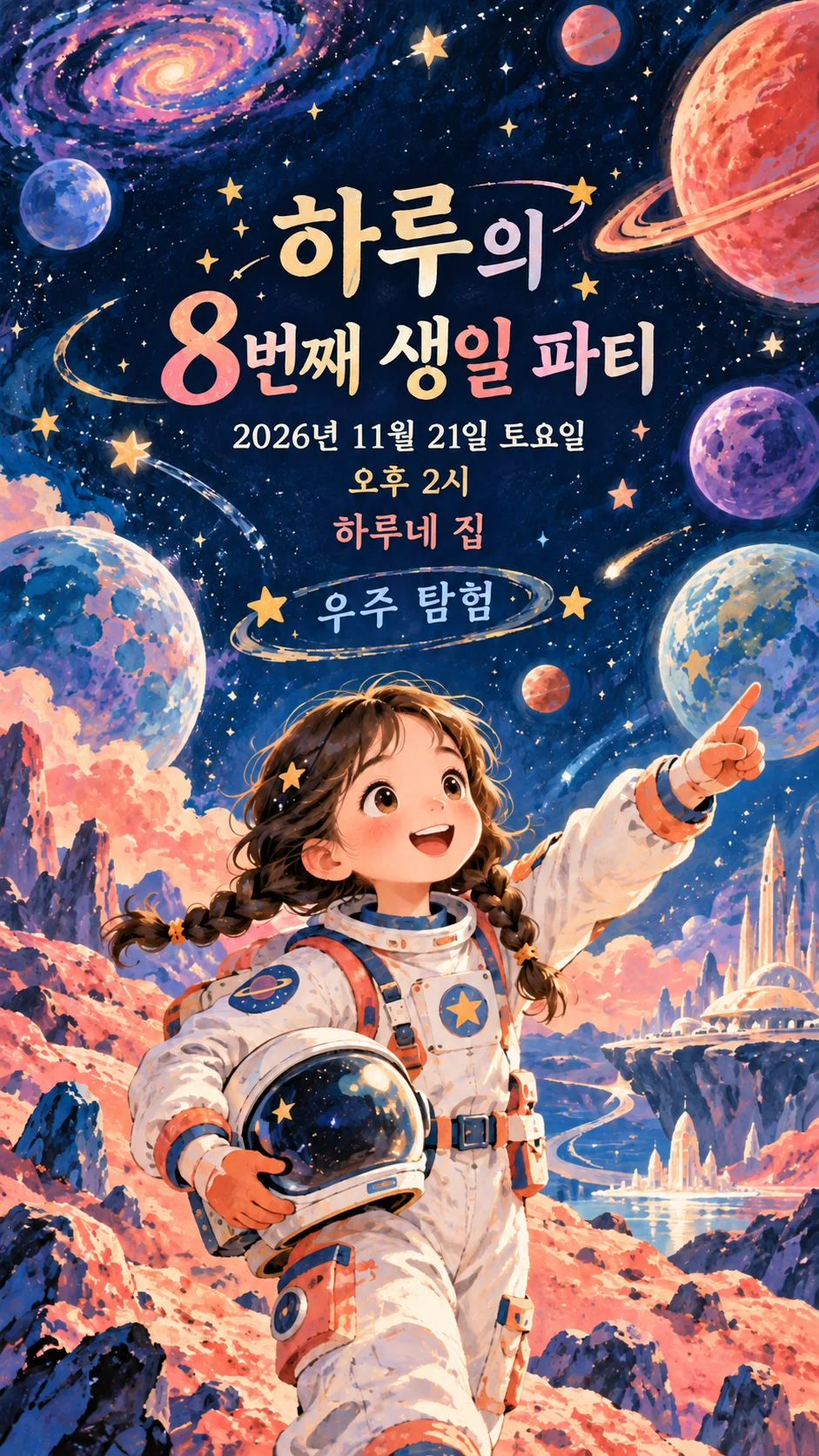
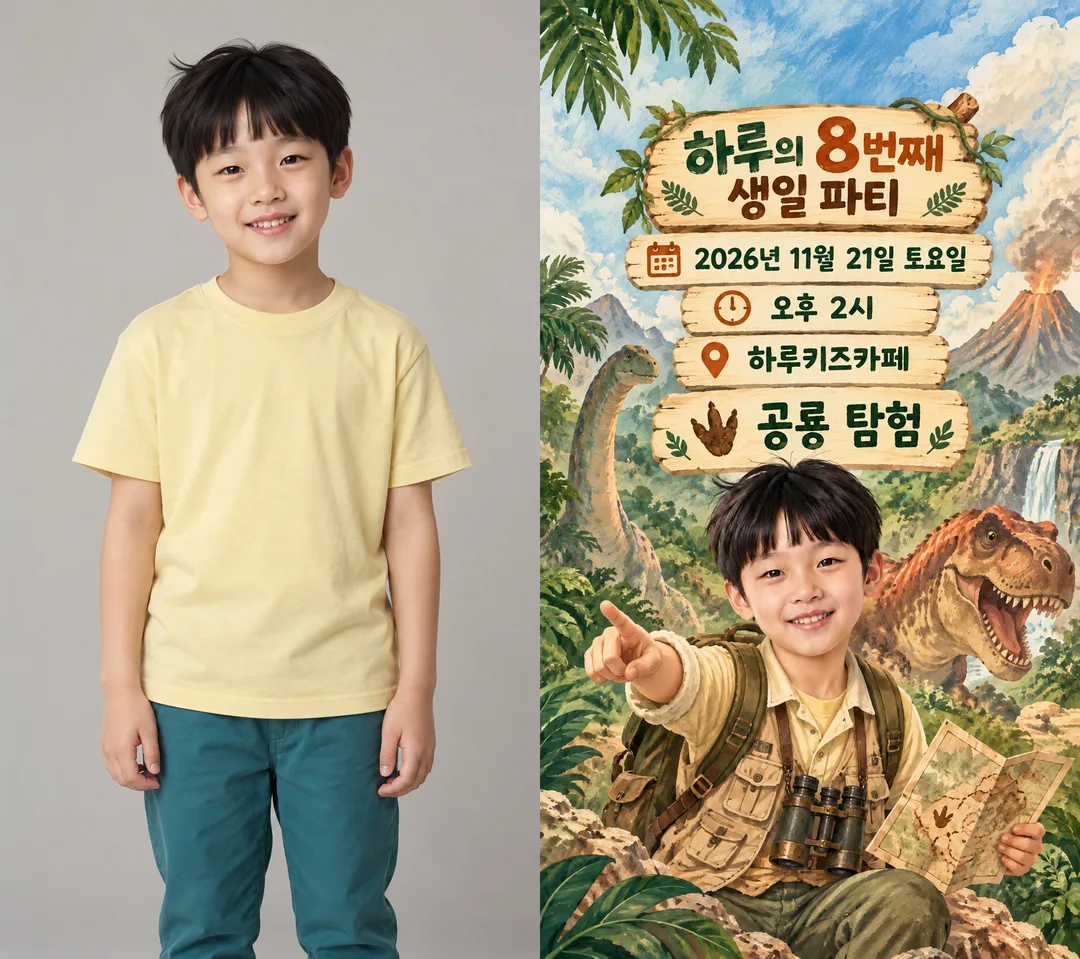
Fill in the fields
- 1Fill in the fields
- 2Copy the prompt
- 3Paste it into a GPT chat
- 4Send it as is and you get an image like the thumbnail example
- 5Attach One child photo approved by a guardian for use and name sharing; optional, with a fictional child when absent with the prompt and your photo is used in the result Optional
Full prompt 4,094 characters
Generate this image now. Draw it directly - do not describe it, explain it, or ask questions.
Output size 1080x1920 pixels, 9:16 portrait story. Keep all text inside the central 80% of the height.
Create exactly ONE finished full-bleed kids birthday invitation in English. Recommended mobile aspect ratio 9:16; honor the supplied size. Return only the complete image, never code, a comparison board, a mockup or multiple pages.

[One fixed visual style]
Detailed premium storybook gouache with warm natural textures, expressive original scenery and crisp high-contrast typography. THEME: "【Party theme】". Default when blank: "Dinosaur expedition". Dinosaur expedition: forest green and cream, original friendly dinosaurs and explorer vest. Space: midnight blue and coral, planets and a fictional spacesuit. Castle: lavender and gold, an original castle and cape. Ocean: turquoise and sand, marine scenery and diving suit. Soccer: grass green and sunshine yellow, a field, plain ball and logo-free sports outfit. Change scenery and theme clothing only; keep the same illustration medium, single invitation format and hierarchy. No licensed characters, real brands, team badges, recognizable commercial products, signatures or watermarks.

[Photo rule]
If a photo is attached, use that one child as the subject. Preserve the exact facial identity, eyes, nose, mouth, facial proportions, skin tone, expression, hairline, hair length and hairstyle. Render the recognizable child in this fixed illustrated style and change clothing to the selected theme. Keep the apparent age, no beautification or celebrity resemblance; avoid hiding hair beneath a helmet or face beneath a mask. No additional people. Without a photo, create an entirely fictional child of the specified age with no intentional resemblance to any real person. Finish immediately without requesting a photo. Guardian permission for photo use and sharing the child's name is required.

[Exact text and layout]
NAME: "【Child name】". BIRTHDAY_NUMBER: "【Birthday number】".
Large title: "【Child name】’s 【Birthday number】th Birthday Party". Use the correct English ordinal suffix (1st, 2nd, 3rd, 4th, 8th, 11th, 12th, 13th, 21st); replace the displayed th when needed.
Below the title print exactly these lines, once each: "【Date】 【Weekday】", "【Start time】", "【Venue】".
Keep essential text below the top 12% and above the bottom 15%, large enough to read on a phone. Center the heading around 15–27%, date/time/venue around 29–47%, and a large child integrated with scenery in the lower half. Fill every edge with the design; no outer paper, tiny inset card or phone frame. Never obscure the face or shrink essential facts to fit optional lines.

[Optional lines]
LOCATION_DETAILS: "【Location details】". Empty means omit its whole line; otherwise print verbatim beneath the venue. Do not invent an address or room.
THEME_LINE: "【Theme line】". Empty means omit its whole line. If it equals "Choose for me", print "Let’s have fun together"; otherwise print verbatim. Theme choice controls imagery only and must not automatically add a printed theme name.
REPLY_INSTRUCTIONS: "【Reply instructions】". Empty means omit its whole line; otherwise print verbatim. Position optional lines in the clear middle area above the child, above 80%. Do not invent contacts, deadlines, fees, programs, gifts, maps or clickable buttons.

[Verification]
Verify the date and weekday against a reliable calendar or web source before rendering; do not guess or silently replace supplied event details. Render all event text in English. Compare every letter, character, digit and weekday with the supplied values. No verification notes, placeholder instructions or example labels in the artwork. Compare face and hair with the attached photo before returning the one finished invitation.

[Final output format]
Output size 1080x1920 pixels, 9:16 portrait story. Keep all text inside the central 80% of the height.
This selected output format takes priority over any fixed canvas size or aspect ratio elsewhere in this template. Adapt the composition, text zones and margins to the selected canvas without stretching or cropping essential content. Device safe areas apply only when a device is selected. Never print these format instructions on the image.
How did it turn out?
You may also like
- 386Mobile Wedding Invitation Cover
- 377Christmas Decorations for Your Shop
- 360My Year, Remembered by AI
- 357Autumn portrait — your own look on a fall avenue
- 355AI Ideal Partner Test — Your AI reads your personality from past chats and predicts who suits you
- 342Silhouette behind fluted glass — a softly blurred figure and warm light
How to use it · FAQ
A themed invitation for classmates
Make one portrait invitation to share with the parents of kindergarten or primary-school friends. The child and themed scenery appear below a large title and readable event details. Every theme uses the same detailed storybook gouache illustration: an explorer vest and forest for dinosaurs, a spacesuit and planets for space, a cape and castle, a diving suit and ocean, or a logo-free sports outfit and soccer field. Themes change the scene and outfit while keeping the same invitation format and illustration style.
Event details and optional lines
There are 6 required fields: child name, birthday number, date, weekday, start time and venue. Use a number such as 8; English headings use the correct ordinal, including 1st, 2nd, 3rd and 8th. Include the year and AM or PM. November 21 and December 5, 2026 are both Saturdays. Use a venue guests can recognize; put a floor or room in location details. Empty location details remove the whole line without inventing an address. Dinosaur expedition is the default party theme. Use the shared size menu; 9:16 is recommended for mobile messages.
The theme line is separate from the visual theme. Supply a short line such as Dinosaur expedition, choose Choose for me to print Let’s have fun together, or leave it empty to omit it entirely. Selecting a theme alone does not print its name. Reply instructions appear only when supplied. Empty instructions do not create a phone number, attendance deadline or booking button. The image has no interactive map or clickable controls.
Attach a child photo
Use one photo whose use and name sharing have been approved by the guardian. Attach it in the image AI chat and paste the copied prompt into the same message. Choose a clear face and unobstructed hair. The child’s facial identity, eyes, nose, mouth, face shape, skin tone and hair remain recognizable; only the outfit changes to the selected theme. The result does not make the child younger or resemble a celebrity. Without a photo, an entirely fictional illustrated child is created immediately. Share only the name and location details appropriate for the recipients.
Check before sending
The cover is a dinosaur invitation; the independent example is a space invitation. The comparison shows a fictional source child and a separately generated themed result. Haru and the example venues are fictional. Compare every letter in the name, the birthday number, date, weekday, time and venue. Check the real calendar, then compare the face and hair against the photo. If characters are wrong, correct the relevant field and regenerate. Shorten optional text if a long address or reply line crowds the essential facts.
Common questions
A photo is optional. This card features one child, rather than a group of siblings or classmates. Face and hair stay faithful while clothes change to the theme. Leaving the theme line empty removes it. One pasted prompt produces one invitation; the website’s source/result comparison is a demonstration, not the requested output.