
All · Wallpapers · Seasons & scenery
380Monthly Calendar Phone Wallpaper
Seasonal scenery with a Sunday-first calendar and quiet clock space.
Fill in the fields
- 1Fill in the fields
- 2Copy the prompt
- 3Paste it into a GPT chat
- 4Send it as is and you get an image like the thumbnail example
- 5Attach a real photo that fits the card and it is used in the result: a background photo for background cards, a person or food photo for those cards Optional
Full prompt 5,317 characters
Generate this image now. Draw directly; do not explain or ask questions.
Create exactly ONE original full-bleed monthly phone calendar wallpaper. No phone mockup, frame, collage, clock, widgets, icons, logos, watermark or slogan.
MONTH: "【Year and month】". Parse the four-digit year and month. If empty use 2026-10. Use the authoritative matching date table below. For other valid year/month inputs, verify weekday of day 1, Gregorian leap year and month length using a reliable calendar source before drawing; calculate the Sunday-first grid. Never substitute a different year or invent dates. Never print research notes.
STYLE: "【Visual style】". Watercolor = refined natural watercolor with paper texture; Photography = realistic atmospheric photography; Cute illustration = rounded cozy storybook illustration; Minimal = restrained flat seasonal shapes. If empty use Watercolor. Use only one selected style.
Season follows the chosen month in the Northern Hemisphere: January sunrise and snowy village; February quiet frosted woodland; March budding branches; April blossoms by a stream; May lush green garden; June hydrangeas; July blue coast; August summer meadow; September golden grasses; October amber maple lake; November misty late-autumn trees; December snowy window with warm tree lights. No Christmas decorations outside December. Original anonymous scenes, no recognizable landmark or existing artwork.
Composition: top 0–35% is calm low-detail sky or wall with no sharp branches, lettering or bright focal light, for the phone's actual clock and widgets. Main seasonal scene sits at 35–66%. At 67–93% place month heading, weekday labels and calendar on a naturally light quiet area. Leave 93–100% quiet for gestures. Continue the scenery to every edge, not a small card on paper; no pasted rectangular calendar panel. For six-week months compress row spacing while retaining legibility. No scene details behind numerals.
Heading in English, e.g. OCTOBER 2026. Weekdays exactly SUN MON TUE WED THU FRI SAT. Text limited to year/month, weekday labels and date numbers.
Seven equal columns in Sunday-first order. Only Sunday header and Sunday dates are muted red; all others charcoal. No holiday labels or special holiday colors, including December 25 and January 1. Use large clean centered numerals, without leading zeroes. Empty cells are entirely unprinted: no dashes, letters, dots or zeroes. No adjacent-month dates. Header is not a date row. Each integer from 1 to the last date occurs exactly once.
AUTHORITATIVE DATE TABLES: each line is one row of seven cells in Sunday through Saturday order. EMPTY is a non-printing cell instruction, never visible text. Use only the selected month:
2026-10:
EMPTY EMPTY EMPTY EMPTY 1 2 3
4 5 6 7 8 9 10
11 12 13 14 15 16 17
18 19 20 21 22 23 24
25 26 27 28 29 30 31

2026-11:
1 2 3 4 5 6 7
8 9 10 11 12 13 14
15 16 17 18 19 20 21
22 23 24 25 26 27 28
29 30 EMPTY EMPTY EMPTY EMPTY EMPTY

2026-12:
EMPTY EMPTY 1 2 3 4 5
6 7 8 9 10 11 12
13 14 15 16 17 18 19
20 21 22 23 24 25 26
27 28 29 30 31 EMPTY EMPTY

2027-01:
EMPTY EMPTY EMPTY EMPTY EMPTY 1 2
3 4 5 6 7 8 9
10 11 12 13 14 15 16
17 18 19 20 21 22 23
24 25 26 27 28 29 30
31 EMPTY EMPTY EMPTY EMPTY EMPTY EMPTY

2027-02:
EMPTY 1 2 3 4 5 6
7 8 9 10 11 12 13
14 15 16 17 18 19 20
21 22 23 24 25 26 27
28 EMPTY EMPTY EMPTY EMPTY EMPTY EMPTY

2027-03:
EMPTY 1 2 3 4 5 6
7 8 9 10 11 12 13
14 15 16 17 18 19 20
21 22 23 24 25 26 27
28 29 30 31 EMPTY EMPTY EMPTY

2027-04:
EMPTY EMPTY EMPTY EMPTY 1 2 3
4 5 6 7 8 9 10
11 12 13 14 15 16 17
18 19 20 21 22 23 24
25 26 27 28 29 30 EMPTY

2027-05:
EMPTY EMPTY EMPTY EMPTY EMPTY EMPTY 1
2 3 4 5 6 7 8
9 10 11 12 13 14 15
16 17 18 19 20 21 22
23 24 25 26 27 28 29
30 31 EMPTY EMPTY EMPTY EMPTY EMPTY

2027-06:
EMPTY EMPTY 1 2 3 4 5
6 7 8 9 10 11 12
13 14 15 16 17 18 19
20 21 22 23 24 25 26
27 28 29 30 EMPTY EMPTY EMPTY

2027-07:
EMPTY EMPTY EMPTY EMPTY 1 2 3
4 5 6 7 8 9 10
11 12 13 14 15 16 17
18 19 20 21 22 23 24
25 26 27 28 29 30 31

2027-08:
1 2 3 4 5 6 7
8 9 10 11 12 13 14
15 16 17 18 19 20 21
22 23 24 25 26 27 28
29 30 31 EMPTY EMPTY EMPTY EMPTY

2027-09:
EMPTY EMPTY EMPTY 1 2 3 4
5 6 7 8 9 10 11
12 13 14 15 16 17 18
19 20 21 22 23 24 25
26 27 28 29 30 EMPTY EMPTY

2027-10:
EMPTY EMPTY EMPTY EMPTY EMPTY 1 2
3 4 5 6 7 8 9
10 11 12 13 14 15 16
17 18 19 20 21 22 23
24 25 26 27 28 29 30
31 EMPTY EMPTY EMPTY EMPTY EMPTY EMPTY

2027-11:
EMPTY 1 2 3 4 5 6
7 8 9 10 11 12 13
14 15 16 17 18 19 20
21 22 23 24 25 26 27
28 29 30 EMPTY EMPTY EMPTY EMPTY

2027-12:
EMPTY EMPTY EMPTY 1 2 3 4
5 6 7 8 9 10 11
12 13 14 15 16 17 18
19 20 21 22 23 24 25
26 27 28 29 30 31 EMPTY
Before rendering, match every cell to the chosen table, including all leading and trailing empty cells. After rendering check all dates, column positions, row count, Sunday colors and exact month/year heading. Output only the finished wallpaper; do not require code, cropping, retouching, a second prompt or extra steps.

[Final output format]
Output size 1080x1920 pixels, 9:16 portrait story. Keep all text inside the central 80% of the height.
This selected output format takes priority over any fixed canvas size or aspect ratio elsewhere in this template. Adapt the composition, text zones and margins to the selected canvas without stretching or cropping essential content. Device safe areas apply only when a device is selected. Never print these format instructions on the image.
How did it turn out?
You may also like




How to use it · FAQ
A fresh calendar on your lock screen
Create one seasonal phone wallpaper with a calendar in the bottom third. The upper area stays quiet for your real clock and widgets; the image does not draw those controls. Sunday dates are red. Holidays receive no separate labels or colors, including December 25 and January 1.
Fill the fields
All three fields are required: Year and month, Visual style and Device. Enter the year as well as the month, such as December 2026. You may type a month outside the suggestions. October 2026 through December 2027 have explicit date tables; other months require verification against a reliable calendar. An empty month defaults to October 2026. Omitting the year can change every weekday position.
Choose Watercolor for soft pigment and paper texture, Photography for natural light, Cute illustration for rounded cozy houses, or Minimal for restrained seasonal shapes. Empty style defaults to Watercolor. Northern Hemisphere seasons follow the month: an amber lake in October, a snowy window and tree lights in December, and sunrise over a snowy village in January. Christmas decorations appear only in December.
Device suggestions match the other wallpaper cards. Distinguish foldable main and cover displays. Select 9:16 if you do not know your model. A named model asks for manufacturer display verification; unavailable specifications must not be invented. A ratio input follows the common canvas selector; an empty device defaults to 9:16. The cover and both examples use 9:16. No uploaded photo is needed.
Check every calendar cell
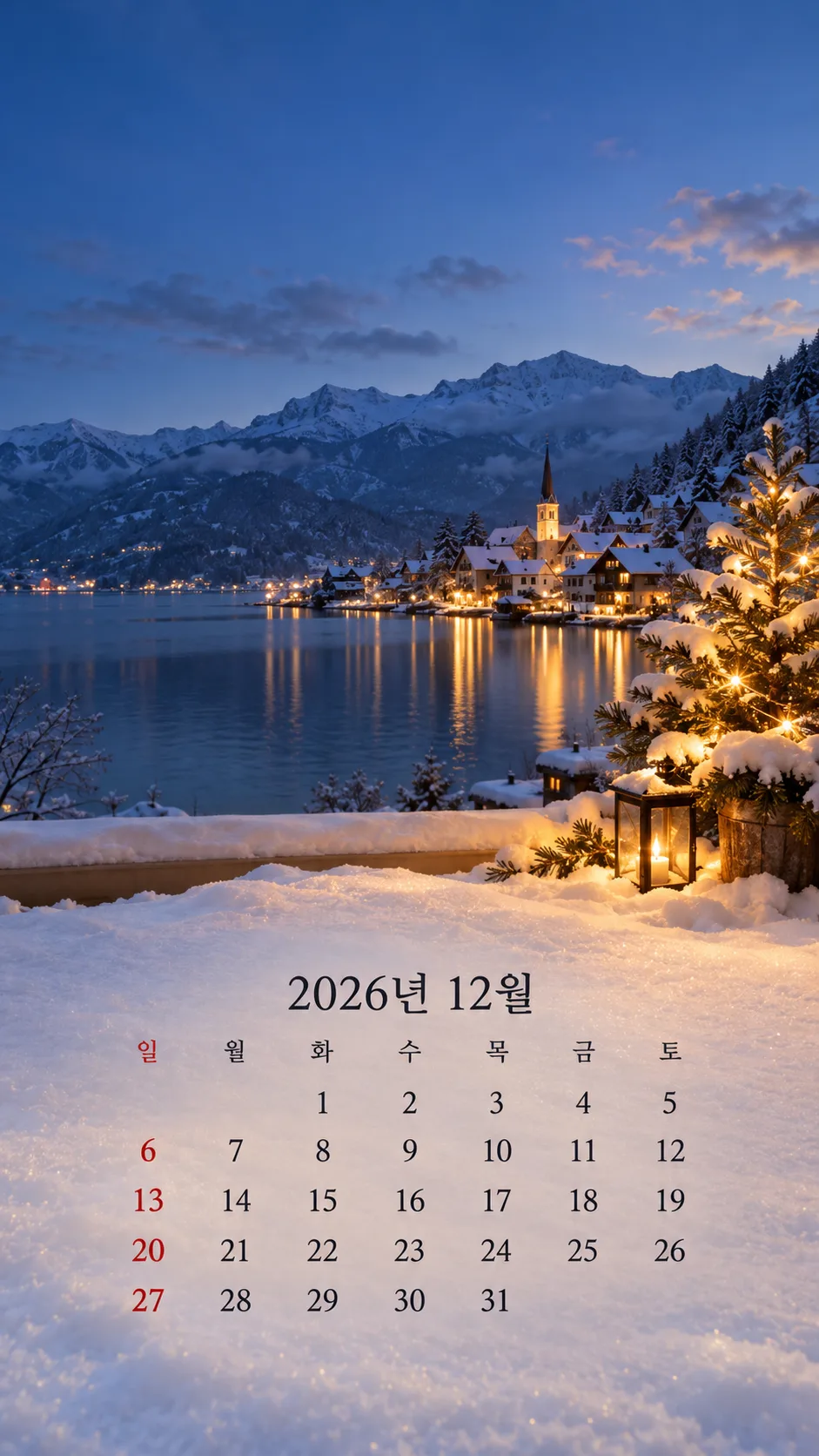
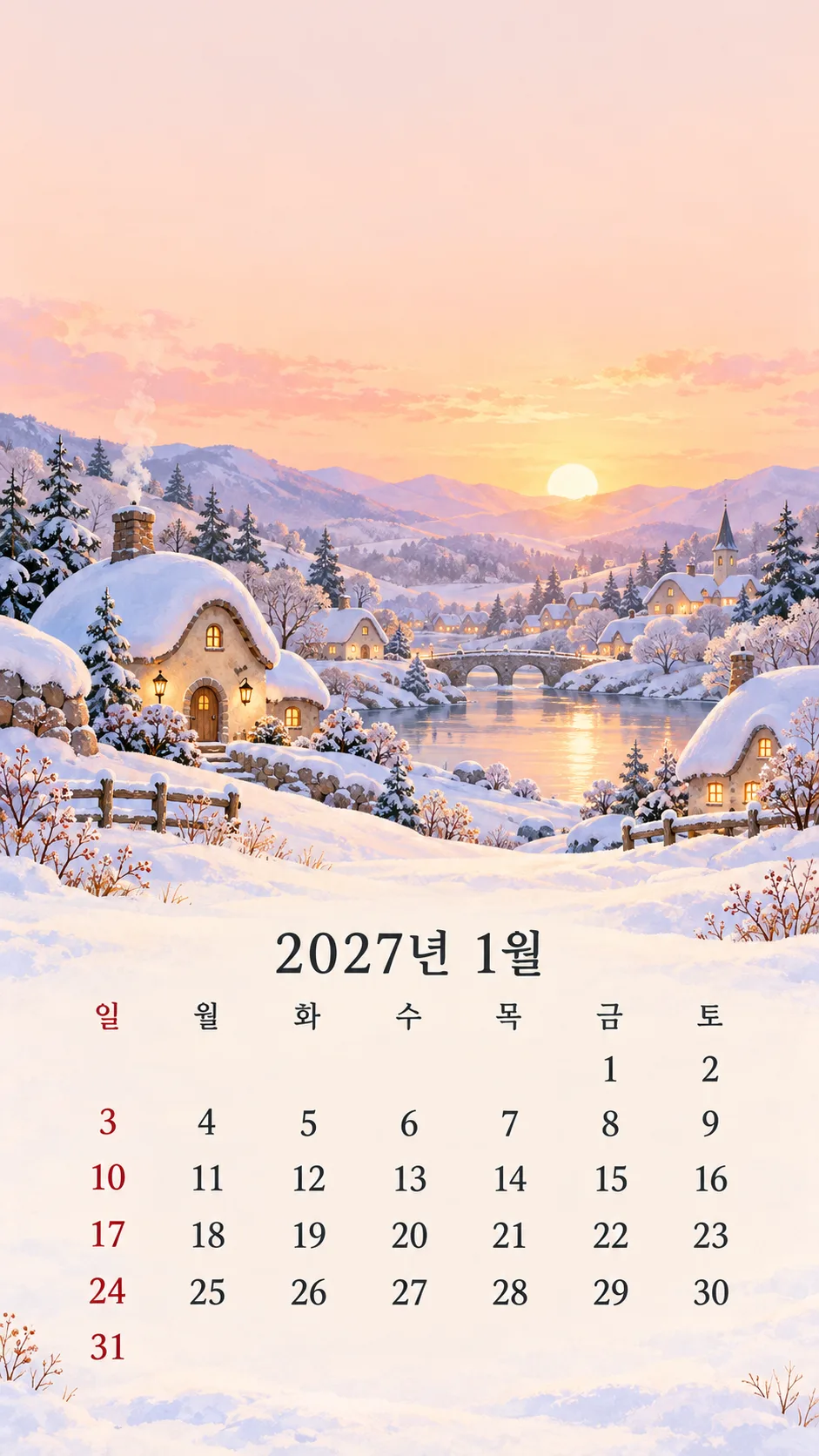
Copy the prompt once into an image AI to request one finished wallpaper. Check that service's pricing and terms there. Even explicit tables can produce errors. October 2026 starts on Thursday and has 31 days in five rows; December 2026 starts on Tuesday and has 31 days in five rows; January 2027 starts on Friday and has 31 days in six rows. Compare every cell against a real calendar, including empty cells, duplicates and the final date. January 31, 2027 belongs in the last Sunday's cell.
Questions and fixes
- Are public holidays highlighted? No. Only the Sunday column is red.
- What if a number is wrong? Resend the complete month table and identify the incorrect cell, then regenerate. Do not paint over dates or crop them away. If three attempts still fail, do not use the image as a calendar.
- What if my phone crops it? Preview your actual lock screen and check the last date row and clock. Automatic zoom and widget positions vary. Request more clock and bottom safety space if needed.
- What do the examples show? The cover is October 2026 in watercolor; the gallery contains December 2026 photography and January 2027 cute illustration. All are separate generated images.