

All · Social posts · Memes
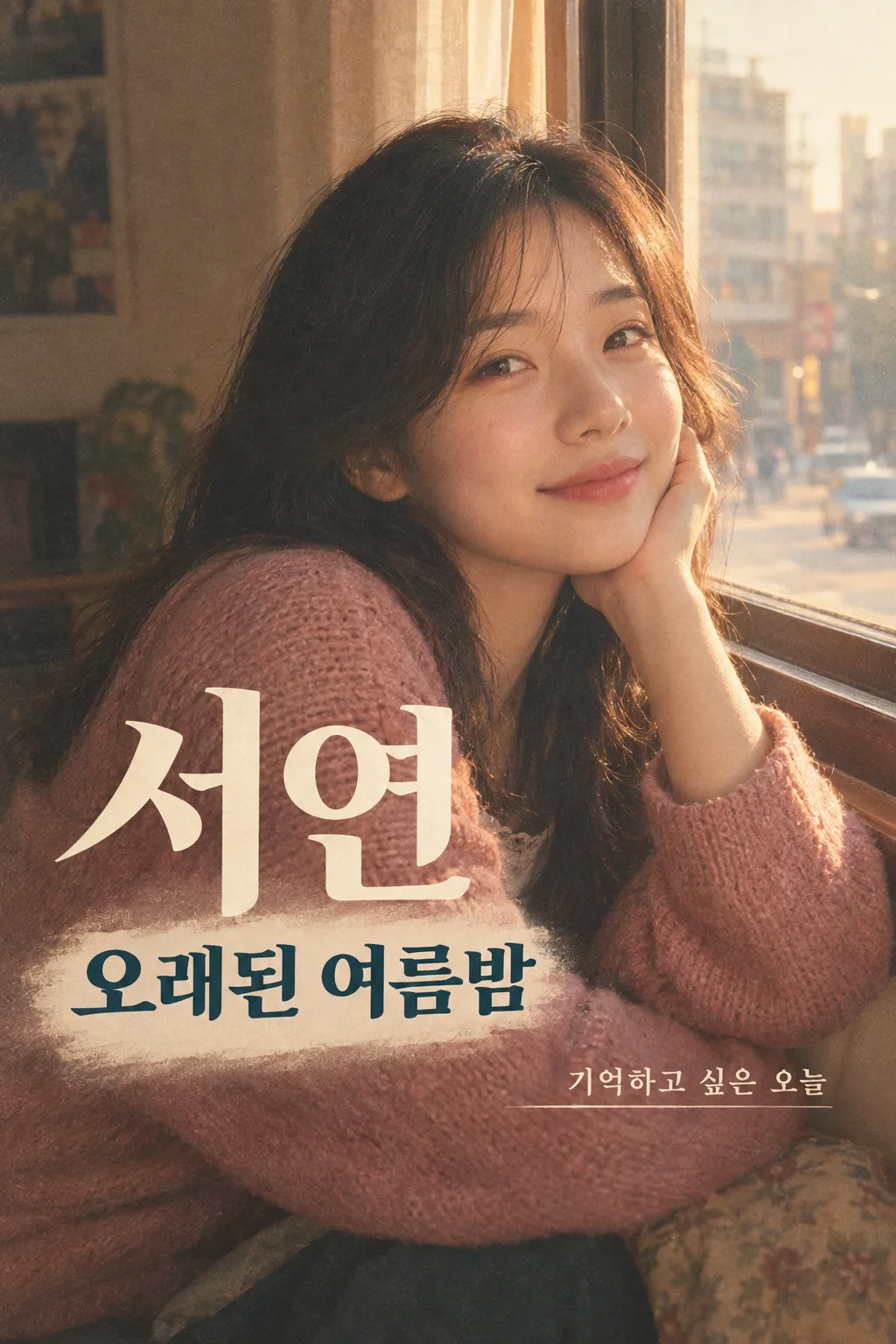
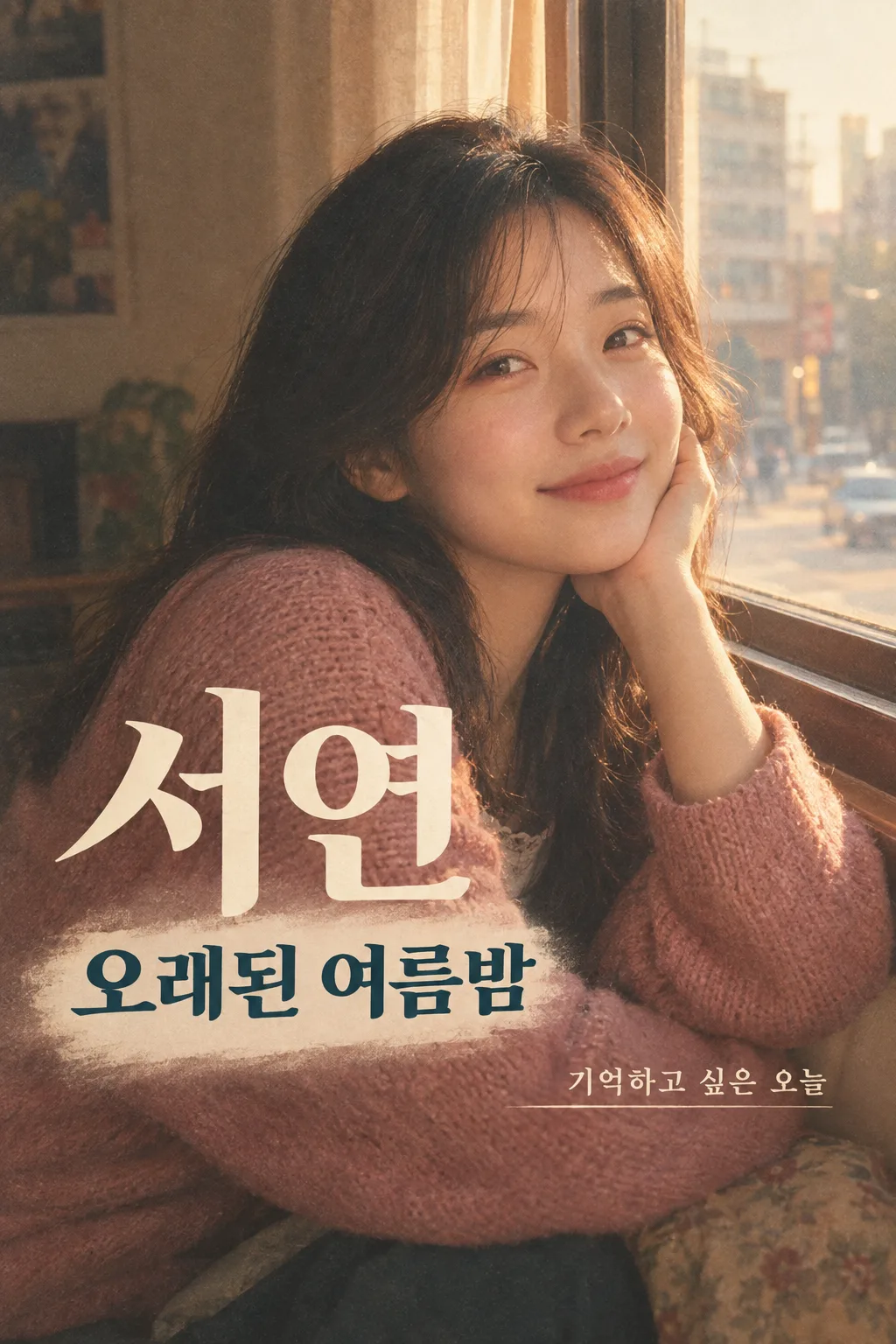
071Your 1980s Inspired Album Cover
Turn your own photo, name, and a short line into a fictional retro album cover to share.
Fill in the fields
- 1Fill in the fields
- 2Copy the prompt
- 3Paste it into a GPT chat
- 4Send it as is and you get an image like the thumbnail example
- 5Attach your photo with the prompt and your photo is used in the result Optional
Full prompt 7,680 characters
Generate this image now. Draw it directly - do not describe it, explain it, or ask questions.
PHOTO RULE (this overrides any other line in this prompt, before or after it, that calls the photo required or mandatory or says to ask for it): if a photo is attached, use it exactly as the instructions below describe. If no photo is attached, never ask for one and never stop — invent a fitting fictional subject (person, pet, food, product or place, whatever this card is about) in the spirit of the card's example image, and finish the image.
Output exactly one finished 2:3 portrait image, 1024x1536 pixels. Leave the top 12% and bottom 15% free of essential text.
Create exactly ONE finished 2:3 vertical English retro album-cover image from the photograph attached in this same message. Return the image itself, with no explanation, code, second page, crop plan, carousel, or request for another turn.

[Purpose]
The person in the attached photo wants a shareable, fictional 1980s-inspired album cover bearing their own chosen name. This is a personal social post for an Instagram feed or a Threads image, not a replica of a real record, singer, band, cover, or label. Print the name "【Artist name】" as the artist name. Album-title input is "【Album title】". One-line-copy input is "【One-line message】". Emotional direction is "【Photo mood】". This image has to feel like that person's one-off musical memory, not a generic retro portrait. Keep the photo's identifiable subject, and make one new composition around that real identity.

[Scene]
Design one complete 2:3 portrait album sleeve image, without drawing a vinyl record, cassette player, phone mockup, border of a social app, or a tilted paper product. The front cover itself fills the entire canvas edge to edge. Use one dominant photographic portrait occupying about 72% of the page, then a restrained typographic area integrated with the portrait. Choose an era-plausible setting and pose that fit "【Photo mood】": an intimate indoor window for quiet longing, a sunlit ordinary street for warm excitement, or a simple colored studio backdrop for confident energy. These are directions, not extra facts about the user's life. Make the setting visually memorable but subordinate to the real face. A subtle film grain, gentle halation, imperfect analogue color and believable fabric create the retro feeling. Nothing should look like a current digital UI or a costume parody. There is only ONE person if the attachment shows one person; if the attachment genuinely shows more people, preserve the number of people and their relationships without inventing an extra companion.

[Attached photo]
The uploaded photo is mandatory, and is the sole source of each person's identity. Preserve the same recognizable face, facial proportions, eye and nose shapes, skin tone, apparent age, natural asymmetries, hairstyle identity, and distinctive details. A historical photo aesthetic may change light, clothing styling and background, but never replace the individual with a celebrity, idealized model, or different age. Do not guess a school, profession, birthplace, musical career, relationship status, or personal history. If the attached photograph is a portrait crop, it is acceptable to compose a portrait rather than inventing a full body. Keep glasses and facial hair when present. Do not artificially slim, whiten, sexualize, or beautify the subject. If there is no attached photograph, do not pretend the generated person is the user; instead request the photo without generating a fabricated likeness.

[Text layout]
Use approximately the central 12-84% height for the visual portrait and the text. Keep the top 12% and bottom 15% free of essential words so a website card overlay cannot obscure them. Print "【Artist name】" large enough to read in a small card listing, in one quiet, high-contrast area around the upper-middle or center. Directly below or near it, print one large original album title. If "【Album title】" is "Choose for me", do not print those input words: create a short original English title of 2-5 words that fits the actual mood, photo and name. Otherwise print the provided title exactly. In a second, smaller but still readable area print exactly one line of personal copy. If "【One-line message】" is "Choose for me", do not print those words: write a warm original English line of at most 16 English characters suited to the actual image, without claiming a biographical fact. Otherwise print the provided line exactly. The emotional-direction input "【Photo mood】" sets color and expression but is not a printed form label. No date, edition number, fabricated track list, barcode, record-company mark, review, rank, price, or claim of a real release.

[Style]
Make a carefully art-directed Korean personal album cover inspired by the broad visual language of late twentieth-century analogue portrait photography. This must not imitate an identifiable real album, performer, film character, brand, or copyrighted graphic. Let the emotional direction choose the palette: amber and muted terracotta for warmth, deep indigo and dusty rose for longing, crisp cobalt and soft cream for confidence, mellow apricot and sage for friendship. Use at most two to three harmonious colors plus natural skin tone. Typography may echo era-appropriate large album lettering, but it must be readable English, not fake unrequested additional text or illegible decorative glyphs. The image should be attractive even without an exterior caption. Avoid one-note brown sepia on every user input.

[Visual hierarchy]
At thumbnail size the viewer must see a real individual and immediately read the person's name and concise album title. At phone size the short one-line copy should read clearly. Reserve calm, low-detail space behind all lettering or add a subtle opaque color field that belongs to the design. The text must not run across eyes, nose, or mouth. Balance the face, lettering, and empty space as one finished cover rather than a portrait with random text pasted on top. All information belongs on this single image.

[Lighting and texture]
Use plausible camera optics, natural skin pores, believable hair strands and hands, fabric seams, and consistent analogue lighting. Film grain should feel light and organic, not mask the face or words. Keep facial detail clear despite retro texture. Use real contact shadows and a coherent light direction. The output should look like an art-directed photograph printed on a slightly worn album sleeve, not a synthetic cartoon, 3D doll, CGI, or a collage of repeated faces.

[Text rules]
Render the exact English name "【Artist name】" once. Render the chosen or newly written album title once and the chosen or newly written one-line copy once. Check every characters character and spacing. Do not print "Choose for me", "Photo mood", form field labels, an explanatory note, English gibberish, brand logos, copyright notices, or an invented date. Use original copy if a copy input asks you to choose, but never invent real-world personal facts.

[Avoid]
No second image, multiple covers in a grid, before/after comparison, missing attached-photo identity, real singer likeness, existing album typography copied closely, logo, record label, fake facts, cropped name, unreadable tiny lettering, 1980s costume caricature, neon glare, plastic skin, extra fingers, AI watermark, mockup, or future editing instructions.

[Final output format]
Output exactly one finished 2:3 portrait image, 1024x1536 pixels. Leave the top 12% and bottom 15% free of essential text.
This selected output format takes priority over any fixed canvas size or aspect ratio elsewhere in this template. Adapt the composition, text zones and margins to the selected canvas without stretching or cropping essential content. Device safe areas apply only when a device is selected. Never print these format instructions on the image.
How did it turn out?
More cards in this category


How to use it · FAQ
Use this card to turn your personal photograph into a fictional retro album cover for social media feeds. Upload one clear vertical portrait where your facial features are distinct, and ensure you attach both the image and the prompt in the same message. Fill in your preferred artist name, type an album title and a short message, or select the automatic option for each field.
Review the generated image to ensure the face matches your original photo and that all text elements are spelled correctly without overlapping the portrait. Check that the overall tone captures a subtle analog film aesthetic complete with believable lighting and grain. If the likeness or text requires adjustment, update your inputs and generate a fresh image.
Verify that you own the rights to any photograph you upload and that you have obtained consent if featuring another person. Do not expect commercial merchandise production or real music release features from this fictional artwork generator. Request a focused correction by specifying exact spelling changes or lighting adjustments if the initial output needs refinement.
A photo-to-image example
The first image compares the original on the left with the result on the right; the second is the existing example. The comparison uses fictional photos made with a subscription image tool.
The wavy hair, asymmetric corners of the mouth and eye shape, and the mole next to the eyebrow on the right side of the screen are preserved. The doorway and green t-shirt changed to a window and cream-colored knit, with analog grain and virtual album text attached.
Seoyeon, The Road Where Spring Comes, and The Same Fluttering as You Each Today were each included once. The skin is brighter and the cover name overlaps the top 12% safe area.
"Restore the original skin brightness of the face and lower the name Seoyeon below the top 12%."
Last checked · Published