

All · Social posts · New menus
461Product feature infographic — photo with icon callouts
Keep your product photo recognizable and surround it with your own short feature labels and icons.
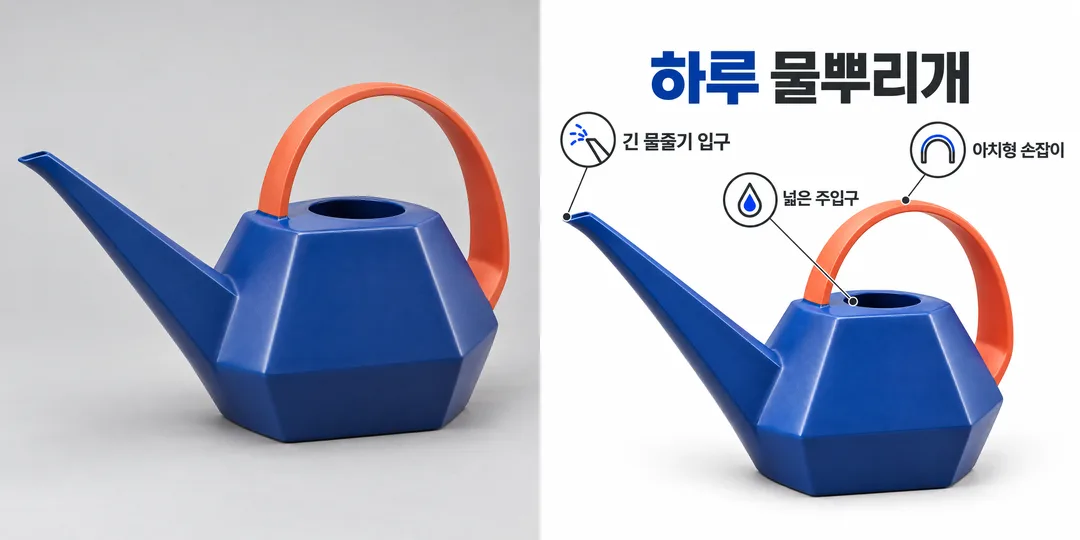
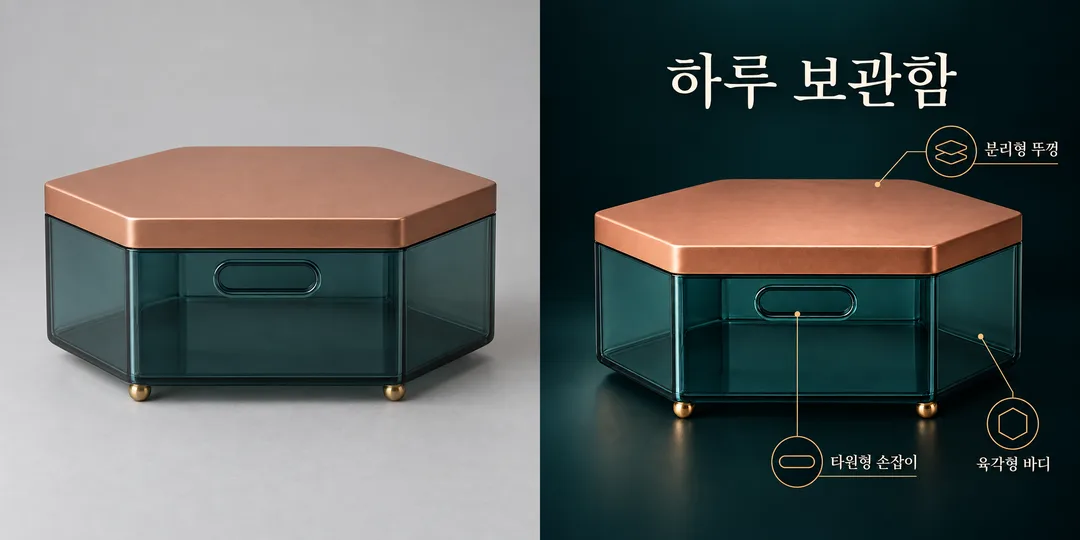
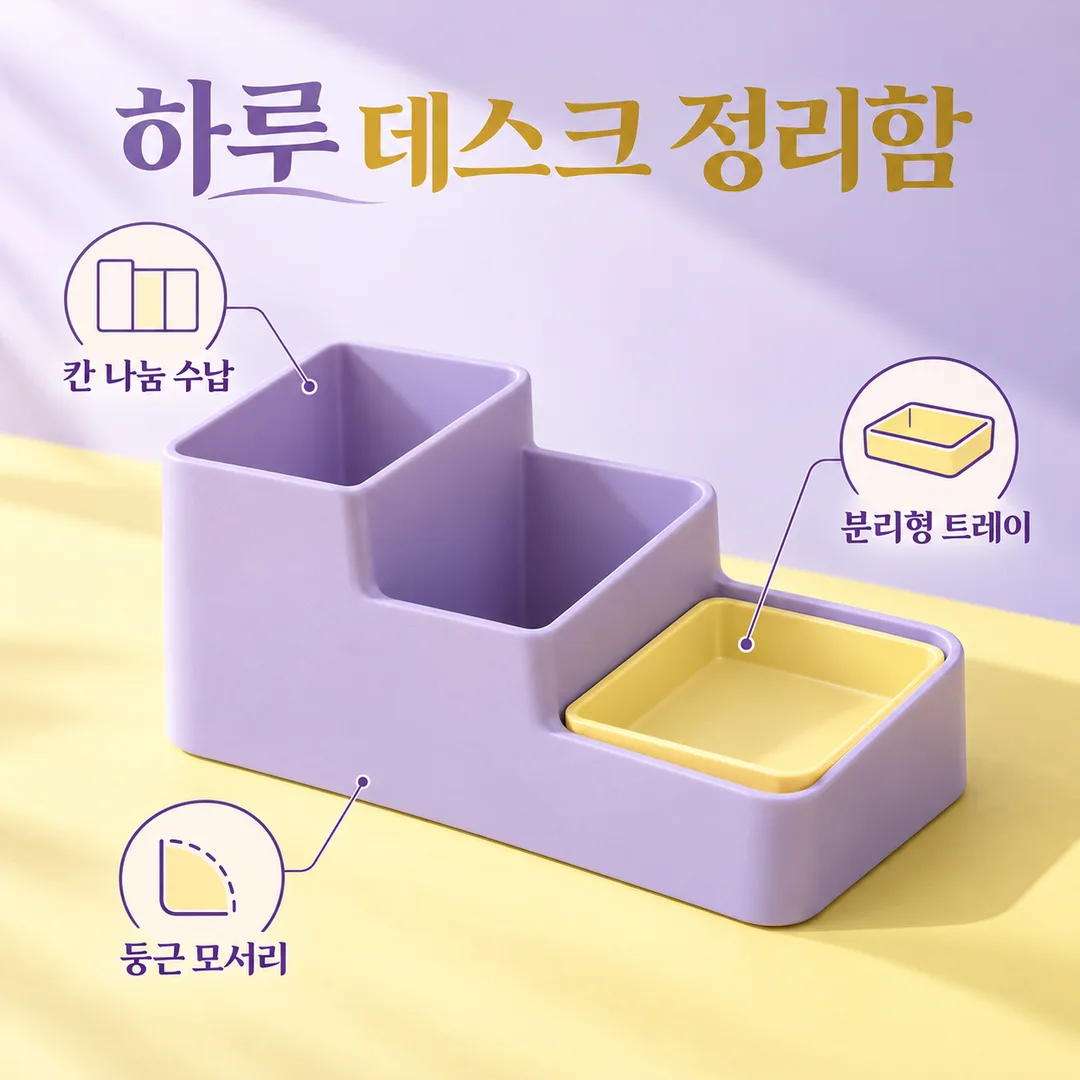
Fill in the fields
- 1Fill in the fields
- 2Copy the prompt
- 3Paste it into a GPT chat
- 4Send it as is and you get an image like the thumbnail example
- 5Attach a real photo that fits the card and it is used in the result: a background photo for background cards, a person or food photo for those cards Optional
Full prompt 2,872 characters
Generate this image now. Draw it directly - do not describe it, explain it, or ask questions.
Output size 1080x1080 pixels, 1:1 square post. Keep all text fully readable.

Create ONE full-bleed product feature infographic for a social post. One large photorealistic product at the center occupies about half the canvas; arrange 3–5 small clear outline icons and short labels around it, with thin noncrossing leader lines. No collage, comparison panel, mockup frame or extra output. Keep every label readable and separated from the product.
Product name: "【Product name】"
Features, one per line (also accept slash-separated entries): "【Features】"
Mood: "【Mood】"
Clean white: white background and charcoal type; Dark premium: near-black and ivory with restrained brass lines; Pastel: lilac and butter yellow with plum type. Empty mood defaults to Pastel.

[Attached photo]
PHOTO RULE: if a photo is attached, use the product exactly as photographed: preserve silhouette, colors, material, details, orientation, proportions and existing label text. Do not redesign, invent a new angle or replace the object. Change only surrounding layout and background. Never conceal the product with icons or text. If no photo is attached, never ask for one: make a distinctive fictional unbranded product matching the name. If the name is also empty, use Haru Desk Organizer. Never imitate a recognizable commercial product, logo, packaging or celebrity; include no people.

[Text and evidence]
Use the supplied product name once as the title. If empty, omit the title unless both photo and name are missing, in which case use Haru Desk Organizer. Render each supplied feature verbatim, preserving spelling, numerals, units and punctuation; do not paraphrase, translate, add slogans or infer claims. For 3–5 nonempty lines, render every line once with a matching icon. For 1–2 lines, show only those lines without padding. For more than 5, use the first 5 lines only. If all features are empty, omit callouts rather than inventing features. Never add measurements, performance numbers, materials, certificates, efficacy claims, awards or discounts. Icons illustrate only supplied words, never imply additional benefits. Do not add verification notes, example labels, watermarks, brand marks or decorative numbers. Legibility and photographic fidelity come first. Use a clean consistent product-photography plus outline-icon visual language in every mood. Output text in English, except user-supplied text which stays exactly as entered. Review every letter and numeral before finalizing.

[Final output format]
Output size 1080x1080 pixels, 1:1 square post. Keep all text fully readable.
This selected output format takes priority over any fixed canvas size or aspect ratio elsewhere in this template. Adapt the composition, text zones and margins to the selected canvas without stretching or cropping essential content. Device safe areas apply only when a device is selected. Never print these format instructions on the image.
How did it turn out?
You may also like



How to use it · FAQ
Make a product introduction
Create one finished infographic for a new-product social post. Fill in the fields, copy the prompt and paste it into an image AI. Check that service's pricing and terms separately.
Fill in the fields
Photo is an attachment reminder: attach the actual file to the same message as the prompt. Give the product its display name. Write three to five verified features, one per line; slashes in the example separate entries and are not printed. Use short phrases such as Divided storage, Removable tray and Rounded corners. The words are preserved exactly, including units and punctuation.
Choose Clean white, Dark premium or Pastel; an empty mood defaults to Pastel. Without a photo, a distinctive fictional product is created from its name. Without both photo and name, the subject is Haru Desk Organizer. With a photo but no name, the title is omitted. Empty features mean no callouts; one or two entries stay as supplied and only the first five are used if there are more.
Attach a photo
Choose a clear full-product image you have permission to use, without third-party branding or recognizable commercial design. Upload it, paste the prompt into that same unsent message, then send both together.
Check the result
Compare silhouette, angle, colors, handle and lid against the original. Enlarge every label and check letters, spacing, numbers and units. Shorten a troublesome label and regenerate if needed. If the product changed, repeat the original-photo preservation instruction. Enter numerical or certification claims only when verified. The examples depict fictional products and make no performance guarantees.