
All · Ads & posters · New products
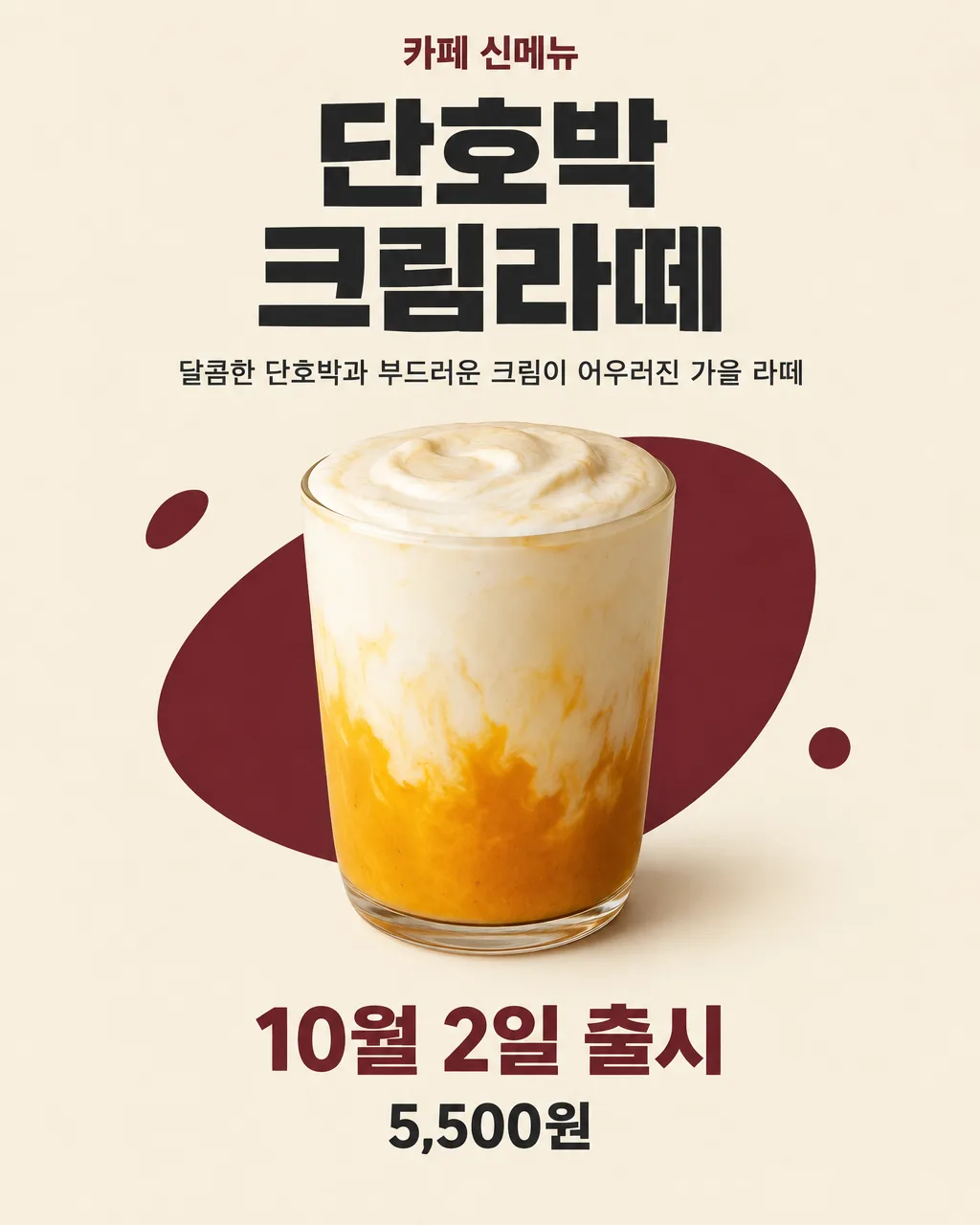
020New Menu Launch Poster
Announce a new cafe, restaurant, bakery, or takeaway item using its name, description, price, and launch date.
Fill in the fields
- 1Fill in the fields
- 2Copy the prompt
- 3Paste it into a GPT chat
- 4To use a photo, upload it together with the prompt Optional
Full prompt 1,086 characters
Create the finished image now. Return the image, not a description.
Output size 2480x3508 pixels, A4 portrait, 300dpi, print-ready poster.

[Owner inputs]
Business type: 【Business type】
Menu item: 【Menu item】
One-line description: 【One-line description】
Price: 【Price】
Launch date: 【Launch date】

Create one finished shop poster. Make the exact named menu item the clear hero image, based on the owner's photo if attached; otherwise check real food photos and draw believable ingredients, texture, and serving. Show the business type, exact menu name, supplied or carefully chosen short description, optional price, and launch date. For a request to choose the description, write only a sensory line supported by the item, without inventing ingredients. Do not invent a promotion, quantity limit, origin, health claim, or price.

Use the filled field values as instructions. Omit blank optional fields. Preserve exact owner-supplied names, dates, prices, contact details, and wording. Use natural U.S. English for all visible text. Do not print field labels as a separate form, prompt instructions, placeholder braces, or invented facts on the image.
You may also like
How to use it · FAQ
Check the product photo, menu name, launch date, and price before printing or posting.