
All · Social posts · Tips & facts
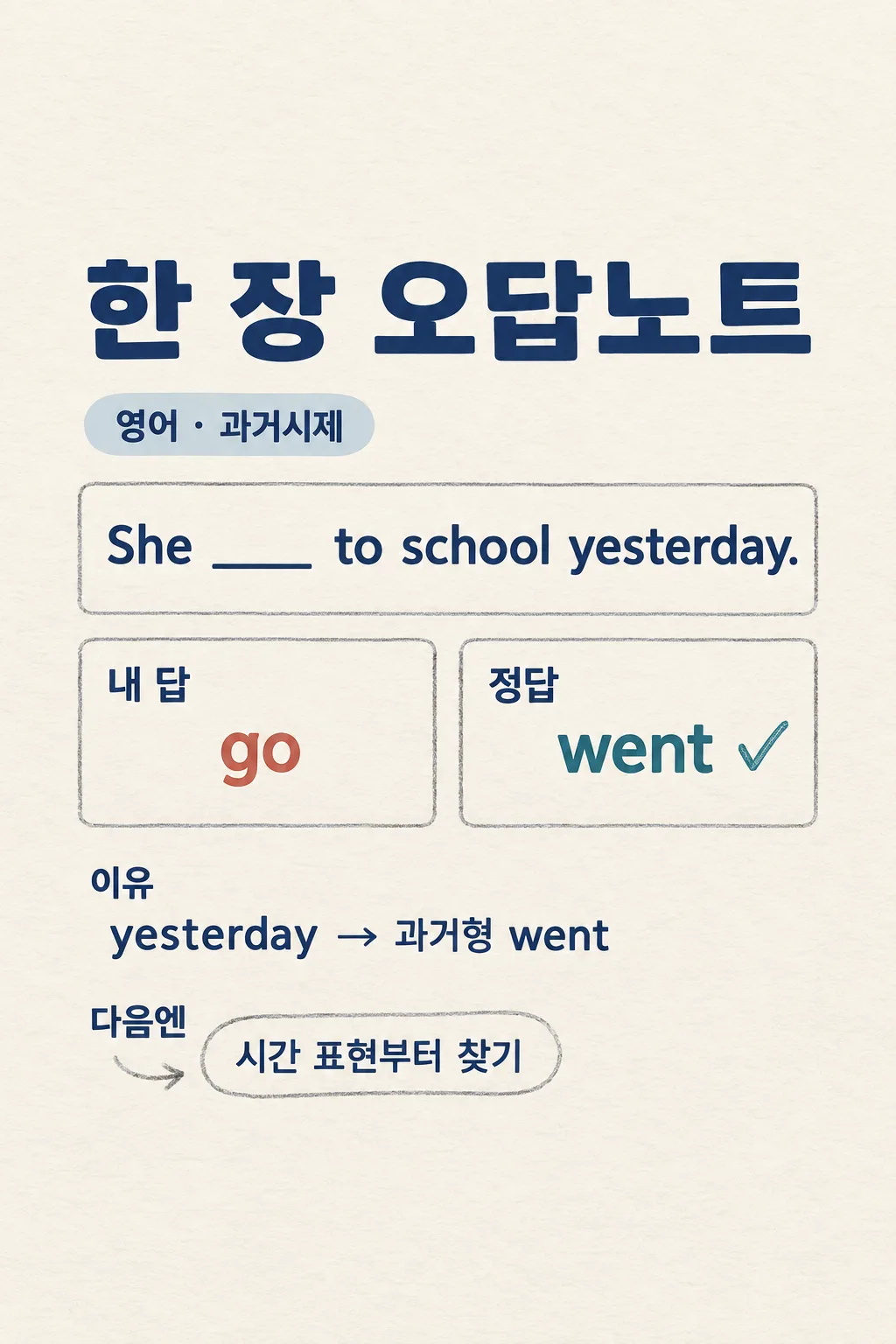
090One-Page Mistake Note
Turn one real wrong answer and a checked answer key into a single visual study note.
Fill in the fields
- 1Fill in the fields
- 2Copy the prompt
- 3Paste it into a GPT chat
- 4To use a photo, upload it together with the prompt Optional
Full prompt 1,209 characters
Generate exactly ONE finished vertical study-error image now. Draw it directly, with no code, second slide, crop or follow-up step.
Output size 2480x3508 pixels, A4 portrait, 300dpi, print-ready poster.
Subject "【Subject】". Exact short question "【Short question】". Learner's actual answer "【My answer】". Answer-key result "【Checked correct answer】". Optional suspected reason "【Why I was unsure】". First solve independently and check that the alleged correct answer really follows. If the problem lacks a necessary condition or the answer key contradicts a clear solution, explain the issue briefly in chat rather than drawing false teaching. Never invent a missing diagram or school context.
Create one clean 2:3 notebook-style image with a large title, the short problem, a side-by-side "My answer" versus "Correct answer" comparison, one accurate reason for the mistake, and one concise "Next time" check. Treat the learner's suspected reason as a hypothesis, not a fact. Use warm paper, dark legible type, soft rust for the learner's answer and calm blue-green for the verified answer. Keep essential text away from the top 12% and bottom 15%. No mock score, generic lecture, extra questions, teacher logo, copied worksheet page or watermark. Return one complete image.
You may also like
How to use it · FAQ
Enter a short problem and a checked answer key. Verify the explanation before studying from it.