

All · Video thumbnails · YouTube thumbnails · Short video covers
013Readable Video Thumbnail
Turn a video topic into a bold thumbnail with a short headline that's clear even at small size.
ChatGPT Free OK
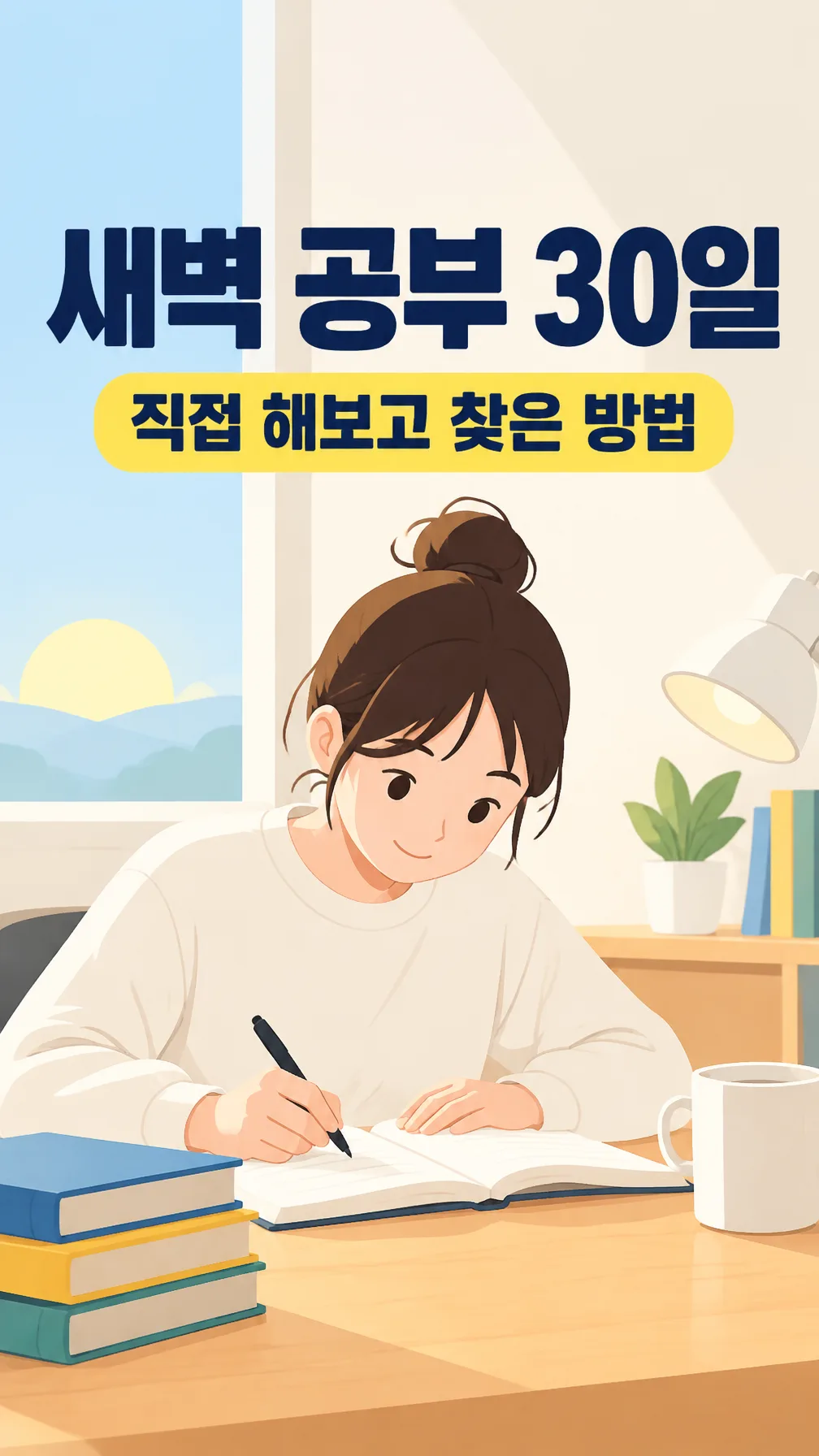

Fill in the fields
- 1Fill in the fields
- 2Copy the prompt
- 3Paste it into a GPT chat
- 4Send it as is and you get an image like the thumbnail example
- 5Attach a real photo that fits the card and it is used in the result: a background photo for background cards, a person or food photo for those cards Optional
Full prompt 9,458 characters
Generate this image now. Draw it directly - do not describe it, explain it, or ask questions.
Output size 2480x3508 pixels, A4 portrait, 300dpi, print-ready poster.

[Real food photo and shape check — whenever food, drink, or an ingredient is pictured]
Before drawing any food, drink, or ingredient, if web search is available, look at real photographs of the exact named dish, beverage, or ingredient as actually prepared and served. Inspect those photographs and follow their visible anatomy, color, cooked texture, portion, and serving vessel. An attached owner photo is the primary truth for that specific product; use web photos to check natural structure without changing its ingredients, quantity, label, or packaging.
Match real structure and proportions: noodles are loose natural strands, never a lattice, net, or dome pattern; bread and sandwiches have real thickness, crumb, and fillings; fried food has irregular natural batter; skewers have a realistic count and spacing; and a real portion fits a real bowl or plate. Preserve the actual shape and proportions of a photographed drink container. No repeated identical food copies, geometric or impossible shapes, melted or plastic surfaces, extra limbs on seafood, or unnatural ingredient arrangements. The food must look like an honest photo of something a customer would recognize when served. When this card allows only small illustrations or icons, apply the same real shape at that scale without adding a food photograph. Explicitly requested repeated cutouts of one attached packaged drink are allowed, but do not invent cloned servings.

[Purpose]
Create one finished Korean video thumbnail. Follow the canvas size above: a 9:16 portrait canvas is the cover of a short-form video (Shorts, Reels), and a 16:9 landscape canvas is the thumbnail of a long-form YouTube video. The entire design must succeed first as a tiny preview on a phone. Its single most important test is whether the big headline copy remains instantly readable after the image is reduced to thumbnail size. Make one complete image, not a mockup, storyboard, template sheet, comparison grid, or design proposal.

[Scene]
The video is about: "【Video topic】". Interpret it as one clear visual idea that can be recognized in less than a second. Use one dominant subject or one compact group of closely related objects, placed away from the lettering. Build a simple background with broad color areas, controlled depth, and very few supporting details. The subject supports the headline but never competes with it. Do not require an uploaded photo and do not imitate a real creator, celebrity, public figure, channel identity, or existing thumbnail. For a person-related topic, use an original, non-identifiable generic adult illustration or an anonymous cropped figure rather than a recognizable face. For an object or place topic, use an original generic depiction without visible brands, trademarks, packaging, signs, or copyrighted characters.

[Headline copy]
The headline copy is: "【Headline】". Use it exactly as written, unless it is exactly "Choose for me" — never print those words.
If no headline copy is quoted above, or it is "Choose for me", write it yourself from the video topic: one punchy English hook of at most 8 words that makes a viewer want to tap — a result, a number that is implied by the topic, a contrast, or a curiosity gap. Plain spoken English, no text outside English, no emoji. Never invent prices, statistics, rankings, medical effects, financial promises, or facts the topic does not support.

[Text layout]
- The headline is the dominant text. It stays on one line, and its visible letter height is at least one quarter of the canvas height. Use extremely bold English bold sans-serif lettering with wide, complete strokes. Give it a clean safe zone with generous padding. It must never sit over the main subject, a face, a hand, a detailed object, or a busy texture.
- Render "【Small line】" on its own line close to the headline, clearly secondary but still readable on a phone. Never join it to the headline and never let it reduce the headline below the required size.
- For a 9:16 canvas, keep the headline and the main subject inside the central 80% width and the middle 70% height, leaving the top and bottom app-button zones quiet. Stack the text in one compact block; keep the subject above or below that block without overlap.
- For a 16:9 canvas, keep every letter inside the central 86% width and 78% height. Prefer a strong two-zone composition: headline area roughly 55-62% of the width and subject area roughly 38-45%. Keep the lower-right corner free of text because the video length badge covers it.
- Do not print the video topic or the atmosphere choice as extra text. They are visual instructions only.

[Style]
Use the atmosphere "【Mood】" to select the visual treatment while preserving maximum readability. "bright and friendly" uses a clean light background, cheerful saturated accents, rounded shapes, and very dark text. "bold and urgent" uses a dark or vivid solid background, sharp diagonal energy, one hot accent color, and white or near-white text without alarm symbols. "clean and professional" uses restrained navy, charcoal, cream, or white, precise spacing, minimal geometric structure, and high-contrast lettering. "warm and reflective" uses warm cream, muted terracotta, soft natural light, and deep brown lettering while keeping edges crisp. "dark and focused" uses deep charcoal or midnight blue, one luminous accent object, and solid white lettering, but no glow may touch or blur the text. Use at most three principal colors. Add a simple solid text backing shape only if the background cannot provide reliable contrast.

[Visual hierarchy]
The headline is the first read by a large margin and has the strongest contrast in the image. The main subject is the second read and explains the topic without covering any character. The optional small line is the third read. Leave open space around all four sides of the headline. If space becomes tight, simplify or shrink the subject first, remove decoration second, and drop the small line third. Never shrink the headline below one quarter of the canvas height. Check the composition at about 10% of full size: every headline syllable must remain distinguishable immediately.

[Lighting and texture]
Use controlled, directional light or flat graphic lighting appropriate to the atmosphere. Keep the region behind the headline smooth and quiet. Any texture must be broad and low-frequency so English letter strokes do not disappear when reduced. Preserve crisp edges, opaque colors, and clear separation between foreground and background. Avoid haze, grain, patterned wallpaper, scattered particles, lens effects, or detailed scenery behind the words. Do not use a transparent canvas, letterboxing, unpainted margins, or black bars.

[Text rules]
Render only the headline and the small line if one is given above. Preserve every English character, space, digit, and punctuation mark of supplied text exactly. Never translate, paraphrase, correct, extend, or repeat it. Do not invent episode numbers, view counts, dates, prices, arrows, badges, labels, category words, quotation marks, or words outside English. Do not print field names, braces, instructions, the topic, the atmosphere, or aspect-ratio text. Ensure all letters and glyphs have complete strokes. The headline must remain one line; if it seems too long, use the available width, tighten spacing modestly, or simplify the picture rather than wrapping, cropping, or hiding any character.

[Avoid]
No real YouTuber, entertainer, celebrity, politician, influencer, or recognizable person. No company, channel, product, platform, or media brand logo; no trademarked packaging; no copied creator style; no copyrighted character; no fake interface, browser window, phone frame, play button, notification badge, or social-media icon. No text behind a person or object, no object crossing a letter, no face used as a text background, and no busy photograph behind the headline. No thin headline font, low contrast, tiny lettering, long paragraph, curved text, vertical English text, duplicate headline, excessive outline, excessive drop shadow, neon bloom, glowing letter edges, lens flare, motion blur, illegible handwriting, warped Latin lettering, placeholder text, watermark, border, collage, split-screen comparison, decorative clutter, or more than one dominant subject.

[MORE OWNER INPUT — each line exists only when supplied; treat "Not selected" as absent]
CHANNEL: "【Channel name】". Small corner label, never bigger than the copy.
LENGTH: "【Length label】". One small bold badge (e.g. for study-with-me videos).
TIME: "【Time of day】". Set the scene light to this time; keep the same composition.
SOUND: "【Sound label】". Small line with a tiny sound icon.
Keep every added line smaller than the main message; never let added text crowd the hero or shrink the main title. Supplied texts stay exact.
[Input hints — never visible text]
Treat "Type your channel name" as an absent channel name; omit its label and never invent a channel.

[Final output format]
Output size 2480x3508 pixels, A4 portrait, 300dpi, print-ready poster.
This selected output format takes priority over any fixed canvas size or aspect ratio elsewhere in this template. Adapt the composition, text zones and margins to the selected canvas without stretching or cropping essential content. Device safe areas apply only when a device is selected. Never print these format instructions on the image.
How did it turn out?
More cards in this category
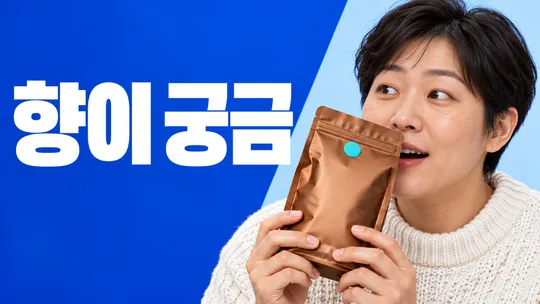
- 378Review and Unboxing Thumbnail — Big Face, Product and Headline
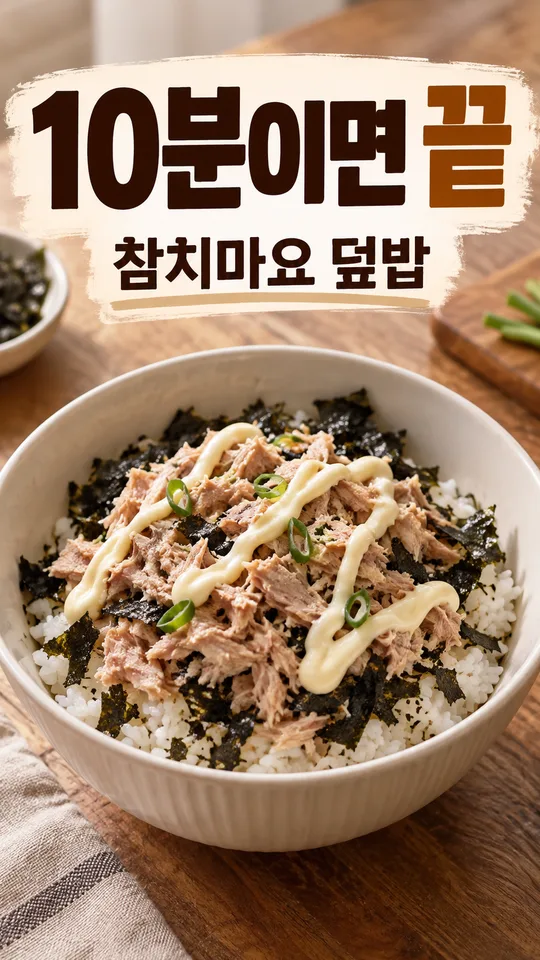
- 018Recipe Video Cover
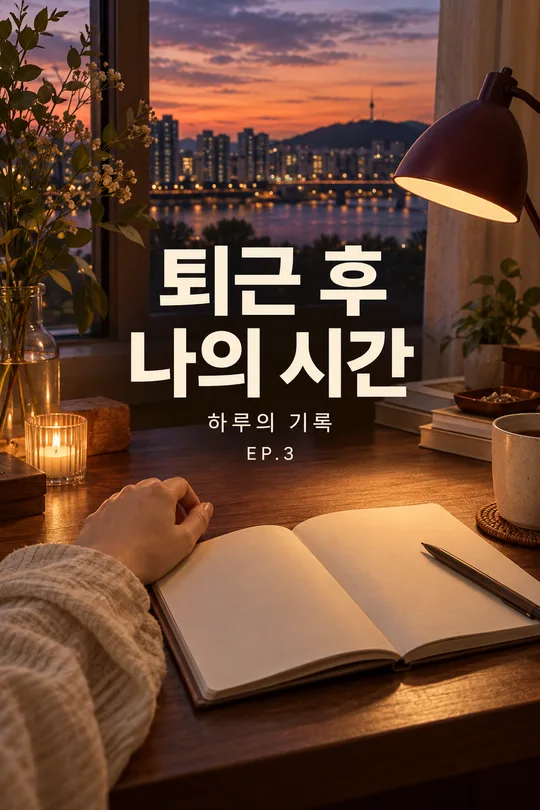
- 419Daily Vlog Shorts & Reels Cover
- 635Made with ClaudeEnd of the day" — dawn, noon, sunset and night turn once around with a line of poetry each, a 14-second seamless loop
- 633Made with ClaudeShadow-puppet story" — on lamp-lit paper, a puppet in a gat throws letters into an empty frame and the frame sinks into the ground and a tree grows, 15 seconds
- 632Made with ClaudePixel buddy's schedule" — a square pixel buddy runs through a scrolling game world and bumps three schedule signs from below to check them off, 15 seconds
How to use it · FAQ
How to Use This Card
A bold headline is what stops people from scrolling past your video. This card turns your video topic into a high-contrast thumbnail with a short, legible headline even on small mobile screens. If you don't have a headline in mind, leave the headline field blank; the prompt will generate an original hook under eight characters based on your topic.
Video thumbnails usually come in pairs: vertical 9:16 for Shorts and Reels, and horizontal 16:9 for long-form YouTube videos. Run the prompt once for the vertical version, then switch only the aspect ratio and run it again in the same chat to get a matching pair in the same style. Keep lettering large and leave space around the main subject.
Filling the Fields
- Video topic: Enter what the picture should show. Specific topics like "5 a.m. study routine" yield better visuals and titles than a broad word like "study."
- Headline: Type a short hook or leave it blank to let the AI choose. Keep it under eight characters when writing in Korean.
- Small line: Use only when the main headline needs extra context. Leave it blank for a cleaner, larger look.
- Mood: Pick one tone that fits your channel. The prompt maintains strong contrast across all options.
- Aspect ratio: Select 9:16 for vertical shorts or 16:9 for horizontal videos.
Adding Your Own Photo
If you want to use your own photo as the main subject, upload the image to the chat without sending it yet. Then paste this card's prompt into the text box and send them together. Ensure you only use photos you have the rights to publish; never use celebrities, other creators, or random strangers without permission.
Checking the Result
Resize the finished image down to about ten percent of your screen width. You should still be able to read the headline instantly without hesitation. Check every letter for spelling and spacing errors. Make sure no unintended logos, view counts, or playback buttons appear.
Requesting Corrections
Reply in the same chat with precise instructions, such as: "The spelling in the headline is incorrect; fix it to '30 Days of Early Study' and keep everything else the same." If the headline isn't catchy, ask: "Give me three different headline options and redraw with the second choice."
More fields when you need them
All of these are optional. Fill only what you need; empty fields disappear from the image. Tap "Not selected" to drop a button choice. Tap an idea to fill a field instantly.
- Channel name: Haru Study
- Length label: 3 hours
- Time of day: Dawn · Day · Night
- Sound label: Rain sounds
Last checked · Published