

All · Video thumbnails · YouTube thumbnails · Short video covers
018Recipe Video Cover
Make a short-form or wide recipe thumbnail with the finished dish first and a clear headline.
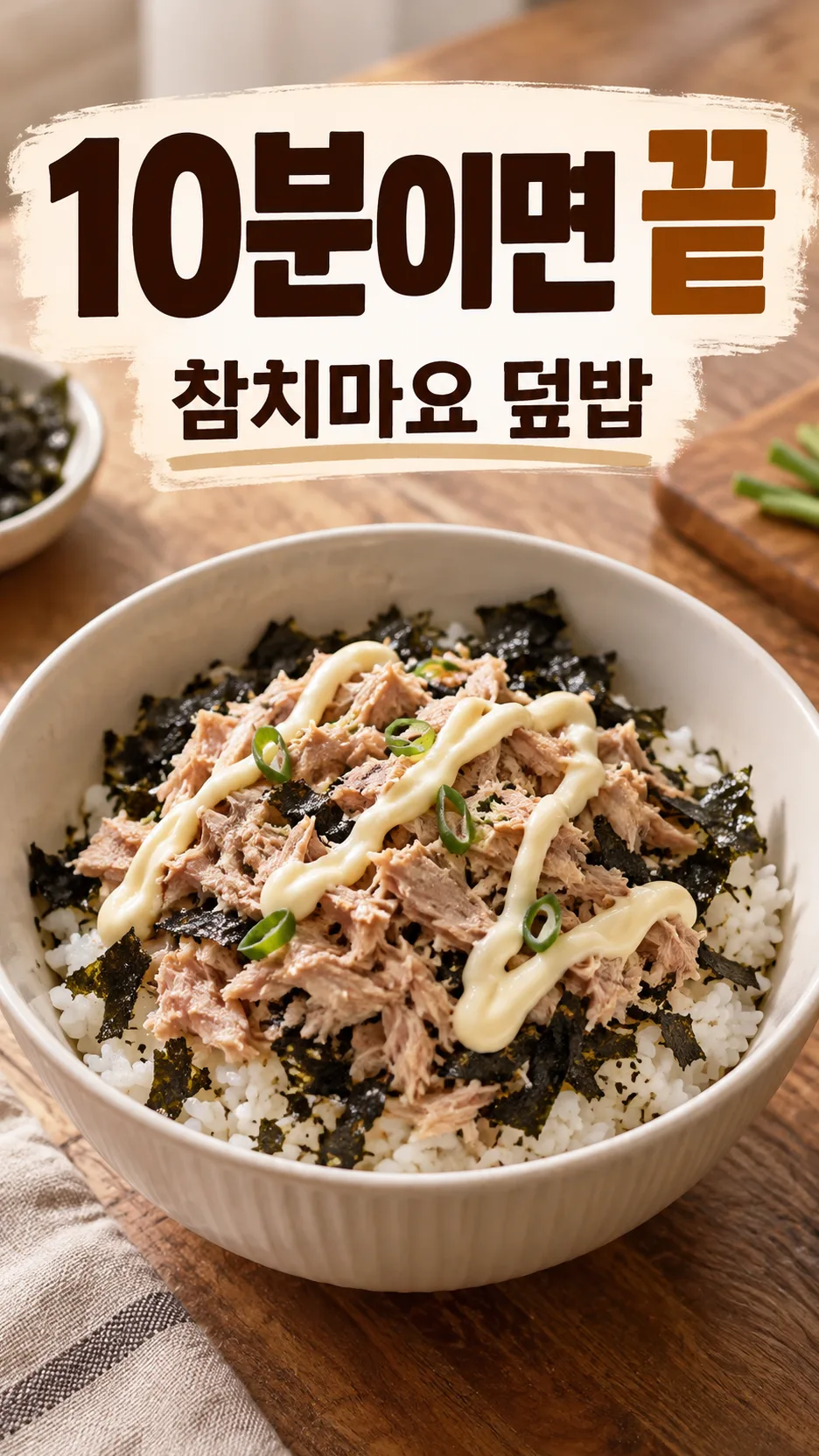
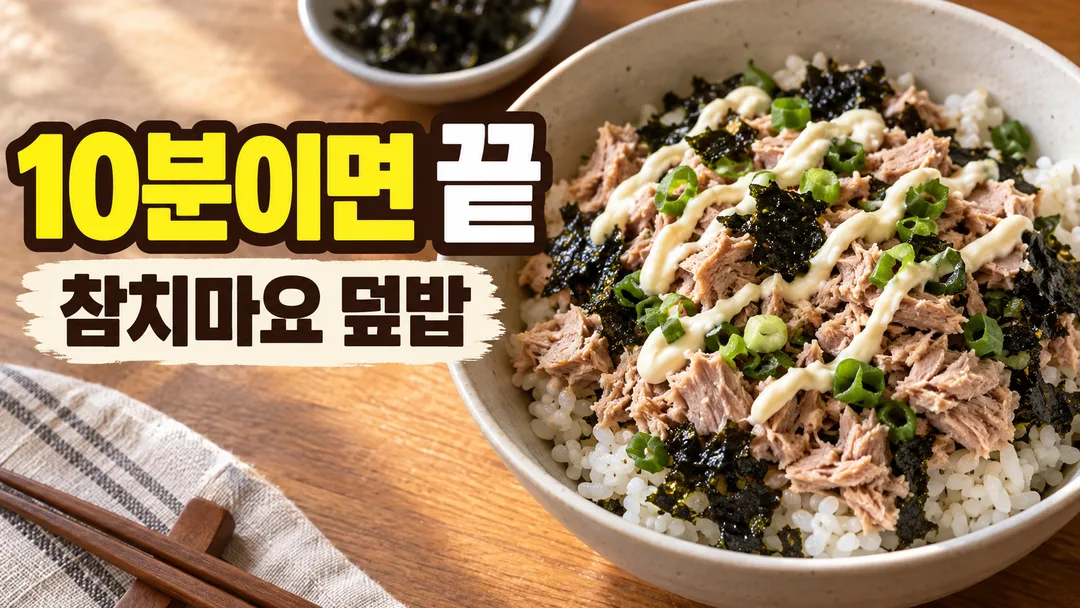
Fill in the fields
- 1Fill in the fields
- 2Copy the prompt
- 3Paste it into a GPT chat
- 4Send it as is and you get an image like the thumbnail example
- 5Attach a real photo that fits the card and it is used in the result: a background photo for background cards, a person or food photo for those cards Optional
Full prompt 7,329 characters
Before drawing, if web search is available, look at real photos of "【Dish】" as it is actually prepared and served, and use them as the reference for its look — the real ingredients, colors, textures, portion, and plating. Then generate the image directly - do not describe the search, explain it, or ask questions.
Output size 2480x3508 pixels, A4 portrait, 300dpi, print-ready poster.

[Real food structure and proportions]
Use any real-photo reference you were able to check, or your own knowledge of the real food, before drawing the food, drink, or ingredient. Match visible anatomy, cooked color, texture, natural variation, portion, and serving vessel. Noodles must be loose natural strands, never a lattice, net, or dome pattern; bread and sandwiches need real thickness, crumb, and fillings; fried food needs irregular natural batter; skewers need a realistic count and spacing; and a real portion must fit a real bowl or plate. Preserve an attached owner's actual product, ingredients, quantity, packaging, and label as the primary truth. No repeated identical food copies, geometric or impossible shapes, melted or plastic surfaces, extra limbs on seafood, or unnatural ingredient arrangements. Make the food look like an honest photo a customer would recognize when served. Apply the same structure to small illustrations or icons without changing their intended style.

[Purpose]
Create one finished Korean cooking and recipe video thumbnail. Follow the canvas size above: a 9:16 portrait canvas is the cover of a short-form recipe video (Shorts, Reels), and a 16:9 landscape canvas is the thumbnail of a long-form YouTube recipe video. It must win in a crowded mobile feed in two ways at once: the finished dish looks delicious at a glance, and the big headline copy is readable at a tiny size. Make one complete image, not a mockup, storyboard, recipe card, step-by-step grid, or design proposal.

[Dish]
The dish is: "【Dish】". Show the finished dish as the hero, filling roughly 40-50% of the canvas, in a cooking-video look: a 45-degree or close overhead angle, served in a simple plain bowl, plate, or pan that suits the dish, with appetizing details — gentle steam if it is served hot, glossy sauce, crisp edges, fresh garnish, a spoon or chopsticks lifting one bite if it helps. Keep the ingredients and colors true to how this English dish is really made; do not add toppings or ingredients the dish would not normally have. One or two small raw ingredients may sit near the edge as a hint of the recipe. No hands with faces, no people, no brand packaging, no labels, no restaurant logos.

[Headline copy]
The headline copy is: "【Headline】". Use it exactly as written, unless it is exactly "Choose for me" — never print those words.
If no headline copy is quoted above, or it is "Choose for me", write it yourself from the dish: one punchy English hook of at most 8 words that makes a viewer want to cook it — ease, speed, a secret, a contrast, or a curiosity gap. Plain spoken English, no text outside English, no emoji. Never invent a cooking time, calorie count, price, health effect, or ranking that the viewer did not supply; words like "So easy" or "The perfect balance" are fine, specific numbers are not.

[Text layout]
- The headline is the dominant text. It stays on one line in extremely bold English bold sans-serif with complete strokes, and its visible letter height is at least one fifth of the canvas height. Put it on a clean, calm area or a simple solid backing shape, never over the dish.
- Show the dish name as one smaller second line directly under the headline: "【Dish】". Skip this line only if the headline already contains the dish name.
- For a 9:16 canvas, keep all text inside the central 80% width and between 15% and 85% of the height so app buttons do not cover it. Put the text block in the upper half and the dish in the lower half, or the reverse, without overlap.
- For a 16:9 canvas, keep every letter inside the central 86% width and 78% height. Use a two-zone composition: text on one side roughly 45-55% of the width, the dish on the other side large and slightly cropped by the frame edge for impact. Keep the lower-right corner free of text because the video length badge covers it.

[Style]
Use the feel "【Mood】" and never print it. "cozy home cooking" uses a warm wooden table, soft window light, cream and warm brown tones, and deep brown or white lettering on a warm backing. "bright and clean" uses a bright white or pale pastel background, clean daylight, fresh colors, and very dark lettering. "dramatic close-up" moves the camera very close so the dish fills more of the frame, with high contrast, a dark background, rich saturated sauce colors, and bold white or yellow lettering with a thick dark outline. "café style" uses a muted linen or stone surface, soft diffused light, calm beige and sage tones, and refined dark lettering. Use at most three principal colors for graphics and text.

[Visual hierarchy]
First read: the headline. Second read: the delicious finished dish. Third read: the dish name line if shown. Nothing may cross a letter. Check the composition at about 10% of full size: the headline must still be readable and the dish must still be recognizable.

[Lighting and texture]
Use realistic food-photography lighting: soft key light from one side, gentle highlights on sauce and oil, natural shadows, true-to-life colors. Food must look fresh, warm, and edible — never plastic, waxy, oversaturated to the point of looking fake, or burnt. It must look like a real photograph taken with a camera, matching the real-photo references: natural imperfections, real grain of rice and sauce, uneven edges, true colors — not the smooth, glossy, over-perfect look of AI-generated food. Keep the area behind the text smooth and low-detail. The canvas must be fully painted edge to edge with no letterboxing or black bars.

[Text rules]
Render only the headline and the dish name line. Preserve every English character, space, digit, and punctuation mark of supplied text exactly. Never translate, paraphrase, correct, extend, or repeat it. Do not invent recipe steps, ingredient lists, times, calories, prices, episode numbers, view counts, arrows, badges, hashtags, words outside English, channel names, or shop names. Ensure all letters and glyphs have complete strokes. The headline must remain one line.

[Avoid]
No people or faces, no real YouTuber, chef, celebrity, or recognizable person; no brand logo, trademarked packaging, food brand label, restaurant sign, or copied channel style; no fake interface, play button, phone frame, or social-media icon. No recipe card layout, step photos, collage, split screen, before-and-after, or multiple dishes competing. No text over the food, thin font, tiny lettering, curved or vertical English text, warped Latin lettering, neon glow, lens flare, watermark, border, or clutter. No unappetizing food: no raw-looking meat that should be cooked, no melted plastic look, no gray or muddy colors.

[Final output format]
Output size 2480x3508 pixels, A4 portrait, 300dpi, print-ready poster.
This selected output format takes priority over any fixed canvas size or aspect ratio elsewhere in this template. Adapt the composition, text zones and margins to the selected canvas without stretching or cropping essential content. Device safe areas apply only when a device is selected. Never print these format instructions on the image.
How did it turn out?
More cards in this category
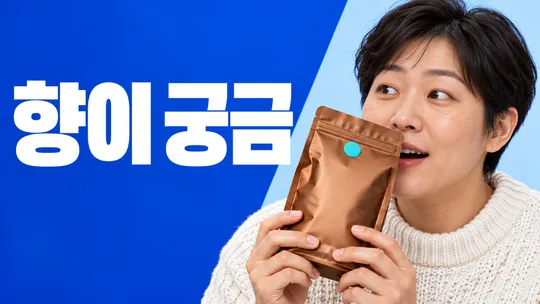
- 378Review and Unboxing Thumbnail — Big Face, Product and Headline
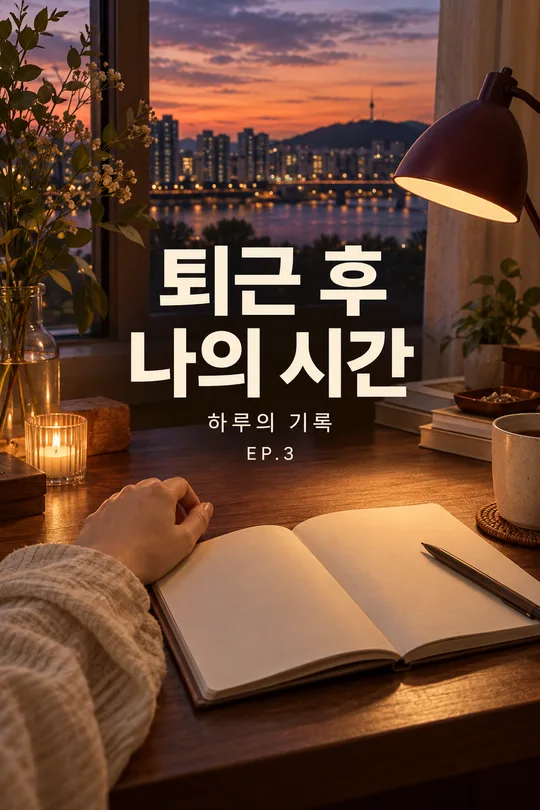
- 419Daily Vlog Shorts & Reels Cover
- 013Readable Video Thumbnail
- 635Made with ClaudeEnd of the day" — dawn, noon, sunset and night turn once around with a line of poetry each, a 14-second seamless loop
- 633Made with ClaudeShadow-puppet story" — on lamp-lit paper, a puppet in a gat throws letters into an empty frame and the frame sinks into the ground and a tree grows, 15 seconds
- 632Made with ClaudePixel buddy's schedule" — a square pixel buddy runs through a scrolling game world and bumps three schedule signs from below to check them off, 15 seconds
How to use it · FAQ
When to use this card
On a recipe video, half the click comes from whether the finished dish looks delicious and half from one big headline. Enter the dish name and this card makes a thumbnail with the cooked food large and appetizing and a short headline you can read on a phone. The prompt asks the AI to look up real photos of the dish first, so the bowl, plating, and doneness match how it is actually served. For vlogs or study videos, use the "Readable Video Thumbnail" card instead.
Fill in the fields
- Dish: Be specific. "Chicken rice bowl" gives a better picture than "rice bowl."
- Headline: Type your own or choose "Choose for me." Keep it to a few words. Numbers such as cooking time only belong there if you typed them; the AI won't invent time or ease claims.
- Mood: Cozy home cooking, bright and clean, dramatic close-up, or café style. Dramatic close-up suits a mukbang-style channel.
- Size: 9:16 for Shorts and Reels, 16:9 for a long-form YouTube video.
Make a matching pair
Fill the fields and send the prompt with 9:16 selected. Then switch only the size to 16:9, copy again, and send it in the same chat. Add "use the same headline as before" if you let the AI choose it.
Use your own dish photo
Upload the photo to the chat first, paste the prompt in the same message, and send them together. A thumbnail that matches what viewers see in the video won't feel like a bait-and-switch.
Check the result
Shrink the image on your phone: the headline should read instantly and the dish should be recognizable. Look for ingredients or toppings that are not in your recipe, and for numbers you never typed. On 9:16, keep text clear of the top and bottom buttons; on 16:9, clear of the bottom-right length label. Fix one thing at a time, for example: "Change the headline to 'Dinner in 20 Minutes' and keep the rest unchanged."
What we noticed making the examples
The examples make a vertical (Shorts) and a horizontal (regular video) version of the same dish. A short two-line title, "Done in 10 minutes / Tuna mayo rice bowl", stayed large in both.
Covers stood out in feeds when the finished dish filled the lower part of the frame.
Last checked · Published