

All · Ads & posters · Logos & branding
506Storybook shop facade
Keep your shop’s doors and windows while turning the facade into a detailed storybook watercolor.
Fill in the fields
- 1Fill in the fields
- 2Copy the prompt
- 3Paste it into a GPT chat
- 4Send it as is and you get an image like the thumbnail example
- 5Attach a real photo that fits the card and it is used in the result: a background photo for background cards, a person or food photo for those cards Optional
Full prompt 2,639 characters
Generate this image now. Draw it directly - do not describe it, explain it, or ask questions.
Output size 1080x1350 pixels, 4:5 portrait, Instagram standard.
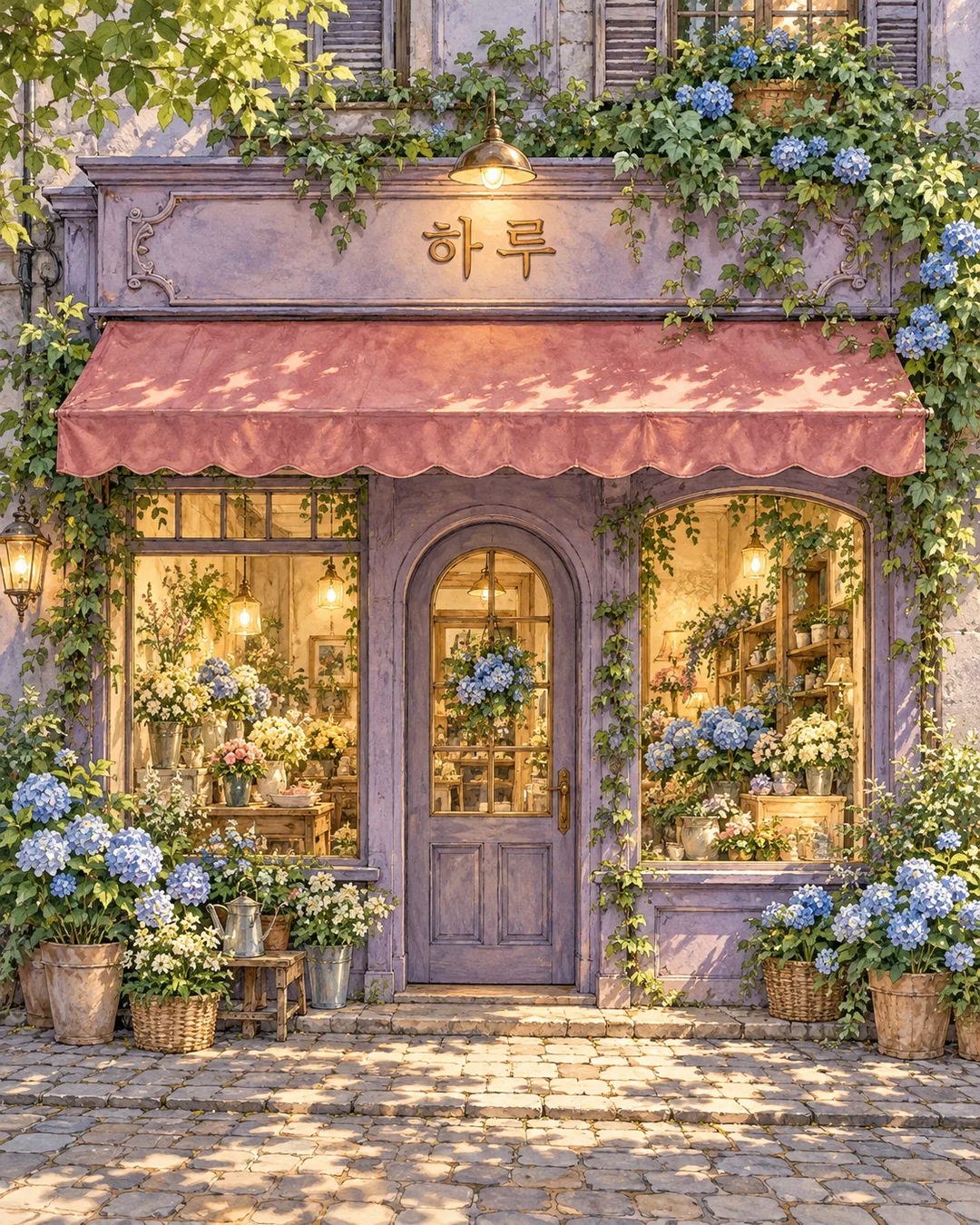
Create ONE full-bleed storybook storefront illustration for a shop story poster. Use richly detailed hand-drawn ink contours and layered watercolor with natural paper texture inside painted surfaces, warm glowing interiors and carefully observed architectural details. Fill the frame with the facade and street; no border, mockup or comparison.
PHOTO RULE: if a storefront photo is attached, preserve its building silhouette, story count, roof line, door and window count, positions and proportions, sign position, awning shape and viewpoint exactly. Change only the rendering medium, lighting and removable seasonal decoration. Do not replace the architecture with an idealized different shop. Remove all original lettering and logos. If no photo is attached, invent an original small storefront with these same production standards; do not ask questions.
Shop name: "【Shop name】". Render this exact name ONCE on the existing fascia in large legible lettering. No other writing, numbers, labels or book titles. Do not print input instructions.
Photo input note: 【Photo】. This is an attachment note, never an image filename to render. Use only images actually attached.
If the shop name is empty, use "Haru". If seasonal decoration is empty, add no seasonal decorations. Interpret Spring blossoms as spring white blossoms, Summer hydrangeas as summer blue hydrangeas, Autumn leaves and pumpkins as autumn leaves and small pumpkins, Winter evergreens and snow as winter evergreen garlands and soft snow with cool blue twilight, None as no seasonal ornaments. Other supplied decoration descriptions are interpreted literally. All choices retain the same ink and watercolor medium.
Seasonal decoration: 【Seasonal decoration】. Add restrained removable botanical details around the edges without blocking the door, windows or sign. Keep the physical architecture intact.
No people, real brands, logos, recognizable proprietary products, famous characters, signatures or watermarks. Use only original fictional designs. Before finishing, check the shop name character by character and compare every architectural opening to the photo. Output only one finished illustration.

[Final output format]
Output size 1080x1350 pixels, 4:5 portrait, Instagram standard.
This selected output format takes priority over any fixed canvas size or aspect ratio elsewhere in this template. Adapt the composition, text zones and margins to the selected canvas without stretching or cropping essential content. Device safe areas apply only when a device is selected. Never print these format instructions on the image.
How did it turn out?
You may also like


How to use it · FAQ
Turn a cafe, bookshop or small storefront into one finished ink and watercolor illustration for a shop introduction or seasonal social post. This preserves the building silhouette, roof, floor count, doors, windows and sign placement from an attached photo while changing light and removable decorations. It does not design a replacement building.
Shop name is the only required field. The name appears once on the fascia; no address, opening hours, price or extra slogan is invented. Photo is an optional attachment note, not an upload or a working file path. Attach a clear storefront photo to your image AI, paste the copied prompt into the same message, and send both together. Without an attachment, the prompt draws an original fictional shop. An empty name becomes Haru. An empty decoration field adds no seasonal ornaments; the initial selected choice is Spring blossoms.
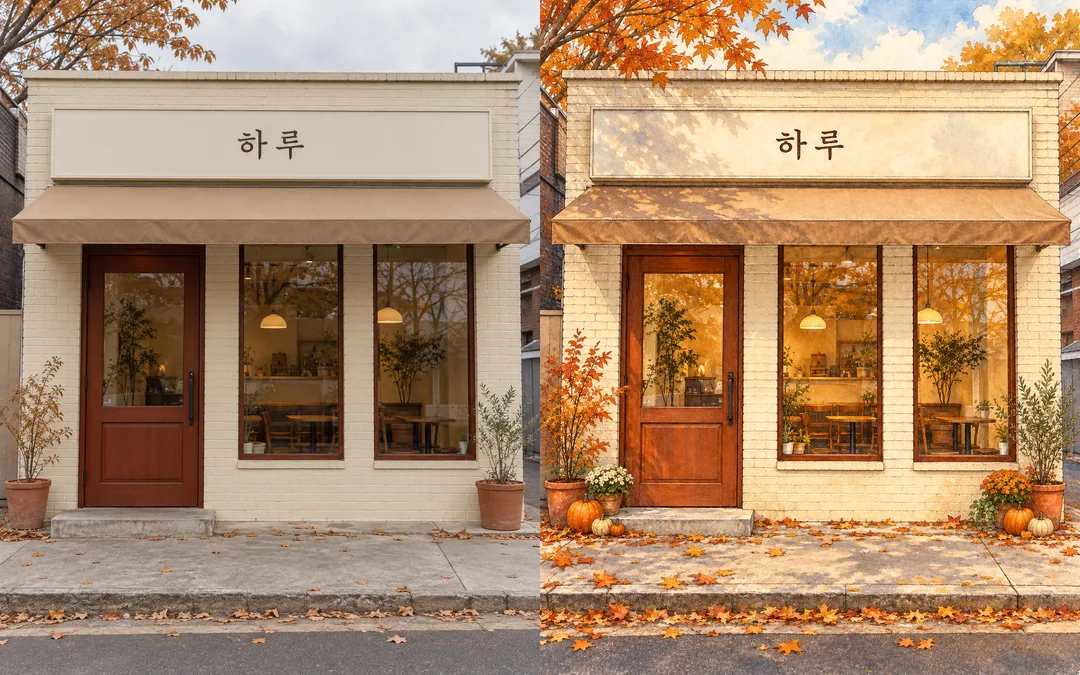
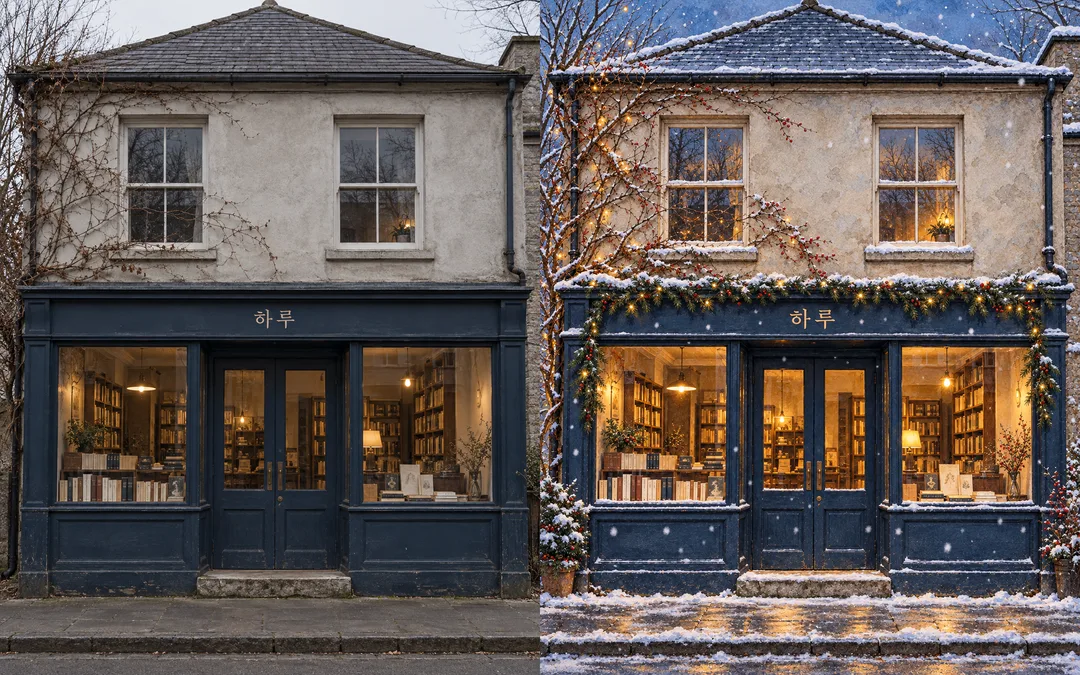
Spring uses white blossoms, summer blue hydrangeas, autumn golden leaves and small pumpkins, and winter evergreen garlands with snow and cool twilight. None omits ornaments. Each option keeps the same ink and watercolor medium. Ornaments must not obscure the sign, door or windows.
The cafe and bookshop comparisons show synthetic source photos on the left and transformed illustrations on the right. The summer flower shop is a separate photo-free result; the spring cover is another original scene. Shared gallery art uses the Korean sample name; your English prompt uses Haru. Check every sign character and compare the openings to your source: the cafe has a left door and two right windows; the bookshop has a central door, two display windows and two upstairs windows. If the layout changes, attach the original again and ask to retain every opening. A front-on photo with the entire entrance visible works better than one with cropped architecture. Use photos you have permission to use and exclude real logos and bystanders.