
項目を入力
- 1項目を入力します
- 2コピーを押します
- 3GPTのチャットに貼り付けます
- 4写真を使う場合は写真とプロンプトを一緒に送ります 任意
プロンプト全文を見る 5,115文字
Generate this image now. Draw it directly - do not describe it, explain it, or ask questions.
A3横、420×297mm、縦横比1.414:1のポスターを1枚作成してください。生成できる最大解像度を使い、印刷用の最終目標は4961×3508ピクセル、300dpiです。文字は紙の端から10mm以上内側に置いてください。

[Purpose]
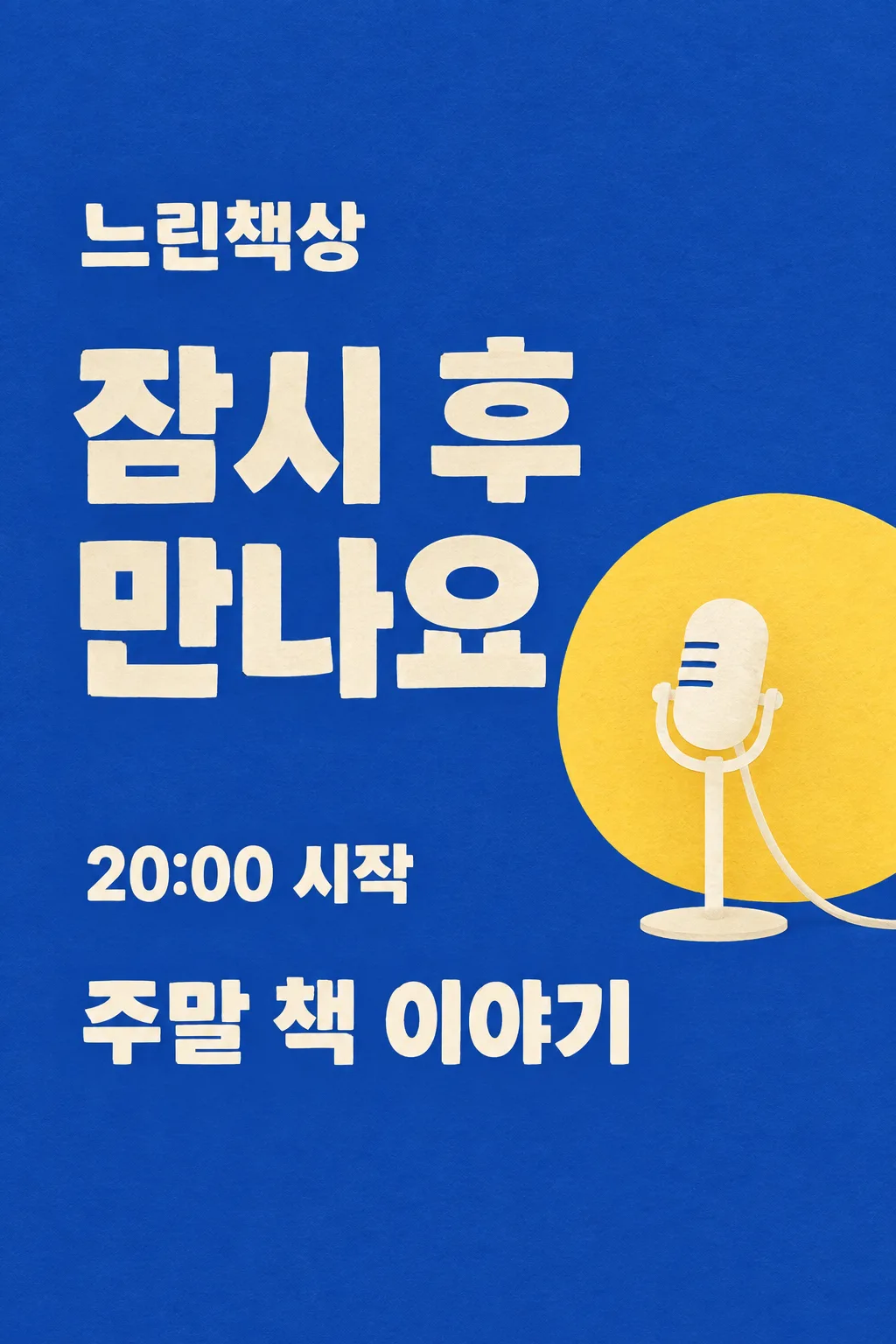
Create ONE complete creator's live-waiting announcement image. The creator posts it on their social account before starting a live session, using their channel name and today's topic. This is finished flat artwork, not an example shown on a device or a set of broadcast assets. Do not imply that the broadcast has begun or that a countdown is running.

[Scene]
The fixed scene is a cobalt-blue flat paper stage with one warm-yellow semicircular spotlight disc and one simple cream standing microphone on the lower-right. The large waiting phrase is the hero and the microphone is secondary. Channel name: "【活動名】". Topic: "【今日の話題】". Waiting phrase: "【待機の一言】". When the phrase is "おまかせで選んで", invent one friendly waiting sentence, at most twelve Korean/Japanese characters or four English words, suited to the supplied topic. Never print the automatic control words. The wording can be personal but must not claim prizes, subscriber numbers, a schedule, a delay or an exact start unless that information was provided.

[Attached photo]
No photo is required. Do not generate a person, celebrity, branded video-platform interface or real broadcaster logo. Use one original illustrated microphone, with a connected capsule, straight stand and stable oval foot. It remains a graphic stage motif, not a photorealistic product advertisement. The composition does not vary by topic.

[Text layout]
All visible copy is in Japanese. Keep the entire top12% and bottom15% as uncluttered cobalt paper. At15-21% height set "【活動名】" in medium-large cream letters. At25-52% height, set the waiting phrase in two or three very large lines, left aligned in the left65% of the width. A single yellow disc begins behind the microphone at37% height; it occupies the lower-right quadrant. The microphone is fully contained between44-71% height and must not touch lettering. At73-81% set "【今日の話題】" as one large cream line or two short lines across the available width. Do not add a separate 'topic' label, subtitle or repeated greeting.
If supplied, write "【開始時刻】" once at62-68% height in the left part, followed by "開始". Preserve the exact time and any timezone in the input, and do not infer a date or draw a live countdown. If this line is removed, leave no empty clock, box or placeholder.

[Style]
One fixed graphic paper-stage poster with cobalt background, cream block typography and a soft yellow spotlight circle. Slightly rough cut-paper edges and delicate paper grain give it a friendly studio feel. This is neither pastel speech-bubble welcome art nor a three-line acrostic. Keep the waiting phrase broad, balanced and much larger than the channel signature. No neon, glossy chrome, floating UI buttons or tiny stickers.

[Visual hierarchy]
The waiting sentence reads immediately in a small thumbnail, followed by the session topic. The channel name stays clearly visible but subordinate. Use at least7% side margins. Fit long user text by breaking at words into at most two lines, never by reducing it to microtype. The yellow circle may overlap the microphone's silhouette only; it never fills a price panel or a text box. Do not put the topic below85% height. A horizontal output preserves the same reading order in a left text column and the microphone on the right; no additional panel or second scene is introduced.

[Lighting and texture]
Flat cobalt and cream paper with a restrained warm-yellow disc. The image is graphic rather than lit as an actual room. Add no lens flare, fog, fluorescent glow or beam that crosses text. The microphone has one clear silhouette, and its base is grounded in the composition. Avoid QR codes, fake chat messages, fake verified marks, follow buttons, popularity metrics, invented links, donation requests and unprovided promotions.

[Text rules]
All quoted visible copy belongs to the artwork, while input labels and instruction headings do not. Resolve any automatic wording control into a short original sentence before drawing; never print that control literally. Preserve provided spelling and numbers, and use the target language consistently. Keep readable letters separate from highlights, folds, shadows and decorative marks. Do not invent a price, discount, date, availability, award, endorsement, biography or purchasing condition. The fixed composition and medium stay the same for every user; personal inputs change its content only.

[Avoid and final delivery]
Deliver exactly ONE finished raster image in this response. Draw it directly with image generation. Do not execute code, give drawing instructions instead of an image, offer multiple versions, create separate pages, ask for a next message, or require cropping and assembly. No phone mockup, browser frame, watermark, publisher logo, branded packaging, existing character or celebrity likeness. Finish all artwork within the selected aspect ratio, preserving the composition and large readable lettering. Leave the upper 12% and lower 15% free of essential lettering and maintain generous side margins.
こちらのカードも人気です
使い方・よくある質問
こんなときに使えます
配信の準備中に、フォロワーへ少し待ってほしいと伝えるための一枚です。実際のチャンネル名と今日の話題を入れると、コバルト色の紙の舞台に大きな待機メッセージとマイクが配置されます。ストーリーズ、コミュニティ投稿、Threadsで使えます。配信前の完成画像を一枚作るカードで、エンディング画面や複数の配信素材をまとめて作るものではありません。動くカウントダウンや、すでに配信中という表示もつけません。
入力欄の使い方
チャンネル名には、普段使っている名前や活動名を入れてください。今日の話題は「週末の本の話」「作業部屋を一緒に片付ける」など、何を待っているかすぐわかる短い言葉がおすすめです。待機の一言は自分で書くか「おまかせで選んで」を選べます。自動の場合は話題に合う短い一言をGPTが考え、その操作用の文言は画像に出しません。開始時刻は任意です。実際に決まった時間だけを入れ、未定なら空欄にしてください。日時や残り分数、プレゼントなどを勝手に追加しません。
一度貼り付けて生成します
欄を埋めてサイトの画面比率を選び、プロンプトをコピーします。画像生成ができるGPTの会話に貼り付け、一度送信してください。写真の添付は不要です。コードの実行や別ページの出力も必要ありません。横長を選んでも、同じ文字の順序とマイクを横の空間に合わせて配置します。別の画風や別の種類の成果物へ切り替える選択欄はありません。
投稿前に確認すること
小さい画面でも、大きな待機メッセージが先に読めるか見てください。チャンネル名と話題の文字が正しいか、入力した開始時刻や時間帯がそのままかも確認します。マイクの頭、支柱、台座がつながり、話題の文字を隠さないことが大切です。上と下の安全な余白には重要な文字を入れません。見本の活動名や時刻は入力例で、実際の配信予定を示しているわけではありません。
完成した一枚を使うとき
公開直前に、開始時刻が現在の予定と合っているか確認してください。予定が変わったら時刻を直して作り直すか、時刻を空欄にして待機文だけの画像にできます。この一枚を投稿しても、配信の予約やプラットフォームへの接続は自動では行われません。必要な場合は実際の配信リンクを通常の投稿方法で添えてください。存在しないURLやチャット欄を画像に作ることはしません。
直したいところがあるとき
名前の誤字には正しい表記を伝えて、その部分だけの修正を依頼します。一言が長くて話題を押し出したら、短い文に変えてください。コバルト色の紙、大きな文字、一つのマイクという構成を保つと、見本と同じ形式になります。修正は最初の完成後に必要な場合だけ行う選択です。
よくある質問
- 時刻が未定でも作れますか? はい。空欄なら時刻の行だけが消え、待機文と話題は残ります。
- 配信ソフトへ自動登録されますか? いいえ。完成した静止画像です。配信設定や公開操作はご自身の通常の方法で行ってください。
- 無料GPTで試しましたか? 見本は画像APIで生成して文字と配置を確認しました。無料GPT画面での直接生成は試していません。画像機能と利用枠によって生成可否は異なります。