
전체 · SNS/카드뉴스 · 정보·꿀팁
11410분 책상 리셋 카드
공부·작업 계정 운영자가 자기 책상의 방해 물건과 다음 일을 넣어 따라 할 수 있는 한 장 정리표를 SNS에 올려요.
칸 채우기
- 1칸을 채워요
- 2복사 버튼을 눌러요
- 3GPT 채팅창에 붙여넣어요
- 4제품·인물 사진을 쓰려면 사진과 프롬프트를 둘 다 넣은 뒤에 보내요 선택
프롬프트 원문 보기 3,457자
Generate this image now. Draw it directly - do not describe it, explain it, or ask questions.
Output size 2480x3508 pixels, A4 portrait, 300dpi, print-ready poster.

[Purpose]
Create exactly ONE finished Korean information card that a productivity or study account can post on Instagram or Threads, and the owner can keep beside the desk. Its fixed outcome is a single illustrated four-step, TEN-minute desk-reset checklist, not four separate images, a carousel, printable blank template, app screen, mockup, long plan, code or a request for follow-up. The page must be usable as delivered. Its one graphic style is a tidy cream stationery infographic with small pencil drawings; do not offer a style or layout choice.

[Inputs and truth]
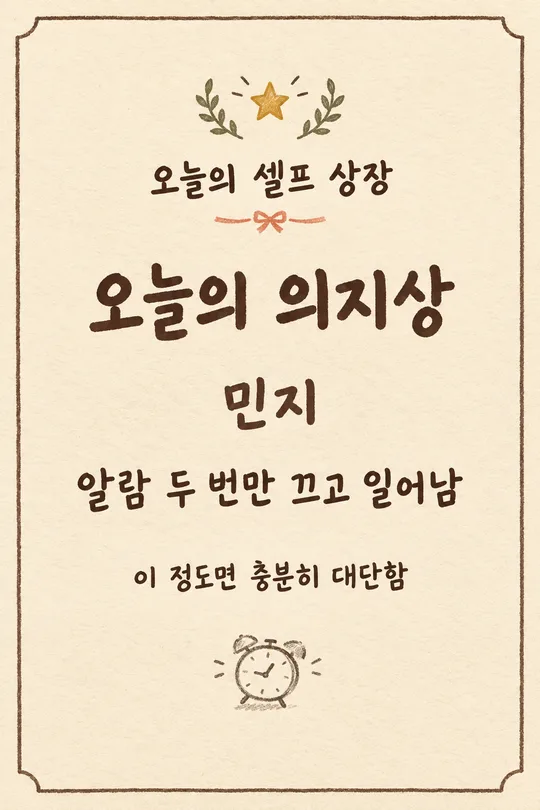
The owner's actual desk is "【쓰는 책상】". The main distraction is "【제일 방해되는 것】". After the reset, the first next task is "【정리 뒤 시작할 일】". The supportive one-line wording is "【응원 한 줄】". If the supportive value says "알아서 골라줘", write one short warm Korean line about beginning again and print only the final line. Do not print the instruction phrase. Do not invent a desk size, supplies, storage boxes, cleaning product, professional diagnosis, productivity percentage or a promise that all clutter will disappear. Treat the listed durations as a simple optional timer guide, not a proven behavioral claim.

[Exactly four steps]
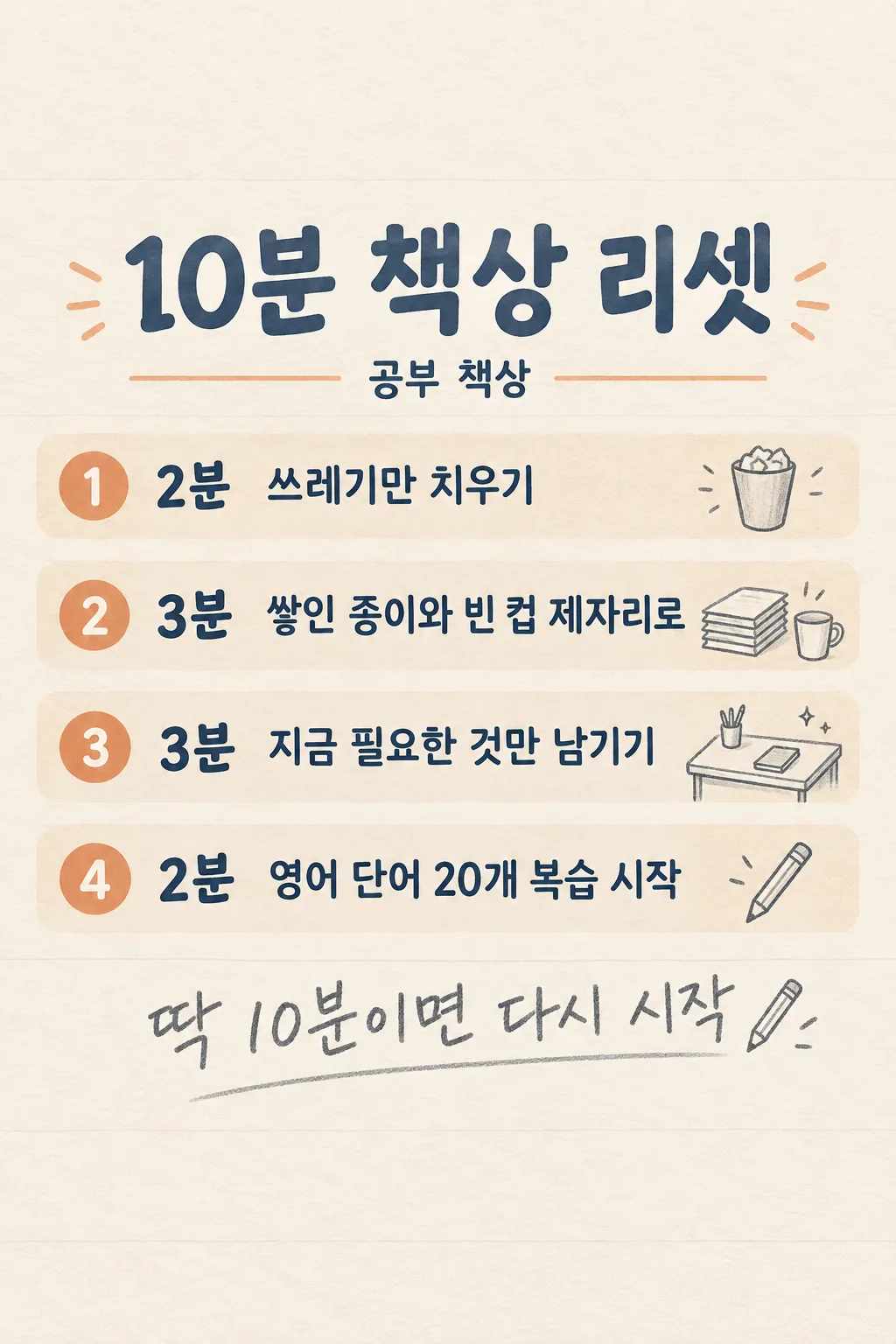
Use four clear horizontal bands on one continuous page, each with one big number, a duration, a simple icon and one action sentence. The durations must be EXACTLY 2 + 3 + 3 + 2 minutes = 10 minutes. Step 1 "2분  쓰레기만 치우기": remove obvious rubbish. Step 2 "3분  【제일 방해되는 것】 제자리로": move the named obstacle into an appropriate place; if the input is a phrase with several items, phrase it naturally without claiming a storage place the user did not give. Step 3 "3분  지금 필요한 것만 남기기": clear the work surface enough for the current task, without promising an empty desk. Step 4 "2분  【정리 뒤 시작할 일】 시작하기": get the named task physically underway, not finish it. If an input is long, line-wrap inside its own band rather than squeeze the font. Keep every band readable and ordered 1 to 4.

[Layout]
Full-bleed portrait cream paper, dark blue-gray ink, restrained muted apricot accents, faint ruled-paper texture and a few hand-drawn pencil objects. Reserve the top 15% completely blank; at 18–25% height put the title "10분 책상 리셋" in large dark Korean letters. At 23–28% add small subtitle "【쓰는 책상】" only once. Put the four bands around 30–75% height with consistent spacing and clearly differentiated numbers. At 77–83% place the final supporting line "【응원 한 줄】" once in large, warm graphite handwriting; if auto, print the invented line instead. Top 12% and bottom 15% contain no essential lettering because the site overlays those areas. This is a dense but tidy one-page information image, not a photograph of a notebook.

[Illustration and accuracy]
Step icons are simple and truthful: a cup, a small stack of papers or the named obstacle where recognizable, a clear patch of tabletop, and a pencil touching the next task. Never illustrate a laptop, monitor, paint tool or cleaning agent as if the user owns it unless stated. Keep the same fixed stationery illustration throughout. Proofread Korean syllables and copy the user's task exactly. The numerals must read 2, 3, 3, 2 and total 10; never change a duration to fit text. No made-up extra fifth step, fake scientific source, health claim, badge, watermark or decorative microtext. Return only this one complete image.
이 카드도 많이 사용해요

쓰는 법 · 자주 묻는 것
이런 때 쓰세요
책상이 어수선해서 공부나 작업을 시작하기 어려운 날, 딱 한 장 보고 따라 할 수 있는 정리표입니다. 네 단계의 시간을 2분·3분·3분·2분으로 나눠 합계 10분입니다. 공부·생산성 계정에서 자기 책상의 방해 물건을 넣어 인스타에 올리거나 책상 옆에 두고 써도 됩니다. 이 시간은 간단한 타이머 가이드이며 효과를 보장하는 수치는 아닙니다.
칸 채우는 법
‘쓰는 책상’은 본인이 실제 사용하는 곳을 적으세요. ‘제일 방해되는 것’은 가장 먼저 옮기고 싶은 물건 한두 가지를 적습니다. ‘정리 뒤 시작할 일’에는 2분 안에 시작할 수 있는 첫 동작을 쓰면 좋습니다. 예를 들어 보고서 완료가 아니라 첫 문단 쓰기처럼요. 문장이 고민되면 ‘응원 한 줄’에서 「알아서 골라줘」를 고르세요.
사용 순서
칸을 채워 프롬프트를 무료 GPT 이미지 대화창에 한 번 붙여넣으세요. 한 장짜리 체크표가 나오면 그대로 저장하거나 게시하면 됩니다. 여러 장을 이어 붙이거나 코드를 실행할 필요가 없습니다.
그림이 나오면 꼭 볼 것
1~4단계가 한 페이지에 있는지, 시간 2+3+3+2가 10분인지 확인하세요. 책상의 방해 물건과 다음 일이 입력한 그대로인지, 작은 글자가 휴대폰에서 읽히는지도 보세요.