
All · Social posts · Tips & facts
11410-Minute Desk Reset
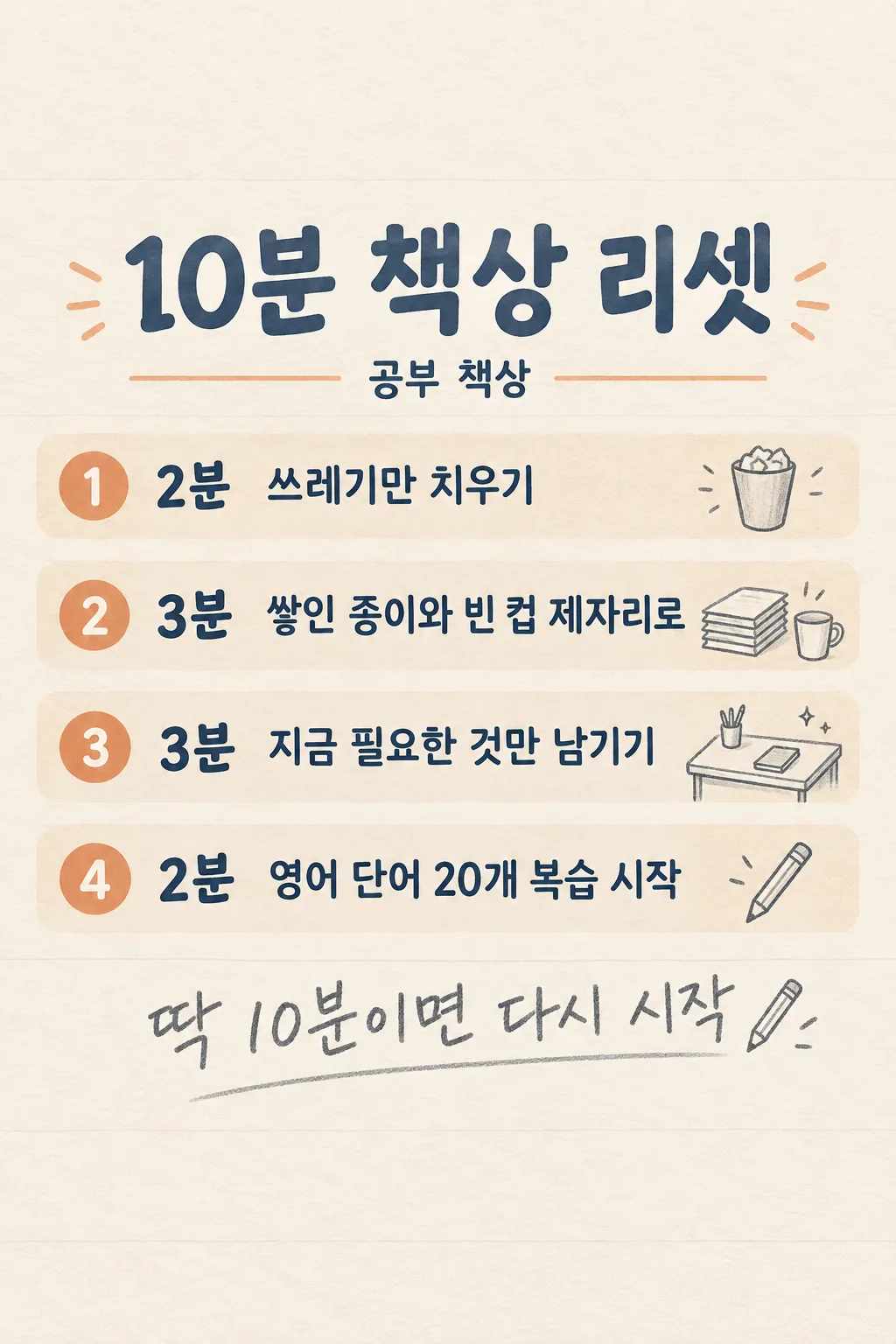
Make one illustrated four-step desk reset card based on your actual desk and next task.
Fill in the fields
- 1Fill in the fields
- 2Copy the prompt
- 3Paste it into a GPT chat
- 4To use a photo, upload it together with the prompt Optional
Full prompt 1,754 characters
Generate this image now. Draw it directly. Make exactly ONE finished vertical English information card: a fixed four-step, 10-minute desk-reset checklist, usable on social media or beside a desk. No four separate images, carousel, blank template, mockup, code or later step.

The actual work area is "【Desk I use】". The distracting thing is "【Biggest distraction】". The next task is "【First task after clearing】". The last warm line is "【Encouraging line】". If it says "Choose for me", invent one short line about beginning again and print only that line. Do not invent storage supplies, cleaning products, a productivity statistic or a guaranteed result.

Create exactly four horizontal bands on one continuous cream stationery page. Use these fixed durations and actions: 1 — 2 min: clear rubbish; 2 — 3 min: move "【Biggest distraction】" out of the way, without inventing where it is stored; 3 — 3 min: leave only what is needed for the current task; 4 — 2 min: start "【First task after clearing】", not finish it. Durations must add to 10 minutes. Wrap longer text in the band instead of shrinking it. Do not add a fifth step.

Use dark blue-gray lettering, small muted-apricot accents, faint ruled-paper texture and simple consistent pencil icons. Leave the top 15% blank. At 18–25% image height print "10-MINUTE DESK RESET" large. At 23–28% print "【Desk I use】" once. Place four readable bands at 30–75%. Put the encouraging line at 77–83% in large graphite handwriting. Leave top 12% and bottom 15% free of essential lettering. Keep every step and the 2, 3, 3, 2 numerals readable in a small listing. No fake research citation, health claim, watermark, invented equipment, extra image or explanation outside the image. Return only the finished card.
You may also like

How to use it · FAQ
When to use this
Use one image to guide a short desk reset before studying or working, or share your personalized version with a productivity audience. The times are a simple timer guide, not a guaranteed method.
Fill in the fields
Name the desk you actually use, one or two objects that distract you, and a small next action you can begin. “Choose for me” writes a short encouraging line.
Check the result
Send the filled prompt once to an image-capable GPT. Check that the card has four steps, 2+3+3+2 minutes, and your actual objects and next task.