
All · Wallpapers · Seasons & scenery
431Cozy winter window wallpaper
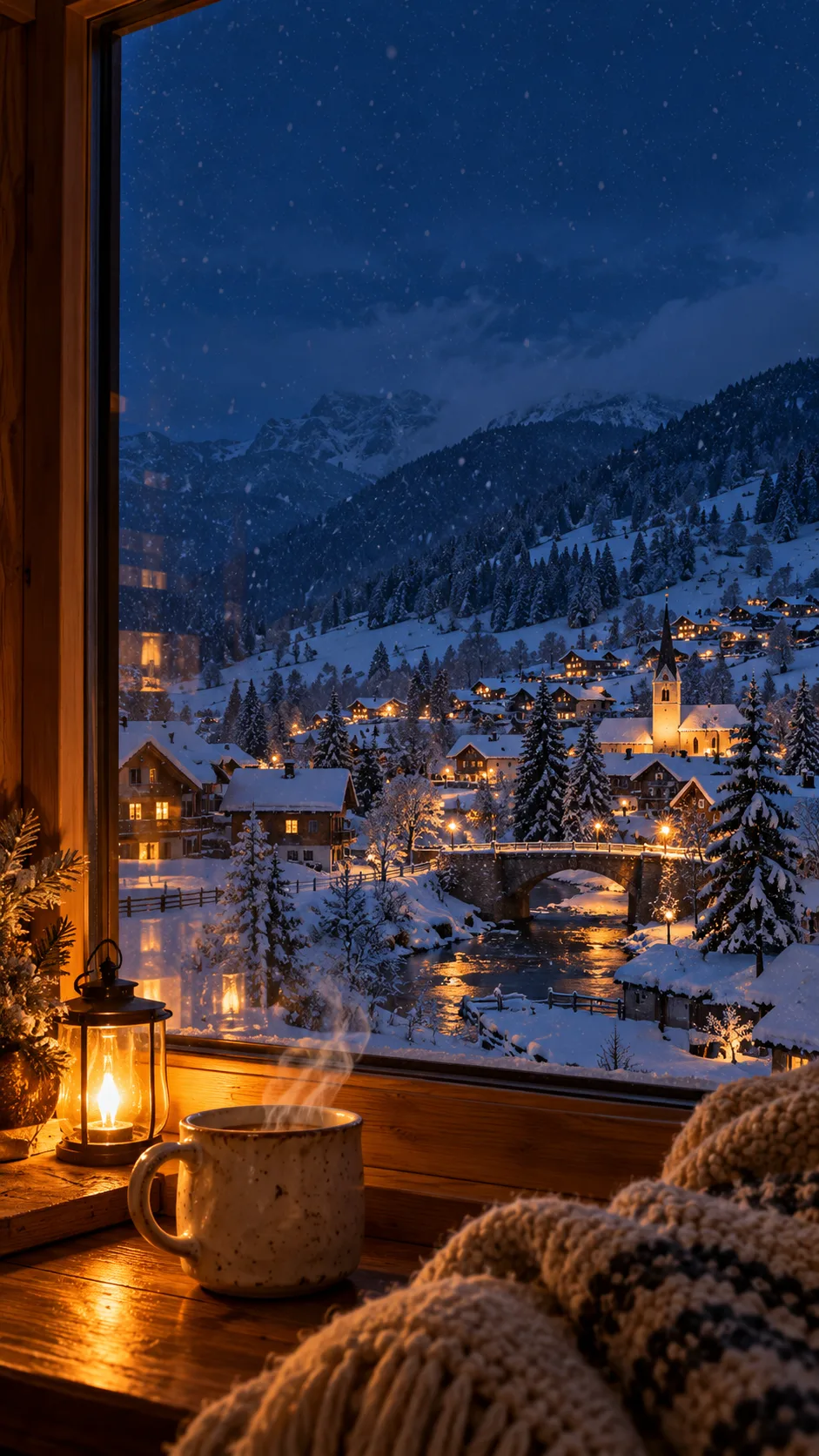
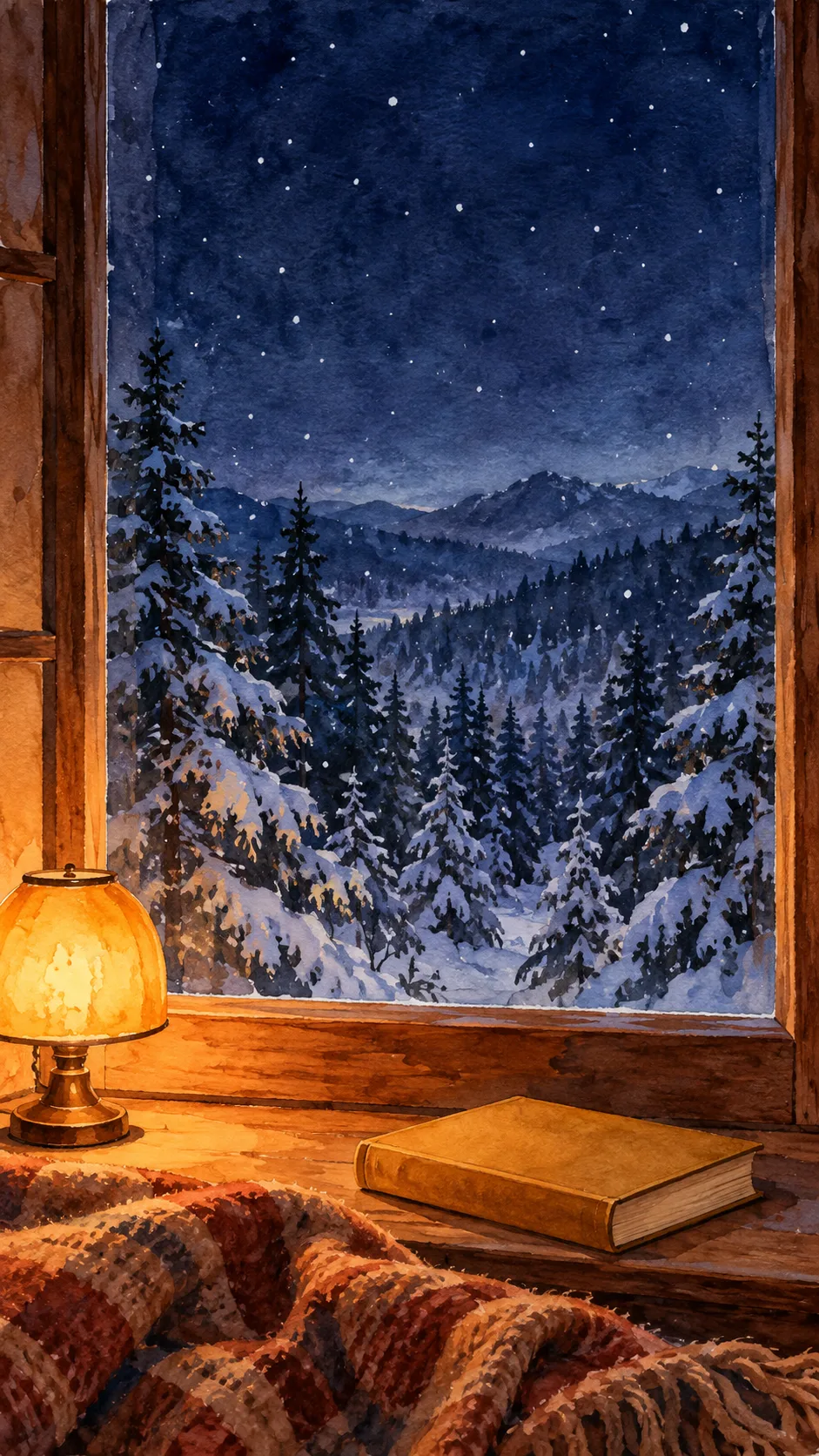
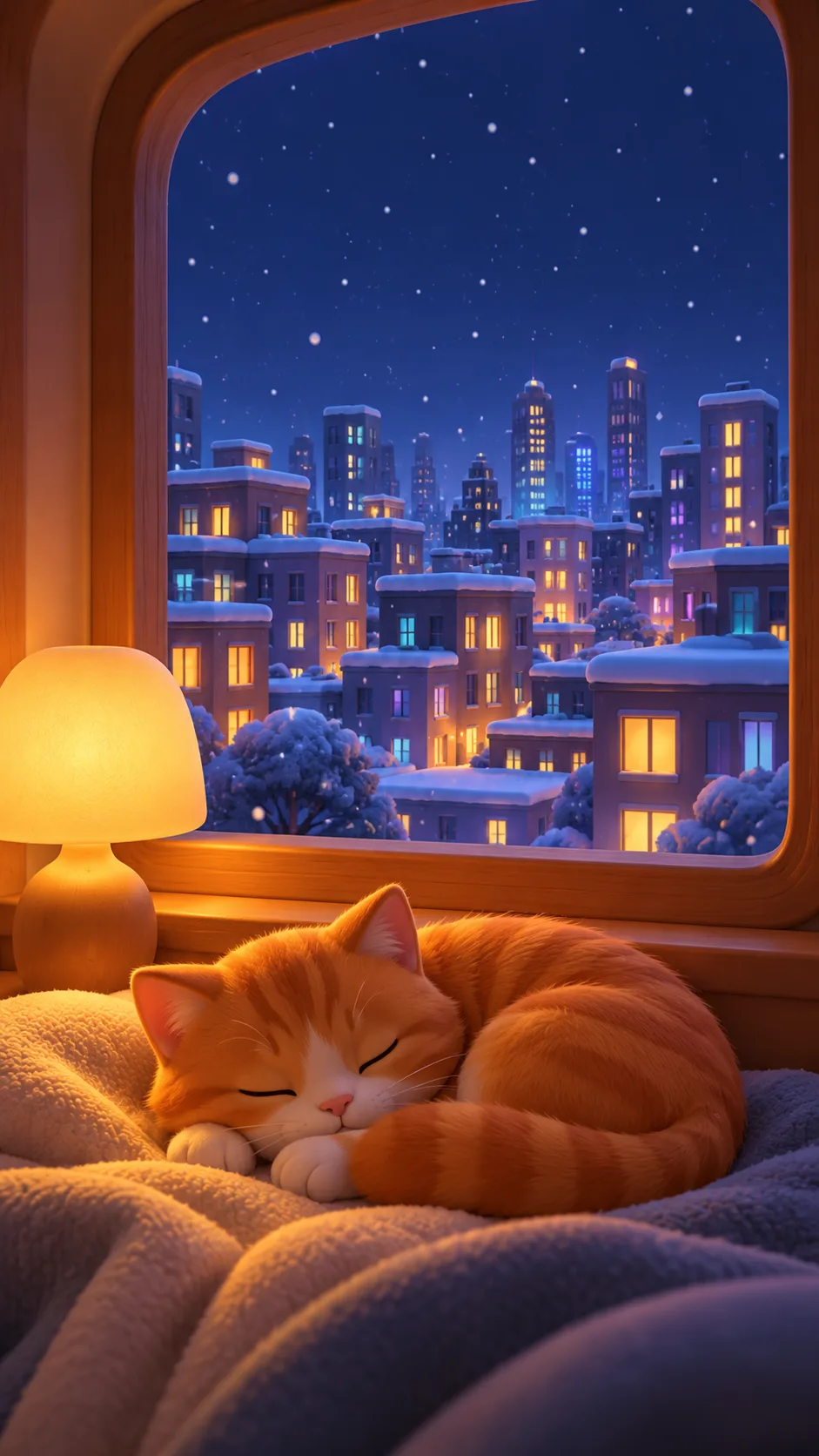
Watch a snowy night from a warm room in photography, watercolor or cozy 3D, with a quiet area for your clock.
What you get
- One winter night window wallpaper
- Your chosen outside view and windowsill prop
- A quiet upper 25% for your clock
Fill in the fields
- 1Fill in the fields
- 2Copy the prompt
- 3Paste it into a GPT chat
- 4Send it as is and you get an image like the thumbnail example
- 5Attach a real photo that fits the card and it is used in the result: a background photo for background cards, a person or food photo for those cards Optional
Full prompt 3,381 characters
Generate exactly one finished winter night window wallpaper now. Return the image only, without questions, explanations or code.
Aspect ratio: Output size 1080x1920 pixels, 9:16 portrait story. Keep all text inside the central 80% of the height.. Default to vertical 9:16. Full bleed pure wallpaper, no mockup, border or collage.
Outside view: "【Outside view】". Prop: "【Prop】". Style: "【Style】".
Empty fields default independently to Snowy village, Mug and Realistic photo. Use one option per field, never combine alternatives or print their labels.
View from inside a warm room through a wooden window. Include the wooden frame and sill, a cozy blanket at the bottom and a small amber lamp. Snow falls outside on a winter night, never indoors. Contrast cool indigo outdoors with warm indoor light, avoiding dazzling highlights. Use subtle glass reflections without heavy condensation hiding the view.
Use only the chosen outside view: Snowy village means small snow-covered homes with varied lit windows; Snowy forest means snow-covered evergreen trees and a quiet distant ridge; City at night means an invented modern city with snowy rooftops and small glowing windows. No real landmarks or readable signs. Keep main landscape features in the middle and lower image.
Place only the chosen prop clearly on the lower sill or window bench: Mug means an original unmarked ceramic mug with thin natural rising steam; Book means a closed book with no title, spine writing or ornamental lettering; Cat means one sleeping cat curled on the blanket; Plant means a small leafy plant in an unmarked earthy pot. Do not add any unselected mug, book, cat or plant. Keep the lamp and blanket for every choice. Objects rest securely on surfaces with coherent window perspective. Connect the cat's body, paws, ears and tail naturally.
Use only the chosen style: Realistic photo has natural lens perspective, glass reflections and believable wood and fabric texture; Watercolor illustration has transparent pigment washes, irregular brushwork and paper texture continuing across the entire canvas; Cozy 3D has rounded simplified forms, smooth matte materials and soft dimensional lighting. Make 3D clearly different from photography, with simplified sculpted cat fur and buildings. Never mix styles within one image.
Keep the central upper 25% a calm dark sky, with no strong light, moon, thick horizontal window bar or large branch. Vertical frame edges stay at the sides and snowflakes remain small and sparse. Do not create a blank white band. Reserve clock space without drawing a clock, date, weekday, digits, wording or app icons.
No people, public figures, known characters, real brands, logos, trademarks, signatures or watermarks. Every prop is an original fictional design, never a recognizable product replica. No lettering is requested: even tiny book spines and distant signs must contain no characters or numbers. Before finishing, check the selected landscape, prop and style, quiet upper 25%, coherent perspective and absence of lettering. Return one finished image requiring no cropping or postprocessing.

[Final output format]
Output size 1080x1920 pixels, 9:16 portrait story. Keep all text inside the central 80% of the height.
This selected output format takes priority over any fixed canvas size or aspect ratio elsewhere in this template. Adapt the composition, text zones and margins to the selected canvas without stretching or cropping essential content. Device safe areas apply only when a device is selected. Never print these format instructions on the image.
How did it turn out?
You may also like

How to use it · FAQ
Bring a snowy winter night to your phone with a view from a warm room. The wooden window, blanket and small lamp create an inviting foreground. Copy the prompt once into an image AI to request one finished wallpaper. No photo is needed; the room is invented rather than converted from a photograph of your own room.
No fields are required. Leaving everything empty uses Snowy village, Mug and Realistic photo. Choose small glowing houses with Snowy village, peaceful evergreens with Snowy forest, or modern buildings and tiny lights with City at night. Every view remains a snowy winter night without people. Choose one prop: a steaming Mug, a closed blank Book, a sleeping Cat or a small leafy Plant. Unselected props are omitted; the lamp and blanket remain.
Choose Realistic photo for natural materials, Watercolor illustration for translucent washes and brushwork, or Cozy 3D for rounded shapes and matte surfaces. Haru's gallery combinations are Snowy village–Mug–Realistic photo, Snowy forest–Book–Watercolor illustration, and City at night–Cat–Cozy 3D. The separate cover uses Snowy village–Mug–Realistic photo. Haru's name is not printed in the artwork.
The default is 9:16; use the site's common aspect ratio control for other formats. The upper 25% remains quiet for a clock, without drawing a clock or date. Check that bright lights or large branches do not cross that area. Inspect window perspective, the mug's contact with the sill and the cat's connected paws and ears. Zoom into book spines and distant signs to check for unwanted characters or digits.
If the upper area is too bright, ask in the same conversation: “Reduce snowflakes and lights in the upper 25% and use a calm indigo sky.” If 3D looks photographic, ask for “rounded simplified shapes and smooth matte 3D materials.” Check the result on your actual lock screen because clock and widget positions vary. Choose the desired ratio before generating so no cropping or postprocessing is needed. Check the external service's pricing and terms there.