
All · Social posts · Seasons & holidays
391First Birthday Mobile Invitation
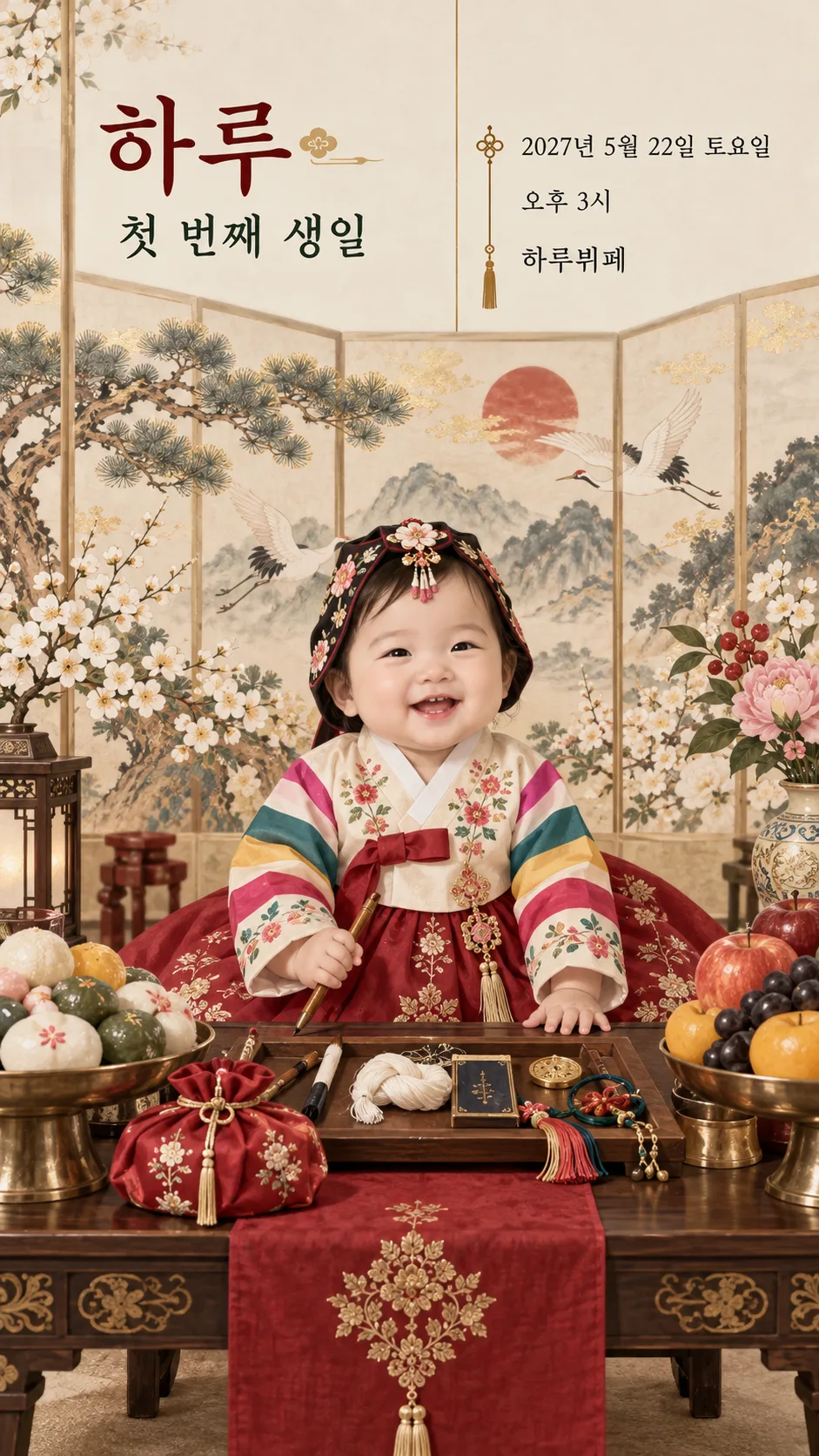
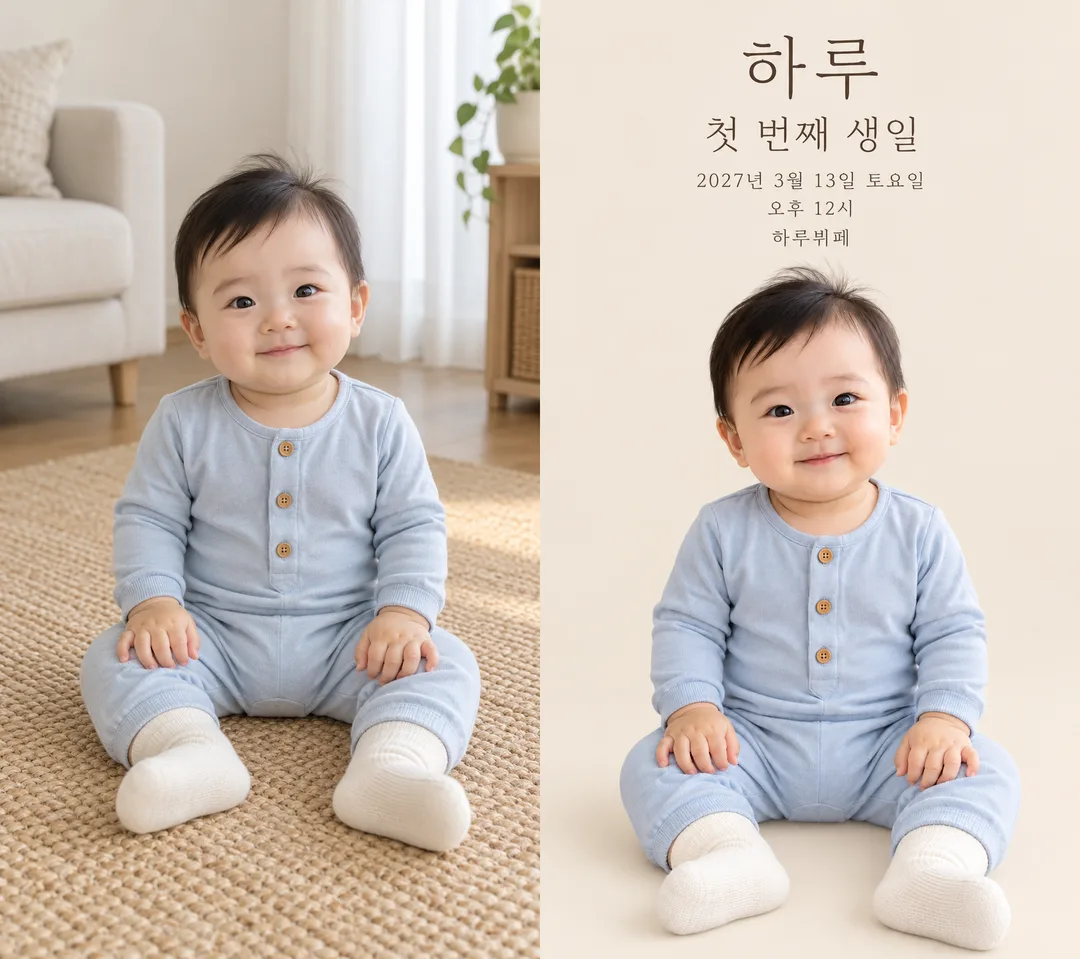
Choose a traditional dol table, storybook watercolor, pastel balloons or a minimal photo invitation while preserving the attached baby’s face and clothes.
Fill in the fields
- 1Fill in the fields
- 2Copy the prompt
- 3Paste it into a GPT chat
- 4Send it as is and you get an image like the thumbnail example
- 5Attach One baby photo approved by a guardian; optional, with a fictional illustration when absent with the prompt and your photo is used in the result Optional
Full prompt 3,699 characters
Generate this image now. Draw it directly - do not describe it, explain it, or ask questions.
Output size 1080x1920 pixels, 9:16 portrait story. Keep all text inside the central 80% of the height.
Create exactly ONE finished full-bleed first birthday mobile invitation in English. Use the supplied aspect ratio, recommended 9:16. Return one image without code, a second page, a mockup or a request for another turn.

[Design choice]
STYLE: "【Atmosphere】". Use only the chosen atmosphere. Pastel balloons: cream paper, peach and sage watercolor balloons and tiny flowers. Traditional dol table: colorful saekdong and floral hanbok on a fictional baby, rice cakes, fruit, thread and pencil on a dol table, and a traditional folding screen. Storybook watercolor: original gentle storybook illustration with flowers and soft woodland scenery. Minimal photo: solid white or beige background, large photographic baby and thin readable typography, no balloon decoration. Never change an attached baby's clothing or face to match a style; ceremonial hanbok applies only to a fictional baby when no photo is attached. No real brands, copyrighted characters, signatures or watermarks.

[Photo rule]
If a single baby photo is attached, preserve the exact facial identity, hair, skin tone, expression, body proportions, pose, hands and clothing as photographed. Keep the baby photographic, including the original outfit and buttons. Change only the surrounding background, never dress the baby in another outfit or redraw the face. Do not create additional people. If no photo is attached, finish immediately with a charming watercolor illustration of an entirely fictional one-year-old baby dressed to match the chosen atmosphere, with no intentional resemblance to any real person. Do not ask for a photo.

[Text layout]
Keep essential text outside the top 12% and bottom 15%. At 15–25% place the large name "【Baby name】"; at 26–33% place the prominent heading "First Birthday". At 35–48% display these exact lines with crisp high-contrast type: "【Date】 【Weekday】", "【Start time】", "【Venue】". The baby fills the lower 50–90%, not a tiny inset. Use a layout suited to the chosen atmosphere: an asymmetric text column above a traditional dol table, or thin typography above a large baby photograph for minimal photo; no outer paper or empty mockup margin. If optional text is supplied, use compact additional lines beside the baby above 84%, protect the main facts from shrinking, and keep the face unobstructed.

[Optional text]
LOCATION_DETAILS: "【Location details】". If empty omit its entire line; do not invent an address, hall or floor.
INVITATION_LINE: "【Invitation line】". If empty omit. If it equals "Choose for me", print "Celebrate with us" instead; otherwise print it exactly.
REPLY_INSTRUCTIONS: "【Reply instructions】". If empty omit; otherwise print exactly. Do not invent a phone, attendance deadline, map, program, gift, fee, meal or clickable button.

[Exactness]
Render every supplied name, date, weekday, time and venue once, in this language. Verify the actual date and weekday against a reliable calendar or web source; do not guess or silently change a supplied value. Never print verification notes, input instructions or placeholder words. Compare every character and digit before finishing. Keep the face and outfit faithful to the photo, regardless of the chosen atmosphere. Output the complete invitation only.

[Final output format]
Output size 1080x1920 pixels, 9:16 portrait story. Keep all text inside the central 80% of the height.
This selected output format takes priority over any fixed canvas size or aspect ratio elsewhere in this template. Adapt the composition, text zones and margins to the selected canvas without stretching or cropping essential content. Device safe areas apply only when a device is selected. Never print these format instructions on the image.
How did it turn out?
You may also like
How to use it · FAQ
A first birthday invitation to send to family
Create one portrait invitation with the baby and celebration details. Choose pastel balloons, a traditional Korean dol table, storybook watercolor or a minimal photo. The cover shows pastel balloons. Example 1 shows a fictional baby in colorful floral hanbok with a traditional folding screen and a dol table holding rice cakes, fruit, thread and a pencil. Example 2 pairs the fictional source photograph with a minimal white/beige invitation. Attached photographs preserve the face, hair, expression, pose and clothes. The demonstration babies and Haru Buffet are fictional.
Fill the five essential fields
Baby name, Date, Weekday, Start time and Venue are the five required fields. Include the year in the date and specify AM or PM. The example dates March 13, 2027 and May 22, 2027 are Saturdays. Confirm your actual date and weekday against a calendar before sending. Select the aspect ratio in the shared size menu; 9:16 is recommended for mobile invitations.
Location details can contain a floor, hall or address. Leave it empty to omit that entire line. The optional invitation line also disappears when empty; select a suggested sentence or Choose for me to receive a short greeting. Reply instructions should describe a method that guests can actually use. When empty, no phone number, response deadline or contact route is invented.
Attach a photo and send once
Check guardian permission to use the picture and share the child's name. Attach one clear photograph of a single baby, paste the copied prompt into the same message, and send them together to an image AI. Choose a picture that shows the face and clothing clearly. This invitation preserves the outfit rather than changing it into ceremonial clothing. Share only the identifying details needed by your intended guests.
Check the finished invitation
Compare each letter and number of the baby name, heading, date, weekday, time and venue. Compare the baby's face, hands and clothing against the source image. If a detail is wrong, correct the field and regenerate the image. If optional lines crowd the event information, shorten or clear them. Do not overlay replacement text yourself.
Common questions
A photograph is optional: a fictional baby illustration appears when none is attached. Choose the atmosphere in its optional field. Hanbok is used for a fictional baby without a photo; attached outfits remain unchanged. The finished result is a single image, so it has no working map or RSVP button. Put the practical location and reply route in the optional fields, then send the invitation to your guests.