
All · Comics & illustration · Characters
376Child's drawing to a 3D character — keep every wonky detail
Turn a drawing photo into a tactile 3D character with the same uneven eyes, unequal arms, colors and number of legs.
What you get
- One 3D character preserving the drawing’s asymmetry and colors
- Selected material and background, no text
ChatGPT Free OK
Fill in the fields
- 1Fill in the fields
- 2Copy the prompt
- 3Paste it into a GPT chat
- 4Send it as is and you get an image like the thumbnail example
- 5Attach a real photo that fits the card and it is used in the result: a background photo for background cards, a person or food photo for those cards Optional
Full prompt 3,814 characters
Generate this image now. Draw it directly; do not explain, ask questions or return instructions.
Output exactly one finished 2:3 portrait image, 1024x1536 pixels. Leave the top 12% and bottom 15% free of essential text.
Create ONE photorealistic 3D character image, not a drawing, comparison sheet or toy manufacturing plan.
MATERIAL: "【Material】"
BACKGROUND: "【Background】"
DRAWING DESCRIPTION: "【Drawing description】"

PHOTO RULE: If a photo of a child's drawing is attached, use the drawing as the authoritative design. Ignore paper, desk, shadows, signatures and personal information. Preserve its front-view silhouette, wobbly contours, strange proportions, eye sizes and exact eye positions, mouth shape, unequal arm lengths, every visible finger, and the EXACT number of legs, heads, horns, ears and other appendages. Keep the original pose and orientation so all visible limbs remain identifiable. Preserve the color placement, uncolored gaps and coloring outside the lines as irregular colored material patches, painted marks and irregular edges. Do not beautify, symmetrize, correct anatomy, add features, replace it with a familiar creature, or smooth away its personality. Add only the depth needed to make the flat design a believable three-dimensional object. Keep facial features as the child drew them rather than adding conventional toy eyes or a new smile.
If multiple figures appear, render only the largest complete figure; never combine their body parts. The description may clarify a name or an ambiguous part, but must never override visible shape or color. A name is context only, never printed.
If no drawing is attached, do not ask for one: invent a fictional five-to-seven-year-old's awkward creature, then render it in 3D. Use the description if present; otherwise use a lopsided turquoise potato body, unequal high-left and low-right yellow eyes, crooked red smile, one long and one short orange arm, exactly three purple legs and two unequal pink triangular ears. No real child's face is needed.

Material choices (same geometry and colors for every choice):
- Soft plush: Short-pile stuffed plush, visible fibers and subtle seams; retain irregular color patches.
- Fluffy felt: Dense fuzzy felt fibers, shallow stuffed volume and irregular colored felt appliqué.
- Smooth soft vinyl: Satin soft vinyl, gentle highlights and irregular painted marks preserving the crayon color pattern.
If missing or empty, use the first material only.
Background choices:
- On a desk in a child's room: Warm desk in a child's room, background objects blurred; no people or readable private details.
- Clean studio: Clean quiet studio backdrop and subtle contact shadow.
- Place in the drawing: Use only the environment actually drawn, rendered as a realistic setting behind the character.
If missing or empty, use the second background only. If the third background is chosen but the drawing has no environment, use the clean studio instead.
If description is empty, infer only what is visible; invent no name or extra feature.
Keep the character large (about 85% of the frame), with every visible appendage fully in frame. Use the requested aspect ratio, soft realistic lighting, clear material texture, shallow volume, a subtle contact shadow and a quiet backdrop. Keep the reference's front-view orientation. Render only the final character scene, never the original paper or a before/after panel.
No text, labels, logos, signatures, watermarks, existing franchise characters, brand designs or human faces. Original imaginary characters only.

[Final output format]
Output exactly one finished 2:3 portrait image, 1024x1536 pixels. Leave the top 12% and bottom 15% free of essential text.
This selected output format takes priority over any fixed canvas size or aspect ratio elsewhere in this template. Adapt the composition, text zones and margins to the selected canvas without stretching or cropping essential content. Device safe areas apply only when a device is selected. Never print these format instructions on the image.
How did it turn out?
You may also like

How to use it · FAQ
Keep the child's design
Bring a crayon creature into three dimensions while keeping its uneven eyes, oversized feet, extra legs and crooked smile. Use the image for a family album, a framed drawing or a family chat. This produces an image, not a manufactured or shipped toy.
Send the photo and prompt together
Attach one clear photo showing the entire drawing to an image AI, then paste the copied prompt into the same message and send it once. No face photo is needed. Use an original drawing and a photo that does not expose a child's name, school or contact details. Check permission before sharing the child's work publicly. Check the external service's fees and terms there.
Choices and empty fields
There are no required fields. Material offers Soft plush, Fluffy felt and Smooth soft vinyl. Plush has short pile and seams; felt has dense fibers and layered color patches; vinyl has soft reflections. Changing material must not change geometry or colors. An empty material uses Soft plush.
Background offers a desk in a child's room, a clean studio or the place shown in the drawing. Desk surroundings stay softly blurred. The studio emphasizes the character. The drawing's place uses only an environment that is actually shown; if none exists, it uses the studio. An empty background also uses the studio. Drawing description can explain what the child meant, such as “Haru dinosaur, two heads and a long left arm.” Leave it empty to follow visible details without inventing a name. The photo takes priority over conflicting descriptions. Names are context and never printed.
Read the examples
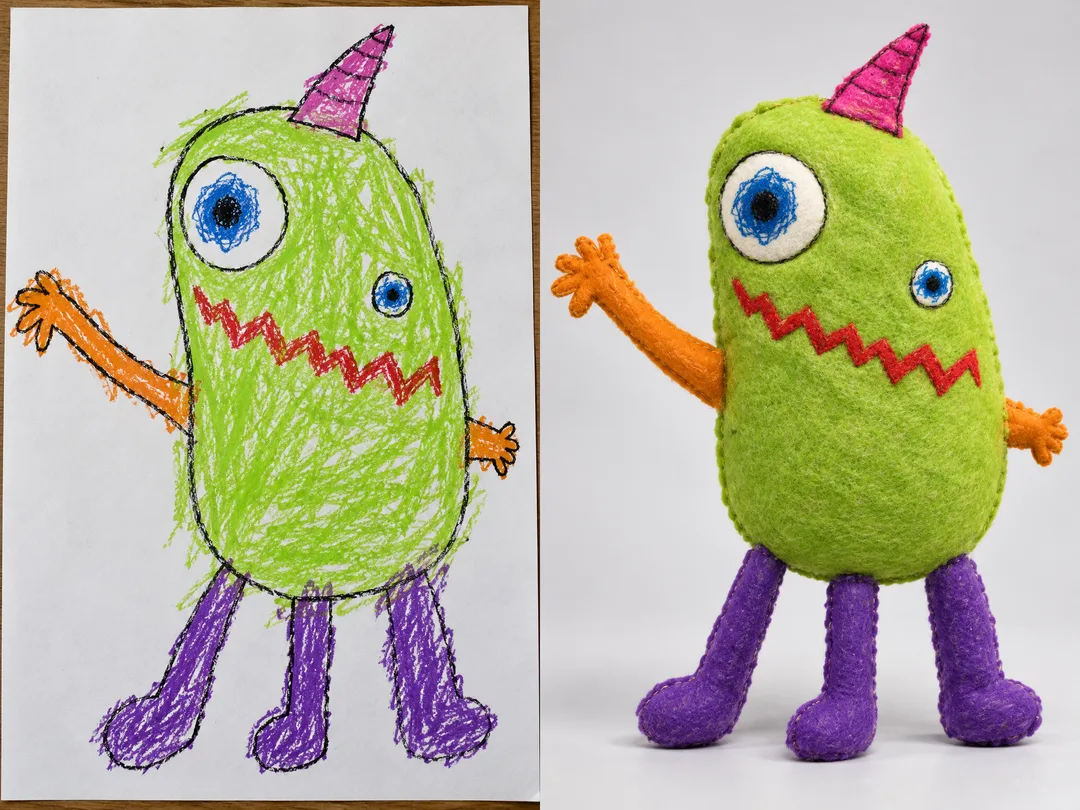
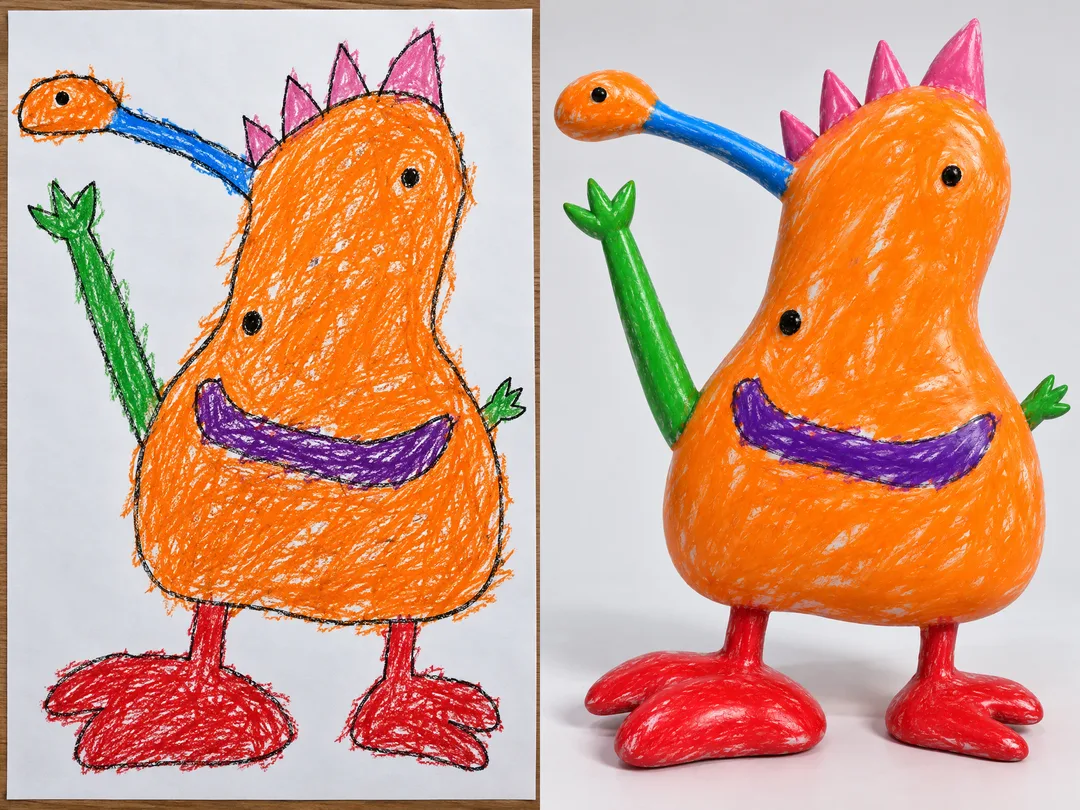
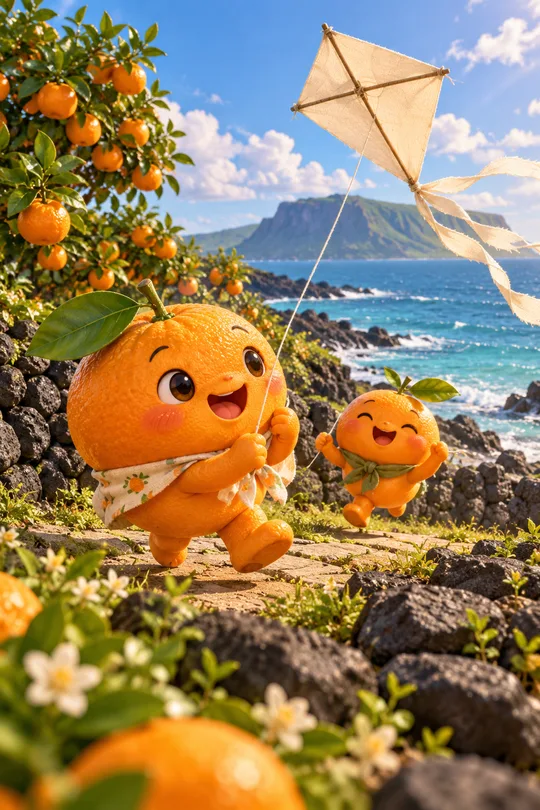
The first pair shows a green three-legged creature becoming felt. The second shows an orange two-headed dinosaur with a blue neck becoming soft vinyl. Left is a fictional crayon drawing photo; right is the result generated with that drawing attached. Separate final images follow. The listing cover is a separately generated plush creature showing the no-photo default.
Check the result
Compare eye height and size, arm length, leg count and color placement. If the model makes the eyes level or removes a leg, attach the original again and identify that specific difference. Keep coloring outside the lines and uncolored gaps visible rather than accepting a polished solid-color redesign.
Questions
Without a photo, it invents a child's imaginary drawing and renders that character in the selected material. With several figures, it renders the largest complete figure only. If an appendage is cut off, use a photo showing the full drawing. You receive one character image, not a coloring page, sewing pattern or construction plan.