
All · Social posts · Memes
014Personal Color Palette from Your Photo
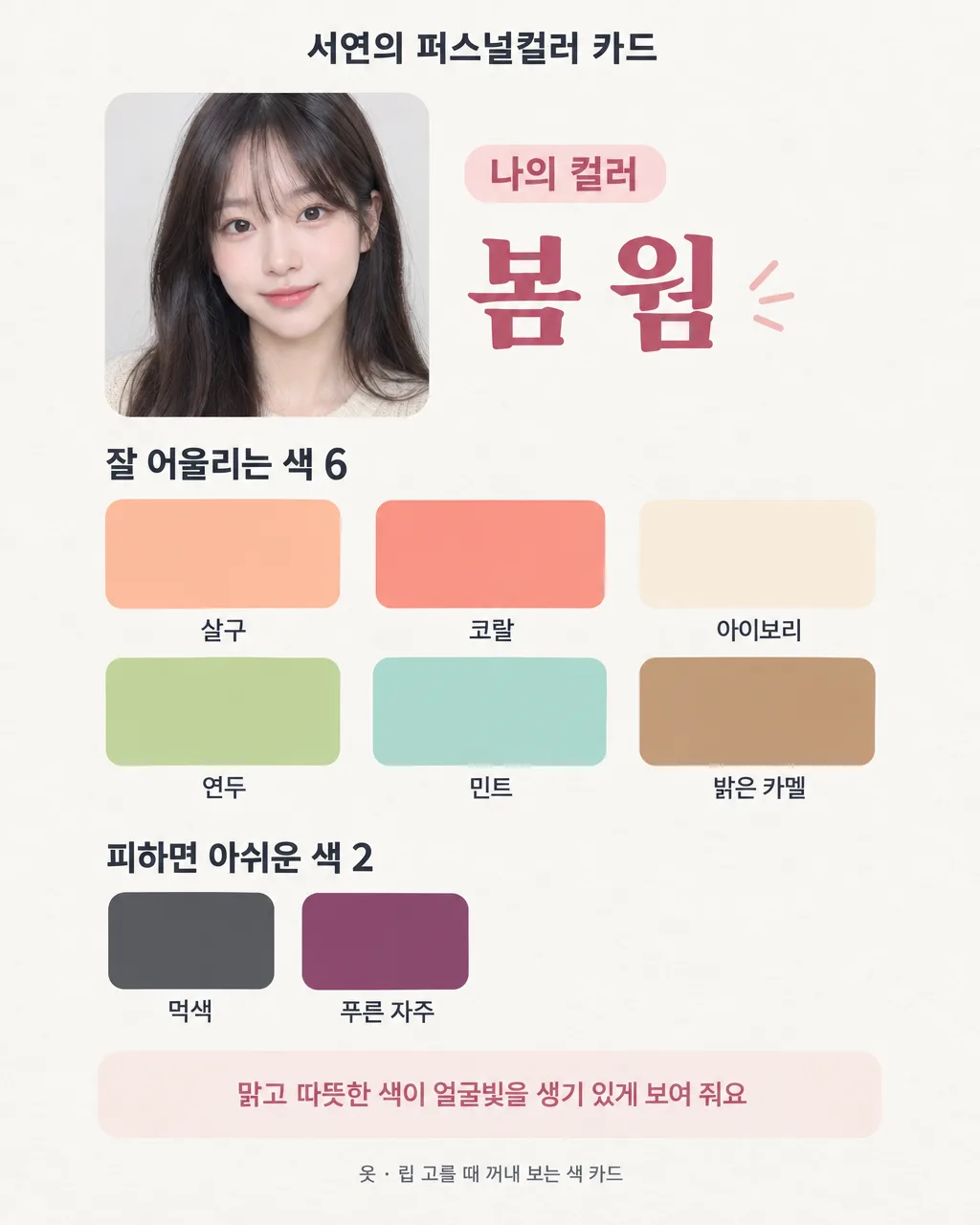
Make a shareable palette with six flattering colors and two colors to use carefully.
Fill in the fields
- 1Fill in the fields
- 2Copy the prompt
- 3Upload Your own clear photo and paste the prompt into your GPT chat
- 4Check that both the photo and prompt are attached, then send
Full prompt 997 characters
Create the finished image now. Return the image, not a description.
Output size 2480x3508 pixels, A4 portrait, 300dpi, print-ready poster.

[Owner inputs]
Palette result: 【Palette result】
Name: 【Name】

Require a clear personal photo. Create one elegant palette card with six suggested colors and two colors to use cautiously, showing swatches and readable names. Respect the person's identity and natural skin tone. If the user has a known seasonal palette, use it; if they ask the model to choose, describe the result as a photo-based style suggestion, not a scientific diagnosis. Lighting and camera settings can change perceived color; never claim certainty from one photo. Do not alter facial features or promise an appearance outcome.

Use the filled field values as instructions. Omit blank optional fields. Preserve exact owner-supplied names, dates, prices, contact details, and wording. Use natural U.S. English for all visible text. Do not print field labels as a separate form, prompt instructions, placeholder braces, or invented facts on the image.
You may also like
How to use it · FAQ
Compare the image with your photo and use the palette as a style suggestion.