

All · Infographics & guides · Comparisons
613Size Comparison in One Image
See the size order at a glance, from smallest to largest.
ChatGPT Free OK
Fill in the fields
- 1Fill in the fields
- 2Copy the prompt
- 3Paste it into a GPT chat
- 4Send it as is and you get an image like the thumbnail example
- 5Attach a real photo that fits the card and it is used in the result: a background photo for background cards, a person or food photo for those cards Optional
Tested by us
- Test date
- 2026-11-01
- Tool
- Built-in image_gen (no API script used)
- Result
- Pass
- What worked
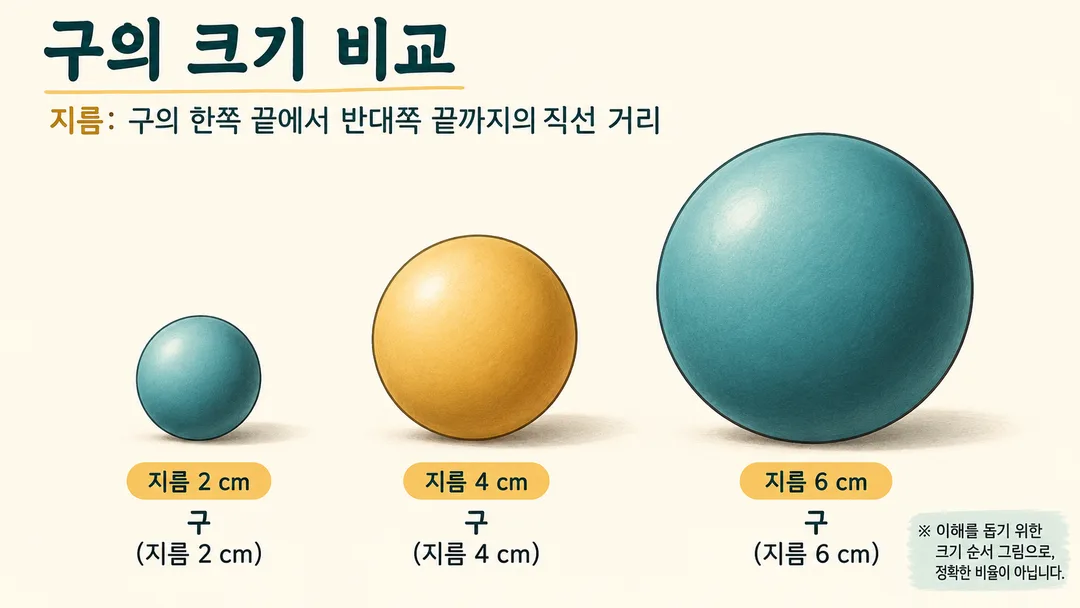
- All 3 spheres are fully visible in ascending order from left to right. Diameter definitions, sphere names, and 2, 4, and 6 cm are correct with no text clipping, omission, or errors. Cream-colored encyclopedia aesthetic with no decorative spheres. The note stating it is a size comparison drawing rather than exact proportions is legible.
- What did not work
- Exact 1:2:3 diameters are not guaranteed. This is not claimed as resolved and was excluded from the card's commitments. Dimension labels repeat, but there are no errors or omissions.
- How to improve
- Use for size comparison explanations and avoid using for diagrams requiring exact scale. Verify real-world measurements separately with materials of the same definition.
Full prompt 2,201 characters
Generate one finished size-comparison infographic image.
Canvas: Output size 1920x1080 pixels, 16:9 landscape thumbnail. Keep all text large and readable at thumbnail size.. Default: 16:9.
Subject: 【Subject】. Number of objects: 【Count】. Atmosphere: 【Atmosphere】.
Show the requested objects in one clear left-to-right lineup, smallest to largest, on a common baseline. Make the size order obvious, keep every object complete and separate, and preserve its natural shape. Use only the requested number of objects, with no decorative specimens. Blank fields use spheres with diameters 2, 4, 6 cm, count 3, and field guide. For counts 4 and 5, extend the default diameters to 8 and 10 cm.
This is a visual comparison of size order, not an exact scale diagram. Do not claim exact ratios or add a graduated ruler. Include a short visible note in English meaning “Illustrative size order; not to scale.” Numeric labels describe the subjects, not measured lengths on the image.
Use one measurement definition throughout, such as diameter or height. For real subjects use confirmed measurements from authoritative sources with consistent definitions; do not invent values. If they cannot be verified, use the default geometric spheres instead. User-defined geometric dimensions need no lookup.
Miniature: tactile matte models with warm light. Field guide: clean flat illustrations, cream background, fine contours, teal and ochre. Dark: dark background with subtle rim light. Apply only the selected style.
All visible writing must be English. Add a short title, the measurement definition, and one name and dimension label below each object. Keep text readable, well spaced and fully inside the canvas. For portrait canvases keep the same single lineup with the title above. No brands, existing characters, real people, signatures or watermarks.
Check names, digits, units, object count and ascending order. Return only the finished image.

[Final output format]
Output size 1920x1080 pixels, 16:9 landscape thumbnail. Keep all text large and readable at thumbnail size.
This selected output format takes priority over any fixed canvas size or aspect ratio elsewhere in this template. Adapt the composition, text zones and margins to the selected canvas without stretching or cropping essential content. Device safe areas apply only when a device is selected. Never print these format instructions on the image.
How did it turn out?
You may also like
How to use it · FAQ
See the size order
Create a single lineup from smallest to largest with names and dimensions. The drawing does not guarantee exact scale. Do not use it as a precision scale diagram.
Fill three fields
Specify the subjects and measurement definition. Choose 3, 4 or 5 objects and Miniature, Field guide or Dark. Example: Spheres with diameters 2, 4, 6 cm / 3 / Field guide. The default is 16:9. No photo input is needed.
Check before sharing
Check names, digits, units, count and ascending order. Verify real measurements using authoritative sources with consistent definitions. Request a new image with corrected text if needed. Check the external service for fees and terms.