
All · Infographics & guides · Comparisons
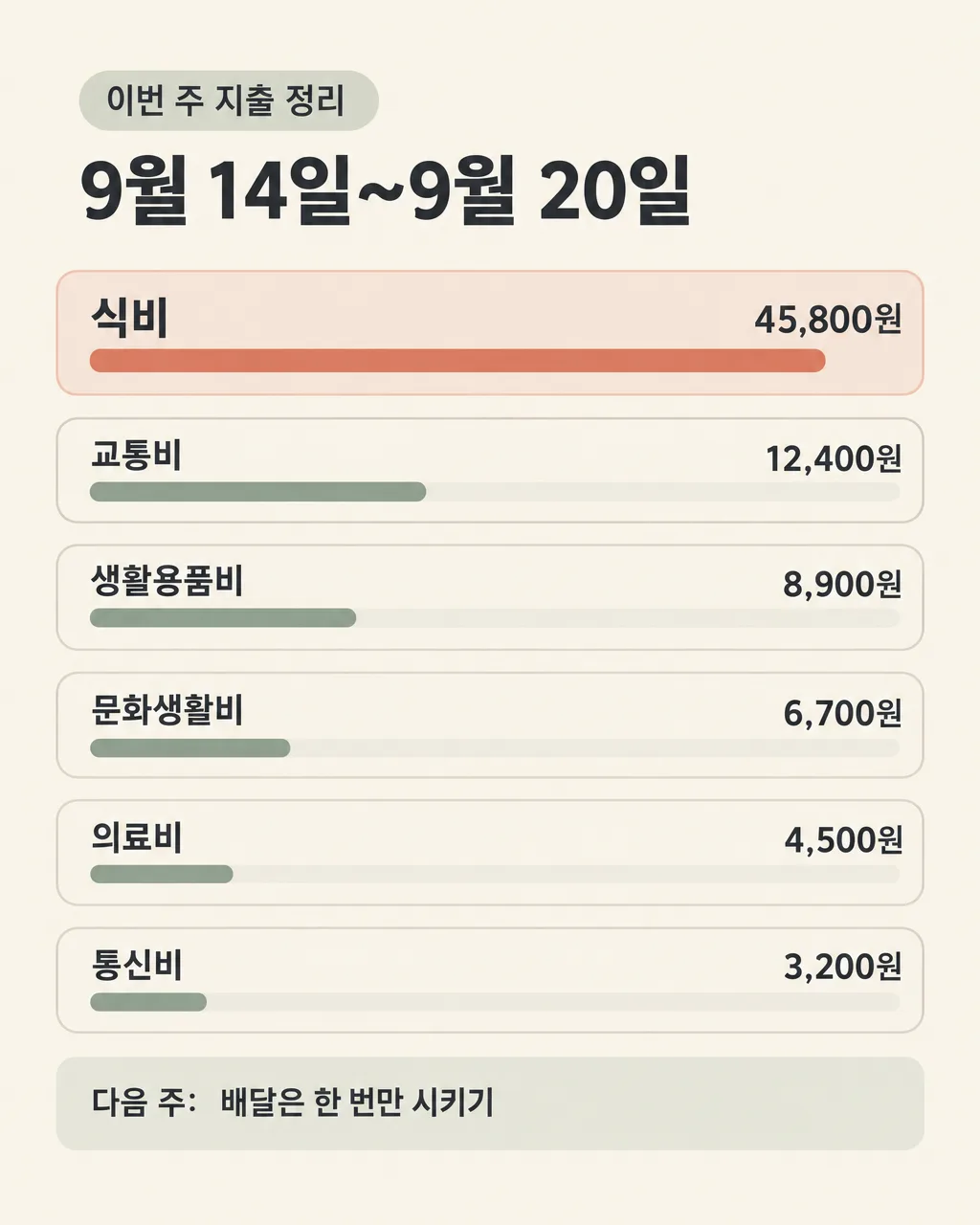
027Weekly Spending Summary
Compare up to eight exact spending lines and highlight the largest expense.
Fill in the fields
- 1Fill in the fields
- 2Copy the prompt
- 3Paste it into a GPT chat
- 4To use a photo, upload it together with the prompt Optional
Full prompt 1,014 characters
Create the finished image now. Return the image, not a description.
Output size 2480x3508 pixels, A4 portrait, 300dpi, print-ready poster.

[Owner inputs]
Period: 【Period】
Items and amounts (one per line, up to 8): 【Items and amounts (one per line, up to 8)】
This week's goal: 【This week's goal】

Make one private, readable spending summary. Reproduce the entered period, each category and amount, and optional goal exactly. Parse up to eight lines, calculate the total accurately, rank by amount, and show proportional bars whose lengths match the values. If a number or currency is unclear, flag it rather than guessing. Do not invent purchases, income, savings, or financial advice. Keep large amounts easy to spot and the full list readable on a phone.

Use the filled field values as instructions. Omit blank optional fields. Preserve exact owner-supplied names, dates, prices, contact details, and wording. Use natural U.S. English for all visible text. Do not print field labels as a separate form, prompt instructions, placeholder braces, or invented facts on the image.
You may also like


How to use it · FAQ
Save the card and use it when setting next week's budget.