
すべて · 広告・ポスター · カフェ・スイーツ · 新商品
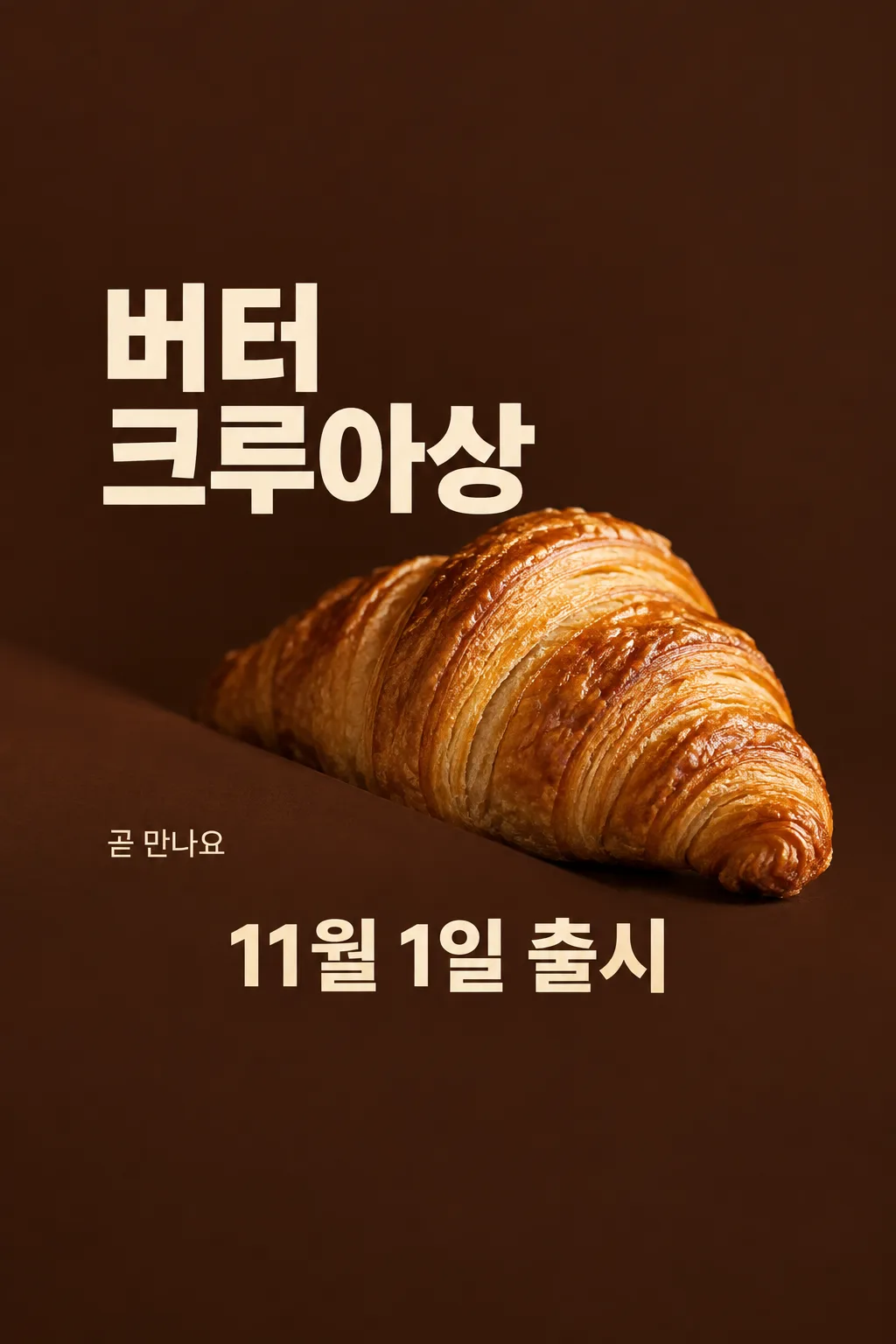
151クロワッサン発売予告
実際の商品の写真と確定した発売日で、部分見せの予告ポスター一枚を作ります。
項目を入力
- 1項目を入力します
- 2プロンプトをコピーします
- 3GPTのチャットに実際に販売するクロワッサンの写真一枚とプロンプトを一緒に送ります
- 4写真と文章の両方が入っていることを確認します
プロンプト全文を見る 5,482文字
Generate this image now. Draw it directly - do not describe it, explain it, or ask questions.
A3横、420×297mm、縦横比1.414:1のポスターを1枚作成してください。生成できる最大解像度を使い、印刷用の最終目標は4961×3508ピクセル、300dpiです。文字は紙の端から10mm以上内側に置いてください。

[Purpose]
Generate exactly ONE finished Japanese croissant release teaser poster for a cafe or bakery. It announces one supplied product and one confirmed release date. The fixed design is a dramatic partial-reveal food photograph with large plain typography on warm dark brown. It is not a discount poster, menu board or advertisement for several bakery items. Output the final image directly with no code, follow-up, multiple pages or assembly. The viewer should first think that the actual bread looks delicious, then understand when it arrives.

[Scene]
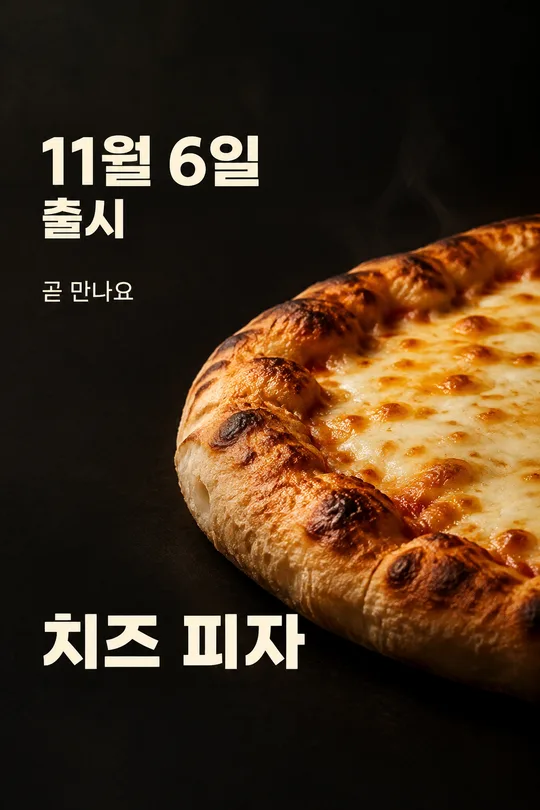
Put ONE generously inflated croissant at the center-right, around 40–64% of the height. Its broad rounded middle and at least one tapered curled end remain clearly visible. A diagonal matte cocoa-colored foreground shade hides only the lower-left edge of the bread, no more than one fifth of its outline. This is a photographic reveal, not a silhouette of a flat roll. Keep the essential food structure exposed; do not cut the finished output into parts. No second croissant, drink, butter pat, tray full of cloned pastries or implied bundle. The backdrop is deep cocoa brown with warm directional bakery light. It fills the entire output canvas; do not show a poster held in a room or on a phone.

[Attached photo — mandatory]
Use the actual croissant photograph attached in this same message as the source of product identity, topping, filling, glaze, volume and shape. Preserve what this shop actually sells. Do not add almond flakes, chocolate, cream, melted cheese, garnish or branded packaging if absent from the photograph. Relight and arrange that ONE product without replacing it with generic AI bread. It has real laminated dough: a raised center, irregular thin curved flaky layers, slightly brittle toasted edges, subtle golden glaze and plausible puffed volume. Layer spacing is organic, never a perfectly repeating grid or wire mesh. A croissant is not a flattened waffle, geometric lattice, low hamburger bun or repeated stack of identical rings. Use appetizing close detail and warm light, not an invented steam cloud or wet plastic shine.

[Text layout and user facts]
Reserve the top 20% and bottom 25% as quiet brown background with no words. All important text remains between 21% and 74%. At 20–28%, print the store name once in clear restrained Japanese lettering: "【店名】". At 29–42%, print the exact product name in very large warm-cream type, at most two lines with no broken Japanese word: "【クロワッサン名】". Place the photograph beside and below the name so lettering never covers the flaky surface. At 69–74%, put the exact date followed by one word in one large line: "【発売日】 発売". That date is the principal factual information; preserve the user's spelling and do not add a weekday, time, year or deadline not supplied. Confirm the current date internally if interpreting a date is necessary, but never silently move the user's launch day.
At 62–68% on the empty LEFT side only, write the user's short teaser: "【予告のひとこと】". If this is "おまかせ", choose a short original invitation to anticipate the bread, 6–14 Japanese characters. Never print the instruction. Keep this line clearly subordinate to the name and release date. It may express anticipation, not a promise about stock, freshness schedule, ingredients, origin or a free gift.

[Style, hierarchy and text rules]
Use deep cocoa, warm cream and the real pastry's baked gold. Plain substantial typography, careful Japanese spacing, soft believable shadows and crisp food focus. Hierarchy is one real pastry, its exact name and release date, then the store and short teaser. The teaser layout intentionally has no price field and no price. Do not invent a sale, quantity, reservation, purchase minimum, coupon, free delivery, limited stock, opening hours, award, nutrition benefit, organic claim or premium ingredient provenance. Print only the four supplied text elements; no field labels, logo, barcode, watermark, empty boxes, neon, starbursts, glowing outlines or extra captions. Return the single finished poster.
[Strict no-print geometry]
Keep the top 20% as completely empty dark cocoa with NO LETTERS, including no product headline. Leave the bottom 25% equally free of words. Do not enlarge the headline into that space. On a 1024x1536 sample: store name if supplied around y=310; product-name lettering wholly between y=420 and y=650; croissant mostly between y=660 and y=990; short teaser near y=1000 on the empty left; date wholly between y=1070 and y=1140. Compress the central composition to respect these limits. For other sizes scale these coordinates proportionally. The large upper blank area is intentional full-bleed background, not a frame. The bread remains plump, flaky and warmly lit.

[One occurrence per text element]
The shop name appears ONCE, the product name appears ONCE, the teaser appears ONCE, and the release-date line appears ONCE. Never repeat the teaser above and below the croissant. The region immediately above the date contains only blank background or food, never a second caption. Count the four text elements before delivering. If the shop name is omitted in a demonstration, there are exactly THREE text elements.

The bottom quarter of the canvas is intentionally pure dark brown: no words, no bread and no line there. Place the complete date above that empty bottom quarter, never at the lower edge.
こちらのカードも人気です
使い方・よくある質問
カフェやベーカリーの予告に
新しいクロワッサンの発売前に、店頭やInstagramで知らせる一枚です。ふくらみと薄い層が分かる商品写真を一部見せ、商品名と発売日を大きく配置します。販売価格や割引を案内する形式ではありません。
入力と写真
実際の店名、写真と一致する商品名、確定した発売日を書きます。予告文は自分で書くか「おまかせ」にしてください。数量やプレゼントなどの条件は自動で作りません。販売する商品一個の鮮明な写真をGPTに置き、まだ送らず、同じ欄に完成したプロンプトを貼って一度送ります。
原写真との比較
ふくらみ、薄く不規則な層、実際のトッピングが保たれているか確認してください。平らなパン、網目状の生地、写真にないクリームが出たら作り直します。文字と発売日も一字ずつ確認します。誤りがあれば写真と修正したプロンプトから一枚を生成し直してください。部分見せは完成画像の構図なので、出力後の切り貼りは不要です。
- 写真なしで使えますか? 実際の商品を紹介するため、写真は必須です。
- 価格は入りますか? 発売予告に集中する形式なので価格は入りません。