
All · Ads & posters · Cafés & desserts · New products
151Croissant Release Teaser
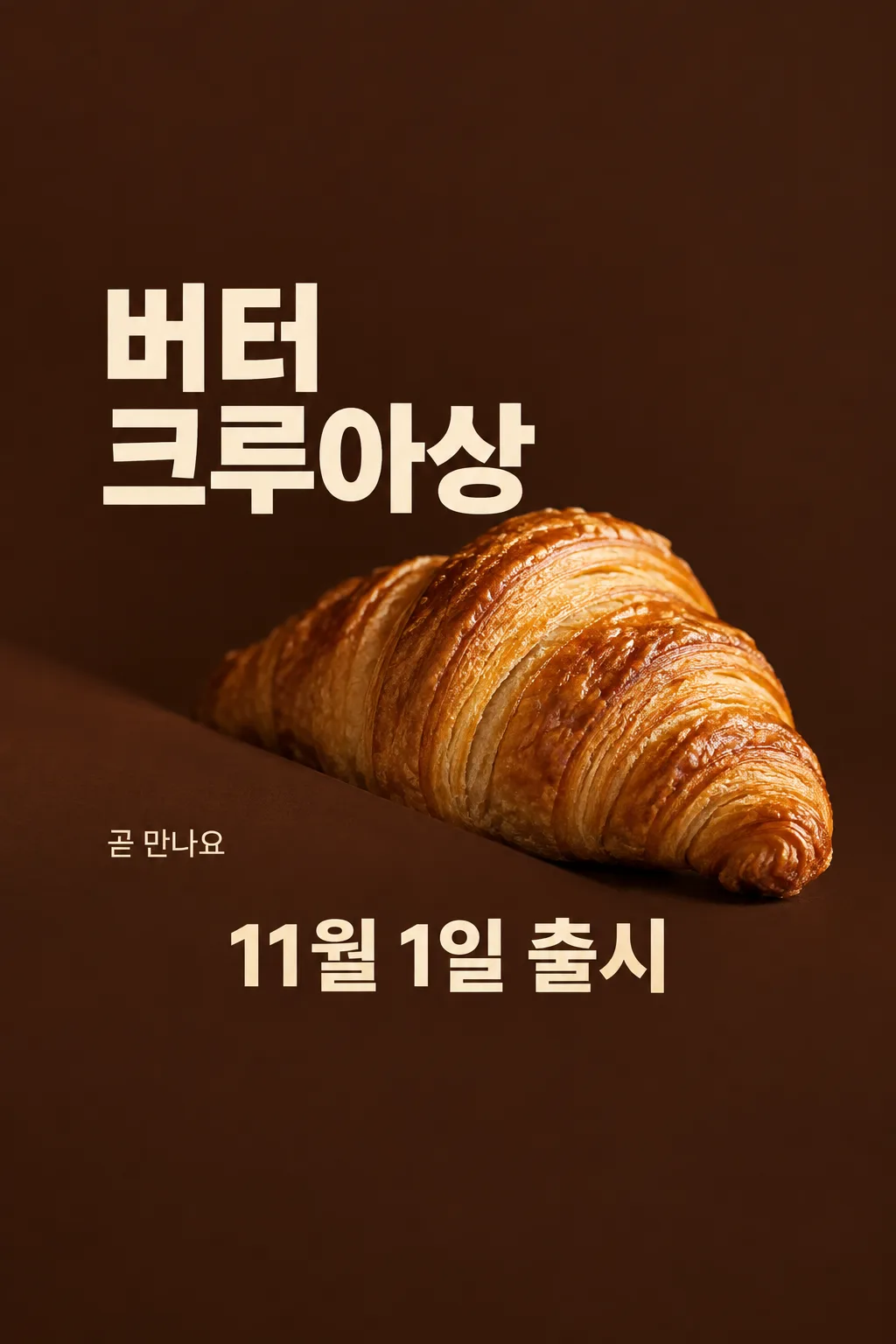
Announce one confirmed release date using your real croissant photo and a warm partial reveal.
Fill in the fields
- 1Fill in the fields
- 2Copy the prompt
- 3Upload One photo of the actual croissant and paste the prompt into your GPT chat
- 4Check that both the photo and prompt are attached, then send
Full prompt 5,514 characters
Generate this image now. Draw it directly - do not describe it, explain it, or ask questions.
Output one landscape A3 poster, 420 x 297 mm, aspect ratio 1.414:1. Use the largest supported resolution. Final print target: 4961x3508 pixels at 300dpi. Keep all text at least 10 mm inside the edges.

[Purpose]
Generate exactly ONE finished English croissant release teaser poster for a cafe or bakery. It announces one supplied product and one confirmed release date. The fixed design is a dramatic partial-reveal food photograph with large plain typography on warm dark brown. It is not a discount poster, menu board or advertisement for several bakery items. Output the final image directly with no code, follow-up, multiple pages or assembly. The viewer should first think that the actual bread looks delicious, then understand when it arrives.

[Scene]
Put ONE generously inflated croissant at the center-right, around 40–64% of the height. Its broad rounded middle and at least one tapered curled end remain clearly visible. A diagonal matte cocoa-colored foreground shade hides only the lower-left edge of the bread, no more than one fifth of its outline. This is a photographic reveal, not a silhouette of a flat roll. Keep the essential food structure exposed; do not cut the finished output into parts. No second croissant, drink, butter pat, tray full of cloned pastries or implied bundle. The backdrop is deep cocoa brown with warm directional bakery light. It fills the entire output canvas; do not show a poster held in a room or on a phone.

[Attached photo — mandatory]
Use the actual croissant photograph attached in this same message as the source of product identity, topping, filling, glaze, volume and shape. Preserve what this shop actually sells. Do not add almond flakes, chocolate, cream, melted cheese, garnish or branded packaging if absent from the photograph. Relight and arrange that ONE product without replacing it with generic AI bread. It has real laminated dough: a raised center, irregular thin curved flaky layers, slightly brittle toasted edges, subtle golden glaze and plausible puffed volume. Layer spacing is organic, never a perfectly repeating grid or wire mesh. A croissant is not a flattened waffle, geometric lattice, low hamburger bun or repeated stack of identical rings. Use appetizing close detail and warm light, not an invented steam cloud or wet plastic shine.

[Text layout and user facts]
Reserve the top 20% and bottom 25% as quiet brown background with no words. All important text remains between 21% and 74%. At 20–28%, print the store name once in clear restrained English lettering: "【Shop name】". At 29–42%, print the exact product name in very large warm-cream type, at most two lines with no broken English word: "【Croissant name】". Place the photograph beside and below the name so lettering never covers the flaky surface. At 69–74%, put the exact date followed by one word in one large line: "【Release date】 — available". That date is the principal factual information; preserve the user's spelling and do not add a weekday, time, year or deadline not supplied. Confirm the current date internally if interpreting a date is necessary, but never silently move the user's launch day.
At 62–68% on the empty LEFT side only, write the user's short teaser: "【Teaser line】". If this is "Pick for me", choose a short original invitation to anticipate the bread, 3–6 English words. Never print the instruction. Keep this line clearly subordinate to the name and release date. It may express anticipation, not a promise about stock, freshness schedule, ingredients, origin or a free gift.

[Style, hierarchy and text rules]
Use deep cocoa, warm cream and the real pastry's baked gold. Plain substantial typography, careful English spacing, soft believable shadows and crisp food focus. Hierarchy is one real pastry, its exact name and release date, then the store and short teaser. The teaser layout intentionally has no price field and no price. Do not invent a sale, quantity, reservation, purchase minimum, coupon, free delivery, limited stock, opening hours, award, nutrition benefit, organic claim or premium ingredient provenance. Print only the four supplied text elements; no field labels, logo, barcode, watermark, empty boxes, neon, starbursts, glowing outlines or extra captions. Return the single finished poster.
[Strict no-print geometry]
Keep the top 20% as completely empty dark cocoa with NO LETTERS, including no product headline. Leave the bottom 25% equally free of words. Do not enlarge the headline into that space. On a 1024x1536 sample: store name if supplied around y=310; product-name lettering wholly between y=420 and y=650; croissant mostly between y=660 and y=990; short teaser near y=1000 on the empty left; date wholly between y=1070 and y=1140. Compress the central composition to respect these limits. For other sizes scale these coordinates proportionally. The large upper blank area is intentional full-bleed background, not a frame. The bread remains plump, flaky and warmly lit.

[One occurrence per text element]
The shop name appears ONCE, the product name appears ONCE, the teaser appears ONCE, and the release-date line appears ONCE. Never repeat the teaser above and below the croissant. The region immediately above the date contains only blank background or food, never a second caption. Count the four text elements before delivering. If the shop name is omitted in a demonstration, there are exactly THREE text elements.

The bottom quarter of the canvas is intentionally pure dark brown: no words, no bread and no line there. Place the complete date above that empty bottom quarter, never at the lower edge.
You may also like
How to use it · FAQ
Announce the upcoming pastry
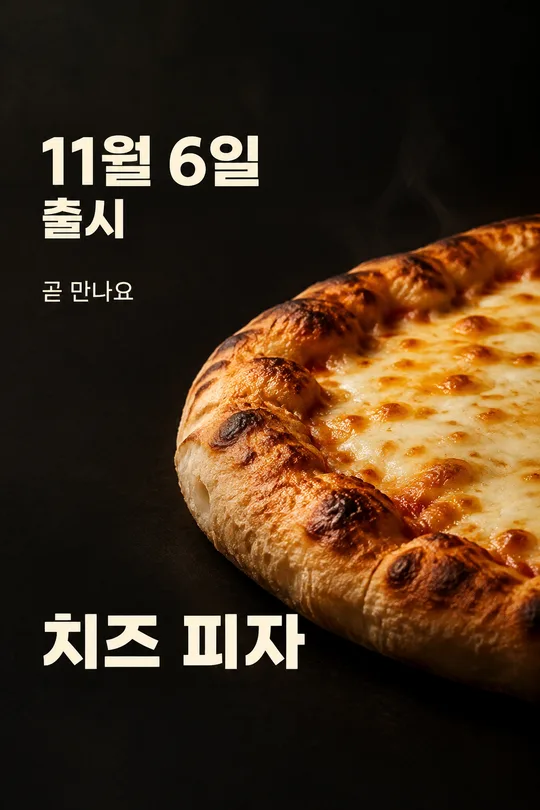
This one-sheet teaser is for a cafe or bakery entrance and Instagram feed. It shows part of one real croissant with its name and confirmed release date. The puffed body and flaky layers stay visible; a small foreground shade gives a sense of anticipation. This is a release teaser, so it has no price or discount.
Use real product facts
Enter your real shop name, the exact croissant name and a confirmed date. Choose a short teaser or “Pick for me.” Automatic wording does not create stock limits, gifts, origin claims or opening hours. The product name must match the attached pastry, including any visible topping.
Attach and generate once
Upload a clear photograph of the actual item you will sell, leave the message unsent, paste the filled prompt into the same box and send both once. A close photo of one pastry is best. Do not present another bakery's photograph as your own product.
Compare before using
Compare the generated bread with your original: it must retain its volume, thin organic folds and actual toppings. Reject flattened bread, repetitive mesh patterns or invented cream. Then check every letter of the name and date. If either the food or words are wrong, use a clearer product photo and the updated prompt to create one complete replacement. Partial reveal is the composition within that image; it does not require cutting the output.